



Keep reading
Rather we just did it for you?
Let's get your business seen.
Social media, websites, SEO and ads from a team you can actually meet.
Instagram Plus is Instagram’s optional paid subscription. It adds extra features, mostly for Stories and profiles, on top of the free app you already use. Since it launched globally in June 2026, the most common questions we hear are what you actually get, how much it costs, whether other people can tell you have it, and whether it’s worth it for a business. This guide answers all of them, with a clear list of every Instagram Plus feature.
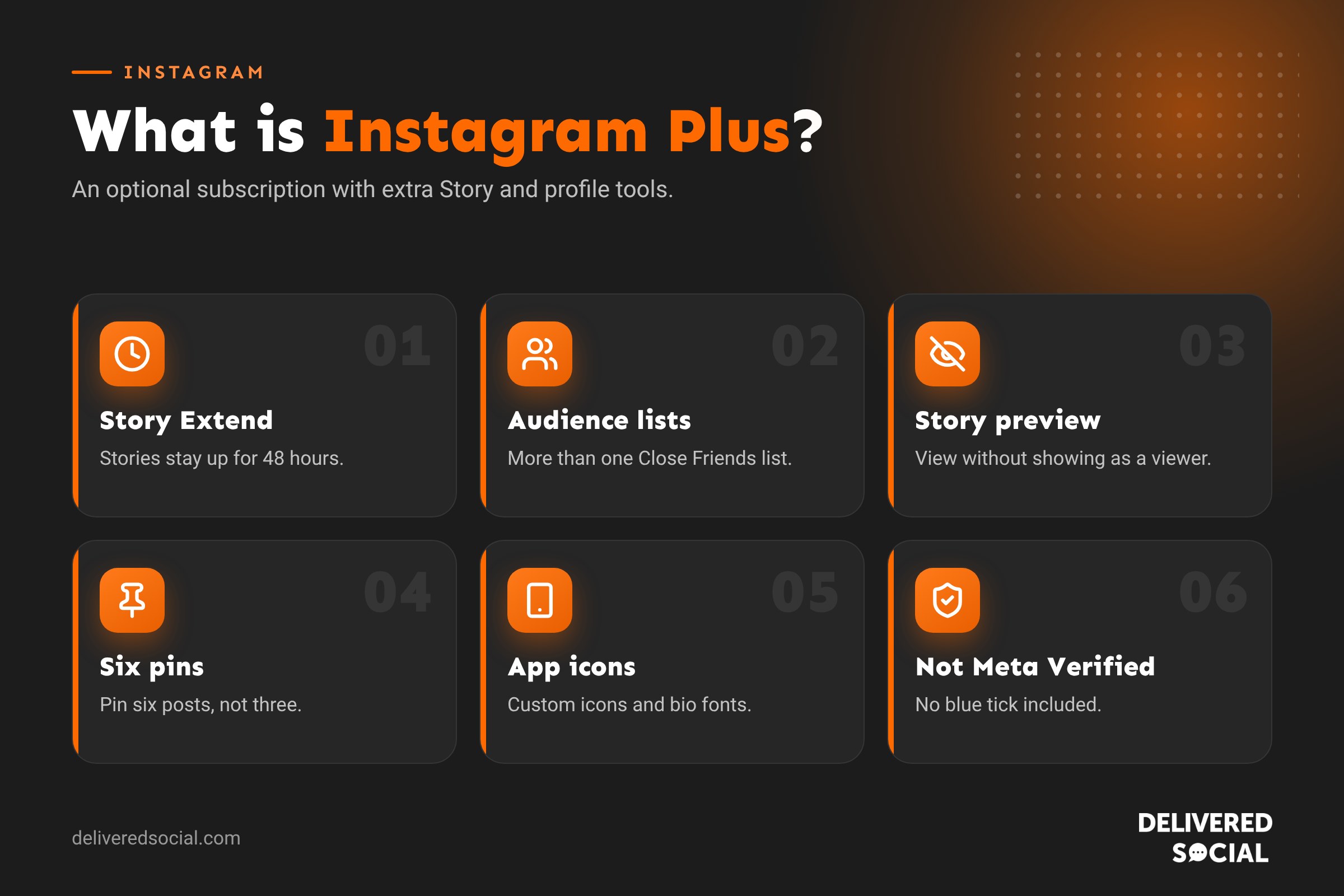
What is Instagram Plus?
Instagram Plus is a monthly subscription from Meta that unlocks extra tools inside Instagram. It sits alongside Facebook Plus and WhatsApp Plus, which Meta announced at the same time in May 2026. The free version of Instagram hasn’t changed: you can still post, share Stories, send messages and run a business account without paying anything.
Instagram tested the subscription in Japan, Mexico and the Philippines in spring 2026, then rolled it out worldwide from 4 June 2026.
It’s important not to confuse Instagram Plus with Meta Verified. Meta Verified is a separate paid service that gives you a verified badge, identity protection and access to account support. Instagram Plus doesn’t give you a blue tick. Meta has said the two are separate products.
How much does Instagram Plus cost?
In the US, Instagram Plus costs $3.99 a month. Reports put the UK equivalent at roughly £3 to £4 a month, but the exact price can vary by country, by platform and by whether you subscribe through the App Store or Google Play. Check the price shown in the app before you subscribe. WhatsApp Plus is cheaper, at $2.99 a month in the US.
Every Instagram Plus feature explained
| Feature | What it does |
|---|---|
| Story Extend | Keeps your Story up for 48 hours instead of 24 |
| Story Spotlight | Pushes your Story higher up your friends’ Story bar |
| Extra audience lists | Create several custom lists, not just Close Friends |
| Story preview | Watch someone’s Story without appearing in their viewer list |
| Rewatch count | See how many times your Story was rewatched |
| Search viewers | Search your Story viewer list for a specific account |
| Profile-only posting | Post to your grid or Highlights without it going to followers’ feeds |
| Super Hearts | Send animated hearts on friends’ Stories |
| Custom app icons | Choose a different Instagram icon for your phone |
| Custom bio font | Change the font of your bio |
| Six pinned posts | Pin up to six posts to the top of your grid, instead of three |
Story Extend
Normal Stories disappear after 24 hours. With Plus, you can extend a Story to stay up for 48 hours. That’s useful for anything people might miss on the first day, such as a weekend event, a limited offer or a launch.
Story Spotlight
Spotlight moves your Story further forward in your friends’ Story bar so more people see it. Reports suggest you can use it on a limited number of Stories, rather than every one.
Extra audience lists
The free app gives you one Close Friends list. Plus lets you create several lists, so you could have one for family, one for work contacts and one for a club or group, and choose which list sees each Story.
Story preview
Plus lets you watch someone’s Story without showing up in their viewer list. This is one of the most controversial features, as some people feel it takes away the transparency of seeing who’s watched.
Rewatch count and viewer search
You can see how many times your Story was rewatched in total, though not who rewatched it, and search your viewer list to check whether a particular account saw it.
Profile-only posting
This lets you post to your grid or Highlights without the post appearing in followers’ feeds. It’s handy for tidying up your profile, adding an old photo or building a portfolio without filling people’s feeds.
Super Hearts
A more noticeable, animated way to react to a friend’s Story.
Customisation
Plus subscribers can pick from a set of alternative app icons, change the font in their bio and pin up to six posts instead of three. Instagram has also been adding custom fonts in Stories and DMs for subscribers, and Meta has said more features will come.
How to get Instagram Plus
- Update the Instagram app to the latest version.
- Go to your profile and tap the menu (three lines) in the top corner.
- Look for Instagram Plus or a subscription option in the menu or Accounts Centre.
- Check the price and the features listed for your country.
- Subscribe through your App Store or Google Play account.
If you can’t see the option, it may not have reached your account yet, or it may not be offered for your account type. Instagram often rolls out features gradually.
How to cancel Instagram Plus
Because you pay through your phone’s app store, you cancel there. On an iPhone, go to Settings, tap your name, then Subscriptions. On Android, open Google Play, tap your profile, then Payments and subscriptions. Your features usually continue until the end of the period you’ve paid for.
Can you tell if someone has Instagram Plus?
There’s no badge or tick that shows someone has Plus. However, you may be able to spot some clues:
- Their Stories stay up for longer than 24 hours.
- They have more than three pinned posts on their profile.
- Their bio uses a different font.
- They send you animated Super Hearts on your Stories.
The feature people worry about most, viewing Stories anonymously, can’t be detected. If you share something you’d only want certain people to see, use Close Friends or a custom list rather than relying on the viewer list.
Instagram Plus vs Meta Verified
| Instagram Plus | Meta Verified | |
|---|---|---|
| What it’s for | Extra features for Stories and profiles | Verification, protection and support |
| Verified badge | No | Yes, once approved |
| Account support | No | Yes |
| Impersonation protection | No | Yes |
| Who it suits | Personal users and creators who post lots of Stories | Businesses and creators who want trust and support |
| Price | Low monthly fee | Higher monthly fee |
Is Instagram Plus worth it for businesses?
For most small businesses, Instagram Plus is a “nice to have”, not an essential. Here’s how we see it.
Where it could help
- Longer Stories: 48-hour Stories give offers and events more time to be seen.
- Six pinned posts: you can pin your best work, a customer review, your services, your location, an offer and a “meet the team” post.
- Audience lists: useful if you want to share different Stories with VIP customers, staff or suppliers.
- Profile-only posting: great for building a portfolio of past work on your grid without spamming followers.
Where it won’t help
- It doesn’t boost the reach of your posts or Reels in the feed or Explore.
- It doesn’t give you a verified badge or account support.
- It doesn’t add business insights or advertising tools.
- Some features, such as anonymous Story viewing, are personal rather than business tools.
Our view: if you post Stories every day and want more control over your profile, the low monthly cost could be worth trying for a month or two. If you’re short on time, put the effort into better content first. Good Reels, helpful carousels and quick replies to messages will do far more for your business than a subscription.
What people think of Instagram Plus
Reaction to the launch was mixed. Many everyday users disliked the idea of paying for features in an app that’s always been free, and some worry that features currently free could move behind the paywall in future. Others, particularly heavy Story users and creators, welcomed the extra control. Meta has said the free app will remain free and that Plus is an optional extra.
How to make the most of Instagram Plus if you subscribe
- Plan your six pins. Choose posts that answer a new visitor’s questions: what you do, proof that you’re good at it, and how to get in touch.
- Save Story Extend for key moments. Use it for events, launches and deadlines rather than everyday Stories.
- Build lists with care. A “VIP customers” list can be a great way to share early access and private offers.
- Use profile-only posting to fill gaps. Add past projects to your grid so your profile shows your full range of work.
- Review after a month. Check your Story reach and engagement in Insights. If nothing has changed, cancel.
The free features that matter more
Before paying for Plus, make sure you’re using the free tools that make a bigger difference:
- Highlights keep your best Stories on your profile permanently, for free.
- Close Friends lets you share with a chosen group.
- Grid reordering lets you put your best posts at the top.
- Trial Reels let you test new ideas with non-followers.
- Insights show you what’s working.
Our guide to how long an Instagram Story can be also explains how to make Stories last longer for free with Highlights.
Frequently asked questions
What is Instagram Plus?
An optional monthly subscription that adds extra Story and profile features to Instagram. The free app stays the same.
How much is Instagram Plus in the UK?
It’s $3.99 a month in the US, which is roughly £3 to £4. Check the exact price in the app, as it can vary.
What is “Instagram Plus Plus”?
People often search for “Instagram Plus Plus” because of old unofficial apps with similar names. These aren’t made by Instagram and can put your account at risk. The only official subscription is Instagram Plus, found inside the Instagram app.
Does Instagram Plus give you a blue tick?
No. A verified badge comes from Meta Verified, which is a separate subscription.
Can someone see if I viewed their Story with Instagram Plus?
With the Story preview feature, a Plus subscriber can view a Story without appearing in the viewer list.
Will Instagram Plus increase my reach?
Not for your feed posts or Reels. Story Spotlight may put your Story in front of more friends, but it isn’t an advertising tool.
Want help getting more from Instagram?
You don’t need a subscription to grow on Instagram. You need a clear plan and content your customers want to see. We help businesses across Surrey, Hampshire and the UK do exactly that. See our social media management services or call us on 01483 608 303.































