



Keep reading
Rather we just did it for you?
Let's get your business seen.
Social media, websites, SEO and ads from a team you can actually meet.
The right song can make a Reel. Trending audio helps Instagram understand what your video is about, can push it to people who are enjoying that sound, and makes your content feel current. But trending songs on Instagram change every week, so any fixed list goes out of date fast. This guide shows you how to find trending songs on Instagram yourself, how to spot a sound before it peaks, how to add music to Reels, Stories and posts, and the music rules every business needs to know.
Why trending songs matter on Instagram
- Discovery: each song has its own audio page, listing every Reel that uses it. Using a popular sound puts your Reel on that page.
- Relevance: people who enjoy a trend often see more videos using the same sound.
- Watch time: a catchy track that suits the pace of your video keeps people watching.
- Familiarity: viewers recognise popular sounds and the formats that go with them.
Music isn’t magic, though. A trending song on a dull video won’t save it. The best results come when the sound genuinely fits your content.
How to find trending songs on Instagram
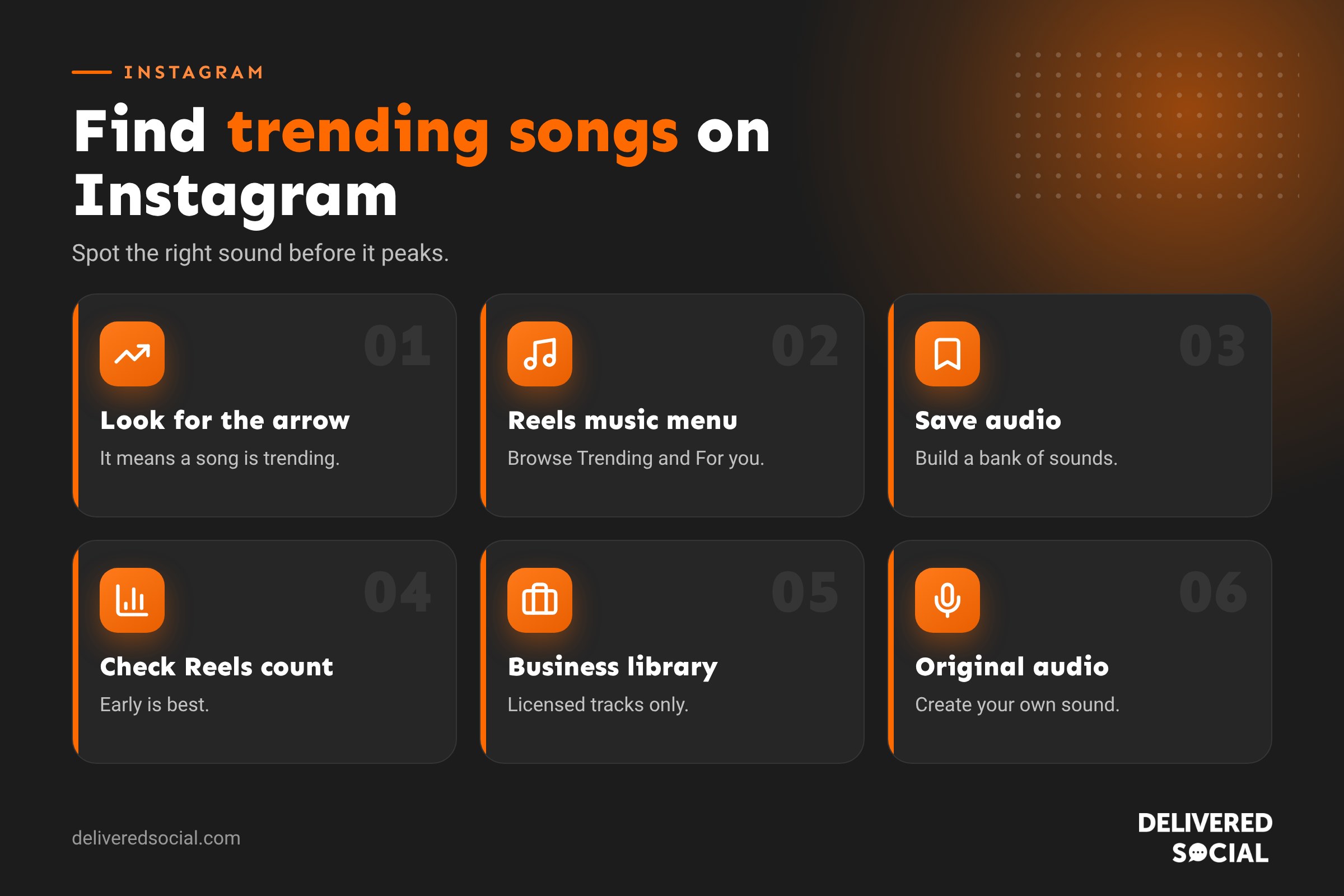
1. Look for the trending arrow
When you scroll Reels, look at the audio name at the bottom of the screen. A small upward arrow next to the song means it’s currently trending. Tap the song name to open its audio page and see how many Reels have used it.
2. Use the Reels audio browser
- Tap + and choose Reel.
- Tap the music icon.
- Browse the Trending and For you sections.
- Tap a song to preview it.
3. Check Insights in your professional dashboard
Business and creator accounts can find trending audio and popular topics in the professional dashboard. Look for the inspiration or trends section, which shows sounds that are growing among accounts like yours.
4. Save sounds as you scroll
When you hear a sound you like, tap the song name, then tap Save audio. Your saved sounds are ready the next time you create a Reel. Build a habit of saving two or three sounds every time you scroll.
5. Watch accounts in your niche
Notice which sounds other businesses, creators and competitors in your area are using. A sound trending among UK cafés may be different from one trending among fitness coaches.
6. Check what’s trending on TikTok
Many songs trend on TikTok first, then move to Instagram a week or two later. Keeping an eye on TikTok can help you get in early. Our guide to trending TikTok songs explains how to find them.
How to tell if a sound is still worth using
| Number of Reels using it | What it means | Should you use it? |
|---|---|---|
| Under 5,000 with an arrow | Early and growing | Yes, this is the sweet spot |
| 5,000 to 50,000 | Popular and current | Yes, if it suits your video |
| Hundreds of thousands | Peaked or saturated | Only if it fits perfectly |
| No arrow, old date | Past its peak | Use it only if you love the track |
These numbers are a rough guide rather than a rule, but the idea holds: getting in early on a trend usually gives you more reach than joining at the end.
How to add music to an Instagram Reel
- Tap + and choose Reel.
- Record or upload your clips.
- Tap the music icon and search for a song or pick a trending or saved sound.
- Drag the slider to choose the part of the song you want.
- Adjust the volume of the music and your original audio so voices stay clear.
- Tap Done, finish editing and share.
You can also use the audio from another Reel by tapping its sound name and choosing Use audio. Instagram opens the camera with that sound ready.
How to add music to Stories and photo posts
Stories
- Create your Story and tap the sticker icon.
- Choose the Music sticker.
- Search for a song, pick the section you want and choose how the sticker looks, such as lyrics or an album cover.
Photo and carousel posts
- Choose your photos and tap Next.
- Tap Add music.
- Search and choose a song and section.
Since 2026, you can also change the music on any post after it’s published. It’s a handy way to refresh older content with a current track.
Music rules for business accounts
This is the part many businesses miss. Songs from popular artists are licensed for personal use on Instagram. Business accounts often have a more limited music library, made up mainly of royalty-free tracks from Meta’s Sound Collection.
| Account type | Music available |
|---|---|
| Personal account | Full music library, including chart songs |
| Creator account | Usually the full library, for non-commercial content |
| Business account | Mainly royalty-free and licensed commercial tracks |
What businesses should do
- Use the tracks Instagram offers you. If a song appears in your business account’s music library, you can use it in that account’s organic posts.
- Don’t add copyrighted music in an editing app. Adding a chart song in another app and uploading the video can lead to it being muted or removed.
- Don’t use chart songs in adverts. Paid ads need properly licensed music.
- Use original audio. Voiceovers, sounds from your business and royalty-free music are always safe.
- Consider trending non-music sounds. Many trends use spoken clips or sound effects that are available to businesses.
If you see “This song is currently unavailable” or your video is muted, it’s usually because of licensing. Pick another track from the library.
Popular types of Instagram audio
- Chart hits: current pop songs, often trending for a few weeks.
- Sped-up and remixed tracks: faster versions of popular songs that suit quick edits.
- Throwbacks: older songs that suddenly trend again thanks to a meme or film.
- Voiceover sounds: funny or relatable spoken clips people lip-sync or react to.
- Calm instrumental tracks: good for tutorials, behind the scenes and product shots.
- Seasonal songs: Christmas, summer and back-to-school audio that comes back every year.
Matching songs to your content
| Type of Reel | Music that works |
|---|---|
| Before and after reveal | A track with a clear beat drop |
| Tutorial or tip | Quiet instrumental under a voiceover |
| Behind the scenes | Upbeat, feel-good track |
| Team or culture | A trending, fun sound |
| Product showcase | Stylish, mid-tempo track |
| Relatable humour | Trending voiceover clips |
Tips for using trending audio well
- Edit to the beat. Cut clips on the beat so the video feels smooth.
- Add text on screen. Many people watch without sound, so make the video work without the music too.
- Adapt the trend. Put your own business spin on it rather than copying exactly.
- Act quickly. Trends move fast. Save sounds and film within a few days.
- Keep a bank of evergreen tracks that suit your brand for weeks when nothing trending fits.
- Check results. Compare Reels with trending and non-trending audio in Insights to see what works for you.
A weekly routine for finding trending songs
- Monday: scroll Reels for ten minutes and save three or four sounds with the trending arrow.
- Tuesday: check your professional dashboard for trending audio in your niche.
- Wednesday: plan one or two Reels using your saved sounds.
- Thursday: film and edit.
- Friday: post, then check how the sound performed the following week.
Original audio: create a trend of your own
Every time you post a Reel with your own voice or sound, Instagram saves it as “original audio” with your account name on it. If other people use it, their Reels link back to you. Funny phrases, a catchy jingle or a distinctive sound from your business, such as a coffee machine or a workshop tool, can all become original audio. You won’t go viral every time, but a library of your own sounds is free to use, has no licensing worries and makes your content instantly recognisable to regular viewers.
Frequently asked questions
How do I find trending songs on Instagram Reels today?
Look for the upward arrow next to the song name on Reels, browse the Trending section in the Reels music menu, and check trending audio in your professional dashboard.
Why can’t I add music to my Instagram?
Business accounts have a limited music library because of licensing. Your app may also need updating, or the song may not be available in your country.
Can businesses use popular songs on Instagram?
Only those offered in your business account’s music library. Don’t add copyrighted songs through other apps, and never use them in adverts without a licence.
How long does an Instagram song trend last?
Usually a few days to a few weeks. Getting in early gives you the best chance of extra reach.
Can I change the song on an Instagram post after posting?
Yes. Instagram now lets you change the music on posts after they’re published.
Want Reels that people actually watch?
We plan, film and edit Reels for businesses across Surrey, Hampshire and the UK, using trends that suit your brand. See our social media management services or call us on 01483 608 303.































