



Keep reading
Rather we just did it for you?
Let's get your business seen.
Social media, websites, SEO and ads from a team you can actually meet.
Posting on TikTok consistently is one of the best ways to grow, but it’s hard to stop what you’re doing at the perfect time every day. That’s where scheduling comes in. So, can you schedule posts on TikTok? Yes, both with TikTok’s own scheduler and with third-party tools. This guide explains how to schedule TikTok posts step by step, the limits of TikTok’s built-in scheduler, the best scheduling tools, when to post, and how to build a simple TikTok content routine.
Can you schedule posts on TikTok?
Yes. There are two main ways:
| TikTok’s own scheduler | Third-party tools | |
|---|---|---|
| Where | TikTok Studio on a computer | Tools such as Metricool, Hootsuite and Later |
| Cost | Free | Free plans or monthly fee |
| How far ahead | Up to 10 days | Weeks or months, depending on the tool |
| Account type | Business or Creator account | Usually Business or Creator account |
| Other platforms | TikTok only | Schedule Instagram, Facebook and more too |
How to schedule TikTok posts with TikTok Studio
TikTok’s built-in scheduler works on a computer through TikTok Studio. You’ll need a Business or Creator account.
- Go to tiktok.com on your computer and log in.
- Open TikTok Studio from the menu, or click Upload.
- Upload your video file.
- Write your caption, add hashtags, choose a cover image and add a location if relevant.
- Set who can watch, and whether to allow comments, duets and stitches.
- Under When to post, choose Schedule.
- Pick the date and time, up to 10 days ahead.
- Click Schedule.
Your scheduled videos appear in TikTok Studio under your posts. The time is based on your computer’s time zone, so check it’s set to UK time.
Limits of TikTok’s built-in scheduler
- You can only schedule up to 10 days ahead.
- It schedules videos only, not photo carousels, Stories or LIVEs.
- You can’t edit a scheduled post. To change it, delete it and upload it again.
- Scheduling isn’t available in the TikTok phone app. You’ll need a computer.
How to switch to a Business account
- Open TikTok and go to your profile.
- Tap the menu (three lines), then Settings and privacy.
- Tap Account.
- Tap Switch to Business Account and follow the steps.
Business accounts also unlock analytics, a website link in your bio and access to TikTok’s Commercial Music Library. Note that business accounts can only use commercially licensed music, not every popular song.
Scheduling TikTok with third-party tools
Social media management tools let you schedule TikTok alongside your other platforms, often further ahead and from your phone. Popular options include:
- Metricool: schedule TikTok, Instagram, Facebook, LinkedIn and more from one calendar, with analytics.
- Meta Business Suite doesn’t support TikTok, so a separate tool is needed if you want everything in one place.
- Hootsuite, Later, Sprout Social and Buffer all offer TikTok scheduling on various plans.
How third-party scheduling usually works
- Connect your TikTok account to the tool.
- Upload your video and write your caption.
- Choose a date and time on the calendar.
- Choose auto-publish, or a reminder that sends a notification so you can finish posting in the app, for example to add a trending sound.
Check whether your chosen tool supports photo carousels, auto-publishing and music, as features vary.
The trending sound problem
One downside of scheduling: you often can’t add TikTok’s trending sounds to a scheduled post, because sounds are added inside the app. Ways around it:
- Use reminder posting, where the tool notifies you to finish in the app and add the sound.
- Use original audio, such as voiceovers, which work perfectly when scheduled.
- Post trend-based videos live and schedule evergreen content such as tips and tutorials.
When is the best time to post on TikTok?
There’s no single best time for everyone. Your audience is what matters. As a starting point, many UK businesses see good results:
- Early morning (7am to 9am), during commutes and breakfast.
- Lunchtime (12pm to 2pm).
- Evenings (6pm to 10pm), the busiest time for many accounts.
Check your own analytics: in TikTok Studio, the Followers tab shows when your followers are most active. Schedule posts just before those peaks.
How often should you post on TikTok?
Consistency matters more than volume. For most businesses, three to five videos a week is a realistic target. Batch filming several videos in one session, then scheduling them across the week, makes this far easier.
A simple weekly TikTok routine
- Monday: plan five video ideas based on customer questions, behind-the-scenes moments and trends.
- Tuesday: film all five in one session.
- Wednesday: edit, add captions and text on screen.
- Thursday: schedule them for the week ahead.
- Daily: spend ten minutes replying to comments and engaging with other accounts.
Don’t schedule and forget
Scheduling saves time, but TikTok rewards engagement. After a video goes live:
- Reply to comments in the first hour, as this can help the video reach more people.
- Pin your best comment or a reply that answers a common question.
- Reply to good questions with a new video, which TikTok makes easy.
- Check analytics after a few days and make more of what works.
Common scheduling problems
- Schedule option missing: switch to a Business or Creator account and use TikTok on a computer.
- Post went out at the wrong time: check your computer or tool’s time zone.
- Video failed to publish: check the file format (MP4 or MOV) and size, and reconnect your account in your scheduling tool.
- Music unavailable: business accounts can only use the Commercial Music Library.
Planning a TikTok content calendar
Scheduling works best with a plan. A simple TikTok calendar might rotate these content types through the week:
| Day | Content type | Example |
|---|---|---|
| Monday | Tip or how-to | “Three things to check before booking a plumber” |
| Tuesday | Behind the scenes | Morning set-up at the shop |
| Wednesday | Customer question | Answering a common question |
| Thursday | Trend (post live) | Your spin on a trending format |
| Friday | Result or reveal | Before and after, or finished project |
Schedule the evergreen videos and keep one or two slots free each week to post trends live, while they’re still trending.
Batch filming tips
- Film in good natural light, facing a window.
- Bring a few changes of top so videos don’t all look like the same day.
- Write a short list of hooks before you start.
- Film each video a couple of times so you have options.
- Capture extra B-roll, such as close-ups of your work, to use across several videos.
- Use a tripod and a simple clip-on microphone for clear sound.
Checking scheduled posts went live
After a scheduled time passes, check your profile to make sure the video published and looks right. Occasionally uploads fail because of a lost connection, an expired login on a scheduling tool or a file problem. A quick check means you can fix it straight away rather than finding out days later.
Scheduling TikTok alongside Instagram and Facebook
Many businesses repurpose the same short video across TikTok, Instagram Reels, Facebook Reels and YouTube Shorts. A multi-platform scheduling tool lets you plan them all from one calendar. Tweak the caption for each platform, save a version without the TikTok watermark, and post at the best time for each audience.
Writing captions for scheduled TikToks
Because you write scheduled captions in advance, take a moment to make them work hard:
- Lead with a hook or question that adds to the video.
- Include the words people search for, as TikTok is increasingly used like a search engine.
- Add three to five relevant hashtags rather than a long list.
- End with a prompt, such as “Which would you choose?”, to encourage comments.
Read captions back on your phone before scheduling to check they look right on a small screen.
Key takeaways
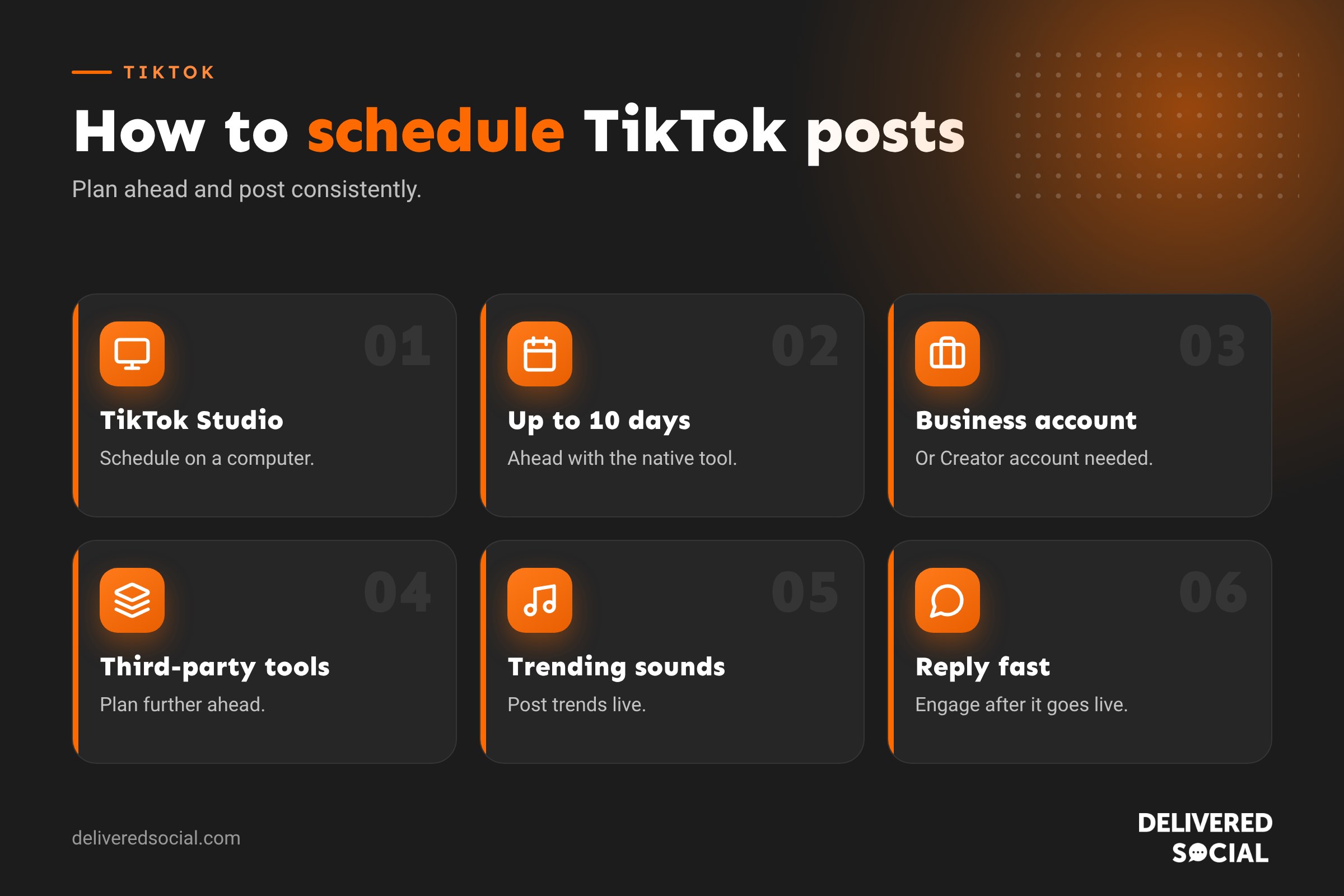
- TikTok Studio on a computer schedules videos up to 10 days ahead for free.
- Third-party tools let you plan further ahead and from your phone.
- Post trend-based videos live so you can use trending sounds.
- Reply to comments soon after each scheduled video goes live.
Social platforms change their menus and features regularly, so it is worth checking the settings mentioned in this guide every few months to make sure everything still works the way you want it to.
Frequently asked questions
Can you schedule TikTok posts?
Yes, up to 10 days ahead with TikTok Studio on a computer, or further ahead with third-party tools.
Can you schedule TikToks on your phone?
Not in the TikTok app itself. Third-party tools such as Metricool let you schedule from your phone.
Do scheduled TikToks get less reach?
There’s no evidence that scheduling itself reduces reach. Content quality and engagement matter far more.
Can I edit a scheduled TikTok?
Not in TikTok Studio. Delete the scheduled post and upload it again.
Can I schedule TikTok photo carousels?
Not with TikTok’s built-in scheduler, though some third-party tools support them.
Want TikTok handled for you?
We plan, film, edit and schedule TikTok content for businesses across Surrey, Hampshire and the UK. Read our guide to TikTok video length, see our social media management services or call us on 01483 608 303.































