



Keep reading
Rather we just did it for you?
Let's get your business seen.
Social media, websites, SEO and ads from a team you can actually meet.
Nothing looks less professional than a Facebook cover photo with your logo cut in half, or a post image with the bottom chopped off. Getting the sizes right makes your page look sharp on phones and computers alike. This guide lists every Facebook image size you need, including the Facebook post size, profile picture size, cover photo, Stories, events and ads, plus tips for keeping images crisp and avoiding awkward crops.
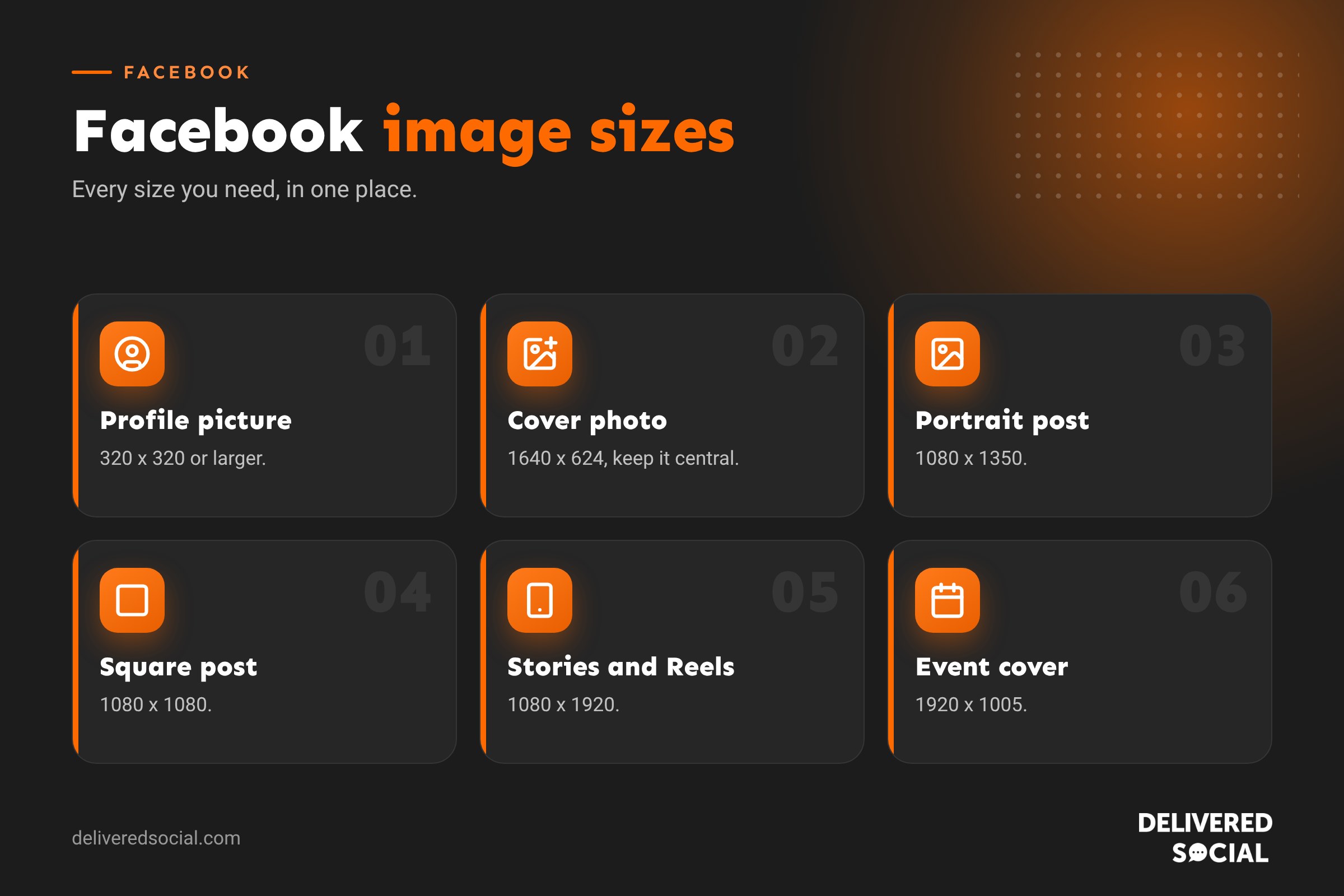
Facebook image sizes at a glance
| Image | Recommended size (pixels) | Ratio |
|---|---|---|
| Profile picture | At least 320 x 320 (upload larger, such as 720 x 720) | 1:1, shown as a circle |
| Cover photo (page) | 1640 x 624, or 851 x 315 minimum | About 2.6:1 |
| Square post | 1080 x 1080 | 1:1 |
| Portrait post | 1080 x 1350 | 4:5 |
| Landscape post | 1200 x 630 | 1.91:1 |
| Link preview image | 1200 x 630 | 1.91:1 |
| Stories and Reels | 1080 x 1920 | 9:16 |
| Event cover | 1920 x 1005 | About 1.91:1 |
| Group cover | 1640 x 856 | About 1.91:1 |
| Feed ads | 1080 x 1080 or 1080 x 1350 | 1:1 or 4:5 |
| Carousel cards | 1080 x 1080 | 1:1 |
Facebook changes its layouts from time to time, so treat these as safe recommendations rather than fixed rules, and always preview before publishing.
Facebook profile picture size
Your profile picture shows at about 176 x 176 pixels on a computer and smaller on phones, and it’s cropped into a circle. Upload a square image of at least 320 x 320 pixels; 720 x 720 or larger gives a crisper result on high-resolution screens.
- Keep your logo or face in the centre.
- Leave space around the edges so nothing is cut off by the circle.
- Use a simple, high-contrast logo version rather than one with small text.
- For a Facebook logo image size, export your logo on a square canvas with padding, ideally as a PNG.
Facebook cover photo size
The cover photo is the hardest to get right, because Facebook crops it differently on desktop and mobile. Desktop shows a wider, shorter version; mobile shows a narrower, taller version.
- Upload at 1640 x 624 pixels.
- Keep text and logos within the central safe area, roughly the middle 1200 x 460 pixels or so.
- Remember your profile picture overlaps the bottom left on desktop.
- Save as a high-quality JPG under 100KB, or a PNG for images with text and logos, which keeps them crisper.
You can also use a short cover video on pages, which can grab attention, though a clean photo is often more effective.
Facebook post size
For feed posts, vertical and square images take up more space on phones, where most people scroll.
- Portrait (4:5), 1080 x 1350: takes up the most room in the mobile feed. Best for most posts.
- Square (1:1), 1080 x 1080: safe, versatile and easy to reuse on Instagram.
- Landscape (1.91:1), 1200 x 630: good for wide photos and event shots, but smaller on phones.
If you upload a very tall image, Facebook may crop it in the feed and show the full version when tapped.
Facebook photo size for multiple images
When you post several photos together, Facebook arranges them in a grid, and the layout depends on the size and number of images. For a tidy grid, use the same ratio for every photo. The first image is usually the largest, so lead with your best one.
Facebook Stories and Reels size
- Use 1080 x 1920 pixels (9:16).
- Keep text and key details away from the top and bottom 14% or so, where profile names, captions and buttons appear.
- Reels can be shared to both Facebook and Instagram, so design once for both.
Facebook event and group cover sizes
- Event cover: 1920 x 1005 pixels. Keep the date and event name in the middle.
- Group cover: 1640 x 856 pixels. Keep important details central, as the edges can be cropped on mobile.
Facebook ad image sizes
| Placement | Recommended |
|---|---|
| Feed | 1080 x 1080 (1:1) or 1080 x 1350 (4:5) |
| Stories and Reels | 1080 x 1920 (9:16) |
| Right column (desktop) | 1080 x 1080 (1:1) |
| Carousel | 1080 x 1080 per card |
Meta’s Advantage+ placements can automatically adapt your images, but uploading separate versions for feed (4:5) and Stories (9:16) gives you more control and better results.
How to keep Facebook images sharp
- Upload at the recommended size, not smaller.
- Use PNG for logos and text-heavy graphics to avoid blurry edges.
- Use JPG for photos, at high quality.
- Turn on high-quality uploads in the Facebook app’s media settings.
- Avoid images with tiny text, which is hard to read on phones.
- Use the sRGB colour profile so colours look right.
Using Canva for Facebook images
Canva has ready-made templates for Facebook posts, covers, events and Stories at the right sizes. Set up brand colours and fonts in your brand kit so every image looks consistent. Before uploading a cover photo, check the safe area with a mobile preview to make sure nothing important gets cropped.
Common Facebook image mistakes
- Logos cut off in the cover photo because they’re too close to the edges.
- Blurry profile pictures from uploading a small or compressed file.
- Landscape images that look tiny in the mobile feed.
- Text over busy photos that can’t be read.
- Different sizes in a multi-photo post creating an awkward grid.
- Story text hidden behind buttons at the top or bottom.
Image sizes for other platforms
If you post the same content on Instagram, a 1080 x 1350 portrait image works well on both platforms. For Instagram, LinkedIn and TikTok sizes, check each platform’s own guidance, as they differ slightly. Our Instagram limits guide covers Instagram’s posting rules.
Do Facebook image sizes matter for SEO and sharing?
When someone shares a link to your website on Facebook, the preview image comes from your page’s Open Graph image. Set it at 1200 x 630 pixels on every important page, including blog posts and services, so shared links look professional rather than pulling a random logo or a cropped photo. Most website SEO plugins let you set this image for each page.
Key takeaways
- Profile picture: at least 320 x 320, shown as a circle.
- Cover photo: 1640 x 624, with key details in the centre.
- Posts: 1080 x 1350 portrait works best on mobile.
- Stories and Reels: 1080 x 1920, with text away from the edges.
- Use PNG for logos and text, and always preview before publishing.
Facebook image size cheat sheet for designers
If you design graphics for Facebook regularly, create a set of templates once and reuse them:
- Feed portrait (1080 x 1350): your main template for posts and ads.
- Square (1080 x 1080): for carousels and posts you’ll reuse on Instagram.
- Story and Reel (1080 x 1920): with guides marking the safe area.
- Cover photo (1640 x 624): with the mobile and desktop safe areas marked.
- Event cover (1920 x 1005): for events and workshops.
Add your logo, fonts and colours to each so anyone on your team can create on-brand images in minutes.
Text on Facebook images
Facebook no longer rejects ads with lots of text in the image, but images with less text often perform better, because they look less like adverts. Keep image text short, such as a headline or price, and put the detail in the caption. For organic posts, bold, short text helps people understand the post quickly as they scroll.
Accessibility
Add alt text to your images so people using screen readers know what they show. Facebook generates automatic alt text, but you can edit it when posting. Use high contrast between text and background, and avoid putting important information only in an image.
How to check your images before posting
Preview every post on both a phone and a computer before publishing. Meta Business Suite shows previews for Facebook and Instagram feeds and Stories, so you can spot cropped logos or hidden text. For cover photos, upload and view your page on a phone straight away, then adjust the position if anything important is cut off.
Quick glossary
- Aspect ratio: the shape of an image, such as 1:1 (square) or 4:5 (portrait).
- Safe area: the part of an image that won’t be cropped or covered.
- Alt text: a written description of an image for screen readers.
- Compression: reducing file size, which can lower image quality.
Frequently asked questions
What size is a Facebook post?
1080 x 1350 pixels (portrait) is best for mobile. 1080 x 1080 (square) and 1200 x 630 (landscape) also work.
What is the Facebook profile picture size?
Upload at least 320 x 320 pixels. It displays as a circle.
What size is a Facebook cover photo?
1640 x 624 pixels, keeping important details in the centre.
Why does my Facebook image look blurry?
It may be too small, saved at low quality or compressed. Upload a larger file, use PNG for graphics and turn on high-quality uploads.
What size is a Facebook Story?
1080 x 1920 pixels, a 9:16 ratio.
Want a Facebook page that looks the part?
We design graphics and manage Facebook pages for businesses across Surrey, Hampshire and the UK. Read our Facebook statistics guide, see our social media management services or call us on 01483 608 303.
































