



Keep reading
Rather we just did it for you?
Let's get your business seen.
Social media, websites, SEO and ads from a team you can actually meet.
Pinterest is where people go to plan: kitchens, weddings, outfits, gardens, gifts and holidays. That makes it one of the few social platforms where people are actively looking for things to buy, often weeks or months before they spend. Pinterest ads let you put your products and services in front of those planners at exactly the right moment. This guide explains how Pinterest advertising works, the ad formats, what it costs, how to create Pinterest ads step by step, and the tips that help small businesses get a return.
What are Pinterest ads?
Pinterest ads are paid Pins. They look like normal Pins in the home feed, search results and related Pins, but carry a small “Promoted by” or “Sponsored” label. Because they blend in with what people are already browsing, they tend to feel helpful rather than intrusive. People save them to boards, click through to websites and come back to them later.
Why advertise on Pinterest?
- People arrive with intent. Pinners are planning purchases, not just scrolling for entertainment.
- Ads look like content. Good promoted Pins sit naturally alongside organic ones.
- Long life. When people save your ad, the Pin keeps working after your campaign ends.
- Less competition. Fewer businesses advertise on Pinterest than on Facebook or Google, so costs can be lower in some niches.
- Strong for visual products. Home, food, fashion, beauty, weddings, travel and DIY all perform well.
Pinterest ad formats
| Format | What it is | Best for |
|---|---|---|
| Standard image ads | A single promoted image Pin | Most businesses, products and services |
| Video ads | Promoted video Pins, standard or max width | Showing products in action and tutorials |
| Carousel ads | Up to five swipeable images | Several products or steps in a process |
| Collections ads | One main image or video with smaller product images below | Online shops with several related products |
| Shopping ads | Ads created from your product catalogue, showing price and availability | Ecommerce |
| Idea ads | Multi-page Pins with images, video and text | Inspiration, tutorials and storytelling |
| Quiz ads | Interactive questions that lead to recommendations | Helping people choose a product |
Pinterest adds and changes formats from time to time, so check Ads Manager for what’s available to your account.
Pinterest campaign objectives
- Brand awareness: show your Pins to as many relevant people as possible.
- Video views: get your videos watched.
- Consideration (traffic): drive clicks to your website.
- Conversions: get sales, sign-ups or enquiries on your website. This needs the Pinterest tag.
- Catalogue sales: promote products from your catalogue with shopping ads.
For most small businesses, consideration or conversions are the best places to start.
How much do Pinterest ads cost?
You set the budget. Pinterest ads work on an auction, and you can spend a small daily amount to begin with. What you pay depends on your audience, competition, season and how good your ad is. You’ll usually be charged per click, per thousand impressions or per view, depending on your objective.
Seasons matter. Prices often rise in the run-up to big shopping and planning moments, such as Christmas, wedding season and back to school. Starting your campaigns early often gets you cheaper results and catches people while they’re still planning.
Before you create Pinterest ads
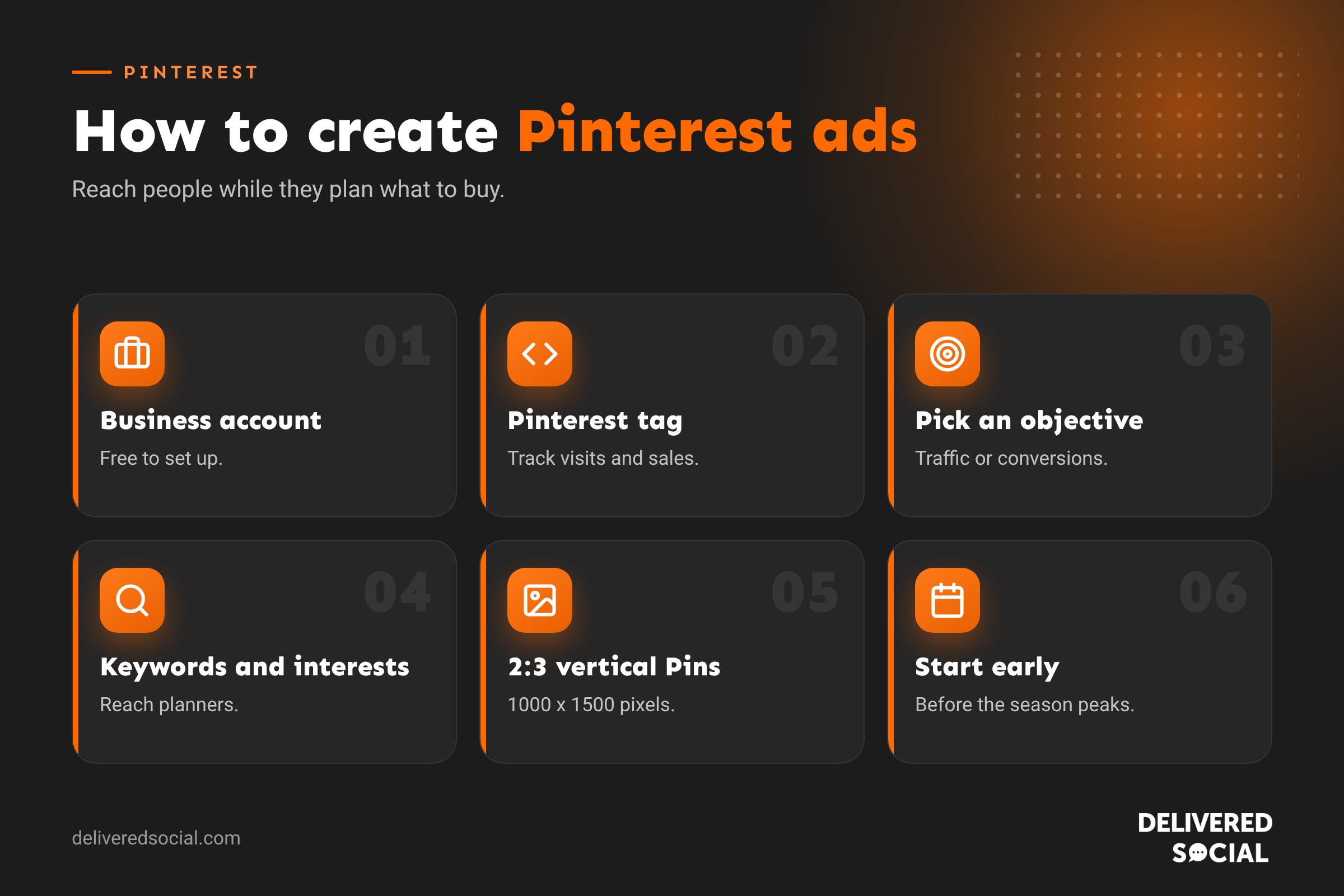
- Create or convert to a Pinterest business account. It’s free.
- Claim your website so your logo appears on Pins and you get website analytics.
- Install the Pinterest tag on your website. It tracks visits, sign-ups and purchases so you can measure results and build audiences. Many platforms, such as Shopify and WooCommerce, have simple integrations.
- Set up the Conversions API if you can, to improve tracking accuracy.
- Upload your product catalogue if you sell online.
- Create some organic Pins first to see which images and topics get the most saves and clicks.
How to create Pinterest ads step by step
- Go to Ads Manager in your Pinterest business account and click Create campaign.
- Choose your objective, such as consideration or conversions.
- Name your campaign and set a campaign budget or leave budgets at ad group level.
- Create an ad group and choose your targeting: location, language, age, gender, devices, interests, keywords and audiences.
- Choose your placements: browse (home feed and related Pins), search, or both. Pinterest often recommends all placements.
- Set your budget and schedule, and your bidding. Automatic bidding is the easiest place to start.
- Choose Pins to promote: an existing Pin or a new one. Add a destination URL with tracking if needed.
- Review and launch. Pinterest reviews ads before they go live, usually within a day.
Pinterest ad targeting options
| Targeting | How it works |
|---|---|
| Keywords | Show ads when people search for related terms, such as “small kitchen ideas” |
| Interests | Reach people based on topics they engage with |
| Demographics | Location, age, gender, language and device |
| Audiences | Website visitors, customer lists, people who engaged with your Pins, and lookalikes |
| Performance+ targeting | Pinterest’s automated targeting, which finds people likely to respond |
A good starting point is a combination of relevant keywords and interests, plus retargeting people who have already visited your website.
Creating Pinterest ads that perform
- Use vertical images at a 2:3 ratio, such as 1000 x 1500 pixels.
- Show the product in use, in a real setting, not just on a white background.
- Add a short text overlay that says what the Pin is about, such as “5 ways to style a small hallway”.
- Put your branding subtly in the image so people remember you.
- Write keyword-rich titles and descriptions. Pinterest is a search engine.
- Keep videos short, with the key message in the first few seconds and captions on.
- Match the landing page to the Pin so people find exactly what they clicked on.
- Test several creatives in each ad group and keep the winners.
Pinterest ads for different businesses
- Interior designer: carousel ads showing before and after room makeovers, targeting home renovation keywords.
- Wedding venue: video ads of the venue, running from autumn when couples plan next year’s weddings.
- Online gift shop: shopping ads from the catalogue, ramped up from October for Christmas.
- Bakery or café: standard Pins promoting celebration cakes to people in your area.
- Garden designer: idea ads with planting tips, linking to a services page.
Our guide to Pinterest trends shows how to see when people start searching for seasonal topics, so you can time ads perfectly.
Measuring Pinterest ads
In Ads Manager, track:
- Impressions and reach.
- Saves, a sign people want to come back to your Pin.
- Outbound clicks to your website.
- Cost per click and cost per conversion.
- Return on ad spend for online shops.
Pinterest users often buy days or weeks after first seeing a Pin, so look at longer attribution windows and don’t judge a campaign too quickly.
Common Pinterest ad mistakes
- No Pinterest tag, so you can’t measure sales or retarget visitors.
- Square or landscape images that look small in the feed.
- Starting too late for seasonal campaigns.
- Too broad targeting without relevant keywords.
- Sending people to a home page instead of the specific product or service.
- Judging results in a few days on a platform where people plan ahead.
Pinterest ads vs Meta and Google ads
| Meta | Google Search | ||
|---|---|---|---|
| Mindset | Planning and inspiration | Scrolling and socialising | Searching to solve a need now |
| Strength | Visual products and early-stage buyers | Huge reach and detailed targeting | High intent at the moment of search |
| Ad lifespan | Long, as Pins get saved | Short | Only while running |
Pinterest works best as part of a wider mix, catching people early in their planning, while Google and Meta help close the sale.
Key takeaways
- Pinterest ads are promoted Pins shown to people planning purchases.
- Install the Pinterest tag before you spend anything.
- Use vertical 2:3 images and keyword-rich titles.
- Start seasonal campaigns early, when people begin planning.
- Give campaigns time, as Pinners often buy later.
Quick glossary
- Promoted Pin: a Pin you pay to show to more people.
- Pinterest tag: code on your website that tracks visits and sales from Pinterest.
- Catalogue: a product feed that powers shopping ads.
- Outbound click: a click from a Pin to your website.
- Performance+: Pinterest’s automated campaign and targeting options.
Pinterest updates Ads Manager regularly, so menu names and options may shift slightly from what we describe.
Frequently asked questions
How do I create Pinterest ads?
Open Ads Manager in a Pinterest business account, create a campaign, choose an objective, set targeting and budget, pick Pins to promote and launch.
Are Pinterest ads worth it?
For visual products and services, often yes, especially for reaching people early in their buying journey.
How much should I spend on Pinterest ads?
Start with a modest daily budget for a few weeks, measure results, then increase what works.
Do I need a business account to advertise on Pinterest?
Yes. Business accounts are free and give you Ads Manager and analytics.
What size should Pinterest ads be?
Vertical images at a 2:3 ratio, such as 1000 x 1500 pixels.
Want Pinterest ads that bring in customers?
We plan and run Pinterest and social advertising for businesses across Surrey, Hampshire and the UK. Read our guide on making money on Pinterest, see our social media management services or call us on 01483 608 303.
































