



Keep reading
Rather we just did it for you?
Let's get your business seen.
Social media, websites, SEO and ads from a team you can actually meet.
Boosting a post is the quickest way to turn something you’ve already shared on Instagram into an advert. A few taps, a small budget and your post reaches people beyond your followers. But is it worth it, and how do you get the most from your money? This guide explains how to boost a post on Instagram, what it costs, how boosting compares with running ads in Ads Manager, how to choose your goal and audience, and the mistakes that waste budget.
What does boosting a post on Instagram mean?
Boosting turns an existing post, Reel or Story into a paid advert. Instagram shows it to more people, including people who don’t follow you, in their feed, Stories, Reels and Explore. Boosted posts are labelled “Sponsored” and can include a button, such as Visit Profile, Learn More or Send Message.
Is boosting a post on Instagram free?
No. Boosting is a paid feature. You choose a daily budget and how long the boost runs, and Instagram charges your payment method. You can start small, which makes boosting an easy way to test paid promotion.
What you need to boost a post
- An Instagram professional account (business or creator).
- A payment method added in Instagram or Meta’s ad settings.
- A post that follows Meta’s advertising policies.
- Optionally, a linked Facebook page, which unlocks more options.
How to boost a post on Instagram
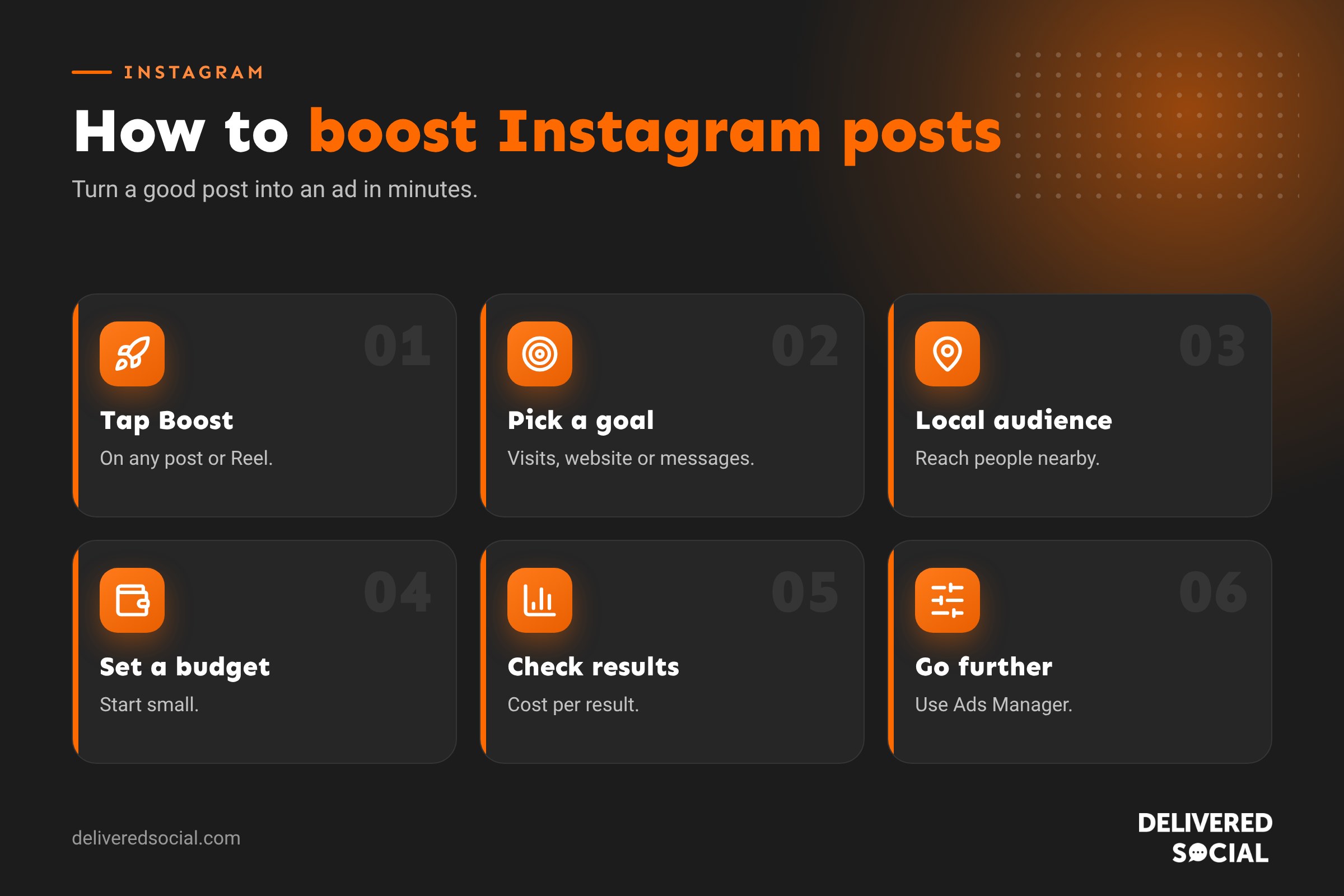
- Open the post, Reel or Story you want to promote.
- Tap Boost (under the post or in the three-dot menu).
- Choose your goal: more profile visits, more website visits or more messages.
- Choose your audience: automatic, or create your own by location, age, gender and interests.
- Set your daily budget and duration. Instagram shows estimated reach.
- Check the preview and payment details.
- Tap Boost post. Meta reviews it, usually within a day.
Choosing the right goal
| Goal | Use it when you want |
|---|---|
| More profile visits | New followers and brand awareness |
| More website visits | Traffic to a product, booking or offer page |
| More messages | Enquiries through Instagram, WhatsApp or Messenger |
For most local service businesses, messages or website visits bring the most valuable results.
Choosing your audience
- Automatic: Instagram shows your post to people similar to your followers. Easy, but less control.
- Local: people within a set distance of your business. Ideal for cafés, salons and trades.
- Custom: choose locations, ages, gender and interests yourself.
- Saved audiences: reuse audiences you’ve built before.
Keep audiences relevant but not too narrow. Very small audiences can make results expensive.
How much does it cost to boost an Instagram post?
You set the budget, starting from a few pounds a day. The cost per result depends on your audience, competition, time of year and how engaging your post is. Instagram gives you an estimate of reach before you boost. A sensible first test is a modest daily budget for five to seven days, then compare the results with your other posts.
Which posts should you boost?
- Posts that are already performing well organically, with good engagement.
- Posts with a clear offer or reason to act.
- Reels that grab attention in the first second.
- Posts that show real people, products and results.
- Seasonal posts for events, launches and sales.
Avoid boosting posts with lots of small text, vague messages or nothing for people to do next.
Boost vs Ads Manager
| Boost | Ads Manager | |
|---|---|---|
| Ease | Very easy, inside the app | More steps, on a computer |
| Goals | Profile visits, website visits, messages | Many: sales, leads, app installs, video views and more |
| Targeting | Basic | Advanced, including retargeting and lookalikes |
| Testing | Limited | A/B tests and multiple ads |
| Tracking | Basic | Full conversion tracking with the Meta Pixel |
| Best for | Quick promotion of a good post | Serious campaigns with clear goals |
Boosting is a great starting point. When you want to track sales, retarget website visitors or test several ads, move to Ads Manager.
How to measure boosted posts
After your boost, open the post and tap View insights or See boost results. Check:
- Reach and impressions.
- Profile visits, link clicks or messages, depending on your goal.
- Cost per result.
- New followers gained during the boost.
Then ask the important question: did it lead to enquiries or sales? Keep a simple note of what you spent and what came from it.
Common boosting mistakes
- Boosting a weak post and hoping money fixes it.
- Choosing profile visits when you really want enquiries.
- Targeting the whole UK for a local business.
- Running boosts for too short a time to learn anything.
- Not replying to comments and messages the boost brings in.
- Buying followers instead of boosting. Fake followers damage your account.
Boosting posts to grow followers
Many people search for ways to boost Instagram followers. Boosting genuinely good content to a relevant local audience is one of the safest ways to do it. Combine it with organic habits: post consistently, use clear captions with keywords, reply to comments and collaborate with other local businesses. Avoid any service that sells followers or likes, as it breaks Instagram’s rules and harms your reach.
Boosting from Facebook and Meta Business Suite
If your Instagram is linked to a Facebook page, you can also boost Instagram posts from Meta Business Suite on a computer, and choose to run them on both Instagram and Facebook. This gives you a bit more control over placements and budgets than the Instagram app.
Writing a post that’s worth boosting
The best boosted posts are written with the boost in mind. Start with a hook that stops the scroll in the first line or first second of video, such as a question, a bold claim or a striking before and after. Show the product or service clearly, in real use, with real people where possible. Keep any text on the image short and large. In the caption, explain the benefit in plain words, add a price or offer if you have one, and finish with one clear instruction, such as “Message us to book” or “Tap the link to order”. If you can’t say what you want people to do after seeing the post, it probably isn’t ready to boost.
A simple boosting plan for a month
- Week 1: post normally and note which two posts get the most saves, shares and comments.
- Week 2: boost the best one to a local audience with the goal that matches your aim, for a modest daily budget over seven days.
- Week 3: boost the second post to a slightly different audience, such as a different age range or wider radius.
- Week 4: compare cost per result and enquiries from both, and decide where to spend next month.
Keep a simple spreadsheet of each boost: date, post, audience, spend, results and any enquiries or sales it led to. After a few months, you’ll know exactly which kinds of posts are worth paying to promote.
Boosting and music
If your Reel uses popular music from Instagram’s library, you may not be able to boost it, because commercial use of that music isn’t licensed. Business accounts should use royalty-free or commercially cleared audio for anything they plan to promote. If the Boost button is greyed out on a Reel, music is often the reason.
Quick glossary
- Boost: turning an existing post into an ad.
- Reach: the number of people who saw your post.
- Impressions: the total number of times it was shown.
- Cost per result: what you paid for each visit, click or message.
- Meta Pixel: code that tracks actions on your website for ads.
Instagram changes its boosting options from time to time, adding new goals and placements, so check the options in the app each time you boost rather than relying on last month’s settings.
Key takeaways
- Boosting turns an existing Instagram post into an ad in a few taps.
- It isn’t free, but you can start with a small daily budget.
- Boost posts that already perform well and have a clear next step.
- Choose messages or website visits for enquiries.
- Move to Ads Manager for advanced targeting and tracking.
Frequently asked questions
How do I boost a post on Instagram?
Open the post, tap Boost, choose a goal, audience, budget and duration, then confirm.
Is boosting on Instagram worth it?
It can be, especially for local businesses boosting strong posts to nearby audiences.
How much should I spend to boost an Instagram post?
Start with a small daily budget for about a week, then increase what works.
Why can’t I boost my Instagram post?
You may need a professional account, a payment method, or the post may break advertising policies, for example by using copyrighted music.
Does boosting a post increase followers?
It can, especially with the profile visits goal and a relevant audience.
Want Instagram ads that pay off?
We run Instagram and Facebook advertising for businesses across Surrey, Hampshire and the UK. Read our guide to Instagram ads costs, see our social media management services or call us on 01483 608 303.
































