



Keep reading
Rather we just did it for you?
Let's get your business seen.
Social media, websites, SEO and ads from a team you can actually meet.
Ever seen a little pink face with rosy cheeks or a cheeky grin in a TikTok comment and wondered where it came from? Those are TikTok’s secret emojis: custom icons you can only get by typing special codes in square brackets. They’re a fun way to stand out in comments and captions, and a nice touch for brands that want to sound like they belong on the platform. This guide lists every TikTok emoji code, explains how to use them, why they sometimes don’t work, and how businesses can use emojis without overdoing it.
What are TikTok secret emojis?
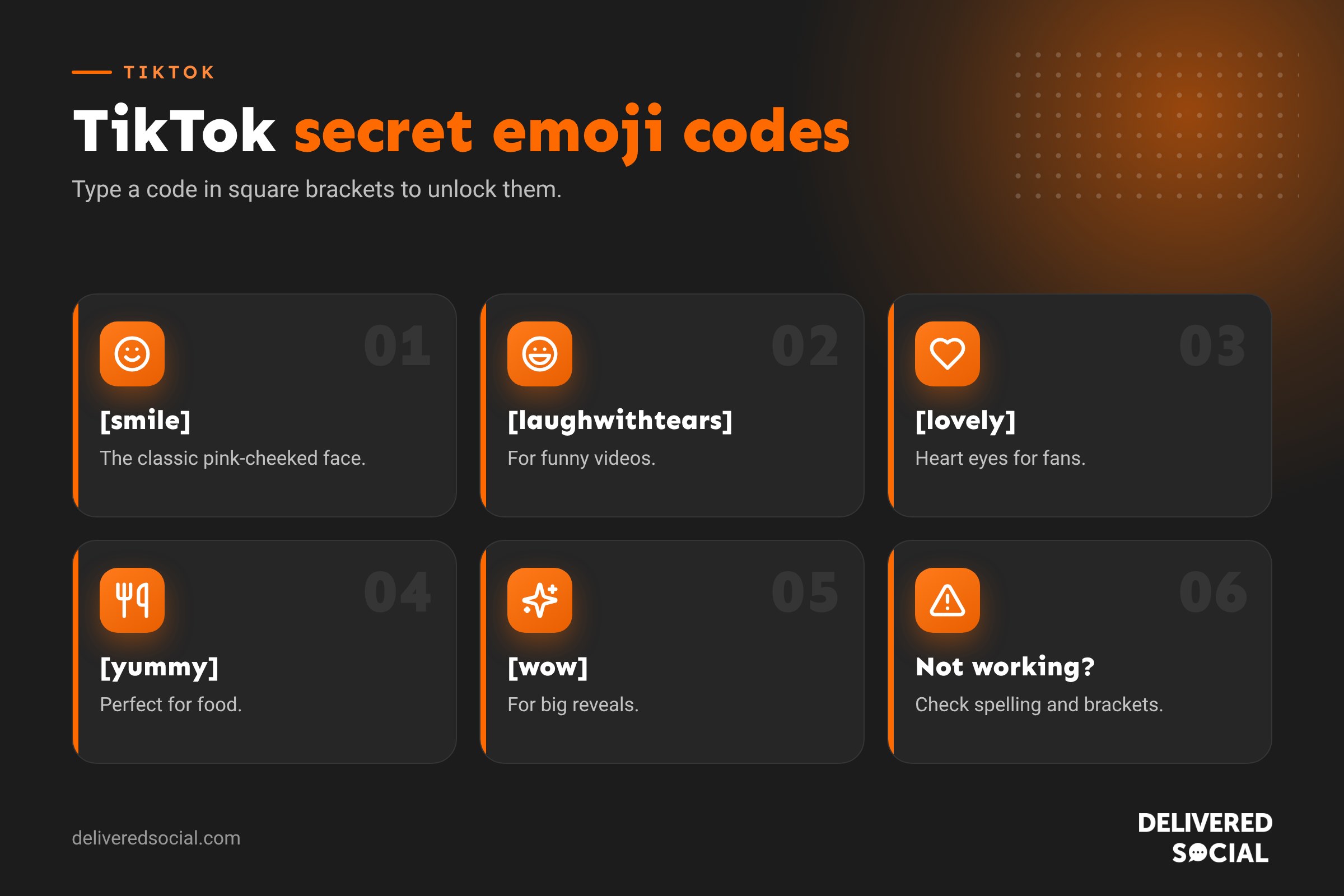
TikTok has its own set of hidden emojis that aren’t on your phone’s keyboard. They’re round, colourful faces in TikTok’s own cartoon style. To use one, you type a code word inside square brackets, such as [smile], and TikTok turns it into the emoji when you post.
They only work inside the TikTok app, so if you copy them elsewhere you’ll just see the text code.
The full list of TikTok emoji codes
| Code | What it looks like |
|---|---|
| [smile] | A happy smiling face with pink cheeks |
| [happy] | A beaming face with a big grin |
| [angry] | A red, cross face |
| [cry] | A crying face with tears |
| [embarrassed] | A blushing, awkward face |
| [surprised] | A shocked face with an open mouth |
| [wronged] | A sad, hard-done-by face |
| [shout] | A face shouting |
| [flushed] | A face with bright red cheeks |
| [yummy] | A face licking its lips |
| [complacent] | A smug, satisfied face |
| [drool] | A drooling face |
| [scream] | A screaming face |
| [weep] | A face sobbing |
| [speechless] | A face lost for words |
| [funnyface] | A silly face with its tongue out |
| [laughwithtears] | A face laughing so hard it’s crying |
| [wicked] | A mischievous grin |
| [facewithrollingeyes] | An eye roll |
| [sulk] | A sulking face |
| [thinking] | A thoughtful face |
| [lovely] | A sweet face with heart eyes |
| [greedy] | A face with money eyes |
| [wow] | An amazed face |
| [joyful] | A joyful, laughing face |
| [hehe] | A giggling face |
| [slap] | A face being slapped |
| [tears] | A face with tears in its eyes |
| [stun] | A stunned face |
| [cute] | A cute, sweet face |
| [blink] | A winking face |
| [disdain] | An unimpressed face |
| [astonish] | An astonished face |
| [rage] | A furious face |
| [cool] | A face in sunglasses |
| [excited] | An excited face |
| [proud] | A proud face |
| [smileface] | A gentle smiling face |
| [evil] | A devilish face |
| [angel] | A face with a halo |
| [laugh] | A laughing face |
| [pride] | A face full of pride |
| [nap] | A sleepy face |
| [loveface] | A face blowing a kiss |
| [awkward] | An awkward, uncomfortable face |
| [shock] | A shocked face |
TikTok occasionally changes or adds emojis, so if one doesn’t work, it may have been retired in your version of the app.
How to use TikTok emoji codes
In comments
- Open a video and tap the comment icon.
- Type the code with square brackets, for example [happy].
- Post the comment. The code turns into the emoji.
In captions
- When posting a video, type the code in your caption, for example “New menu is here [yummy]”.
- Post as normal. The emoji appears in the caption.
In your bio
Secret emojis don’t reliably work in bios, where you’ll usually see the code text instead. Use standard emojis from your keyboard there.
In direct messages
Results vary in messages. Try it, and if the code doesn’t convert, use standard emojis.
Why aren’t TikTok emoji codes working?
- Typos. The code must be spelt exactly, in lowercase, with square brackets and no spaces, such as [laughwithtears].
- Wrong brackets. Use square brackets [ ], not round ( ) or curly { }.
- Old app. Update TikTok to the latest version.
- Desktop. Codes may not convert on tiktok.com in a browser. Use the app.
- Location. Some codes may not work in every region.
- Retired emoji. TikTok sometimes removes individual emojis.
The most popular TikTok emojis
Some secret emojis are used far more than others. Among the favourites:
- [smile] and [happy] for general positivity.
- [laughwithtears] for funny videos.
- [wronged] and [tears] for sad or relatable moments.
- [facewithrollingeyes] for gentle sarcasm.
- [lovely] and [loveface] for showing appreciation.
- [yummy] for food content.
How businesses can use TikTok emojis
Emojis help brands sound friendly and native to TikTok, but they work best in small doses.
- Replying to comments: “Thank you so much [lovely]” feels warmer than a plain thank you.
- Captions: add one emoji to set the mood, such as “Behind the scenes on a Monday [nap]”.
- Food and drink businesses: [yummy] and [drool] are perfect for menu content.
- Humour: [laughwithtears] and [facewithrollingeyes] suit light-hearted, relatable videos.
- Celebrations: [excited] and [proud] for milestones, awards and launches.
Emoji etiquette for brands
- Don’t overdo it. One or two emojis per caption or reply is plenty.
- Match your brand voice. A law firm might skip [evil] and [slap].
- Be careful with complaints. Don’t reply to an unhappy customer with a laughing emoji.
- Keep captions searchable. Words help people find your videos in TikTok search; emojis don’t replace keywords.
- Think about accessibility. Screen readers read out emoji names, so lots of emojis make captions hard to follow.
TikTok emojis vs standard emojis
| TikTok secret emojis | Standard emojis | |
|---|---|---|
| How to use | Type a code in square brackets | Choose from your keyboard |
| Where they work | TikTok comments and captions in the app | Everywhere |
| Style | TikTok’s own cartoon faces | Your phone’s emoji style |
| Range | Around 46 faces | Thousands of emojis |
Using emojis to boost engagement
Emojis can make your comments more noticeable and encourage replies, especially when you use them to start conversations. Try asking a question with an emoji poll in the comments, such as “Which cake should we bake next? Reply with [yummy] for chocolate or [lovely] for lemon”. It’s a simple way to get people interacting, and engagement signals help TikTok show your video to more people. Our guide to engagement rate explains why that matters.
Other hidden TikTok features worth knowing
- Comment polls let you ask followers to vote in the comments.
- Voice comments let you reply with your voice.
- Repost notes let you add a comment when you repost.
- Creator Search Insights shows what people are searching for.
Our round-up of TikTok updates covers these in more detail.
Combining emojis with captions that get found
A good TikTok caption does two jobs: it adds personality and it helps people find your video in search. Use words first and emojis second. For example, “Our new chocolate orange brownie is here in Portsmouth [yummy]” works better than a caption made only of emojis, because TikTok can read the words and match them to searches like “brownies Portsmouth”. Put your most important keyword near the start, keep the caption short and natural, and add one secret emoji at the end to finish it off.
Quick glossary
- Secret emoji: a TikTok-only emoji created by typing a code.
- Emoji code: the word in square brackets that creates the emoji.
- Caption: the text posted with your video.
Fun ways to use secret emojis
- Reply to fans with [lovely] or [loveface] to show appreciation.
- React to before and afters with [wow] or [astonish].
- Add humour to behind-the-scenes mishaps with [awkward] or [facewithrollingeyes].
- Tease launches with [excited] and a countdown in the caption.
- Celebrate wins with [proud] when you hit a milestone.
- Run comment games where viewers vote using different emoji codes.
Used playfully and sparingly, secret emojis make your brand feel at home on TikTok and give your comments section a friendly personality.
Key takeaways
- TikTok has around 46 secret emojis, unlocked by typing codes like [smile].
- They work in comments and captions in the TikTok app.
- Codes must be spelt exactly, in square brackets, with no spaces.
- Businesses can use them to sound friendly, but sparingly.
- Keep keywords in captions, as emojis don’t help search.
Can you use TikTok emojis in video text?
Secret emoji codes don’t convert in TikTok’s on-screen text tool, where you’ll just see the code. For text on videos, use standard emojis from your keyboard, or add stickers from TikTok’s sticker library. Keep on-screen text simple and clear, because it helps viewers follow your video and helps TikTok understand what it’s about.
Because TikTok updates its app often, bookmark this list and check back if a code stops working. New emojis and features appear regularly.
Frequently asked questions
How do you get secret emojis on TikTok?
Type a code inside square brackets, such as [happy], in a comment or caption and post it.
How many secret emojis are there on TikTok?
Around 46, though TikTok sometimes adds or removes them.
Why aren’t my TikTok emoji codes working?
Check the spelling and brackets, update the app and use the app rather than a browser.
Can I use TikTok emojis in my bio?
They don’t reliably work in bios. Use standard emojis there.
Can I use TikTok emojis on other apps?
No. They only appear inside TikTok.
Want a TikTok voice your customers love?
We create TikTok content and manage community replies for businesses across Surrey, Hampshire and the UK. Read our TikTok statistics guide, see our social media management services or call us on 01483 608 303.
































