



Keep reading
Rather we just did it for you?
Let's get your business seen.
Social media, websites, SEO and ads from a team you can actually meet.
The meta title is one of the smallest pieces of text on your website, yet it does more work than almost anything else. It’s the blue clickable headline people see in Google, the words in their browser tab, and one of the clearest signals you give search engines about what a page is for. This guide explains what a meta title is, how it differs from your page heading, how long it should be, how to write one that ranks and gets clicked, and how to check and fix the titles across your site.
What is a meta title?
A meta title, also called a title tag, page title or SEO title, is a short piece of HTML that names a web page. It sits in the head section of the page code, like this:
<title>Wedding Photographer in Guildford | Smith Photography</title>
Visitors don’t see it on the page itself. Instead, it appears in three places:
- Search results: as the clickable blue headline above your link.
- Browser tabs: as the text on the tab when the page is open.
- Social shares and bookmarks: often as the default title when someone shares or saves the page.
Meta title vs H1 vs meta description
| Element | Where it appears | Main job |
|---|---|---|
| Meta title | Search results, browser tab | Tell Google and searchers what the page is about and earn the click |
| H1 heading | At the top of the page itself | Tell visitors they’ve landed in the right place |
| Meta description | The grey text under the title in search results | Expand on the title and persuade people to click |
| URL slug | The web address | A short, readable label for the page |
Your meta title and H1 can be the same, but they don’t have to be. Many sites use a slightly longer, more descriptive H1 on the page and a tighter, keyword-focused meta title for search. Our guide on writing meta descriptions that get clicks covers the text that sits underneath.
Why meta titles matter for SEO
- Relevance: the title is one of the strongest on-page clues Google uses to understand a page’s topic.
- Clicks: it’s the first thing searchers read, so it decides whether they choose you or a competitor.
- Trust: a clear, honest title with your brand name looks more professional than a vague or stuffed one.
- Sharing: good titles carry over when pages are shared or bookmarked.
A page can rank on page one and still get very few visitors if its title is dull. Improving titles is often one of the quickest wins in SEO, because you can change them in minutes.
How long should a meta title be?
Google doesn’t use a strict character limit. It cuts titles off based on pixel width, roughly 580 to 600 pixels on desktop. In practice:
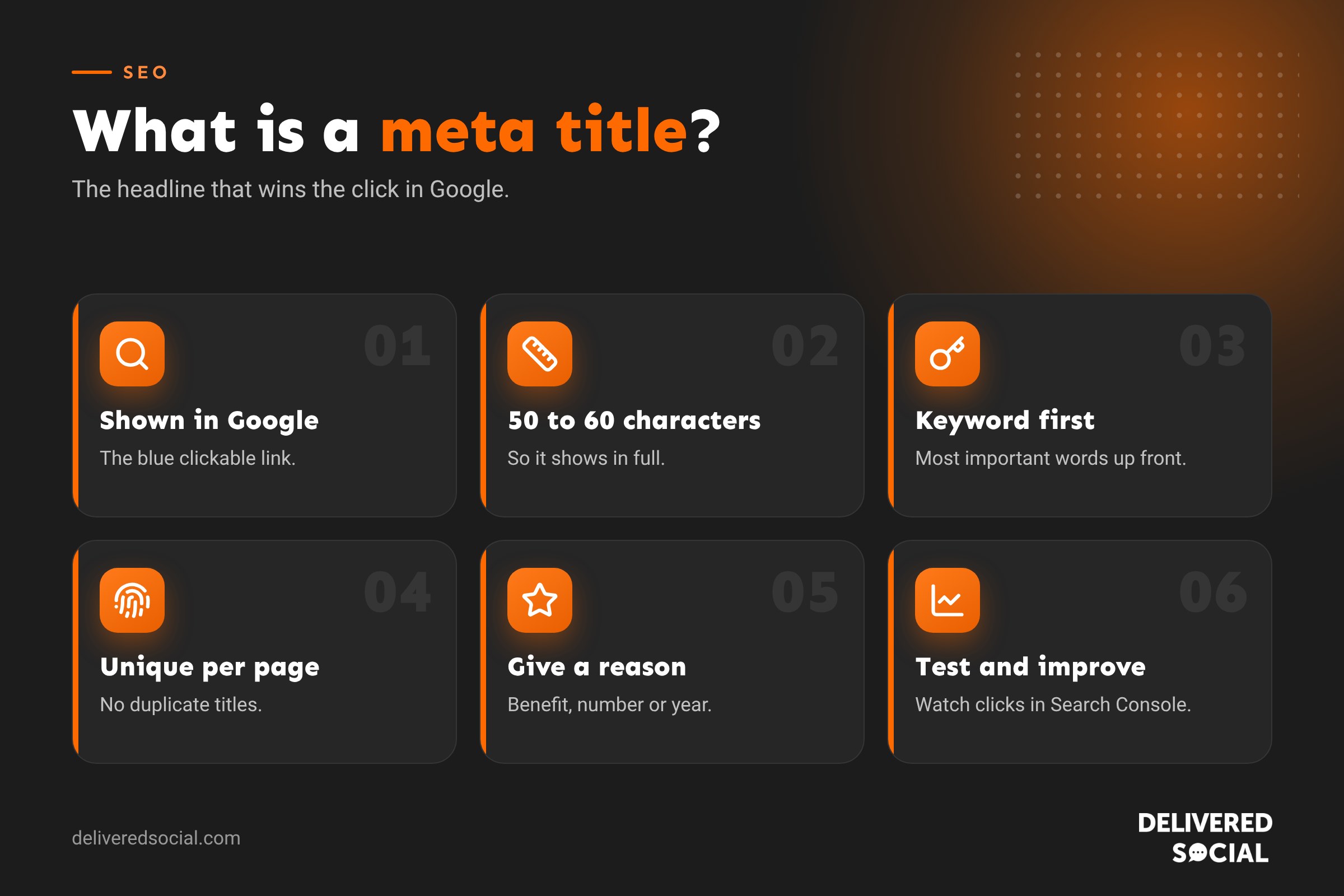
- Aim for 50 to 60 characters so the full title usually shows.
- Put the most important words first, in case the end gets cut off.
- Wide letters take more room. A title full of capital Ms and Ws gets cut sooner than one with lots of small letters.
Shorter titles are fine if they’re clear. A 40-character title that says exactly what the page offers beats a 60-character title padded with filler.
How to write a good meta title
- Start with the main keyword. Use the words people actually search for, ideally near the front.
- Make each title unique. Every page should have its own title. Duplicates confuse Google and searchers.
- Match the search intent. If people want a guide, say “guide” or “how to”. If they want a service, mention the service and location.
- Add a reason to click. A benefit, number, year or detail makes a title stand out, such as “Prices”, “2026” or “7 Examples”.
- Include your brand at the end, usually after a pipe or colon, when there’s room.
- Write for people, not robots. It should read naturally out loud.
- Keep it honest. If the page doesn’t deliver what the title promises, people leave quickly.
Meta title formulas that work
| Page type | Formula | Example |
|---|---|---|
| Service page | Service in Location | Brand | Boiler Repairs in Portsmouth | Hayes Heating |
| Home page | Brand: What You Do in Location | Bloom Florist: Flowers Delivered Across Surrey |
| Blog guide | Topic: Benefit or Promise (Year) | Meta Titles: How to Write Ones That Rank (2026) |
| Question post | Question? Short Answer Hook | Is Instagram Good for Business? What You Need to Know |
| Product page | Product Name, Key Feature | Brand | Oak Dining Table, Seats 6 | Woodland Furniture |
| List post | Number + Topic + Benefit | 12 Content Ideas for Cafés That Bring in Customers |
Good and bad meta title examples
| Weak title | Problem | Better title |
|---|---|---|
| Home | Says nothing | Dog Groomer in Woking | Happy Paws Grooming |
| Services | Vague and duplicated across sites | Bookkeeping Services for Small Businesses | Clear Books |
| Plumber, Plumbers, Plumbing, Cheap Plumber, Best Plumber | Keyword stuffing | Emergency Plumber in Guildford, 24/7 Call Outs | AquaFix |
| Untitled Document | Default text never changed | Spring Menu 2026 | The Riverside Café |
| Welcome to Our Brand New Website for All Your Needs | Too long, no keyword | Garden Design in Hampshire | Greenleaf Gardens |
Why Google sometimes rewrites your title
You might notice Google showing a different title from the one you wrote. Google rewrites titles when it thinks yours doesn’t describe the page well. Common triggers include:
- Titles that are too long or stuffed with keywords.
- Titles that don’t match what’s on the page.
- The same title used on many pages.
- Missing or empty titles.
- Boilerplate text repeated across the whole site.
Google often pulls text from your H1 instead. The best way to keep your own title is to make it accurate, concise and closely matched to your H1 and page content.
How to add or change a meta title in WordPress
- Open the page or post in the WordPress editor.
- Scroll to your SEO plugin’s box, usually below the content or in the sidebar.
- Find the field called SEO title, meta title or snippet title.
- Type your new title and check the preview to see how it will look.
- Update the page.
Without an SEO plugin, WordPress usually uses your post title plus your site name. That’s a reasonable starting point, but a plugin gives you control over each page.
Meta titles on other platforms
- Shopify: edit the “Search engine listing” section at the bottom of a product, collection or page.
- Wix: open the page’s SEO settings and edit the title tag.
- Squarespace: go to page settings, then the SEO tab.
- Custom sites: edit the
<title>tag in the page’s HTML head, or ask your developer.
How to check your meta titles
- Search Google for
site:yourdomain.co.ukto see how your titles appear. - Use Google Search Console: the Performance report shows pages with high impressions but low click-through rates, which often need better titles.
- Run a site crawl with a free SEO crawler to spot missing, duplicate, too long or too short titles across the whole site.
- View the page source in your browser and search for
<title>.
Testing and improving titles over time
Titles aren’t set and forget. Pick pages that get plenty of impressions in Search Console but few clicks, rewrite their titles to be clearer or more compelling, and compare click-through rates after four to six weeks. Small changes, like adding the year, a price, a location or a number, can lift clicks noticeably. Keep a simple log of what you changed and when, so you can see what works for your audience.
Common meta title mistakes
- Using the brand name first on every page, pushing keywords to the end where they may be cut off.
- Duplicate titles on similar pages, such as several location or product pages.
- Keyword stuffing, which looks spammy and is often rewritten by Google.
- All capitals, which takes more space and looks like shouting.
- Clickbait that the page doesn’t live up to.
- Forgetting old pages, which may still have default titles from years ago.
Meta titles for local businesses
If you serve a particular area, include the town or county in your service page titles, such as “Roofer in Fareham” or “Accountant in Surrey”. Use the place names your customers actually search for. Avoid listing ten towns in one title; instead, create a useful page for each main area you serve, each with its own title, so every page has a clear focus.
Quick glossary
- Title tag: the HTML element that holds the meta title.
- H1: the main visible heading on a page.
- SERP: search engine results page.
- Click-through rate (CTR): the share of people who click your result after seeing it.
- Truncation: when Google cuts off a long title with three dots.
Key takeaways
- A meta title is the clickable headline for your page in search results.
- Keep titles around 50 to 60 characters, with the main keyword near the start.
- Every page needs a unique, honest title that matches its content.
- Better titles can lift clicks without any change in ranking.
- Check titles regularly in Search Console and fix weak ones.
Frequently asked questions
What is a meta title in SEO?
The page title shown as the clickable headline in search results and in browser tabs, set in the page’s HTML title tag.
Is a meta title the same as a title tag?
Yes. Meta title, title tag, page title and SEO title all mean the same thing.
How many characters should a meta title be?
Around 50 to 60 characters, so it usually shows in full on desktop and mobile.
Should the meta title match the H1?
They should be closely related, but they don’t need to be identical.
Do meta titles still matter for rankings?
Yes. They help Google understand the page and have a big effect on how many people click.
Want your website titles working harder?
We write and optimise page titles, descriptions and content for businesses across Surrey, Hampshire and the UK. See our guide to SEO, explore our digital marketing services or call us on 01483 608 303.































