



Keep reading
Rather we just did it for you?
Let's get your business seen.
Social media, websites, SEO and ads from a team you can actually meet.
Every year someone declares that WordPress is dying. AI website builders, slick drag-and-drop platforms and headless frameworks all promise to replace it. Yet WordPress still powers more websites than anything else, by a long way. So is WordPress still relevant in 2026, and is it still a smart choice for a business website? This guide looks honestly at where WordPress stands today, what’s changed, where it’s strong, where alternatives make more sense, and how to decide what’s right for your business.
The short answer
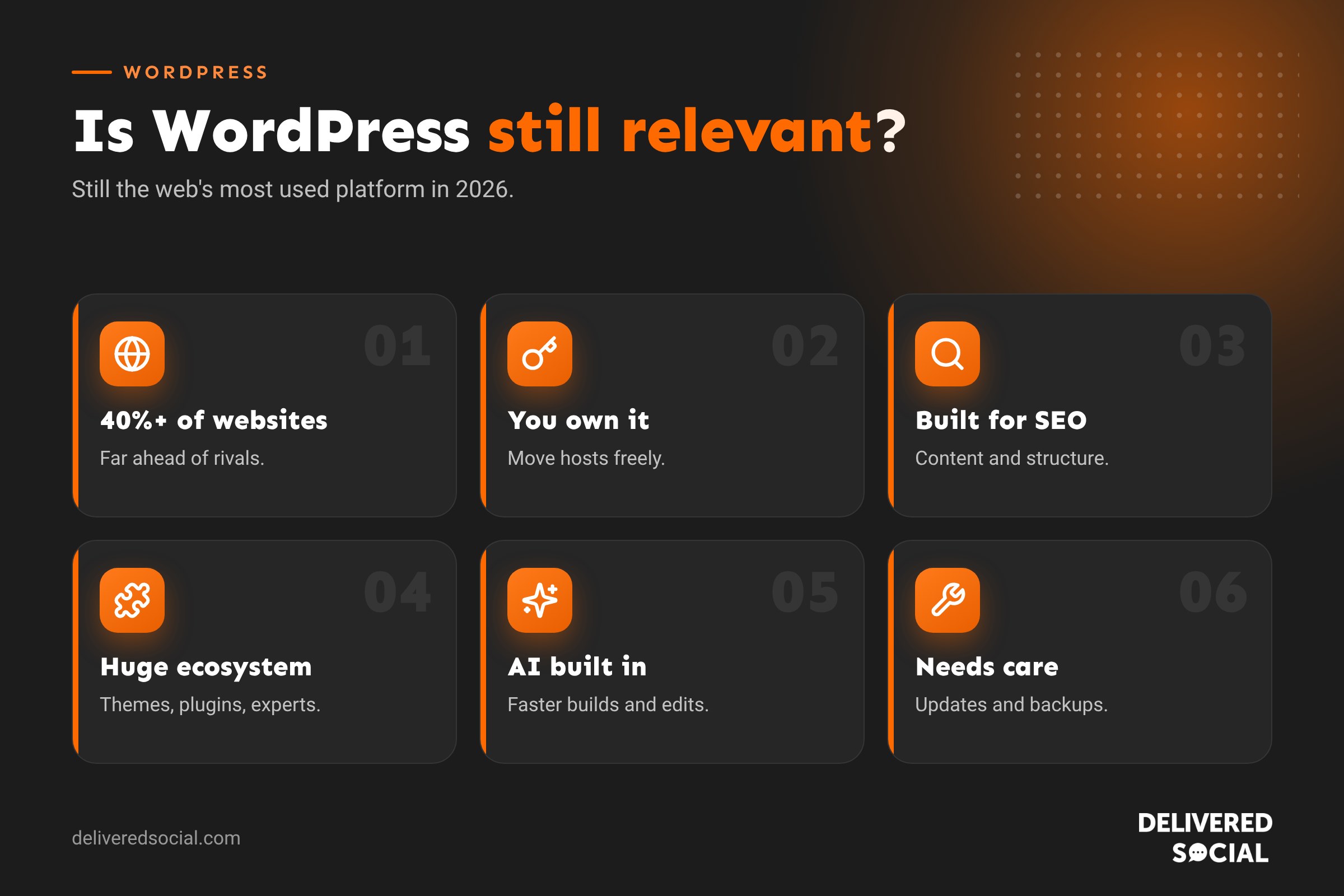
Yes. WordPress remains the most widely used website platform in the world, running over 40% of all websites. It’s actively developed, has a huge ecosystem of themes, plugins and developers, and continues to adapt with new editing tools and AI features. It isn’t the right choice for every project, but for most small and medium businesses that want a flexible, content-rich website they own, it’s still one of the best options.
Why people think WordPress is declining
- Easy website builders. Wix, Squarespace and Shopify have made simple sites very quick to launch.
- AI website builders. Tools that generate a website from a prompt get a lot of attention.
- Headless and modern frameworks. Developers building complex apps often choose newer tools.
- Bad experiences. Slow, bloated or hacked WordPress sites give the platform a poor reputation, even though the cause is usually poor setup.
- Changes to the editor. The block editor, introduced several years ago, divided opinion among long-time users.
Market share figures have levelled off in recent years rather than growing as fast as before, but WordPress still dwarfs every competitor.
Why WordPress is still relevant
| Strength | Why it matters to businesses |
|---|---|
| Ownership | You own your site and content, and can move hosts or agencies freely |
| Flexibility | From a simple brochure site to shops, bookings and memberships |
| Content and SEO | Excellent for blogs, guides and landing pages that bring in search traffic |
| Huge ecosystem | Thousands of themes, plugins and developers to choose from |
| Cost control | The software is free; you choose what to spend on hosting and features |
| Longevity | Over 20 years of development and a massive community behind it |
| Integrations | Connects with CRMs, email platforms, payment providers and booking tools |
How WordPress has changed
The WordPress of today is very different from a decade ago:
- Block editor and full site editing: pages and whole site layouts can be built visually with blocks.
- Better performance: modern themes, caching and image formats make well-built sites fast.
- Automatic updates: security updates install automatically, and plugins can update automatically too.
- AI tools: plugins and hosts now offer AI help with writing, images and layout.
- Headless options: WordPress can power content for apps and modern front ends.
Where WordPress isn’t the best choice
Being honest about the limits helps you decide:
- Tiny, short-term sites: a one-page event site may be quicker on a simple builder.
- No one to maintain it: WordPress needs regular updates and backups. Without a plan for that, a hosted builder can be safer.
- Pure product shops wanting simplicity: Shopify can be easier for shops that only sell products. See our WordPress vs Shopify comparison.
- Complex web apps: highly interactive software products may suit modern development frameworks better.
WordPress vs website builders in 2026
| WordPress | Website builders (Wix, Squarespace) | |
|---|---|---|
| Set-up speed | Moderate | Fast |
| Flexibility | Very high | Limited to the platform’s features |
| Ownership | Full | You rent the platform |
| Maintenance | Needs updates | Handled for you |
| SEO and content | Excellent | Good for basics |
| Long-term growth | Scales well | Can hit limits |
For a fuller comparison, see our guide to Wix vs Squarespace vs WordPress.
What about AI website builders?
AI builders can create a decent-looking site in minutes, which is impressive for a quick start. But a business website needs more than a first draft: clear messaging, strong SEO foundations, accessible design, integrations, tracking and ongoing improvement. Many AI-built sites look similar and are hard to extend. AI is becoming a helpful tool inside WordPress rather than a replacement for it, speeding up writing, design and development while you keep full control.
Is WordPress good for SEO in 2026?
Yes. WordPress makes it easy to publish and organise content, control titles and descriptions, create clean URLs, add structured data and build internal links. Search is changing with AI answers, but the fundamentals remain: fast, well-structured sites with genuinely helpful content. WordPress is well suited to that. Our WordPress SEO checklist covers the key settings.
Who should use WordPress today?
- Small and medium businesses wanting a professional site they own.
- Service businesses that rely on local SEO and lead generation.
- Charities and organisations with lots of content and updates.
- Businesses that blog regularly or publish guides and resources.
- Shops that also need content, bookings or custom features.
- Anyone planning to grow and add features over time.
How to future-proof a WordPress website
- Use a quality, lightweight theme rather than a bloated multipurpose one.
- Keep plugins lean and well-maintained.
- Invest in good hosting with caching and backups.
- Keep everything updated, or use a maintenance plan.
- Focus on speed and accessibility, which help users and search engines.
- Keep content fresh and useful.
- Review the site every year or two and refresh design and messaging as your business evolves.
The cost of WordPress in 2026
The software is free, but a professional business website still has costs: hosting, domain, premium theme or page builder, plugins, design and development, and maintenance. The advantage is that you decide where to spend. Read our guide to how much a WordPress website costs for typical UK prices.
Signs your WordPress site needs attention
- It’s slow on mobile.
- It looks dated next to competitors.
- Plugins haven’t been updated in months.
- You’re scared to make changes in case something breaks.
- It’s hard to edit content without a developer.
- It brings in few enquiries.
These are problems with how a site was built or looked after, not with WordPress itself, and they can all be fixed.
A note on the WordPress community
One of WordPress’s biggest long-term strengths is its community. Thousands of developers, designers and agencies work with it, so you’re never tied to one supplier. If you fall out with a developer or they stop trading, someone else can pick up your site. That’s a real advantage over proprietary systems that only one company understands.
Real reasons businesses stay on WordPress
Businesses that have used WordPress for years often stay because their site has become a valuable asset: hundreds of indexed pages, blog posts that still bring in traffic, integrations with their CRM and email platform, and a team that knows how to update it. Moving platform would mean rebuilding that from scratch. Rather than switching, many choose to refresh their design, improve speed and tidy up plugins, which gives them a modern website without losing years of SEO work.
WordPress for charities and community organisations
WordPress is especially popular with charities, because the software is free, it handles lots of content easily, and it integrates with donation, event and volunteer tools. Many charity teams appreciate that staff and volunteers can update news and events themselves with very little training.
What to ask a web designer about WordPress
- Which theme or page builder will you use, and why?
- How many plugins will the site need?
- Who will handle updates and backups?
- Will I be able to edit content myself?
- Who owns the website once it’s built?
Clear answers to these questions tell you a lot about whether your new site will still serve you well in five years’ time.
Quick glossary
- CMS: content management system, software for managing website content.
- Block editor: WordPress’s visual editor that builds pages from blocks.
- Full site editing: editing headers, footers and templates with blocks.
- Headless WordPress: using WordPress for content while a separate front end displays it.
Key takeaways
- WordPress is still the world’s most used website platform in 2026.
- Its strengths are ownership, flexibility, content and SEO.
- Builders and AI tools suit quick, simple sites, but have limits.
- Most WordPress problems come from poor builds or maintenance.
- Well built and well looked after, WordPress remains a smart long-term choice.
Frequently asked questions
Is WordPress still relevant in 2026?
Yes. It powers over 40% of websites and continues to be actively developed.
Is WordPress dying?
No. Growth has slowed, but it remains far more widely used than any alternative.
Should I build a new website on WordPress?
For most businesses wanting flexibility, SEO and ownership, yes.
Will AI replace WordPress?
AI is more likely to become part of how WordPress sites are built and managed than to replace it.
Is WordPress outdated?
No. Old, neglected sites can look outdated, but modern WordPress builds are fast and up to date.
Is WordPress good for small businesses?
Yes. It’s flexible, affordable to run and great for SEO, especially with a good maintenance plan.
Thinking about a new WordPress website?
We design, build and maintain WordPress websites for businesses across Surrey, Hampshire and the UK. Call us on 01483 608 303 for honest advice on what suits your business.































