



Keep reading
Rather we just did it for you?
Let's get your business seen.
Social media, websites, SEO and ads from a team you can actually meet.
Google Ads can put your business at the top of Google the same day you launch a campaign. Done well, it brings in calls, bookings and sales from people actively searching for what you offer. Done badly, it can eat through a budget with very little to show for it. This guide to Google Ads for beginners explains how Google Ads works in plain English, the campaign types, how much it costs, how to set up your first campaign step by step, and the mistakes that waste money most often.
What is Google Ads?
Google Ads is Google’s advertising platform. It lets businesses show adverts on Google search results, YouTube, Gmail, Google Maps and millions of partner websites and apps. You usually pay when someone clicks your ad, which is why it’s called pay per click, or PPC. Our guide on what PPC is covers the basics of this model.
How Google Ads works
When someone searches on Google, an instant auction decides which ads appear and in what order. Google looks at:
- Your bid: the most you’re willing to pay for a click.
- Quality: how relevant your ad and landing page are to the search.
- Expected impact of extras like phone numbers, links and location details.
- Context: the searcher’s location, device and time of day.
This means you don’t always need the highest bid to win. A highly relevant ad with a good landing page can rank above a bigger spender. Our guide to Google Ads Quality Score explains this in detail.
Google Ads campaign types
| Campaign type | Where ads appear | Best for |
|---|---|---|
| Search | Google search results | Capturing people actively searching for your service |
| Performance Max | Across all Google channels | Shops and businesses with good conversion data |
| Shopping | Product listings with images and prices | Online shops |
| Display | Websites and apps in Google’s network | Awareness and retargeting |
| Video | YouTube | Brand awareness and engagement |
| Demand Gen | YouTube, Discover and Gmail | Visual ads to reach new audiences |
For most beginners, especially service businesses, a Search campaign is the best place to start, because it puts you in front of people already looking for what you offer.
How much does Google Ads cost?
There’s no minimum spend. You set a daily budget and Google won’t spend more than that on average over a month. What you pay per click depends on your industry and location. Competitive sectors like legal, finance and emergency trades can cost several pounds or more per click, while others cost much less.
As a rough guide, many small local businesses start with a few hundred pounds a month, enough to gather data and see results. Our guide to Google Ads for small businesses covers budgets in more detail.
Key terms to know
- Keyword: a search term you want your ad to show for.
- Match type: how closely a search needs to match your keyword: broad, phrase or exact.
- Negative keyword: a term you don’t want to show for, like “free” or “jobs”.
- CPC: cost per click.
- CTR: click-through rate, the percentage of people who click your ad.
- Conversion: a valuable action, such as a call, form or sale.
- Assets: extras like phone numbers, sitelinks and callouts that make ads bigger.
How to set up your first Google Ads campaign
- Create a Google Ads account using your business Google account.
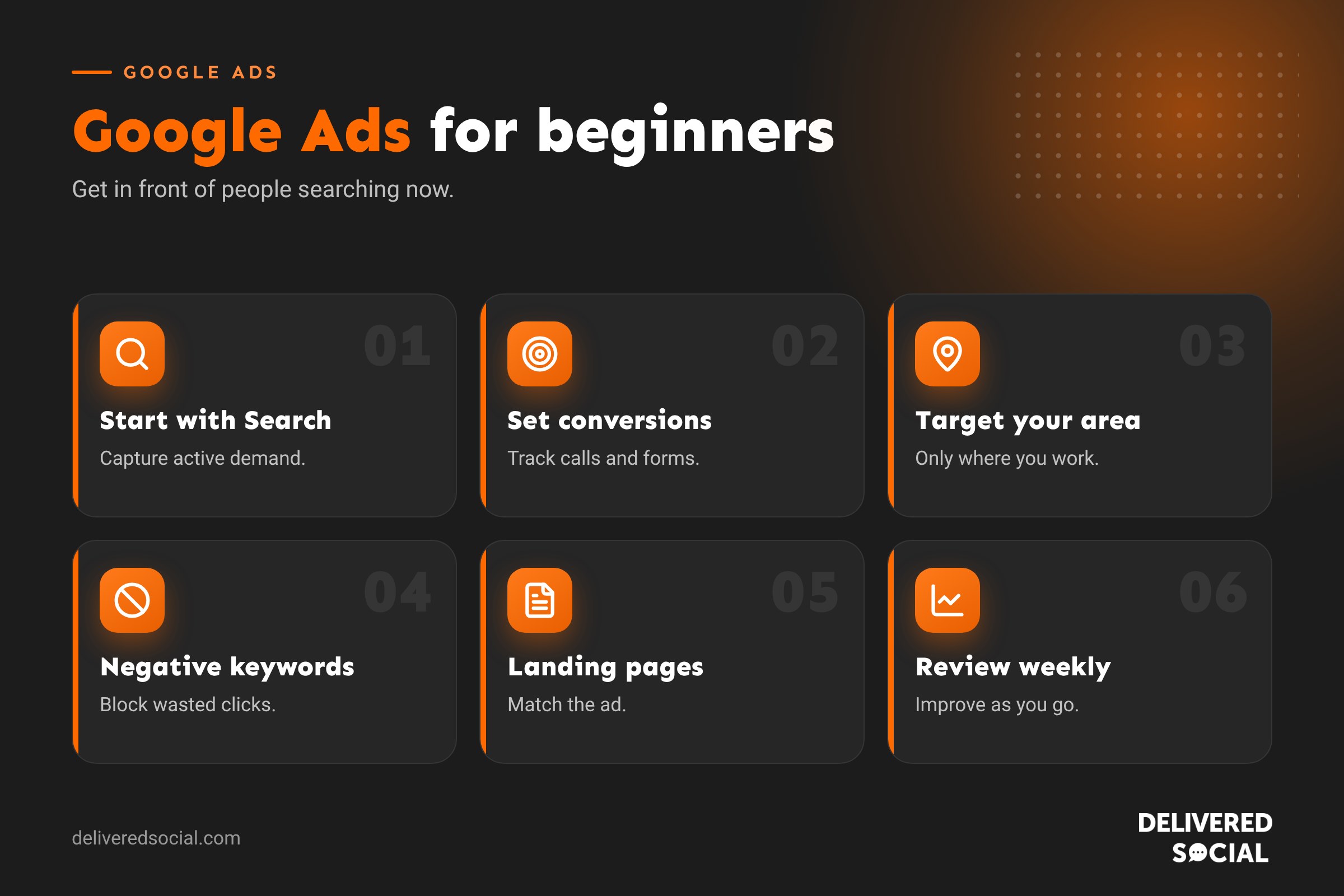
- Set up conversion tracking so you know which ads bring calls, forms or sales. This is the most important step.
- Choose a Search campaign with a goal such as leads or sales.
- Set your location to the areas you actually serve, using “presence” so you reach people in those places.
- Set a daily budget you’re comfortable with.
- Choose a bidding strategy. Start with maximising clicks or conversions, then refine as data builds.
- Create ad groups around each service, such as “boiler repair” and “boiler installation”.
- Add keywords for each ad group, using phrase and exact match to stay relevant.
- Add negative keywords to block irrelevant searches.
- Write your ads with clear headlines, benefits and a call to action.
- Add assets such as call buttons, sitelinks, callouts and your location.
- Send clicks to a relevant landing page, not just your home page.
- Launch and monitor closely for the first few weeks.
Writing ads that get clicks
- Include the keyword in your headline where it reads naturally.
- Mention your location for local services.
- Highlight what makes you different: same-day service, reviews, guarantees, years in business.
- Use a clear call to action, such as “Book online” or “Call for a free quote”.
- Write several headlines and descriptions so Google can test combinations.
- Keep claims honest and specific.
Why landing pages matter
Your ad gets the click; your landing page gets the enquiry. A good landing page matches the ad, loads quickly on mobile, explains the offer clearly, shows reviews and makes it easy to call or fill in a form. Sending every click to your home page is one of the most common ways to waste budget.
Common beginner mistakes
| Mistake | Why it costs money | Fix |
|---|---|---|
| No conversion tracking | You can’t tell what’s working | Set up tracking before spending |
| Broad keywords with no negatives | Ads show for irrelevant searches | Use tighter match types and negative keywords |
| Targeting too wide an area | Clicks from people you can’t serve | Target your real service area |
| Sending clicks to the home page | Visitors can’t find what they searched for | Use specific landing pages |
| Accepting every Google recommendation | Some increase spend without improving results | Review suggestions carefully |
| Changing everything too quickly | Campaigns never have time to learn | Give changes a few weeks to settle |
Checking your results
Review your campaign weekly at first. Look at:
- Search terms report: the actual searches triggering your ads. Add irrelevant ones as negatives.
- Cost per conversion: how much each lead or sale costs.
- Conversion rate: the share of clicks that become enquiries.
- Impression share: how often you show compared with how often you could.
- Return on ad spend for online shops.
Google Ads vs SEO
Google Ads delivers results quickly, but stops when you stop paying. SEO takes longer to build but brings ongoing free traffic. Many businesses use Google Ads for immediate enquiries while building their SEO, then adjust the balance over time. They work best together, and keyword data from Ads can guide your SEO content.
Free Google Ads for charities
Eligible UK charities can apply for Google Ad Grants, which provides free search advertising each month. There are rules on account quality and performance, but it can be a valuable way for charities to reach supporters, volunteers and service users.
Should you manage Google Ads yourself?
It’s possible to run a simple campaign yourself if you set up tracking, keep it focused and review it regularly. As spend grows, or if results are disappointing, a specialist can often lower your cost per enquiry through better structure, keywords, ads and landing pages.
A simple first campaign example
Imagine a dog groomer in Woking with a budget of around £10 a day. They create one Search campaign targeting Woking and nearby villages, with two ad groups: “dog grooming” and “puppy grooming”. Keywords include “dog groomer Woking” and “dog grooming near me”. Negative keywords block “jobs”, “courses” and “DIY”. Ads mention five-star reviews, online booking and a first-visit offer, with a call button. Clicks go to a dedicated grooming page with prices and a booking form. After a month, they review search terms, pause poor keywords and move budget to what brings bookings.
Small, focused and tracked beats big and vague every time.
Quick glossary
- PPC: pay per click advertising.
- Quality Score: Google’s rating of your ad relevance and landing page.
- Ad Rank: what decides your ad’s position.
- Search terms report: the real searches that triggered your ads.
- ROAS: return on ad spend.
Key takeaways
- Google Ads shows your business to people actively searching, and you pay per click.
- Start with a focused Search campaign in your real service area.
- Set up conversion tracking before spending money.
- Use negative keywords, specific landing pages and strong ads.
- Review search terms and costs regularly and improve over time.
Frequently asked questions
How does Google Ads work for beginners?
You choose keywords, write ads and set a budget. Your ad can appear when people search those terms, and you pay when they click.
How much should I spend on Google Ads?
Many small businesses start with a few hundred pounds a month, depending on competition and goals.
Is Google Ads worth it for small businesses?
Yes, when campaigns are focused, tracked and sent to good landing pages.
How quickly does Google Ads work?
Ads can show within hours, but campaigns improve over the first few weeks as data builds.
Can I run Google Ads without a website?
Some campaign types allow calls only, but a good landing page usually performs much better.
Want Google Ads that bring in enquiries?
We set up and manage Google Ads for businesses across Surrey, Hampshire and the UK. Call us on 01483 608 303 or see our digital marketing services.































