



Keep reading
Rather we just did it for you?
Let's get your business seen.
Social media, websites, SEO and ads from a team you can actually meet.
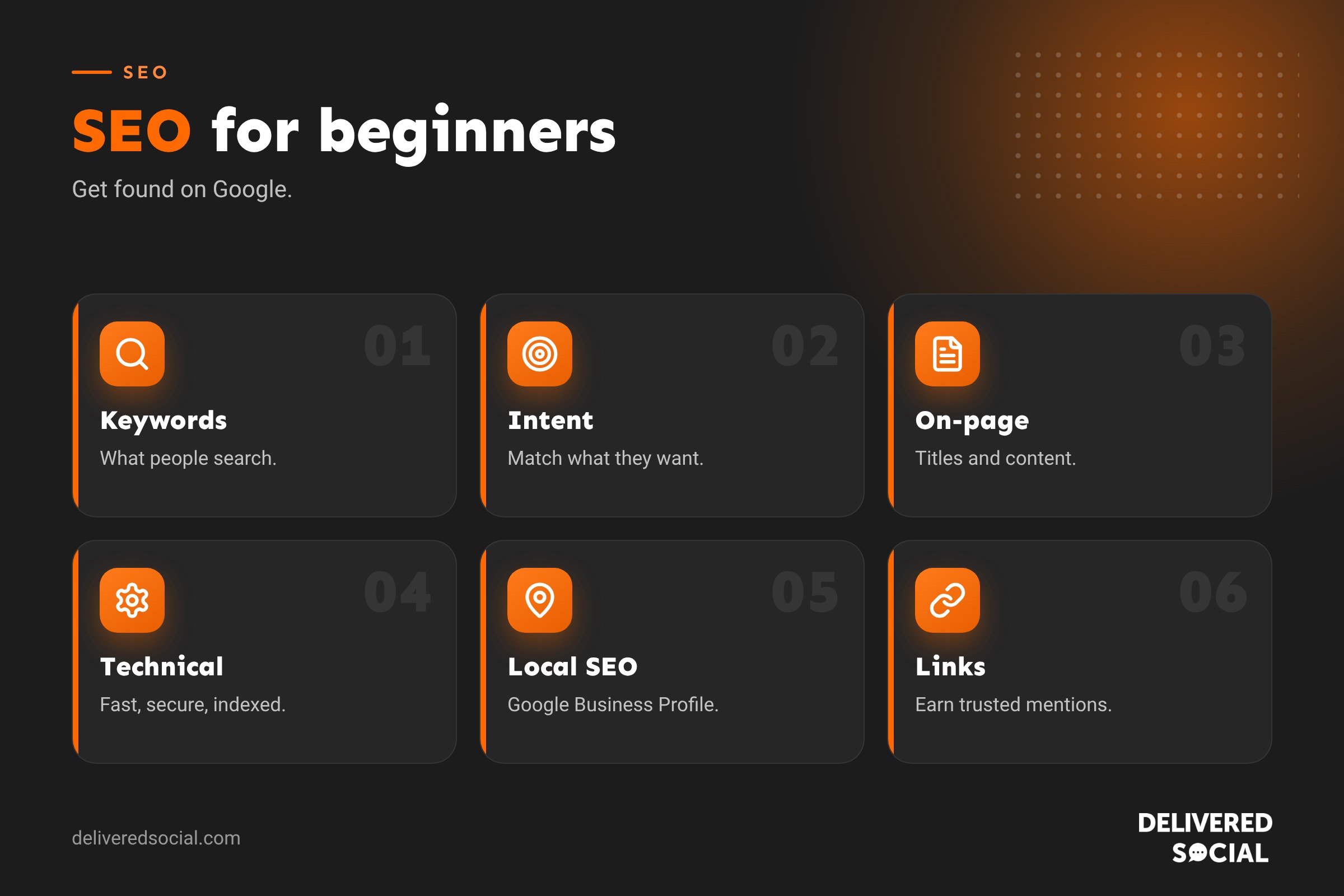
Search engine optimisation (SEO) can sound technical and mysterious, full of jargon and conflicting advice. But at its heart it’s simple: helping the right people find your website when they search for what you offer. You don’t need to be an expert to get the basics right, and the basics deliver most of the results for small businesses. This guide covers SEO for beginners in plain English: how search engines work, the three pillars of SEO, keyword research, on-page basics, local SEO, links, measuring results, and a simple 30-day starter plan.
What is SEO?
SEO is the practice of improving your website so it appears higher in unpaid (organic) search results on Google and other search engines. Higher rankings mean more visitors, and more visitors who are actively looking for what you sell. Unlike ads, you don’t pay per click, though SEO takes time and effort.
How search engines work
- Crawling: search engines send bots to discover pages by following links and reading sitemaps.
- Indexing: they store and organise information about each page.
- Ranking: when someone searches, they show the most relevant, helpful and trustworthy pages, considering hundreds of signals.
Your job is to make your pages easy to crawl, clearly relevant to searches, genuinely helpful and trusted by others.
The three pillars of SEO
| Pillar | What it covers |
|---|---|
| Technical SEO | Site speed, mobile-friendliness, security, crawlability, indexing |
| On-page SEO and content | Keywords, page titles, headings, helpful content, internal links |
| Off-page SEO | Links from other websites, reviews, brand mentions, local citations |
Step 1: Understand what people search for
Keyword research means finding the words and phrases your customers type into Google. Start by listing your products and services, then brainstorm how customers describe them, including local versions such as “electrician Guildford”. Check demand with tools like Google Keyword Planner, and look at the “People also ask” and related searches on Google. Our guide to what keywords are explains more.
Step 2: Match search intent
Ask what the searcher wants. “Boiler repair near me” wants a service; “why is my boiler losing pressure” wants an answer. Service pages target buying searches; blog posts and guides target questions. A page that matches intent will outperform one that simply repeats a keyword.
Step 3: On-page SEO basics
- Page title: include the main keyword and make it compelling. See what is a meta title?
- Meta description: a short summary that encourages clicks.
- One H1 heading that describes the page, plus clear subheadings.
- Helpful content that fully answers the searcher’s question.
- Clean URLs, such as /boiler-repair/.
- Image alt text describing images.
- Internal links to related pages on your site.
- A clear call to action.
Step 4: Create genuinely helpful content
Google aims to reward content that shows experience, expertise, authoritativeness and trustworthiness (often shortened to E-E-A-T). For a small business, that means writing from real experience: your process, your prices, real examples, photos, case studies and honest advice. Answer the questions customers actually ask you. Quality beats quantity.
Step 5: Technical SEO basics
- Make sure your site loads quickly on mobile. See why website loading speed matters.
- Use HTTPS. See fixing a not secure warning.
- Submit an XML sitemap in Google Search Console.
- Fix broken links and pages showing errors.
- Make sure important pages aren’t blocked from indexing.
- Use a mobile-friendly, accessible design.
Step 6: Local SEO
If you serve a local area, local SEO is often the quickest win:
- Set up and complete your Google Business Profile.
- Collect genuine Google reviews and reply to them.
- Keep your name, address and phone number consistent everywhere.
- Create pages for your main services and areas.
- Get listed in relevant local directories.
Step 7: Earn links and mentions
Links from other reputable websites act like votes of confidence. Good ways for small businesses to earn them include:
- Local business groups, chambers of commerce and sponsorships.
- Suppliers, partners and trade associations.
- Local news and community stories.
- Helpful guides others want to reference.
- Guest articles on relevant, quality sites.
Avoid buying links from spammy networks, which can harm your rankings.
Step 8: Measure your results
| Tool | What it shows |
|---|---|
| Google Search Console | Searches you appear for, clicks, rankings and indexing issues |
| Google Analytics | Visitors, behaviour and conversions |
| Google Business Profile insights | Local searches, calls and direction requests |
Focus on enquiries and sales from organic search, not just rankings.
How long does SEO take?
Most sites see meaningful improvements within three to six months, with bigger gains over a year or more. Local SEO and fixing technical issues can deliver faster results; competitive national keywords take longer. SEO is cumulative: good work keeps paying back.
SEO and AI search
Search is changing, with AI summaries and chat tools answering more questions directly. The fundamentals still apply: clear, accurate, well-structured content from a trusted source is what AI tools draw on too. Our guide to AEO vs GEO explains more.
Common beginner mistakes
- Stuffing keywords unnaturally.
- Thin pages with little useful content.
- Several pages competing for the same keyword.
- Ignoring mobile speed.
- Buying cheap links.
- Giving up after a few weeks.
- Chasing rankings for terms that don’t bring customers.
A simple 30-day starter plan
- Week 1: set up Google Search Console, Analytics and your Google Business Profile.
- Week 2: research keywords and map one main keyword to each key page.
- Week 3: improve titles, descriptions, headings and content on your top five pages.
- Week 4: fix speed and technical issues, ask five happy customers for reviews, and plan two helpful articles.
DIY or hire help?
Many small businesses can handle the basics themselves. As competition increases, or if you don’t have time, an SEO specialist or agency can speed things up with technical audits, content strategy and link building. Look for clear reporting and realistic promises; nobody can guarantee the number one spot.
Example: a beginner’s SEO win
A small bakery in Farnham had a basic website with one page listing its cakes. The owner set up a Google Business Profile with photos and opening hours, asked regular customers for reviews, and created separate pages for celebration cakes, wedding cakes and gluten-free bakes, each with photos, prices and FAQs. She wrote a helpful article on how far ahead to order a wedding cake and linked it to the wedding cakes page. Within a few months, the bakery appeared in the local map results and on page one for several local cake searches, bringing steady orders without any advertising.
Free SEO tools to start with
- Google Search Console: see searches, clicks and indexing issues.
- Google Analytics: understand visitors and conversions.
- Google Business Profile: manage your local listing.
- PageSpeed Insights: test speed and Core Web Vitals.
- Google Keyword Planner: find keyword ideas and volumes.
- Your SEO plugin: manage titles, descriptions and sitemaps.
Writing for people first
Write as if you’re answering a customer face to face: plain language, short paragraphs, clear headings and honest advice. Pages that genuinely help people tend to earn better rankings, more links and more enquiries over time.
Quick glossary
- Organic search: unpaid search results.
- SERP: search engine results page.
- Backlink: a link from another website to yours.
- Search intent: what the searcher wants to achieve.
- Indexing: a search engine storing your page so it can appear in results.
Key takeaways
- SEO helps the right people find you in search results.
- Focus on technical health, helpful content and trusted links.
- Match each page to a clear keyword and search intent.
- Local SEO is a quick win for local businesses.
- Be patient and measure enquiries, not just rankings.
Frequently asked questions
What is SEO in simple terms?
Improving your website so it appears higher in Google’s unpaid results.
Can I do SEO myself?
Yes, the basics are very achievable for small businesses.
How long does SEO take to work?
Usually three to six months for noticeable results, longer for competitive terms.
Is SEO free?
You don’t pay per click, but it takes time, tools or expert help.
What is the most important SEO factor?
Helpful, relevant content that matches what people search for, on a technically sound site.
Do I need a blog for SEO?
Not always, but helpful articles can attract more search traffic.
What is local SEO?
Optimising to appear in local searches and Google Maps.
Can anyone guarantee first place on Google?
No. Be wary of anyone who promises that.
How many keywords should a page target?
One main keyword or topic, plus closely related phrases that appear naturally.
Does social media help SEO?
Not directly, but it can bring visitors, brand searches and links that help indirectly.
How often should I add new content?
Consistency matters more than volume; one quality article a month is a good start.
What is technical SEO?
Making sure search engines can crawl, index and load your site quickly and securely.
Do I need to pay for SEO tools?
Not at first. Free Google tools cover the essentials for most small businesses.
Want help getting found on Google?
We provide SEO, content and web design for businesses across Surrey, Hampshire and the UK. Call us on 01483 608 303.































