



Keep reading
Rather we just did it for you?
Let's get your business seen.
Social media, websites, SEO and ads from a team you can actually meet.
When you’re planning a new website, one of the first big decisions is whether to build it on WordPress or have it custom built from scratch by a developer. Both can produce a fast, professional website, but they differ hugely in cost, timescale, flexibility, maintenance and how dependent you’ll be on one supplier. This guide compares WordPress vs a custom website in plain English, so you can choose the right approach for your business, budget and plans for growth.
What do we mean by each option?
A WordPress website is built on WordPress, the free, open-source content management system that powers a huge share of the web. A theme controls the design, plugins add features, and you edit content through a familiar dashboard. A good agency will still design it around your brand and goals; WordPress is the engine underneath. See is WordPress open source? for more on what it is.
A custom website is written specifically for your business by developers, usually using a programming framework such as Laravel, Django, Ruby on Rails, Next.js or similar. There’s no off-the-shelf content management system unless one is built in or connected separately. Everything, from the page templates to the admin area, is made to order.
There’s also a middle ground: a custom WordPress build, where a bespoke theme and custom functionality are built on top of WordPress. This is how many agencies, including us, deliver unique designs while keeping the benefits of the WordPress ecosystem.
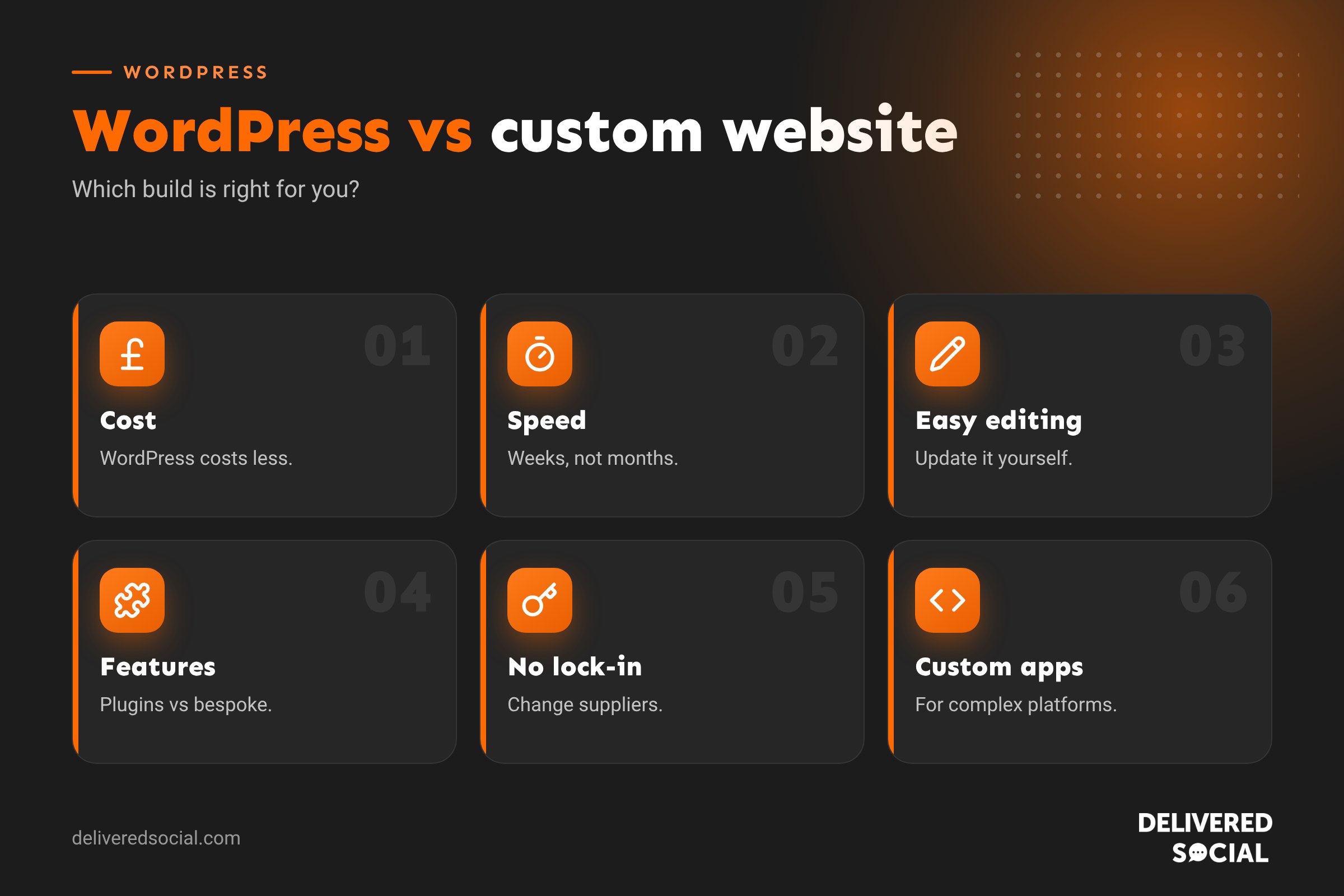
WordPress vs custom website at a glance
| WordPress | Fully custom build | |
|---|---|---|
| Typical cost | Lower to moderate | Moderate to high |
| Time to launch | Weeks | Months |
| Content editing | Easy, familiar dashboard | Depends on what’s built |
| Features | Thousands of ready-made plugins | Anything, but each feature is built and paid for |
| Developer availability | Huge pool of WordPress developers | Often tied to the original team |
| Maintenance | Regular core, theme and plugin updates | Framework updates and bespoke fixes |
| Best for | Most business, charity and content websites | Complex web applications and unique platforms |
The case for WordPress
1. Faster and more affordable
Because WordPress already handles pages, menus, users, media, blogging and SEO basics, your budget goes into design, content and the features that make you different rather than reinventing the basics. Most small business websites can be designed, built and launched in a matter of weeks. See how much does a WordPress website cost?
2. Easy for your team to update
Adding a blog post, swapping an image or updating opening hours doesn’t need a developer. The editor is familiar and well documented, and new staff can learn it quickly. Our guide on how to edit a WordPress site shows how straightforward everyday changes are.
3. A huge ecosystem
Booking systems, online shops, memberships, event calendars, forms, multilingual content and integrations with email and CRM platforms are all available as tried and tested plugins. You only pay to build what genuinely doesn’t exist.
4. Strong SEO foundations
WordPress gives you control of titles, descriptions, URLs, headings, schema and site speed, and works well with leading SEO plugins. See does WordPress help SEO?
5. No lock-in
If you fall out with your agency, you can move to another WordPress specialist or a different host without rebuilding. With a bespoke system, you may be tied to the people who wrote the code.
The case for a custom website
1. Total freedom
A custom build can do exactly what you need, with no compromises around how a plugin or theme works. If your website is really a piece of software, such as a booking marketplace, customer portal or SaaS product, custom development is often the right call.
2. Lean code
Custom sites only include the code they need, which can make them very fast and efficient. That said, a well-built WordPress site with good hosting is also very fast.
3. Unique business logic
Complex pricing rules, integrations with internal systems, or workflows that don’t fit a standard plugin can be easier to build cleanly from scratch.
4. Smaller attack surface
Because the code isn’t publicly known, bespoke sites aren’t targeted by mass attacks aimed at popular platforms. However, security then depends entirely on the quality of the developers and whether the site is kept updated.
The downsides of each
WordPress drawbacks
- Needs regular updates, backups and monitoring. Many businesses use a maintenance plan.
- Poor-quality themes and too many plugins can slow a site down.
- Very complex, app-like functionality can stretch what plugins do well.
Custom build drawbacks
- Higher upfront cost and longer build times.
- Every new feature means more development.
- Content editing can be clunky unless a good admin area is built.
- Dependency on the original developers; if they move on, others may struggle to pick up the code.
- Undocumented code can become costly to maintain over the years.
Cost comparison over five years
It’s worth comparing total cost of ownership, not just the build price. A typical small business WordPress site involves a one-off design and build, then hosting, maintenance and occasional development each year. A custom website usually costs more to build, then needs ongoing developer time for updates, bug fixes, security patches and every new feature. Over five years, the gap often widens rather than narrows, unless the custom site is a core product generating revenue in its own right.
| Cost area | WordPress | Custom build |
|---|---|---|
| Design and build | Lower | Higher |
| Hosting | Similar | Similar or higher |
| Maintenance and updates | Predictable monthly plan | Developer time, often hourly |
| New features | Plugin or small build | New development each time |
| Changing supplier | Straightforward | Can be difficult and costly |
Which should you choose?
Choose WordPress if:
- You need a professional brochure site, blog, charity site or online shop.
- You want to update content yourself without calling a developer.
- Search traffic and regular content are important to your growth.
- You want the freedom to change hosts or agencies.
- Budget and launch speed matter.
Choose a custom build if:
- Your website is a software product or complex platform.
- You need deep integration with internal systems that plugins can’t handle.
- You have an in-house development team or long-term development budget.
- Performance at very large scale is critical and you have the expertise to manage it.
Consider a custom WordPress build if:
- You want a unique design and a few bespoke features, but still want easy editing and a big support ecosystem.
What about AI website builders and page builders?
AI website builders and all-in-one platforms such as Wix and Squarespace are a third route. They’re quick and cheap for simple sites, but offer less flexibility and portability than WordPress. See WordPress vs AI website builders and Wix vs Squarespace vs WordPress for those comparisons.
Questions to ask before you decide
- What does the website need to do in the first year, and in three years?
- Who will update the content, and how often?
- Do any features exist as reliable plugins, or are they truly unique?
- What happens if your developer or agency is no longer available?
- What’s your total budget over three to five years, not just for launch?
- How important is organic search to your marketing?
Example: two businesses, two choices
A Surrey accountancy firm wants service pages, team profiles, a blog and enquiry forms, and plans to publish advice articles every month. WordPress gives them a professional, fast site in weeks, easy editing and strong SEO. A start-up building a platform where tradespeople bid for local jobs needs user accounts, payments, messaging and matching logic. That’s an application, not a brochure site, so a custom build makes more sense, possibly with WordPress running the marketing pages alongside it.
Combining the two
Many organisations use both: WordPress for the public website, blog and landing pages, and a custom application for the logged-in product or portal. This keeps marketing fast and easy to update while developers focus on the product itself.
How to brief your agency
Whichever route you choose, a clear brief saves time and money. Include your goals, audiences, the pages and features you need, examples of sites you like, who will maintain the site, your budget and your timescale. A good agency will then recommend the right platform rather than the one they happen to prefer, and explain the trade-offs honestly. Ask to see similar sites they’ve built, how they handle updates and backups, and what happens to your site if you ever part ways.
Red flags to watch for
- A developer recommending a fully custom build for a simple brochure site.
- Proprietary content systems you can’t take with you.
- No mention of maintenance, security or backups.
- Vague quotes with no breakdown of what’s included.
- No access to your own hosting, domain or admin logins.
Quick glossary
- CMS: content management system, software for editing website content.
- Framework: a toolkit developers use to build applications from code.
- Plugin: an add-on that gives WordPress extra features.
- Custom theme: a WordPress design built specifically for one site.
- Total cost of ownership: everything a website costs over its life, not just the build.
Key takeaways
- WordPress suits most business, charity and content websites.
- Custom builds suit complex applications and unique platforms.
- Compare total cost over several years, not just the launch price.
- Avoid lock-in: make sure you own your site, domain and hosting.
- A custom WordPress build gives you a unique design with easy editing.
Frequently asked questions
Is a custom website better than WordPress?
Not automatically. It’s better for complex applications, but WordPress is usually the smarter choice for business websites.
Is WordPress cheaper than a custom website?
Usually, both to build and to maintain over time.
Can WordPress be fully custom?
Yes. A bespoke theme and custom plugins can make a WordPress site completely unique.
Are custom websites more secure?
Not necessarily. Security depends on code quality, hosting and updates, whatever the platform.
Which is better for SEO?
Both can rank well, but WordPress makes SEO easier to manage without a developer.
How long does a custom website take?
Often several months, compared with weeks for most WordPress sites.
Can I move from a custom site to WordPress?
Yes. Content can be migrated and redirects set up to protect your search rankings.
Do big companies use WordPress?
Yes, many well-known organisations use it for websites, blogs and news.
Who owns a custom website?
Check your contract. You should own the code, content, domain and hosting accounts.
What if my developer disappears?
With WordPress, another specialist can usually take over quickly. With a custom build it can be much harder.
Not sure which route is right?
We design and build bespoke WordPress websites for businesses and charities across Surrey, Hampshire and the UK, and we’ll tell you honestly if you need something different. Call us on 01483 608 303.
































