



Keep reading
Rather we just did it for you?
Let's get your business seen.
Social media, websites, SEO and ads from a team you can actually meet.
When you switch to a professional account on Instagram, you have to choose: business or creator? Many small businesses pick one without thinking, then wonder why a scheduling tool will not connect, why a music track is missing, or why their contact buttons have disappeared. This guide compares an Instagram business vs creator account (and a personal account) in plain English, so you can choose the right one for your brand and switch with confidence.
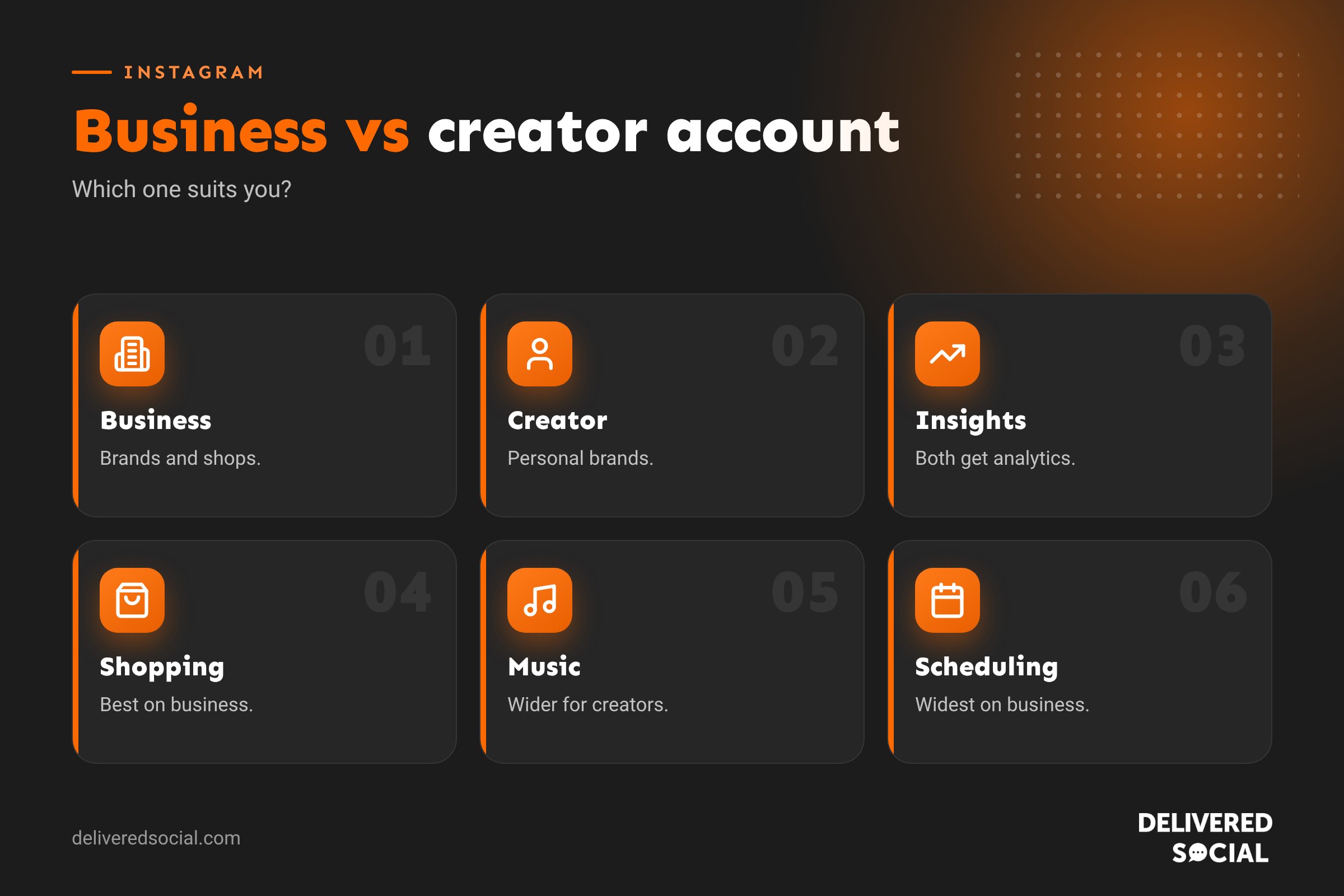
The three types of Instagram account
- Personal account: the default. Good for private use, with no insights or business tools.
- Creator account: a professional account designed for influencers, artists, public figures and content creators.
- Business account: a professional account designed for brands, shops, service businesses and organisations.
Creator and business accounts are both “professional accounts”. They share many features, including insights, a professional dashboard, ads and a category label on your profile. The differences are in the details.
Business vs creator vs personal at a glance
| Feature | Personal | Creator | Business |
|---|---|---|---|
| Insights and analytics | No | Yes | Yes |
| Run ads and boost posts | No | Yes | Yes |
| Contact buttons (call, email, directions) | No | Yes | Yes, with more options |
| Instagram Shopping and product tags | No | Limited | Yes |
| Full music library in Reels | Yes | Usually yes | Often limited to royalty free tracks |
| Third party scheduling and posting tools | Limited | Varies by tool | Widest support |
| Action buttons such as Book or Order | No | Limited | Yes |
| Private account option | Yes | No | No |
Instagram changes features regularly and some vary by country and account size, so check the current options in your app.
When a business account is right
Choose a business account if you are a company, shop, charity, venue or service provider. It suits you if you:
- Want customers to call, email, book or get directions straight from your profile.
- Sell products and want to tag them in posts with Instagram Shopping.
- Use tools such as Metricool, Meta Business Suite, Hootsuite or Buffer to schedule posts and report on results.
- Connect Instagram to a Facebook page and run ads across both.
- Have a team managing the account and need proper business tools.
Our guide to the Instagram business account walks through the set up.
When a creator account is right
Choose a creator account if you are a person rather than a company: a coach, consultant, photographer, artist, chef, trainer or influencer building a personal brand. It suits you if you:
- Want more flexibility over which category label shows on your profile.
- Rely heavily on trending music in Reels.
- Work with brands on paid partnerships and want creator tools for that.
- Do not need shopping features or a wide range of third party integrations.
When to stay personal
If the account is just for friends and family, or you want to keep it private, stay personal. As soon as you are using Instagram to win customers, a professional account is worth having for the insights alone.
The music question
This is the most common reason businesses think about switching. Business accounts often have access to a smaller music library, made up mainly of tracks licensed for commercial use, because using popular songs to promote a business raises copyright issues. Creator accounts usually see the wider library.
Do not switch to creator just to use chart hits in adverts for your business. If you are a brand, the safer approach is to use the commercial library, original audio, voiceovers or trending sounds that are cleared for business use.
The scheduling tool question
Social media scheduling tools connect through Meta’s official systems. Business accounts have the most reliable support for automatic publishing, analytics and comment management. Many tools now support creator accounts too, but features can be patchier. If your scheduling tool keeps failing, check your account type and that it is linked to a Facebook page. Our guide on how to schedule Instagram posts covers the options.
How to switch account type
- Go to your profile and tap the menu (three lines).
- Open Settings and activity, then Account type and tools.
- Choose Switch to professional account, or if you already have one, choose to switch between creator and business.
- Pick a category that describes you.
- Add contact details and connect a Facebook page if you want to.
You can switch back at any time. Switching from professional to personal will remove your insights history, so download anything you need first.
Does account type affect reach?
There is no good evidence that business accounts are shown to fewer people than creator or personal accounts. Reach depends far more on the quality of your content, how quickly people engage, consistency, and whether you use formats such as Reels and carousels well. If reach drops after switching, it is usually coincidence or a change in posting habits. See why your Instagram engagement dropped for a fuller checklist.
Our recommendation
| If you are… | Choose |
|---|---|
| A shop, salon, restaurant or trade business | Business |
| A charity or community organisation | Business |
| A company with a team posting | Business |
| A coach, consultant or personal brand | Creator |
| An influencer or artist | Creator |
| Using Instagram privately | Personal |
Setting up your professional profile properly
Whichever account type you choose, a few details make a big difference to how many visitors turn into followers and customers:
- Profile picture: your logo for a business, a clear headshot for a personal brand.
- Name field: include a keyword, for example “Bloom Florist | Guildford”, as this field is searchable.
- Bio: say what you do, who for and where, then give a reason to tap the link. Our Instagram bio ideas has examples.
- Link: point to a useful page such as booking, shop or a simple links page.
- Highlights: organise stories into reviews, services, prices and FAQs.
- Pinned posts: pin your best introduction, a popular offer and a strong testimonial.
Common mistakes
- Choosing creator to unlock music, then losing shopping or tool features you need.
- Not linking the account to a Facebook page, which limits ads and scheduling tools.
- Picking a vague category; choose the one that best describes what you sell.
- Switching back to personal and losing months of insights data.
- Leaving contact buttons empty, so interested customers cannot reach you.
Features in more detail
Insights
Both professional account types show insights on reach, engagement, followers, accounts reached by age and location, and performance of each post, Reel and story. These numbers help you see what is working and when your audience is online. Our guide to Instagram insights explains each metric.
Contact options
Business accounts can show call, email, text and directions buttons, plus action buttons such as Book, Reserve, Order food or Get quote through supported partners. Creators can usually add email and phone, but fewer action buttons.
Shopping
If you sell physical products, a business account linked to a Facebook catalogue lets you tag products in posts and Reels, so people can tap through to buy. Shopping features have changed over time and are not available to every account, so check eligibility in Commerce Manager.
Branded content
Both account types can label paid partnerships. If you work with influencers, they will usually use creator accounts and tag your business as the partner.
What about Facebook pages?
Linking your professional Instagram account to a Facebook page brings several benefits: you can manage messages and comments for both in Meta Business Suite, run ads across both platforms from one place, and use most scheduling tools. You can link accounts from Accounts Centre in Instagram settings.
Key takeaways
- Business accounts suit companies, shops, venues and charities.
- Creator accounts suit individuals building a personal brand.
- Both give you insights, ads and a professional dashboard.
- Business accounts have the best support for shopping and scheduling tools.
- Creator accounts often get a wider music library.
- You can switch at any time, but download insights first.
Frequently asked questions
Is a business or creator account better on Instagram?
Business suits companies; creator suits individuals and influencers.
Can I switch from creator to business?
Yes, in Settings under Account type and tools.
Will I lose followers if I switch?
No. Your followers and posts stay the same.
Why can’t I use some music on my business account?
Business accounts often only get commercially licensed tracks to avoid copyright problems.
Do business accounts get less reach?
There is no good evidence of this. Content quality matters far more.
Do I need a Facebook page for a business account?
Not to switch, but linking one unlocks more ad and scheduling features.
Can a business account be private?
No. Professional accounts are always public.
Is a professional account free?
Yes. Switching costs nothing.
Which account type do scheduling tools need?
Business accounts have the widest support; many tools now support creator accounts too.
Can I have a personal and a business account?
Yes. You can add several accounts and switch between them in the app.
Can I change my category later?
Yes, at any time from Edit profile.
Want help growing your Instagram?
We plan, create and manage Instagram for businesses and charities across Surrey, Hampshire and the UK. Call us on 01483 608 303.
































