



Keep reading
Rather we just did it for you?
Let's get your business seen.
Social media, websites, SEO and ads from a team you can actually meet.
When you set up TikTok for your business, one of the first decisions is which type of account to use. TikTok offers personal accounts, creator accounts and business accounts, and the choice affects which music you can use, the analytics you see, whether you can add a website link and how easy it is to run ads. This guide explains TikTok personal vs business accounts in plain English, how to set up TikTok for business, and which option suits you.
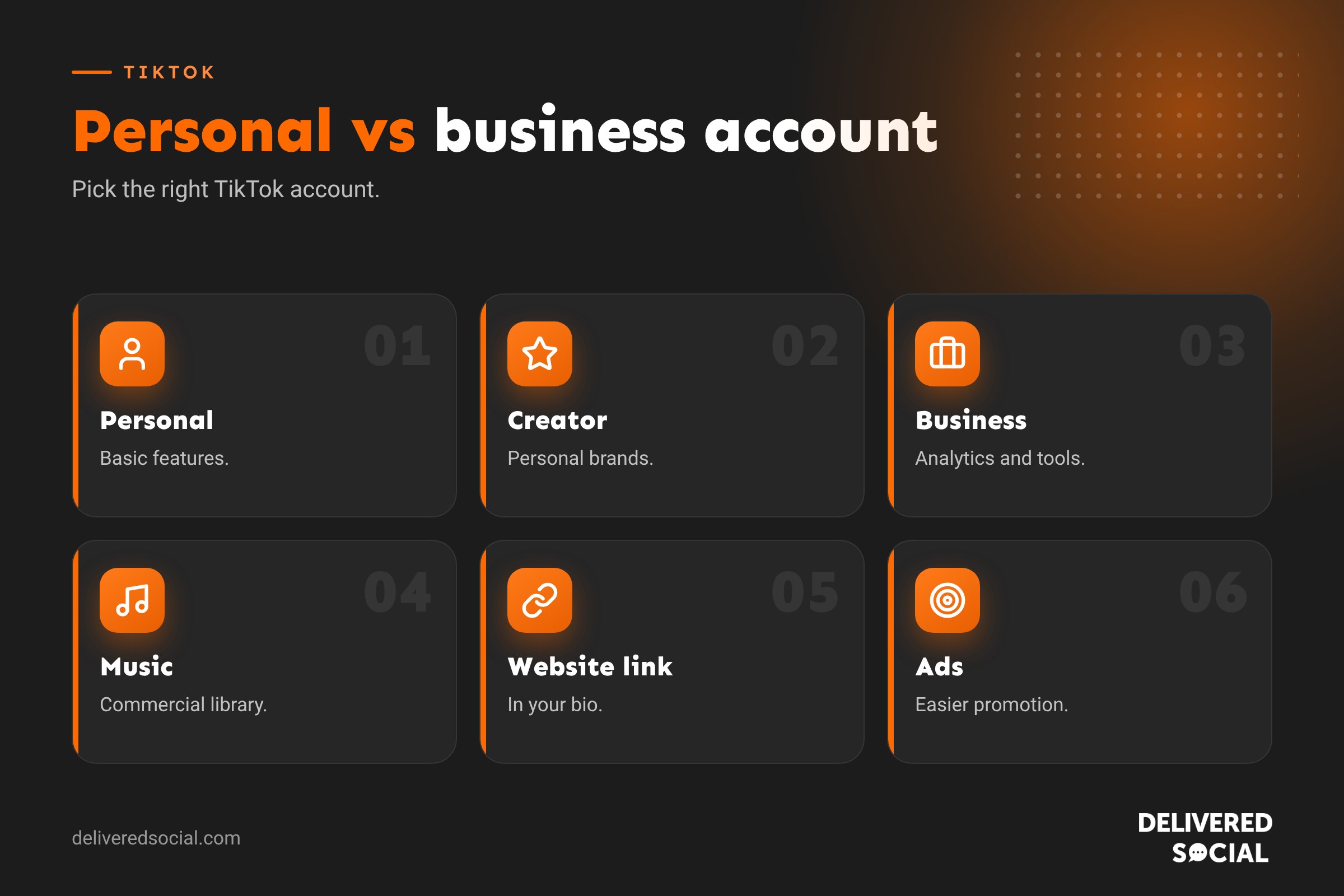
The three types of TikTok account
- Personal account: the default when you sign up. Fine for individuals, with basic features.
- Creator account: for individuals building an audience, such as influencers, artists and personal brands. Adds analytics and creator tools.
- Business account: for brands, shops and organisations. Adds analytics, business tools, a commercially safe music library and easier access to advertising.
Exact features vary by region and change over time, but the broad differences have stayed consistent.
Personal vs business at a glance
| Feature | Personal | Business |
|---|---|---|
| Music | Full library, including popular tracks | Commercial Music Library of tracks cleared for business use |
| Analytics | Limited | Full analytics in TikTok Studio |
| Website link in bio | Depends on account size and eligibility | Available |
| Contact options | No business contact button | Email and contact options on profile |
| Business category | No | Yes, shown on your profile |
| Ads and promotion | Can boost some posts | Full access to promotion tools and links to TikTok Ads Manager |
| Private account | Can be private | Must be public |
The music question
This is the biggest practical difference. Business accounts can only use sounds from TikTok’s Commercial Music Library, which contains tracks licensed for brands to use. Many trending songs are not included. That is because using copyrighted music to promote a business needs a commercial licence, which personal use does not.
It can feel limiting, but it protects you. Businesses using unlicensed music in promotional content risk having videos muted, removed or, in the worst cases, facing claims from rights holders. And many successful business accounts rely on original audio: talking to camera, voiceovers and natural sound.
Why most businesses should use a business account
- Analytics. You can see what works and improve. See our guide to TikTok analytics.
- A website link and contact options, so viewers can become customers.
- Safe music for commercial content.
- Advertising tools for promoting videos and running campaigns.
- A professional look, with your business category on your profile.
When a personal or creator account might make sense
If you are building a personal brand, for example a coach, consultant, artist or tradesperson who is the face of the business, a creator account can work well. Creator accounts get analytics and still feel personal. But remember that if you use your account to promote products or services, the same rules around licensed music still apply to promotional content. If in doubt, choose a business account.
How to set up TikTok for business
- Download TikTok and sign up with a business email address you will always have access to.
- Choose your username. Match your business name and your handles on other platforms if possible.
- Switch to a business account. Go to your profile, tap the menu, then Settings and privacy, Account, and Switch to Business Account.
- Pick a category that describes your business.
- Complete your profile: profile photo or logo, a short bio saying what you do and where, your website link and contact email.
- Set up security: a strong password and two step verification.
- Post your first videos. Introduce your business, show what you do and answer a common question.
TikTok business registration and TikTok for Business
You may also see “TikTok for Business”, which is TikTok’s advertising platform, and TikTok Ads Manager. You do not need these to post organic videos. They are for running paid campaigns. You can create an Ads Manager account separately and link it to your business account when you are ready to advertise. Our guide to TikTok ads vs Meta ads helps you decide if paid TikTok is right for you.
Can you switch back?
Yes. You can switch between personal and business accounts in settings. However, switching may affect sounds already used in your videos. If you switch from personal to business, some videos with music not in the Commercial Music Library may become muted. Check your most important videos after switching.
Business account best practices
- Use a clear profile photo or logo that is recognisable at a small size.
- Write a bio that says what you do and where, for example “Family bakery in Fareham. Custom cakes and treats.”
- Link to a useful page, such as a landing page or booking page, not just your home page.
- Use original audio as often as possible: talking, voiceover and natural sound often outperform music for business content.
- Post consistently, ideally a few times a week.
- Reply to comments and use reply videos to answer questions.
Common mistakes
- Running a business on a personal account and using copyrighted music in promotional videos.
- Setting up the account with a staff member’s personal email.
- Leaving the bio blank or vague.
- Copying content from other platforms without adapting it for TikTok.
- Giving up after a few videos. TikTok rewards consistency.
Content ideas for your first month
Once your business account is set up, the hardest part is getting started. Here are simple ideas that work for most small businesses:
- A 15 second introduction: who you are, what you do and where.
- Behind the scenes of a typical day.
- Answers to the three questions customers ask most often.
- A before and after of your work.
- A quick tip related to your product or service.
- Meet the team, one person at a time.
- A customer story or review, with permission.
- A myth in your industry, busted.
Film on your phone, keep each video short, and focus on the first three seconds. You can find more ideas in our guide to social media video ideas.
Personal brand and business account together
Some owners run two accounts: a business account for the brand and a personal or creator account for themselves. This can work well if you are the face of the business, as long as you have time to keep both active. If time is short, one strong business account with you appearing in the videos is usually better than two neglected ones.
Creator vs business account: which is right for a sole trader?
This is one of the most common questions we get from tradespeople, coaches and freelancers. The honest answer is that both can work, and the deciding factors are how you sell and how you sound. If your customers buy from you because of you, your personality and your expertise, and you want your account to feel like a person rather than a company, a creator account can feel more natural. If you sell products, have a team, or want to run ads regularly, a business account is the better fit.
A few practical tests help. Will your videos promote a product, offer or service most of the time? Then treat it as business content and use licensed music, whichever account type you choose. Do you plan to advertise? A business account makes this simpler. Will anyone else ever manage the account? A business account set up with a business email is easier to hand over. If you answer yes to any of these, go with a business account.
Keeping your account safe
Whichever type you choose, protect it. Use a business email address and a strong, unique password, turn on two step verification, and keep a record of who has the login. If a staff member or agency manages the account, give access in a way you can remove later rather than sharing your main password. Losing access to an established account can mean losing years of content and followers, and recovery can take weeks.
Key takeaways
- Business accounts give analytics, contact options, a website link and ad tools.
- Business accounts use the Commercial Music Library, which is safer for brands.
- Creator accounts can suit personal brands, but promotional content still needs licensed music.
- Switch in Settings and privacy under Account.
- Set up with a business email and turn on two step verification.
Frequently asked questions
Is a TikTok business account free?
Yes. Business accounts are free. You only pay if you choose to advertise.
Do business accounts get fewer views?
There is no evidence that business accounts are shown less. Content quality matters far more.
Why can’t I use trending songs on my business account?
Business accounts are limited to the Commercial Music Library, which contains music licensed for commercial use.
Can I have a private business account?
No. Business accounts must be public.
Can I switch back to a personal account?
Yes, in settings. Some sounds on existing videos may be affected.
Do I need TikTok Ads Manager?
Only if you want to run paid campaigns.
Should a sole trader use a business account?
Usually yes, for analytics, contact options and safe music. A creator account can suit personal brands.
Want help getting started on TikTok?
We set up and manage TikTok accounts for businesses across Surrey, Hampshire and the UK. Call us on 01483 608 303.
































