



Keep reading
Rather we just did it for you?
Let's get your business seen.
Social media, websites, SEO and ads from a team you can actually meet.
When you build a WordPress website, two words come up again and again: theme and page builder. Some people use them as if they mean the same thing, and some products blur the line by being both. But they do different jobs, and understanding the difference helps you build a site that looks good, loads quickly and is easy to update. This guide explains WordPress theme vs page builder, the pros and cons of each approach, and how to choose the right setup for your business.
What is a WordPress theme?
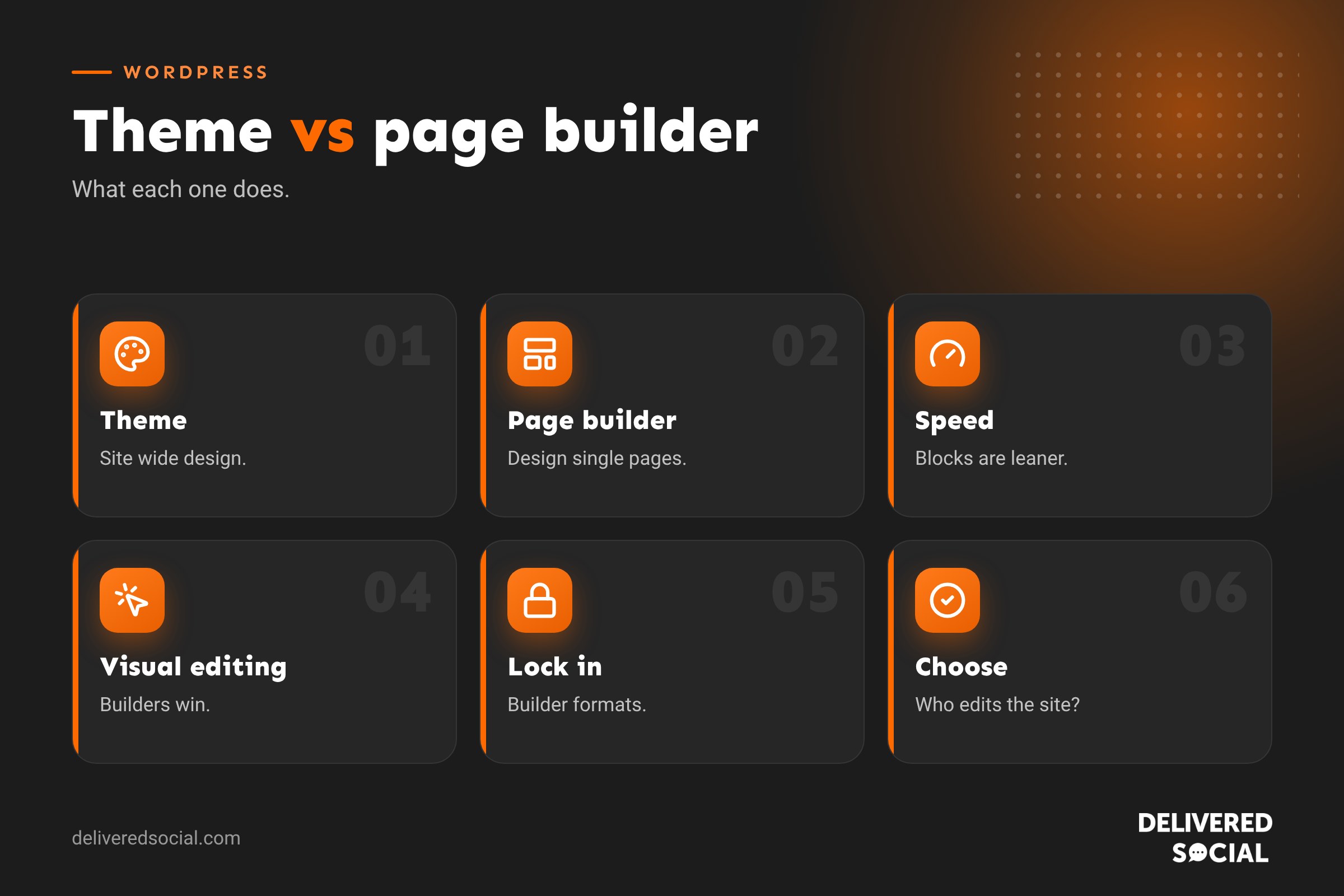
A theme controls the overall design and layout of your WordPress site. It decides how your header, footer, menus, blog pages, archive pages and default page templates look. It sets fonts, colours and spacing across the whole site. Every WordPress site has exactly one active theme.
Themes range from simple, lightweight designs to large multipurpose themes with dozens of demos and settings. Some popular examples include Astra, GeneratePress, Kadence and the default WordPress block themes such as Twenty Twenty-Five. Modern block themes let you edit headers, footers and templates visually using the Site Editor, without code.
What is a page builder?
A page builder is a tool, usually a plugin, that lets you design individual pages visually with drag and drop. You build sections, columns and elements such as headings, images, buttons, sliders and forms, and see the result as you work. Popular page builders include Elementor, Beaver Builder, Divi Builder, Bricks and Oxygen.
WordPress also has its own built in editor, Gutenberg, which works with blocks. With a good block theme and block plugins, Gutenberg can do much of what page builders do. Our Elementor vs Gutenberg guide compares the two in detail.
How themes and page builders work together
A theme and a page builder are not usually either or. In most sites, the theme provides the overall framework (header, footer, blog templates, global styles), while the page builder handles the design of individual pages such as the home page, service pages and landing pages. Many people pair a lightweight theme with a page builder for exactly this reason.
Some products combine both. Divi, for example, is a theme with a built in builder. Some page builders, such as Elementor Pro, can also design headers, footers and templates, taking over much of the theme’s role. In that case the theme becomes a minimal base.
Option 1: a theme on its own (with the block editor)
Pros
- Speed: fewer plugins and less code usually mean faster pages.
- Simplicity: fewer moving parts and fewer updates to manage.
- Future proof: the block editor is part of WordPress itself, so it is supported long term.
- Consistency: global styles keep fonts and colours consistent across pages.
- Lower cost: many excellent block themes and block plugins are free or inexpensive.
Cons
- Complex layouts can take more effort than in a page builder.
- Some designs need extra block plugins or custom code.
- The editing experience feels less visual to people used to page builders.
Option 2: a theme plus a page builder
Pros
- Design freedom: build almost any layout visually without code.
- Ease for editors: non technical staff can update pages and see changes as they make them.
- Templates: large libraries of pre-made sections and page templates speed up building.
- Extra features: pro versions often include forms, popups, sliders and dynamic content.
Cons
- Speed: page builders add extra code, which can slow pages if not managed well.
- Lock in: content built with a page builder is stored in its own format. If you switch builder or deactivate it, pages can break or fill with shortcodes.
- Cost: pro licences are usually annual subscriptions.
- Complexity: more settings and options can lead to inconsistent designs if many people edit.
- Updates: another major plugin to keep updated and compatible.
Speed and performance
Speed matters for user experience, conversions and SEO. Lightweight themes with the block editor generally produce leaner pages. Page builders have improved a lot, with features such as loading only the code each page needs, but they still tend to add more weight. The difference is often manageable with good hosting, caching and image optimisation, but if top speed is a priority, a block based approach usually has the edge. Whatever you choose, test key pages with Google PageSpeed Insights.
SEO considerations
Both approaches can rank well. Search engines care about content, structure, speed and usability, not which tool built the page. Watch out for page builder habits that harm SEO, such as using headings for styling rather than structure, hiding text in tabs and sliders, and adding heavy animations. Keep a clear heading order, write descriptive text and optimise images. Our SEO services cover technical checks for both kinds of site.
Ease of editing for your team
Think about who will update the site. If your team will regularly create new landing pages and campaigns, a page builder’s visual editing can save time. If updates are mostly blog posts and small text changes, the block editor is often simpler and safer, with less chance of breaking a layout. Some agencies lock down page builder designs so editors can change text and images without accidentally changing the structure.
Long term maintenance
Every theme and plugin needs updates. A page builder adds a significant plugin with frequent updates, plus any add-ons. Occasionally updates cause layout issues, which is why testing and backups matter. A simpler stack is generally easier to maintain. A WordPress maintenance plan handles updates, backups and checks so problems are caught early.
How to choose
Choose a lightweight or block theme with Gutenberg if:
- Speed and simplicity are top priorities.
- Your site is mainly service pages and a blog.
- You want to avoid builder lock in and subscription costs.
- You have a developer or agency to set up custom blocks and patterns.
Choose a theme plus page builder if:
- You want to design and change layouts visually without code.
- You create lots of landing pages or campaign pages.
- Your team is already comfortable with a particular builder.
- You need built in features such as popups and advanced forms.
Avoid:
- Heavy multipurpose themes with their own builder plus a second page builder on top.
- Installing several page builders on one site.
- Choosing a theme purely because a demo looks impressive.
Switching from a page builder to blocks
Many businesses built with a page builder years ago now want faster, simpler sites. Moving from a page builder to the block editor means rebuilding pages rather than converting them automatically, because builder layouts are stored in their own format. The good news is it is an opportunity to tidy up content, improve speed and refresh the design. Plan redirects if any URLs change, and test thoroughly before switching off the builder.
What we usually recommend
For most small business websites, we favour a fast, well supported theme with the block editor and a small set of reliable block plugins. It keeps sites quick, secure and easy to maintain, and the editing experience is good enough for most teams once custom patterns are set up. Where a client’s team needs to build lots of new pages visually, or already knows a builder well, a carefully configured page builder can be the right call. The best choice depends on how your site will be used day to day, not on which tool is fashionable.
If you are starting from scratch, our guide on how to build a WordPress website walks through choosing a theme, plugins and hosting.
A quick glossary
- Block theme: a modern theme built entirely from blocks, edited with the Site Editor.
- Classic theme: an older style theme using PHP templates and the Customiser.
- Child theme: a theme that inherits from a parent theme, used for safe customisation.
- Block patterns: pre-designed groups of blocks you can insert and edit.
- Theme builder: a page builder feature for designing headers, footers and templates.
Key takeaways
- A theme controls your site’s overall design; a page builder designs individual pages.
- They often work together, with a lightweight theme as the base.
- Block themes with Gutenberg are usually faster and simpler.
- Page builders offer more visual freedom but add weight, cost and lock in.
- Choose based on who edits the site and what it needs to do.
Frequently asked questions
Do I need a page builder for WordPress?
No. The built in block editor with a good theme can create professional sites. Page builders are optional tools for more visual design control.
Is Elementor a theme or a page builder?
Elementor is a page builder plugin. It has its own lightweight theme, Hello, and its Pro version can design headers, footers and templates.
Do page builders slow down WordPress?
They add extra code, which can affect speed. With good hosting, caching and careful design, the impact can be kept small.
Can I change my theme without losing content?
Your posts and pages stay, but layouts, widgets and theme specific features may change. Test on a staging site first.
What happens if I deactivate my page builder?
Pages built with it usually lose their layout and may show shortcodes or plain text. Rebuild pages before removing a builder.
Which is better for SEO, a theme or page builder?
Both can rank well. Focus on content quality, heading structure, speed and mobile usability.
Planning a new WordPress website?
We design and build fast, easy to edit WordPress websites for businesses across Surrey, Hampshire and the UK. Call us on 01483 608 303.
































