



Keep reading
Rather we just did it for you?
Let's get your business seen.
Social media, websites, SEO and ads from a team you can actually meet.
Instagram direct messages have become a front door for many businesses. Customers message to ask about prices, opening hours, stock, bookings and delivery, often at times when nobody is around to reply. Leave them waiting and they move on. That is where Instagram chatbots come in. A well set up chatbot can answer common questions instantly, send links when people comment on posts, collect leads and pass complex conversations to a real person. This guide explains Instagram chatbots: what they are, what they can do, the rules, the tools, how to set one up and how to keep it feeling human.
What is an Instagram chatbot?
An Instagram chatbot is software that sends automated replies in Instagram direct messages. It can respond to messages, comments, story replies and mentions based on rules you set, keywords people use or, increasingly, AI that understands what people are asking. Chatbots work with Instagram professional accounts (business or creator) through Meta’s official messaging tools and approved third party platforms.
What can Instagram chatbots do?
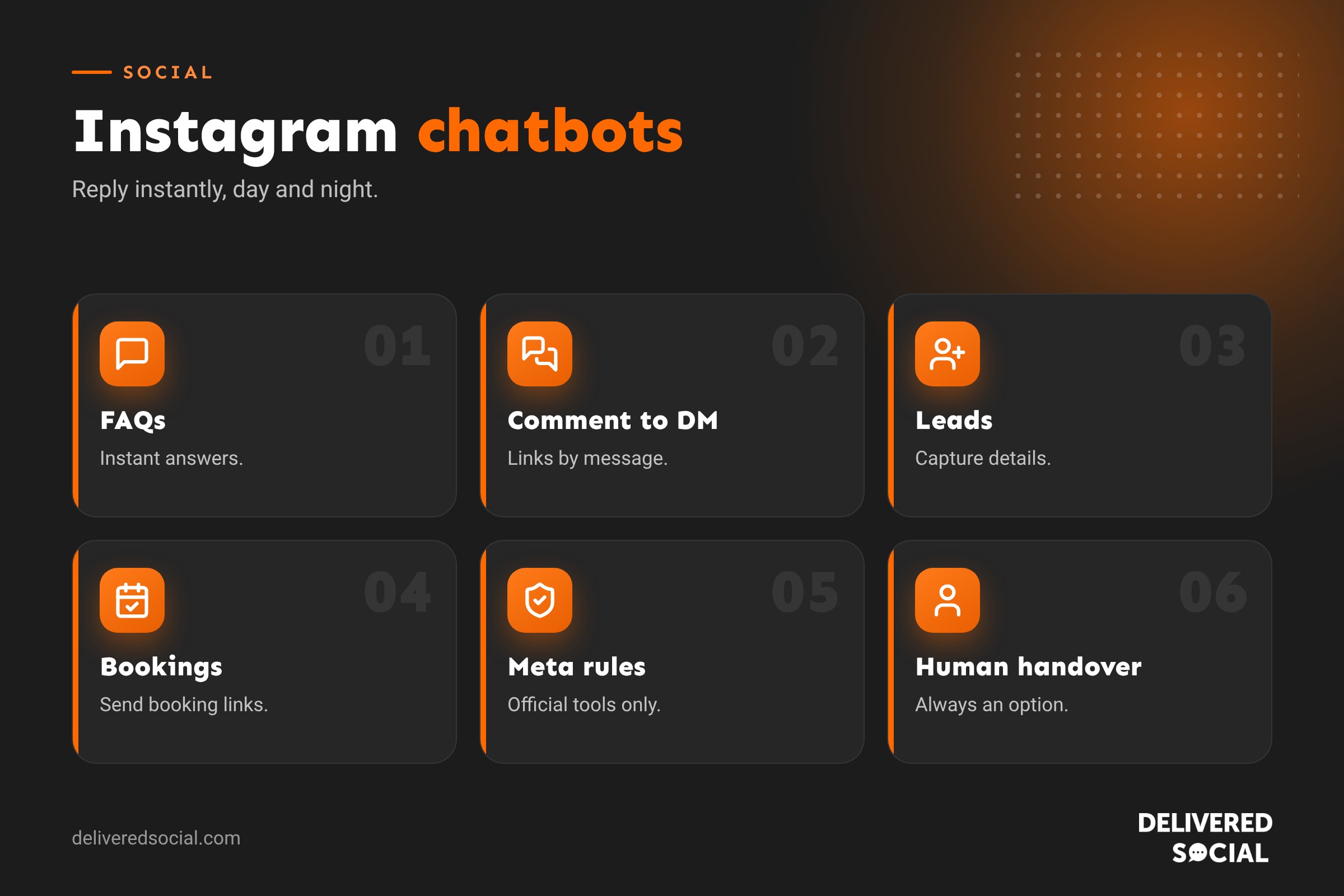
- Answer FAQs instantly: prices, opening times, delivery, returns, location and services.
- Comment to DM: when someone comments a keyword on a post or Reel, the bot sends them a link or offer by message. This is popular for lead magnets and product links.
- Story replies: reply automatically when people react to or answer a story.
- Collect leads: ask for email addresses or phone numbers and send them to your CRM or email platform.
- Take bookings and enquiries: qualify enquiries and send booking links.
- Product recommendations: help shoppers find the right product with a few quick questions.
- Welcome messages: greet first time messengers and show options.
- Hand over to a human: pass conversations to your team when needed.
Benefits for businesses
- Faster responses: instant replies, day and night.
- More leads and sales: fewer enquiries lost because nobody replied.
- Time saved: no more typing the same answers all day.
- More engagement: comment to DM campaigns encourage comments, which can boost reach.
- Better data: learn what customers ask most often.
Instagram’s built in automation
Before using third party tools, check what Instagram offers natively. Business and creator accounts can set up saved replies, frequently asked questions shown when someone starts a chat, and automated instant replies in Meta Business Suite. These are free and a good starting point for small businesses.
Third party chatbot tools
For more advanced automation, many businesses use approved platforms that connect to Instagram through Meta’s API, such as ManyChat and similar tools, or the messaging features in customer service and social media platforms. They offer comment to DM flows, keyword triggers, lead capture, integrations and increasingly AI powered replies. Choose a tool that is an official Meta partner or clearly uses Meta’s official API.
Instagram’s rules
Meta has rules about automated messaging to protect users. Key points include:
- Automation must use Meta’s official messaging API through approved tools.
- Businesses generally respond to people who have messaged or interacted first, rather than sending unsolicited messages.
- There are time windows for replying to users after their last message, with limited exceptions.
- Users should be able to reach a human when needed.
- Do not spam or mislead people.
Rules change, so check Meta’s current messaging policies and your chosen tool’s guidance. Avoid unofficial bots that log in with your password, which can put your account at risk.
How to set up an Instagram chatbot
- Switch to a professional account and connect it to a Facebook Page and Meta Business Suite.
- List your most common questions from your DMs, emails and phone calls.
- Start with native tools: set up FAQs, saved replies and instant replies.
- Choose a chatbot platform if you need comment to DM, lead capture or integrations.
- Write your flows: welcome message, menu of options, answers and next steps.
- Set up keyword triggers for campaigns, such as “Comment GUIDE for the free checklist”.
- Add a human hand over and tell people when a person will reply.
- Test everything from a separate account.
- Monitor and improve based on real conversations.
Comment to DM: a closer look
Comment to DM campaigns are one of the most popular uses of Instagram automation. You post a Reel or carousel with valuable content and invite people to comment a keyword. The bot then sends each commenter a direct message with a link to a guide, discount, booking page or product. This boosts comments on the post, delivers the link privately where it is more likely to be clicked and can collect email addresses. Make sure the offer is genuinely worth commenting for, and do not overuse the tactic on every post.
How to keep your chatbot human
- Write in your brand voice, friendly and natural rather than robotic.
- Be honest that it is an automated reply where appropriate.
- Keep messages short and use buttons or quick replies.
- Offer a human option at every stage.
- Do not trap people in endless loops.
- Personalise with names and context where possible.
- Follow up quickly when a human is needed.
Instagram chatbots and AI
AI powered chatbots can understand free text questions and respond more naturally than rule based bots. They can be helpful, but need careful set up with accurate information about your business, clear limits and regular checks, so they do not give wrong prices or promises. Start with your most common questions and expand gradually. Our article on AI powered chatbots explores the wider trend.
Measuring success
- Response time and response rate in your inbox.
- Number of conversations handled automatically.
- Leads captured and link clicks from DMs.
- Bookings or sales from chatbot conversations.
- Comments and reach on comment to DM posts.
- Customer feedback and complaints.
Our guide to social media customer service explains how automation fits into a wider support approach.
Common mistakes
- Using unofficial bots that risk your account.
- Robotic, overly long messages.
- No way to reach a person.
- Out of date answers about prices or opening hours.
- Using comment to DM on every post until followers get tired of it.
Chatbot ideas by business type
- Salons and clinics: answer price questions and send booking links.
- Restaurants and cafés: share menus, opening hours and table booking links.
- Online shops: help with sizing, delivery times, order tracking and returns.
- Trades: collect job details and photos, then pass to the team for a quote.
- Coaches and course creators: deliver free guides through comment to DM and grow an email list.
- Events and venues: share ticket links, parking information and FAQs.
Start with the questions you answer most often and the one action you most want people to take, then build from there.
Key takeaways
- Instagram chatbots automate replies to DMs, comments and story responses.
- They answer FAQs instantly, capture leads and power comment to DM campaigns.
- Start with Instagram’s free built in tools, then add approved platforms if needed.
- Follow Meta’s messaging rules and always offer a human option.
- Keep messages short, friendly, accurate and on brand.
Frequently asked questions
Are Instagram chatbots allowed?
Yes, when they use Meta’s official messaging tools or approved platforms and follow Meta’s policies.
Can I set up automatic replies on Instagram for free?
Yes. Professional accounts can use saved replies, FAQs and instant replies in Meta Business Suite.
What is comment to DM on Instagram?
An automation that sends a direct message to people who comment a keyword on your post or Reel.
Can an Instagram chatbot take bookings?
Yes. Chatbots can qualify enquiries and send booking links or connect to booking systems.
Will a chatbot make my business feel impersonal?
Not if it is friendly, honest, brief and offers a human hand over.
Do I need a business account to use chatbots?
Yes. Automation requires a professional (business or creator) Instagram account.
How much do Instagram chatbot tools cost?
Many platforms offer free plans with paid tiers for more contacts and features. Check current pricing before choosing.
Can chatbots reply to Instagram comments?
Yes. Many tools can reply publicly to comments and send a private message at the same time.
Can chatbots send messages to people who have not contacted me?
Generally no. Meta’s rules focus on replying to people who message or interact with you first.
Can I connect an Instagram chatbot to my email list?
Yes. Many platforms integrate with email marketing tools and CRMs to save leads automatically.
Is a chatbot better than hiring someone?
They work best together. The bot handles quick, repetitive questions so your team can focus on real conversations.
How long does it take to set up a chatbot?
Basic FAQs and instant replies take an hour or two. More advanced flows can take a few days to plan and test.
Do chatbots work on Facebook Messenger too?
Yes. Most platforms that support Instagram also handle Facebook Messenger from the same dashboard.
Want help with your Instagram?
We manage Instagram for businesses across Surrey, Hampshire and the UK, including content, DMs and automation. Find out more about our Instagram marketing services. Call us on 01483 608 303.
































