




Keep reading
Rather we just did it for you?
Let's get your business seen.
Social media, websites, SEO and ads from a team you can actually meet.
The Instagram Explore page is where people discover accounts they do not yet follow. Every time someone taps the magnifying glass, Instagram shows them a personalised grid of posts and Reels it thinks they will enjoy. For a business, appearing there can bring a wave of new views, followers and customers. This guide explains how the Instagram Explore page works, how Instagram chooses what to show, how to get your content on Explore and how to reset your own Explore feed if it is full of things you do not want to see.
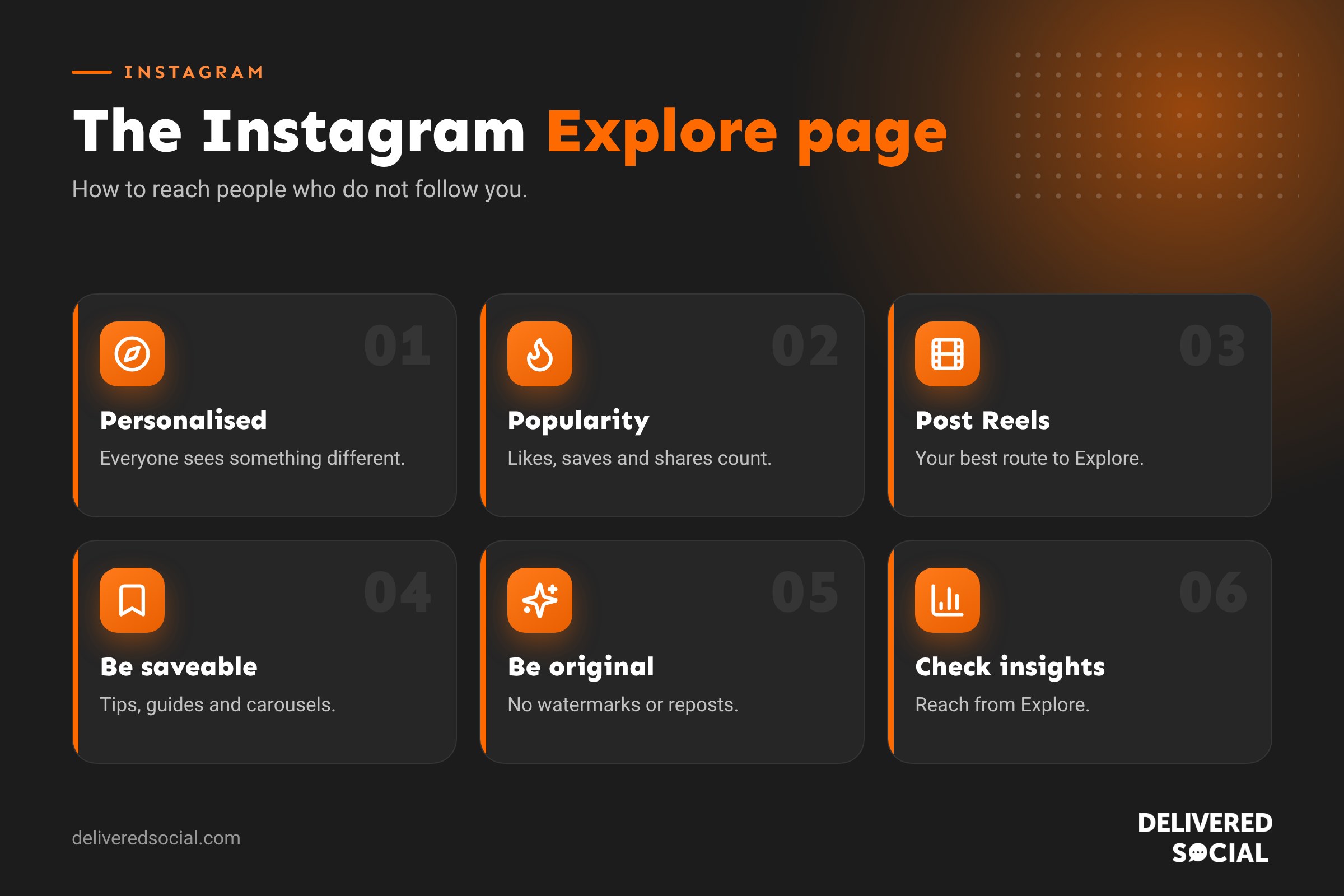
What is the Instagram Explore page?
Explore is the section of Instagram you reach by tapping the magnifying glass icon. It shows a grid of photos, carousels and Reels from accounts you mostly do not follow, chosen for you based on your activity. At the top is a search bar where you can look for accounts, keywords, audio, places and tags. Instagram says a large share of its users visit Explore every month, which makes it one of the main ways people discover new accounts.
How Instagram chooses what appears on Explore
Instagram uses a recommendation system that tries to predict what each person will engage with. Instagram has shared the main signals it considers:
- How popular a post is: how many people are liking, commenting, sharing and saving it, and how quickly.
- Your activity: posts you have liked, saved, shared or commented on, and how you have interacted with Explore before.
- Your history with the account: most Explore content comes from accounts you do not follow, but if you have interacted with an account, that can count.
- Information about the account: such as how many people have interacted with it recently.
Because the system is personalised, everyone’s Explore page is different. There is no single Explore page you can “get onto”; instead, your content gets shown to people whose activity suggests they will enjoy it.
Recommendation guidelines
Instagram does not recommend all content. Its recommendation guidelines exclude content such as posts that are sensitive, misleading, low quality, spammy or that break community guidelines. Accounts that repeatedly post unoriginal content or break the rules may not be recommended at all. You can check whether your account is eligible in Settings, then Account status, which shows if your content can be recommended to non followers.
How to get on the Instagram Explore page
Post Reels
Reels are a major part of Explore and Instagram’s recommendations. Short, engaging vertical videos are your best chance of reaching people who do not follow you. Hook viewers in the first second, keep videos tight and use original content. Our Instagram Reels size guide covers the specs.
Create content people save and share
Saves and shares are strong signals that content is valuable. Tips, how to guides, checklists, recipes and inspiring ideas are the kinds of posts people save. Funny, relatable or surprising content gets shared in DMs. Carousels with useful information are particularly saveable. See our guide to Instagram carousel posts.
Get engagement early
Posts that get engagement quickly after publishing are more likely to be shown more widely. Post when your followers are online (check insights), reply to comments straight away and share new posts to your Story.
Be original
Instagram favours original content over reposts. Avoid posting videos with other apps’ watermarks, and create your own content rather than copying others.
Stick to a niche
Accounts that post consistently about one topic are easier for Instagram to understand and recommend to the right audience. A bakery posting mostly about baking is more likely to be shown to food lovers than an account posting about everything.
Use clear captions and keywords
Instagram uses text in captions and on screen to understand what posts are about. Use natural keywords that describe your content, such as “easy sourdough recipe” or “small garden ideas”. Add a few relevant hashtags; they help with categorisation. Our guide to Instagram hashtags explains how many to use.
Use trending audio wisely
Trending sounds can help Reels reach more people, but only if they fit your content. Business accounts have access to a licensed library of royalty free music. Our list of trending Instagram songs is updated regularly.
Collaborate
Collab posts appear on two accounts at once, putting you in front of another audience. Our guide to Instagram collab posts explains how to set them up.
Post consistently
Regular posting gives Instagram more content to test with new audiences and keeps your existing followers engaged, which in turn boosts the signals that lead to recommendations.
Content that tends to do well on Explore
- Before and after transformations.
- Quick tips and tutorials.
- Satisfying process videos.
- Beautiful, striking photography.
- Relatable humour within your niche.
- Recipes and step by step guides.
- Inspiring ideas for home, fashion, travel and food.
How to tell if your post was on Explore
Open a post’s insights and look at where accounts reached came from. Instagram shows a breakdown of reach from followers and non followers, and from sources such as Home, Explore, Profile and Reels. A jump in reach from non followers and Explore shows your content was recommended. Look for patterns in the posts that reached Explore and make more like them.
Can you pay to appear on Explore?
Yes. Instagram ads can appear in the Explore feed as a placement. When you set up ads in Meta Ads Manager, you can include Explore and Explore home placements. Ads in Explore look like other posts, with a sponsored label. This is useful when you want reach guaranteed, rather than relying on organic recommendations.
How to reset or change your own Explore page
If your Explore page is full of content you do not want, you can shape it:
- Mark posts as not interested: tap the three dots on a post in Explore and choose Not interested.
- Use the sensitive content control: go to Settings, then Content preferences, and choose how much sensitive content you see.
- Reset suggested content: Instagram lets you reset your recommendations in Content preferences. This clears your recommendation history so Explore, Reels and suggested posts start fresh.
- Clear search history: recent searches can influence Explore.
- Engage with what you want to see more of: like, save and follow accounts you enjoy.
Why is my Explore page not loading?
- Update the Instagram app.
- Check your internet connection.
- Clear the app cache on Android, or offload and reinstall on iPhone. Our guide to clearing the Instagram cache explains how.
- Instagram occasionally has outages; try again later.
Myths about Explore
- Myth: you need loads of hashtags. A few relevant ones are better than 30 random ones.
- Myth: engagement pods guarantee Explore. Instagram looks for genuine engagement and may penalise artificial activity.
- Myth: only big accounts get on Explore. Small accounts can be recommended if the content performs well.
- Myth: posting at a magic time is all that matters. Content quality matters far more.
Turning Explore views into customers
Reach from Explore is only useful if new viewers do something next. When someone discovers you, they often tap through to your profile. Make sure your bio explains what you do and where, your highlights answer common questions, your grid shows your best work and your bio link takes people to a useful page. A clear call to action in the caption, such as “Follow for more tips” or “Book via the link in our bio”, helps turn a passing view into a follower or enquiry. Our guide to Instagram links covers how to get clicks.
A simple Explore friendly posting plan
To give your content the best chance of being recommended, post two or three Reels a week on topics your ideal customers care about, plus one saveable carousel with tips or ideas. Share every new post to your Stories, reply to comments within the first hour and check insights after a week to see which posts reached non followers. Double down on the topics and formats that travel furthest, and keep testing new hooks and ideas.
Key takeaways
- Explore shows personalised content from accounts people do not follow.
- Instagram ranks Explore content by popularity, user activity and account signals.
- Reels, saveable carousels and original content give you the best chance of appearing.
- Check Account status to make sure your content can be recommended.
- Use insights to see Explore reach, and reset your own Explore in Content preferences.
Frequently asked questions
How do I get on the Instagram Explore page?
Post original Reels and saveable content consistently, get early engagement and stick to a clear niche.
Is everyone’s Explore page the same?
No. Explore is personalised for each user.
How do I know if my post was on Explore?
Check the post’s insights for reach from Explore and non followers.
Can I reset my Explore page?
Yes, reset suggested content in Settings, then Content preferences.
Do hashtags help with Explore?
A few relevant hashtags help Instagram understand your content, but quality matters more.
Can businesses advertise on Explore?
Yes, Explore is an ad placement in Meta Ads Manager.
Why is my content not being recommended?
Check Account status for recommendation eligibility and avoid unoriginal or rule breaking content.
Want more people discovering you on Instagram?
We create Reels and Instagram content designed to reach new audiences for businesses across Surrey, Hampshire and the UK. Find out more about our Instagram marketing services. Call us on 01483 608 303.
































