



Keep reading
Rather we just did it for you?
Let's get your business seen.
Social media, websites, SEO and ads from a team you can actually meet.
Google keeps adding more automation to Google Ads, and one of its biggest recent changes for search advertisers is AI Max for Search campaigns. It promises to find more relevant searches, write ad text that matches what people are looking for and send them to the most relevant page on your website, all using Google’s AI. For advertisers, that raises obvious questions. What exactly does it do? Will it waste budget? Should you turn it on? This guide explains Google Ads AI Max in plain English, how it works, its features and controls, who it suits and how to test it safely.
What is AI Max for Search campaigns?
AI Max is a set of AI powered features you can switch on within an existing Google Ads Search campaign. Google is clear that it is not a new campaign type. You keep your Search campaign structure, keywords, ads and reporting, and add AI Max as an extra layer that expands where your ads can show and how they look.
Think of it as a way to let Google’s AI find additional relevant searches and tailor ads, while you keep the control and transparency of a Search campaign. It sits between a traditional keyword based Search campaign and a fully automated Performance Max campaign.
The main features of AI Max
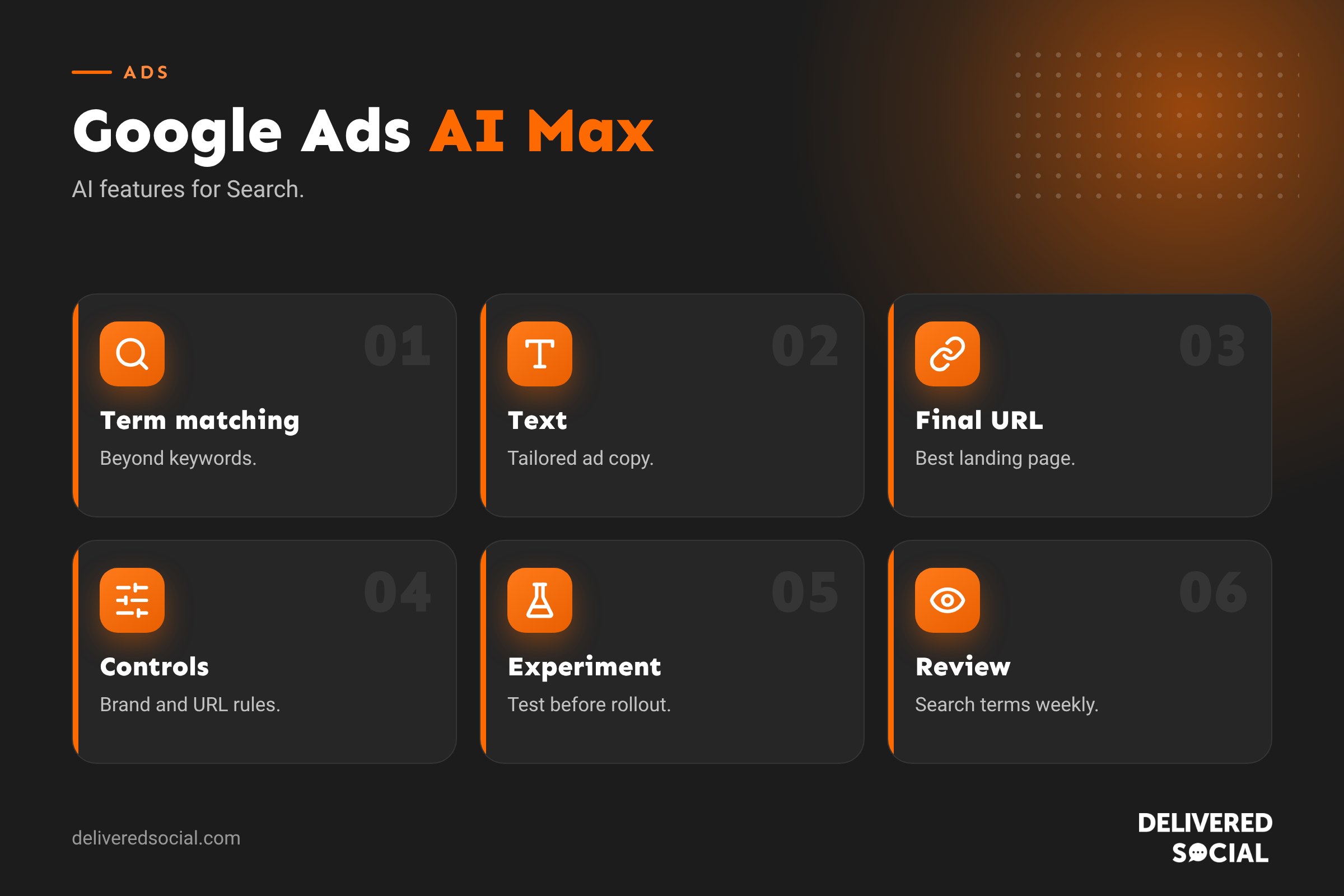
Search term matching
AI Max uses broad match style technology, plus your ads and landing pages, to find relevant searches beyond your exact keywords. If someone searches in a way you had not thought of, but your business is a good match, your ad can still appear. Google describes this as “keywordless” matching built on your assets and website content. It is switched on by default when you enable AI Max and can be turned off at ad group level.
Text customisation
Previously called automatically created assets, text customisation lets Google generate headlines and descriptions based on your landing pages, existing ads and keywords. The aim is to match ad text more closely to each search.
Final URL expansion
Instead of always sending people to the landing page you set, Google can send them to the page on your site it judges most relevant to their search. This requires text customisation to be on.
The controls you keep
AI Max includes controls to stop Google straying too far:
- Brand inclusions and exclusions: choose which brands your ads should, or should not, appear for.
- Location of interest controls at ad group level, useful for multi location businesses.
- URL inclusions and exclusions: stop Google sending traffic to pages like careers, blog posts or terms and conditions.
- Negative keywords: still essential to block irrelevant searches.
- Turning features on or off: such as switching off search term matching in specific ad groups.
Reporting
Google has added reporting to show what AI Max is doing. “AI Max” appears as a match type in search terms reports, there is a source column showing why an ad matched, and there are landing page and asset reports. Check these regularly to see which new searches and pages are performing.
Benefits of AI Max
- Finds searches you missed: people search in endless ways, and AI Max can capture relevant ones you never added as keywords.
- More relevant ads: text tailored to the search can improve click through rates.
- Better landing pages: sending people to the most relevant page can improve conversion rates.
- Less manual work: fewer keyword lists and ad variations to maintain.
- More control than Performance Max: you still see search terms and manage keywords and negatives.
Risks and drawbacks
- Irrelevant traffic: broader matching can bring in searches that do not suit your business, especially early on.
- Brand voice: automated ad text may not always sound like you or may make claims you would not choose.
- Wrong landing pages: without URL exclusions, Google may send people to unsuitable pages.
- Budget limits: Google notes AI Max will not be effective if campaigns are limited by budget.
- Tracking issues: dynamic landing pages can break with some tracking templates, so test carefully.
- Needs good data: AI Max relies on accurate conversion tracking and smart bidding to learn.
Who should use AI Max?
AI Max is most likely to help advertisers who:
- Have accurate conversion tracking and enough conversion data.
- Use smart bidding, such as target CPA or target ROAS.
- Have websites with clear, well written pages for each product or service.
- Have budgets that are not heavily limited.
- Want to expand reach beyond current keywords.
Small accounts with very limited budgets, poor tracking or thin websites may see better results by improving those basics first.
How to test AI Max safely
- Check tracking first. Make sure conversions are accurate in Google Ads and Google Analytics 4.
- Use an experiment. Google Ads experiments let you compare a campaign with and without AI Max.
- Set URL exclusions for pages you never want as landing pages.
- Add negative keywords for irrelevant themes before launch.
- Review search terms at least weekly in the early weeks.
- Review generated ad text and remove anything off brand.
- Give it time. Allow several weeks for learning before judging.
- Compare cost per conversion, not just clicks and impressions.
AI Max vs Performance Max
Performance Max runs across all Google channels, including Search, YouTube, Display, Discover, Gmail and Maps, from one campaign with limited visibility into search terms. AI Max stays within Search campaigns and keeps more transparency and control. Many advertisers use both: Performance Max for broad reach and shopping, and Search with AI Max for search demand. Our guide to what Performance Max is explains it in more detail.
Does AI Max replace keywords?
Not entirely. Keywords still tell Google what matters to you, and exact and phrase match keywords still have value for your most important terms. AI Max adds broader matching on top. Think of your keywords as the core, with AI Max exploring around the edges.
Making your website AI Max ready
Because AI Max uses your landing pages to understand what you offer and write ad text, your website matters more than ever. Make sure every service or product has its own clear page, with a descriptive title, plain English explanations, prices or price ranges where possible, and strong calls to action. Remove or exclude thin, outdated or irrelevant pages. A clear, well structured site gives AI Max better material to work with and improves your results in Google’s organic and AI search too.
A practical rollout plan
If you decide to try AI Max, roll it out gradually rather than switching it on everywhere at once. Start with one campaign that has steady conversions and a healthy budget. Run it as an experiment against the original for four to six weeks. Review new search terms twice a week at first, adding negatives for anything irrelevant, and check which landing pages Google chooses. If cost per conversion holds steady or improves while volume grows, extend AI Max to similar campaigns. If results worsen, look at whether the problem is irrelevant matching, off brand text or the wrong landing pages, and adjust those controls before giving up.
Key takeaways
- AI Max is a set of AI features within Search campaigns, not a new campaign type.
- It expands search matching, customises ad text and can choose the best landing page.
- Use brand, URL and negative keyword controls to keep it on track.
- It works best with accurate tracking, smart bidding and good landing pages.
- Test with an experiment and review search terms and ad text closely.
Frequently asked questions
What is Google Ads AI Max?
AI Max for Search campaigns is a set of AI powered features you can enable in Search campaigns to find more relevant searches, tailor ad text and choose landing pages.
Is AI Max a new campaign type?
No. It is switched on within existing Search campaigns.
Can I control where AI Max sends traffic?
Yes. You can use URL inclusions and exclusions to guide landing pages.
Will AI Max waste my budget?
It can bring irrelevant traffic if left unchecked. Use negative keywords, review search terms and test with an experiment.
Should small businesses use AI Max?
It depends on tracking, budget and website quality. Fix the basics first, then test.
How is AI Max different from broad match?
It uses broad match style technology plus your ads and landing pages, and adds text customisation and final URL expansion.
Does AI Max work with smart bidding?
Yes. It is designed to work alongside smart bidding strategies such as target CPA and target ROAS.
Can I turn AI Max off?
Yes. You can switch it off at campaign level, or turn off individual features such as search term matching in specific ad groups.
Will I still see my search terms?
Yes. AI Max matches appear in the search terms report with their own match type and source information.
Want your Google Ads managed properly?
We run Google Ads for businesses across Surrey, Hampshire and the UK, testing new features carefully so they earn their place. Find out more about our Google Ads management. Call us on 01483 608 303.
































