



Keep reading
Rather we just did it for you?
Let's get your business seen.
Social media, websites, SEO and ads from a team you can actually meet.
TikTok has quietly added a new way for creators and brands to talk to their followers without relying on the For You feed. It is called the bulletin board, and if you have seen a small megaphone style icon on a creator’s profile or a notification asking you to join a board, you have already met it. For businesses, it is a direct line to your most engaged followers, a bit like an Instagram broadcast channel. This guide explains what a bulletin board on TikTok is, how it works, who can use it, how to set one up and how businesses can use it well.
What is a TikTok bulletin board?
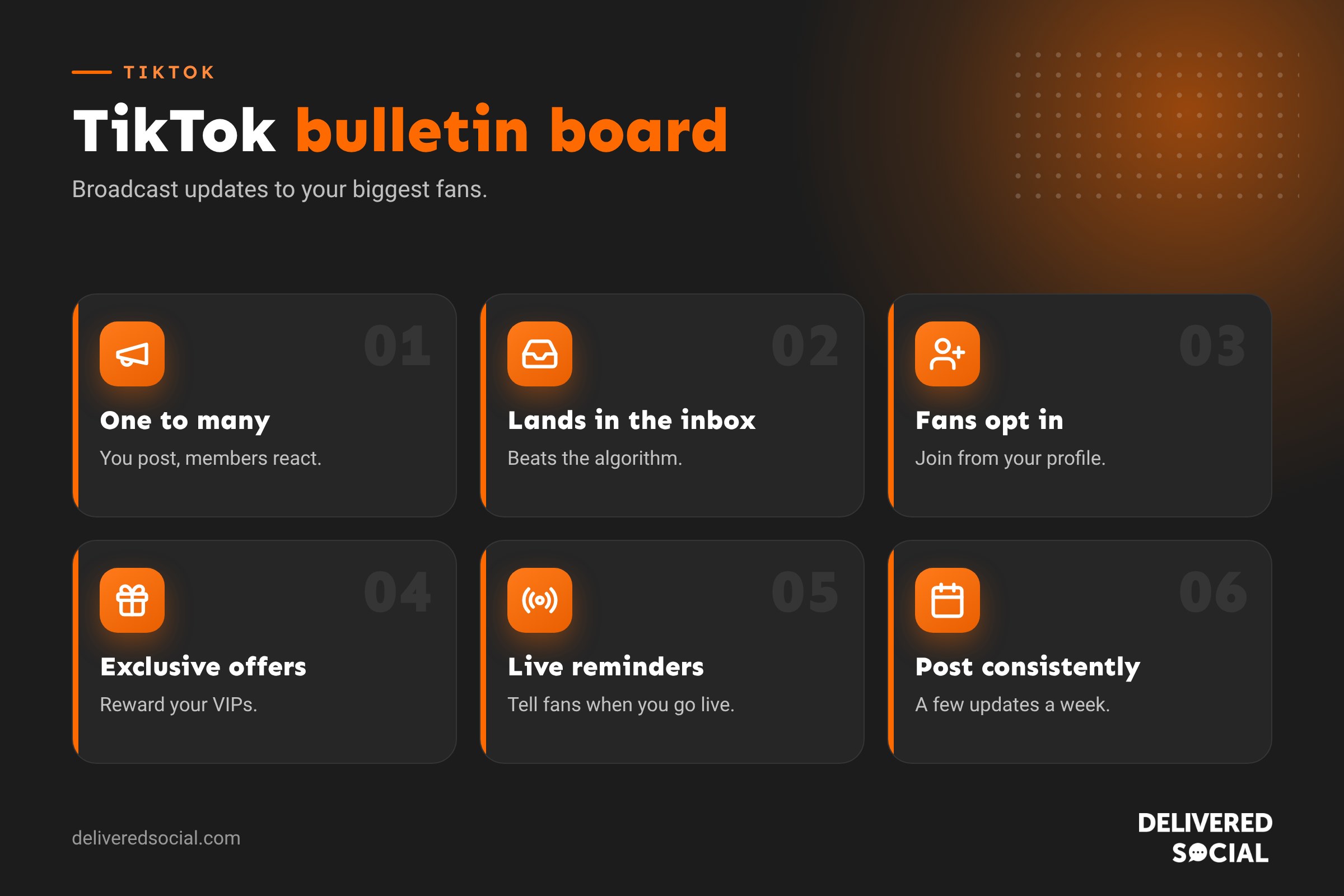
A bulletin board is a one to many messaging channel attached to a TikTok profile. The account owner posts updates, and followers who join the board receive them in their inbox. Followers can usually react to updates, but they cannot reply in a public thread the way they would in a group chat. Think of it as a newsletter inside TikTok: you broadcast, your community listens and reacts.
TikTok introduced bulletin boards in late 2025 after testing a similar feature earlier in the year. It was widely compared with Instagram’s broadcast channels, which work in much the same way. Access has been expanding since launch, starting with selected creators and then opening up to more accounts.
How bulletin boards work
- The owner posts: text updates, photos, videos and links to TikTok posts can be shared on the board.
- Followers join: people opt in from the creator’s profile or from an invitation, so everyone on the board has chosen to be there.
- Updates arrive in the inbox: members see new posts in their TikTok messages, which is more reliable than hoping a video reaches them in the feed.
- Members react: followers can respond with reactions, giving you a quick read on what lands.
- It is public to join: the board is visible on your profile, so new followers can find and join it at any time.
Bulletin board vs DMs vs group chats
TikTok now has several ways to message people, and it helps to know the difference.
- Direct messages: private one to one conversations. Great for customer service and partnerships, but they do not scale.
- Group chats: small groups where everyone can talk. Useful for teams or tight communities, but noisy for a brand.
- Bulletin boards: one voice to many people, with reactions instead of replies. Ideal for announcements, offers and behind the scenes updates.
Our guide to DM strategies for growth covers the one to one side of social messaging.
Who can create a bulletin board?
TikTok has rolled the feature out gradually. Early access went to selected creators, with eligibility linked to factors such as account age, follower numbers and good standing with TikTok’s community guidelines. Access has since widened. If you do not see the option yet, keep your app updated and check again, as availability varies by account and region. Business accounts and creator accounts can both benefit; our guide to TikTok personal vs business accounts explains the differences.
How to set up a TikTok bulletin board
The exact steps can change as TikTok updates the app, but the process generally looks like this:
- Update TikTok to the latest version.
- Go to your profile and look for the option to create a bulletin board, or open your inbox and look for the new channel option.
- Give your board a clear name, such as “Brand name updates” or “First to know”.
- Write a short description so people know what they will get and how often.
- Post a welcome message explaining what the board is for.
- Tell followers about it in a video, your bio and your stories.
How to join someone else’s bulletin board
Visit the creator’s profile and look for their bulletin board, or tap an invitation if they have shared one. Tap to join, and updates will appear in your inbox. You can leave or mute the board at any time if it becomes too much.
Why bulletin boards matter for businesses
You reach people the algorithm might not
Even loyal followers do not see every video. Bulletin board updates land in the inbox, so your most engaged fans are far more likely to see your news.
It rewards your biggest fans
People who join a board have put their hand up. Treat them as VIPs with early access, exclusive offers and behind the scenes content.
It builds a community feel
Regular, personal updates make followers feel closer to the people behind the brand, which builds loyalty and word of mouth.
It supports launches and sales
Announce new products, events and limited offers to the people most likely to act on them.
Bulletin board ideas for businesses
- First to know: share new products, menus, services or dates before anyone else.
- Exclusive offers: a discount code just for board members.
- Behind the scenes: photos from the workshop, kitchen or office.
- Polls by reaction: ask members to react to choose the next flavour, colour or video topic.
- Live reminders: tell members when you are about to go live. Our guide to going live on TikTok has tips.
- Event updates: timings, parking and last minute changes for events.
- Video round ups: link to your latest TikToks so members never miss one.
- Quick tips: short, useful advice from your area of expertise.
Best practice
- Set expectations: say how often you will post and stick to it.
- Do not overdo it: a few valuable updates a week beat several daily messages that get muted.
- Keep it personal: write as a person, not a press release.
- Make it exclusive: give members something they cannot get elsewhere.
- Mix formats: combine text, photos, short videos and links.
- Watch reactions: learn what members respond to and do more of it.
- Stay within the rules: TikTok’s community guidelines apply to boards too.
Common mistakes
- Only posting sales messages, which quickly leads to people leaving.
- Launching a board and then forgetting about it.
- Copying the same content you already post publicly.
- Never mentioning the board, so nobody knows it exists.
- Posting at times your audience is asleep. Our guide to the best time to post on TikTok in the UK helps.
How to grow your bulletin board
Mention it in your videos with a clear reason to join, such as “join my board for early access”. Pin a video about it to your profile. Promote it in your bio, stories and other channels. Reward early members with something special, and remind people regularly. Growth will mirror the strength of your overall TikTok presence, so keep posting great videos too. Our TikTok marketing strategy guide covers the bigger picture.
Measuring success
- Number of board members and how quickly it grows.
- Reactions per update.
- Clicks on links and redemptions of board only codes.
- Views on videos you share to the board.
- Members leaving or muting after particular posts.
Our guide to TikTok analytics explains how to track wider performance.
How bulletin boards compare with Instagram broadcast channels
If you already run an Instagram broadcast channel, a TikTok bulletin board will feel familiar. Both are one to many, both sit in the inbox, both let followers react rather than reply, and both work best for exclusive updates. The main difference is the audience: TikTok users tend to discover brands through entertainment, so board updates that feel playful and behind the scenes often perform better than polished announcements. Many businesses run both and tailor the tone to each platform.
Is a bulletin board right for your business?
A board works best when you already have an engaged following and regular news to share: new stock, events, menus, launches or expert tips. If your account is brand new, focus on growing your audience first with consistent videos, then add a board once you have fans who want more. For most active TikTok accounts, it is a free, low effort way to deepen relationships with the people most likely to buy.
Key takeaways
- A TikTok bulletin board is a one to many broadcast channel attached to your profile.
- Followers opt in and receive updates in their inbox, reacting rather than replying.
- Access has been rolling out gradually, so check your app for the option.
- Use it for exclusive offers, launches, behind the scenes and live reminders.
- Post consistently, keep it personal and avoid overwhelming members.
Frequently asked questions
What is a bulletin board on TikTok?
A broadcast channel where an account shares updates with followers who join, similar to Instagram broadcast channels.
Can followers reply on a bulletin board?
Members can react to updates, but boards are designed for one to many communication rather than open conversation.
Why can I not see the bulletin board option?
TikTok has rolled it out gradually and eligibility varies, so update the app and check again later.
Is a TikTok bulletin board free?
Yes. There is no charge to create or join a board.
How do I leave a bulletin board?
Open the board and choose to leave or mute it.
How often should a business post on its board?
A few valuable updates a week is plenty for most businesses.
Can I share links on a bulletin board?
You can share TikTok posts and updates; check the app for current options on external links.
Is a bulletin board the same as a group chat?
No. In a group chat everyone can talk; on a board, the owner broadcasts and members react.
Want TikTok working for your business?
We create and manage TikTok content for businesses across Surrey, Hampshire and the UK. Find out more about our TikTok marketing services. Call us on 01483 608 303.
































