




Keep reading
Rather we just did it for you?
Let's get your business seen.
Social media, websites, SEO and ads from a team you can actually meet.
Carousels are the swipeable posts on Instagram that hold several photos or videos in one. They are some of the most saved and shared posts on the platform, because they let you tell a story, teach something step by step or show off a whole product range without flooding your followers’ feeds. For businesses, they are one of the best formats for building trust and reach. This guide explains how to make an Instagram carousel, the right sizes, how many slides you can add, design tips and carousel ideas that work.
What is an Instagram carousel?
A carousel is a single post containing multiple images or videos that people swipe through. Small dots under the post show how many slides there are. Carousels appear in the feed, on your profile grid (showing the first slide) and can be discovered through Explore and search.
How many slides can a carousel have?
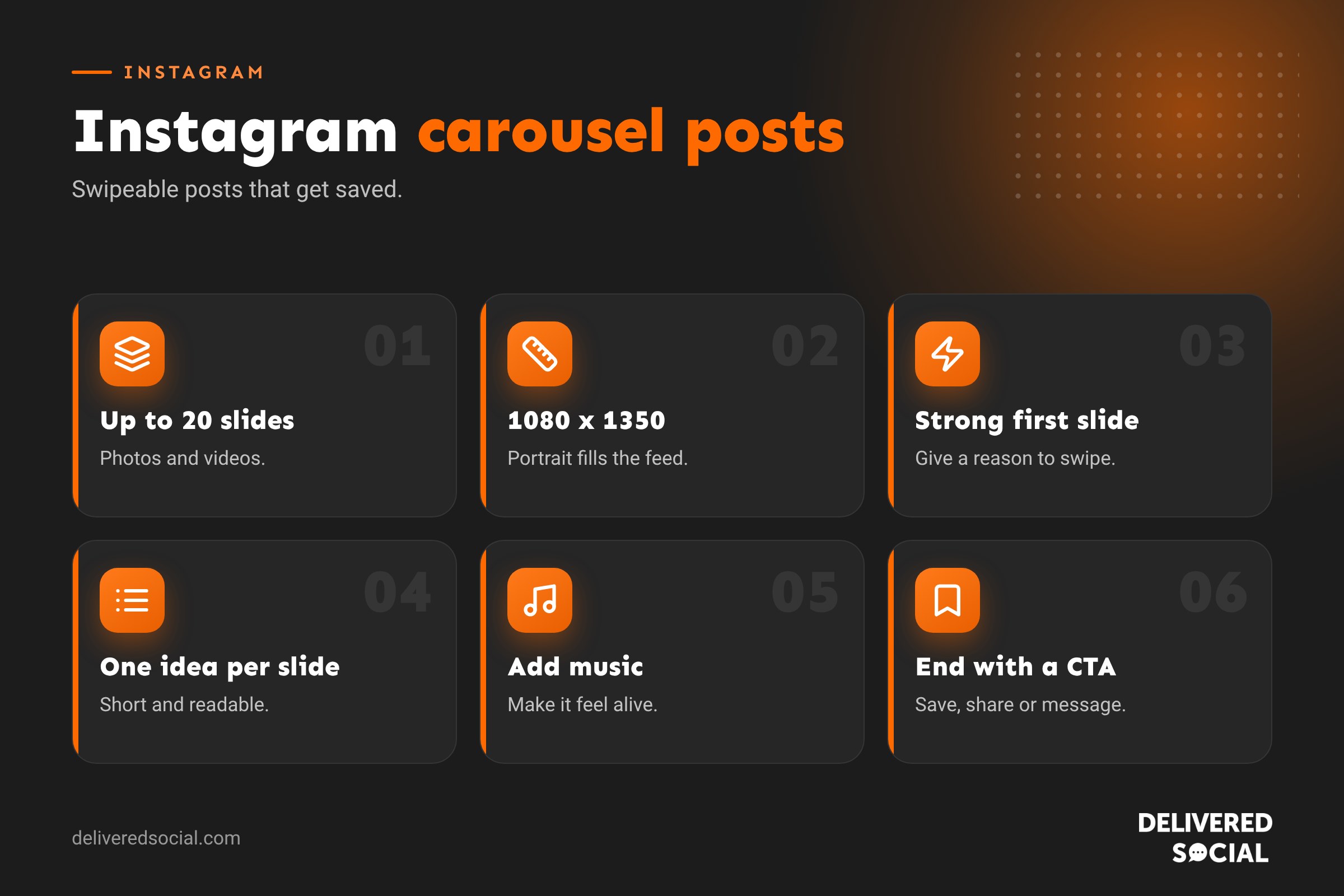
Instagram allows up to 20 photos or videos in a single carousel, having increased the limit from 10. You can mix photos and videos in the same post.
How to make a carousel on Instagram
- Tap the plus icon and choose Post.
- Tap the “Select multiple” icon (stacked squares).
- Choose your photos and videos in the order you want them to appear. The numbers show the order.
- Tap Next, apply filters or edits to individual slides if needed.
- Add music if you like.
- Write your caption, tag people and products, add a location and share.
Carousels can also be created from a computer through Meta Business Suite or scheduling tools. Our guide to scheduling Instagram posts explains how.
Carousel sizes
- Portrait (4:5): 1080 by 1350 pixels. Takes up the most space in the feed, so it is usually the best choice.
- Square (1:1): 1080 by 1080 pixels.
- Landscape (1.91:1): 1080 by 566 pixels. Least space in the feed.
All slides in a carousel use the same shape as the first slide, so design every slide at the same size. Instagram has also introduced taller profile grid previews, so keep important content away from the edges of the first slide. Our guide to Instagram and LinkedIn carousel sizes has more detail.
Why carousels work so well
- More time on post: each swipe keeps people engaged.
- Second chances: if someone scrolls past, Instagram may show them the next slide later.
- High saves and shares: useful carousels are saved for later and sent to friends.
- Storytelling: perfect for before and after, step by step and problem and solution posts.
Our article on why carousel posts work for UK businesses explains the benefits in more depth.
Carousel ideas for businesses
- Tips and how to guides: one tip per slide.
- Before and after: transformations for trades, beauty, home and fitness businesses.
- Product ranges: new collections, menus or seasonal stock.
- Myths vs facts: correct common misunderstandings in your industry.
- Behind the scenes: the steps in making or delivering your product.
- Customer reviews: one review per slide with a photo.
- Event recaps: the best moments from an event.
- Meet the team: introduce staff with fun facts.
- Checklists: things to consider before buying or booking.
- Case studies: challenge, solution and results.
How to design a great carousel
Start with a strong first slide
The first slide is your headline. Use a bold promise or question, such as “5 mistakes that cost you customers”, with large, clear text.
Give people a reason to swipe
Use arrows, “swipe for more” prompts or a design that runs across slides to encourage swiping.
One idea per slide
Keep text short and readable on a phone.
Keep the design consistent
Use your brand colours, fonts and logo so your carousels are instantly recognisable. Canva templates save time.
End with a call to action
The last slide should tell people what to do next: save the post, share it, visit your website or send a message.
Writing captions for carousels
Use the caption to add context, summarise the key points or tell the story behind the post. Include keywords people might search for, a clear call to action and a few relevant hashtags. Our guide to Instagram line breaks shows how to format captions so they are easy to read.
Adding music to carousels
You can add music to carousel posts, which can help photo carousels feel more like Reels. Business accounts may have a more limited music library. Choose tracks that suit the mood without distracting from the message.
Carousels vs Reels
Reels are usually best for reaching new people, while carousels are excellent for engagement, saves and building authority with existing followers. A strong Instagram strategy uses both. Some businesses turn the same content into both formats, such as a tips Reel and a tips carousel.
Measuring carousel performance
Check Insights for reach, saves, shares, profile visits and follows from each carousel. Saves and shares are especially valuable, as they show the content was useful enough to keep or recommend. Compare carousel topics to see what your audience values most.
Common mistakes
- A weak first slide that gives people no reason to swipe.
- Too much text on each slide.
- Mixed image sizes, causing awkward cropping.
- Inconsistent design from slide to slide.
- No call to action at the end.
Repurposing carousels across platforms
A well designed carousel can work on several platforms. Upload the same slides as a PDF document post on LinkedIn, a photo carousel on TikTok or a multi image post on Facebook. Adjust the size and caption to suit each platform. This gets far more value from each piece of design work and keeps your messaging consistent wherever customers find you.
A simple carousel template
If you are not sure where to start, this structure works for almost any business:
- Slide 1: the hook, such as “5 signs your boiler needs a service”.
- Slide 2: why it matters, in one sentence.
- Slides 3 to 7: one point per slide, with a short headline and a line of explanation.
- Slide 8: a summary or bonus tip.
- Slide 9: a call to action, such as “Save this for later” or “Message us to book”.
Create this template once in Canva with your brand colours, then swap in new text each time. You can produce a polished carousel in under 20 minutes.
Photo carousels without design work
Not every carousel needs text. A set of strong photos tells a story on its own: the steps of a cake being decorated, a room being renovated, a day at an event or a new product from every angle. Order the photos so the most striking image comes first, then let the sequence build to a satisfying final slide. Add the context in the caption.
Using alt text on carousels
Instagram lets you add alt text to each image under Advanced settings when posting. Describe what is in each slide, including any text. This makes your carousels accessible to people using screen readers and helps Instagram understand your content.
Carousels for different industries
Estate agents can walk followers through a property room by room. Restaurants can show a dish from raw ingredients to plate. Accountants can explain tax deadlines one slide at a time. Fitness coaches can share a full workout with one exercise per slide. Whatever you sell, there is a step by step story your customers would find useful, and a carousel is the perfect way to tell it.
Key takeaways
- Carousels hold up to 20 photos and videos in one swipeable post.
- Use 1080 by 1350 portrait slides for maximum feed space.
- Hook people with the first slide and end with a call to action.
- Tips, before and afters, product ranges and case studies make great carousels.
- Track saves and shares to see which carousels add the most value.
Frequently asked questions
How do I post a carousel on Instagram?
Tap the plus icon, choose Post, tap Select multiple, pick your images and share.
How many pictures can I put in an Instagram carousel?
Up to 20 photos or videos.
What size should Instagram carousel images be?
1080 by 1350 pixels for portrait, which is usually best.
Can I mix photos and videos in a carousel?
Yes.
Can I add music to a carousel?
Yes, when creating the post.
Do carousels get more engagement?
They often get more saves and shares because people spend longer on them.
Can I edit a carousel after posting?
You can edit the caption and remove individual slides, but not add new ones in most cases.
Can I schedule carousels?
Yes, through Meta Business Suite or scheduling tools.
How many carousels should I post?
One or two a week works well for most businesses.
Do carousels work for Reels audiences?
They reach existing followers well; pair them with Reels for new reach.
Can I add a link to a carousel?
Links are not clickable in captions; use your bio link or Stories.
Want scroll stopping Instagram content?
We design and post Instagram carousels for businesses across Surrey, Hampshire and the UK. Find out more about our Instagram marketing services. Call us on 01483 608 303.
































