



Keep reading
Rather we just did it for you?
Let's get your business seen.
Social media, websites, SEO and ads from a team you can actually meet.
Instagram is brilliant for getting attention, but it has always made it tricky to send people anywhere else. Links in normal captions are not clickable for most accounts, which is why “link in bio” became one of the most used phrases on the platform. Today there are more ways than ever to add links on Instagram, from bio links and Story stickers to Reels, DMs and ads. This guide explains how to add links on Instagram, where links work, where they do not and how businesses can turn followers into website visitors.
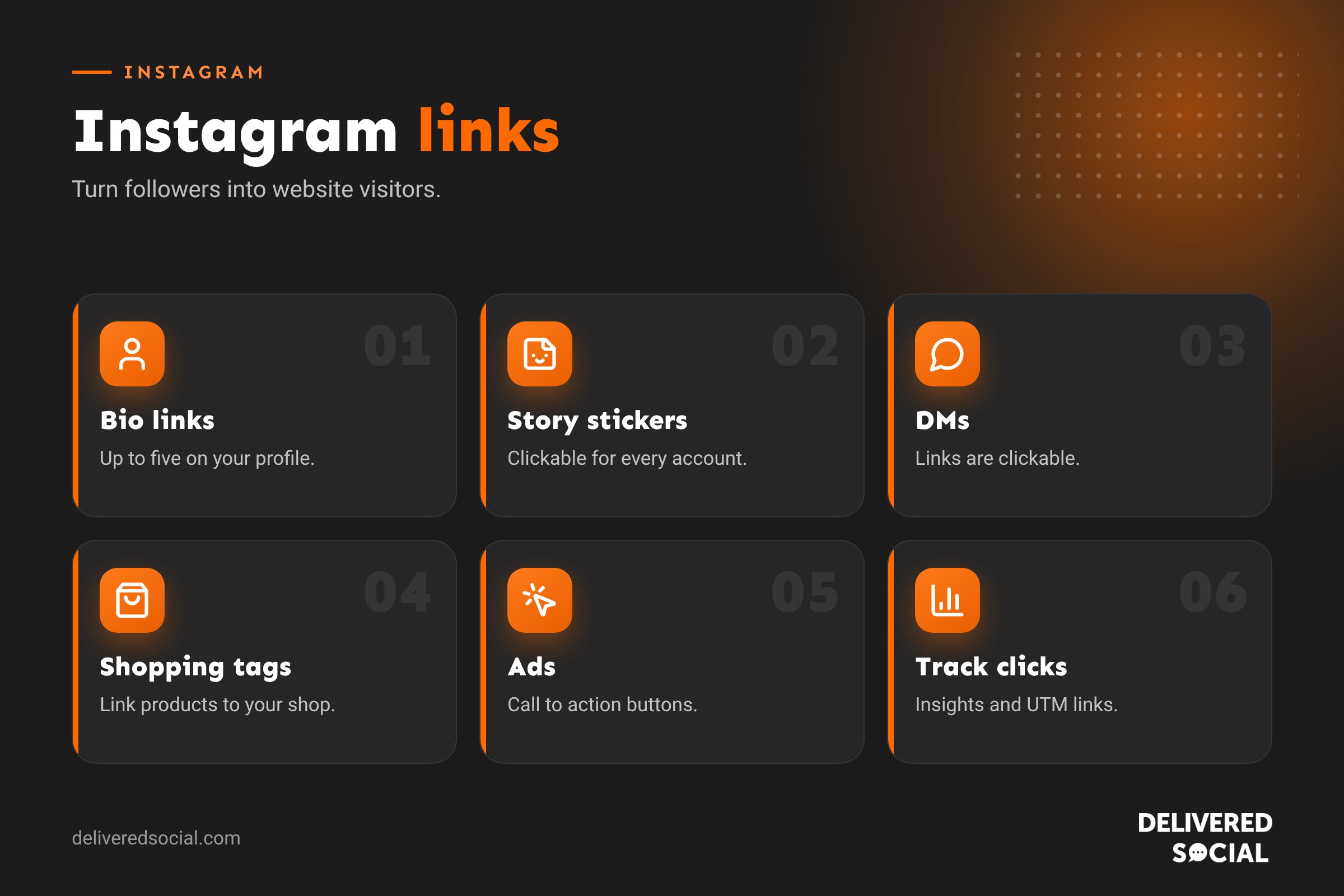
Where you can add links on Instagram
- Bio: up to five links on your profile.
- Stories: link stickers that anyone can tap.
- Reels and posts: limited options, including links for some accounts and features.
- Direct messages: links are clickable in DMs.
- Shopping tags: product tags that link to product pages for eligible shops.
- Ads: clickable call to action buttons.
- Action buttons: Book, Order and Reserve buttons on business profiles.
How to add links to your Instagram bio
Instagram lets you add up to five links to your bio. The first appears as the main link, and visitors tap “and more” to see the rest.
- Go to your profile and tap Edit profile.
- Tap Links, then Add external link.
- Paste the URL and add a title, such as “Book a table” or “Shop the sale”.
- Tap Done. Repeat for up to five links.
- Drag links to reorder them, so the most important is first.
Use the first link for your most important action and update it when campaigns change.
Link in bio tools
If you need more than five links, or want a branded landing page, use a link in bio tool such as Linktree, Later’s Linkin.bio, Beacons or a simple page on your own website. A page on your own website, such as yoursite.com/instagram, is often the best option, because visitors land on your site, you control the design and it helps your analytics. Our guide to link in bio tools compares the options.
How to add a link to an Instagram Story
- Create your Story by taking or uploading a photo or video.
- Tap the sticker icon at the top of the screen.
- Choose Link.
- Paste your URL and, if you like, customise the sticker text, such as “Read the guide”.
- Tap Done, place the sticker and share.
Link stickers are available to all accounts. Make the sticker obvious, add text or an arrow pointing to it and tell people why they should tap. Save useful link Stories to Highlights so they stay on your profile. Our guide on posting Instagram Stories covers the other stickers.
Can you add clickable links to Instagram captions?
For most accounts, links typed into feed post and Reel captions are not clickable. People would have to copy and paste them, which few do. Instagram has tested clickable caption links with selected users, including some Meta Verified accounts, during 2026, so availability is changing. Check your own app: if you can add a clickable link when creating a post, the option will appear during posting. If not, use “link in bio” or a Story link sticker instead.
Captions can still include mentions and hashtags, which are clickable and lead to profiles and hashtag pages.
Links on Reels
Reels have limited link options. Depending on your account and region, you may be able to add a link through features such as product tags, partner links or tested link features. The most reliable approach is to make the Reel valuable, then direct viewers to your bio link or a Story. You can also reply to Reel comments with a DM containing the link, as described below.
Links in Instagram DMs
Links sent in direct messages are clickable. That makes DMs powerful for sending people exactly what they asked for. A popular approach is “comment GUIDE and we will send you the link”, then replying to each comment by DM. Tools that automate this, including Meta’s own automated responses and approved partner tools, can save time on busy posts. Use automation carefully, keep replies personal and only send links people asked for. Our guide to DM strategies for growth explains how.
Shopping tags
Eligible shops can set up Instagram Shopping through Meta Commerce Manager and tag products in posts, Reels and Stories. Tapping a tag shows product details and a link to buy on your website. Availability and features vary by country and change over time, so check Commerce Manager for current options.
Action buttons
Business and creator accounts can add action buttons, such as Book now, Reserve, Order food or Get tickets, to their profile. These connect to partner services or your own website and sit right on your profile. Go to Edit profile, then Action buttons, to add one.
Links in Instagram ads
Ads can include a clickable call to action button, such as Shop now, Learn more or Book now, which sends people straight to your chosen page. If clicks to your website matter, ads are the most direct route on Instagram.
How to track Instagram link clicks
Instagram’s insights show taps on your bio links and link stickers. For deeper tracking, add UTM parameters to your links, so Google Analytics shows exactly which link, post or Story sent each visitor. For example, add utm_source=instagram and utm_medium=story to a Story link. Keep a simple list of your tracked links, so you can compare results month by month.
Tips for getting more clicks
- Give a clear reason: “Download our free checklist” beats “link in bio”.
- Match the landing page: send people to the specific page they expect, not your homepage.
- Make pages mobile friendly: nearly all Instagram traffic is on phones.
- Repeat the call to action: mention the link in the caption, on screen and in Stories.
- Use Highlights: keep important links permanently on your profile.
- Update your bio link: change it to match your current campaign.
- Test wording: try different link sticker text and see what gets more taps.
Common link problems
- Link sticker missing: update the app; link stickers are available to all accounts.
- Link blocked: Instagram blocks links to sites it considers spammy or unsafe, and some link shorteners. Use your own domain.
- Bio link not working: check the full URL, including https, and test it on your phone.
- Too many links: limit choices so people are not overwhelmed.
Building a link strategy
Links work best as part of a plan rather than an afterthought. Decide what you most want Instagram visitors to do: book, buy, enquire or join your email list. Make that the first bio link and the most frequent Story link. Use posts and Reels to build interest, Stories to drive clicks and DMs to answer people who want more information. Review link taps and website conversions monthly, and adjust your bio and Highlights to match what works. Our guide to Instagram marketing strategy explains how links fit into the wider picture.
Link ideas for different businesses
- Restaurant: booking link first, then menus and gift vouchers.
- Salon: online booking first, then price list and reviews.
- Online shop: new arrivals or the current sale first, then bestsellers.
- Service business: contact or quote form first, then case studies.
- Charity: donate first, then events and volunteering.
Building a landing page for Instagram visitors
Wherever your links point, the page people land on decides whether they become customers. Visitors from Instagram are on their phones, often in a hurry, and expect the page to match what they tapped. Keep the page fast, short and focused on one action, such as booking, buying or getting in touch. Repeat the message from your post so people know they are in the right place, show a few photos that look like your Instagram, and put the button near the top. A simple page on your own website, made for Instagram visitors, usually converts better than sending people to a busy homepage.
Key takeaways
- Add up to five clickable links in your Instagram bio.
- Use the link sticker to add clickable links to Stories.
- Caption links are not clickable for most accounts, though Instagram has tested them.
- Links in DMs are clickable, which makes comment to DM a powerful tactic.
- Track clicks with insights and UTM links, and send people to the right page.
Frequently asked questions
How many links can I add to my Instagram bio?
Up to five.
Can I put a clickable link in an Instagram post?
Not for most accounts. Instagram has tested clickable caption links with selected users.
How do I add a link to my Story?
Tap the sticker icon, choose Link, paste your URL and share.
Can everyone use the link sticker?
Yes, link stickers are available to all accounts.
Are links in Instagram DMs clickable?
Yes.
Should I use Linktree or my own website?
A page on your own website gives you more control and better tracking.
How do I see how many people clicked my link?
Check Instagram insights, and use UTM links in Google Analytics.
Want Instagram that sends you customers?
We create and manage Instagram content that drives website visits and enquiries for businesses across Surrey, Hampshire and the UK. Find out more about our Instagram marketing services. Call us on 01483 608 303.
































