



Keep reading
Rather we just did it for you?
Let's get your business seen.
Social media, websites, SEO and ads from a team you can actually meet.
TikTok is best known for its endless feed of short videos, but its messaging features have grown into an important way to chat with friends, share videos and talk to customers. For businesses, TikTok direct messages can turn viewers into leads and buyers. This guide explains how TikTok messages work: how to send a DM, who can message you, why messaging might not be available, how to manage message requests and how businesses can use TikTok DMs to win customers.
How to send a message on TikTok
From the inbox
- Open TikTok and tap Inbox at the bottom of the screen.
- Tap the new message icon in the top corner.
- Search for or select the person you want to message.
- Type your message and tap send.
From a profile
- Go to the person’s profile.
- Tap Message. If you do not see it, they may not accept messages from you.
- Type and send.
Sharing a video by message
Tap the Share arrow on any video and choose a contact at the top of the share menu. You can add a note before sending.
What you can send in TikTok messages
- Text and emojis.
- Videos and posts from TikTok.
- Photos and videos from your phone, where available.
- Stickers and GIFs.
- Voice messages, in some regions.
- Profiles and sounds.
Features vary by country and account type, and TikTok regularly adds new options.
Who can message you on TikTok?
You control who can send you direct messages in your privacy settings:
- Open your profile, tap the menu and go to Settings and privacy.
- Tap Privacy, then Direct messages.
- Choose who can message you, such as everyone, people you follow back (friends), suggested friends or no one.
Business accounts often allow messages from everyone so customers can get in touch, while personal accounts may prefer friends only.
Message requests
If someone you do not follow messages you and your settings allow it, their message may appear as a request rather than a normal chat. Open your inbox and look for message requests to accept, delete or report them. Businesses should check requests regularly, as customer enquiries can sit there unseen.
Why can I not send messages on TikTok?
- Age restrictions: direct messaging is not available to users under 16, and TikTok applies extra limits for younger teens.
- Privacy settings: the other person may only accept messages from friends.
- Phone number verification: TikTok may require a verified phone number before you can message.
- Blocked: you cannot message someone who has blocked you.
- Restrictions: accounts that break the rules or send spam may have messaging limited.
- Outdated app: update TikTok and try again.
Group chats on TikTok
TikTok supports group chats, where you can share videos and chat with several people at once. Create one from the new message screen by selecting several people. Group chats can be useful for teams, communities or loyal customers, but always ask before adding people.
How to delete or manage messages
- To delete a message, press and hold it and choose Delete. This usually removes it only from your side.
- To delete a whole conversation, swipe left on it in your inbox or press and hold, then delete.
- To mute a chat, open it, tap the menu and turn on mute.
- To block or report someone, open the chat, tap the menu and choose Block or Report.
Read receipts and online status
TikTok can show when messages have been read and when friends are active. You can control these in your privacy settings if you prefer not to share them.
TikTok messages on desktop
You can read and reply to messages at tiktok.com, which is handy for businesses managing lots of enquiries. Our guide to TikTok on desktop explains more.
How businesses can use TikTok messages
Turn comments into conversations
When someone asks a question in the comments, reply publicly and invite them to message you for details. Public replies show others you are responsive, while the DM lets you go into specifics.
Answer enquiries quickly
People who message on TikTok expect fast responses. Check your inbox at least once a day, and more often after a video takes off.
Use auto replies and keyword replies
Business accounts can set up automatic welcome messages, suggested questions and keyword replies through TikTok’s business messaging tools. These help answer common questions about prices, opening hours or delivery instantly.
Share links
Links in messages can send people straight to a booking page, product or contact form.
Build relationships with creators
Brands often contact creators by DM to discuss collaborations. Keep the first message short, personal and clear about what you are proposing.
Lead generation ads
TikTok offers ads that start a conversation in direct messages, which can be useful for service businesses wanting enquiries rather than website visits.
TikTok DM etiquette for businesses
- Do not send unsolicited sales messages to people who have not contacted you.
- Be friendly and human; TikTok users dislike corporate language.
- Keep messages short and to the point.
- Move complex conversations to email or phone if needed.
- Never ask for payment details in DMs.
Our guide to DM strategies for growth applies across platforms.
Staying safe in TikTok messages
- Be wary of messages offering free followers, prizes or brand deals that seem too good to be true.
- Do not click unknown links or download files from strangers.
- Never share passwords or verification codes.
- Parents can use Family Pairing to manage messaging settings for teen accounts.
- Report and block anyone who sends harassment or scams.
Organising a busy TikTok inbox
When a video goes viral, messages can flood in. Set aside time each day to work through them, answering questions in order and using saved replies for common ones. Pin or star important conversations if the option is available, and move serious enquiries to your CRM or a shared spreadsheet so nothing gets lost. If several people manage the account, agree who replies to what so customers get one consistent answer.
Writing TikTok DMs that get replies
Whether you are replying to a customer or contacting a creator, the way you write a message matters. Start with the person’s name and a specific detail, such as the video they commented on or the product they asked about. Keep it to two or three short sentences, answer the question directly and finish with one clear next step, such as a link to book or an invitation to share their email. Avoid copying and pasting the same long message to everyone; people can tell, and it feels like spam. A friendly, personal tone fits TikTok far better than formal business language.
Using TikTok messages for customer service
For many younger customers, sending a TikTok DM is easier than emailing or calling. Treat your TikTok inbox as part of your customer service, with the same standards as email. Create a short list of saved replies for common questions, such as opening hours, prices, delivery times and how to book. Record important enquiries in your CRM so they are not lost, and pass complaints to the right person quickly. Responding within a few hours shows you care and can turn a casual viewer into a loyal customer.
Messages and TikTok Shop
If you sell through TikTok Shop, buyers can message you about orders, delivery and returns. Shop messages have their own response time expectations, and slow replies can affect your shop’s performance score. Check Shop messages daily, keep answers clear and follow TikTok Shop’s policies on refunds and returns.
Key takeaways
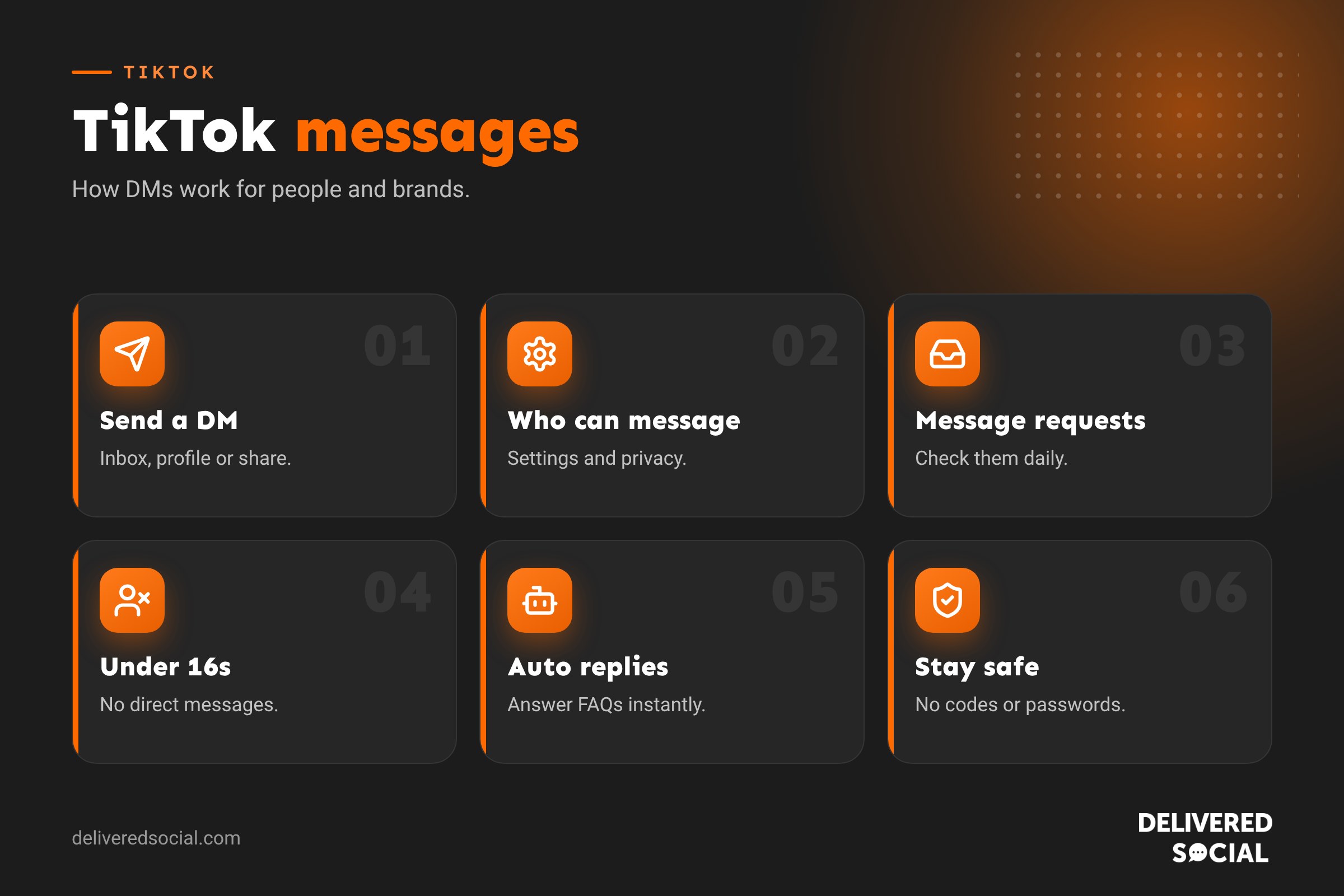
- Send TikTok messages from your inbox, a profile or the share menu.
- Control who can message you in Settings and privacy, then Direct messages.
- Check message requests regularly so enquiries are not missed.
- Users under 16 cannot use direct messages.
- Businesses can use DMs, auto replies and message ads to turn viewers into customers.
Frequently asked questions
How do I DM someone on TikTok?
Go to their profile and tap Message, or use the new message icon in your inbox.
Why can’t I message someone on TikTok?
Their privacy settings, your age, verification or a block may prevent it.
Can I message on TikTok on a computer?
Yes, at tiktok.com.
Where are TikTok message requests?
In your inbox, usually at the top of your messages.
Can businesses automate TikTok messages?
Yes, with welcome messages, suggested questions and keyword replies.
How old do you have to be to message on TikTok?
16 or over.
Can I unsend a TikTok message?
Deleting a message usually removes it from your side only, so think before you send.
Why are my TikTok messages not delivering?
Check your connection, update the app and make sure the other person accepts messages from you and has not blocked you.
Can TikTok business accounts receive messages from anyone?
Yes, if you set direct messages to everyone in your privacy settings.
Want TikTok to bring in enquiries?
We create and manage TikTok content for businesses across Surrey, Hampshire and the UK. Find out more about our TikTok marketing services. Call us on 01483 608 303.
































