



Keep reading
Rather we just did it for you?
Let's get your business seen.
Social media, websites, SEO and ads from a team you can actually meet.
Your Instagram followers and following lists can reveal a lot: who your friends are, which brands you like and which competitors you keep an eye on. Many people want to keep those lists private, but Instagram does not offer a simple “hide followers” button. There are still several ways to control who sees them. This guide explains how to hide your followers and following list on Instagram, what each option really does, the limits you should know about and what businesses should consider before hiding anything.
Can you hide your followers list on Instagram?
Not completely, if your account is public. Anyone can tap your follower or following count and see the list. On a private account, only your approved followers can see your lists. Instagram does not currently let public accounts hide their lists from everyone, so the options below are about limiting who can see them.
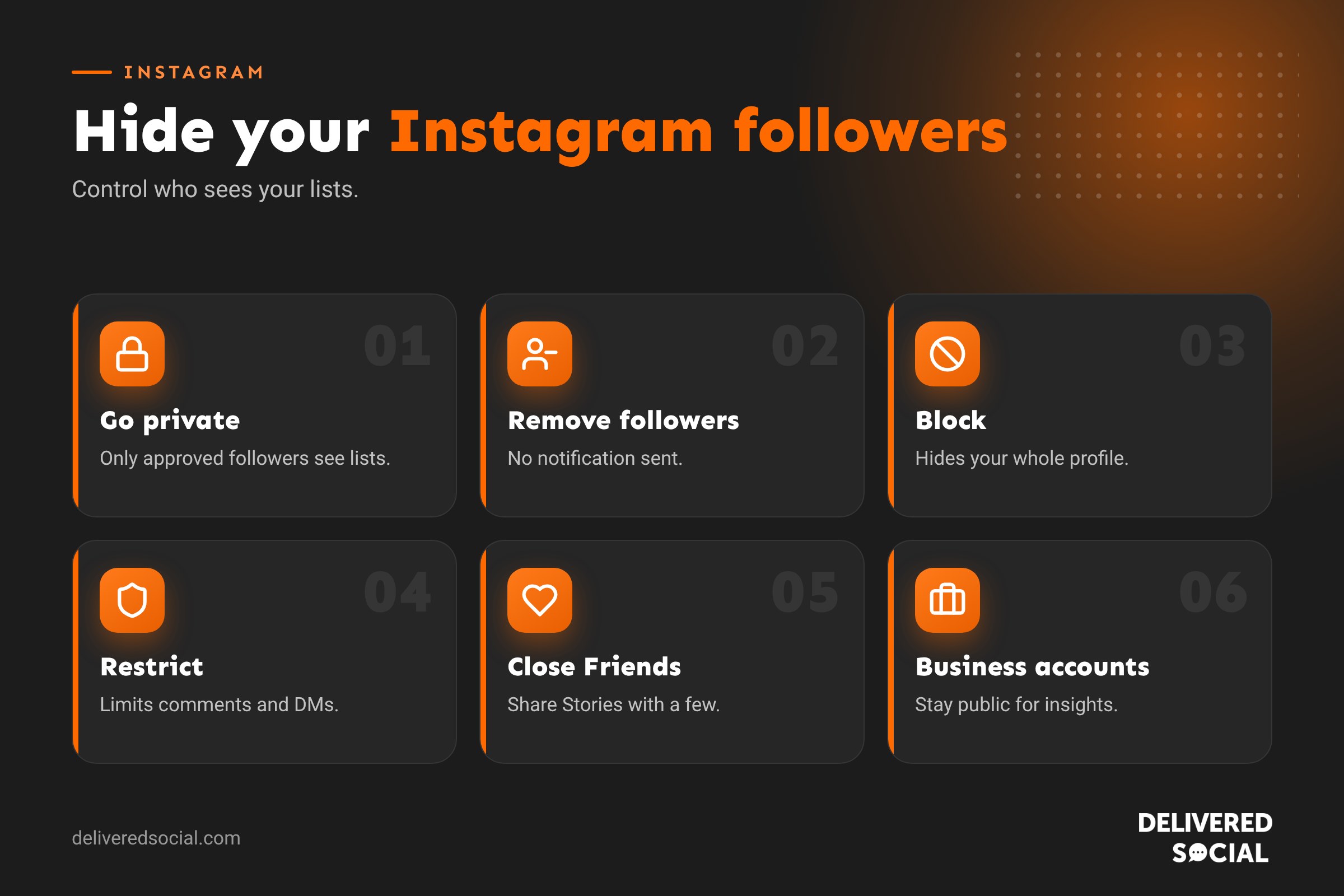
Option 1: make your account private
The most effective way to hide your followers and following lists from strangers is to switch to a private account.
- Go to your profile and tap the menu (three lines).
- Tap Account privacy.
- Turn on Private account.
Once private, only people you approve can see your posts, Stories, followers and following lists. Existing followers keep access, so you may need to remove some (see below). Business and creator accounts cannot be private; you would need to switch back to a personal account first.
Option 2: remove followers
If you are private and want to stop a specific person seeing your lists, remove them as a follower.
- Open your profile and tap Followers.
- Find the person and tap Remove.
- Confirm.
Instagram does not notify them, but they may notice if they check. On a private account, they would need to request to follow you again.
Option 3: block someone
Blocking stops a person seeing your profile, posts, Stories and lists entirely, even if your account is public.
- Go to their profile.
- Tap the three dots in the top corner.
- Tap Block and choose your options, including whether to block other accounts they may create.
Blocked people are not notified, but they will not be able to find your profile.
Option 4: restrict someone
Restrict is a softer option. A restricted person can still see your public profile and lists, but their comments on your posts are only visible to them unless you approve them, and their messages go to message requests. It is useful for managing difficult people without blocking them, but it does not hide your lists.
Option 5: use Close Friends for Stories
Close Friends lets you share Stories with a chosen group only. It does not hide your followers list, but it does let you limit who sees more personal content while keeping a public account. Notes and some other features can also be shared with Close Friends.
Option 6: hide your Story from specific people
In Settings and privacy, go to Hide story and live, then choose people who should not see your Stories. This keeps them following you while limiting what they see.
Can you hide who you follow?
The same rules apply to your following list. On a public account, anyone can see it. On a private account, only approved followers can. You cannot hide specific accounts from your following list, but you can unfollow accounts you would rather not be associated with, or use the Favourites and Close Friends features to manage your feed without changing your following.
Can you hide your follower count?
No. Instagram always shows your follower and following counts on your profile. You can hide like counts and view counts on your posts in settings, but not the follower number.
Hiding like counts
- To hide likes on others’ posts: Settings and privacy, then Likes and shares, then turn on Hide likes.
- To hide likes on a new post: before sharing, tap More options and turn on Hide like and view counts.
- To hide likes on an existing post: open the post, tap the three dots and choose Hide like count.
Beware of apps claiming to hide followers
Third party apps that promise to hide your followers, reveal who viewed your profile or see private accounts are not genuine. They often ask for your Instagram login, which puts your account at risk of being hacked or banned. Stick to Instagram’s own settings.
Should a business hide its followers?
For most businesses, no. A visible follower base is social proof, and business accounts need to be public to use insights, ads, shopping and contact buttons. If you are concerned about competitors seeing your customers, remember that most of your followers chose to follow you publicly and that competitors could find them in other ways anyway. Focus on building relationships with followers rather than hiding them.
There are some cases where privacy makes sense: personal accounts of business owners, staff accounts, or accounts for sensitive services. In those cases, keep the business account public and manage personal accounts separately. Our guide to business vs creator accounts explains account types.
Tidying your followers instead
If your goal is a cleaner follower list rather than a hidden one, consider removing spam and fake accounts. Fake followers lower your engagement rate and can make your account look less credible. Our guide on how to spot fake followers explains what to look for.
Privacy tips for every Instagram account
- Review your followers every few months and remove anyone you do not know or trust.
- Turn on two factor authentication.
- Check which apps have access to your account in settings.
- Limit who can tag and mention you.
- Control who can message you in Messages and story replies.
- Think before sharing location details in posts and Stories.
Managing privacy for children and teens
Instagram’s Teen Accounts apply stricter default privacy settings for users under 18, including private accounts by default and limits on who can message them. Parents can use supervision tools to see who their teen follows and is followed by. For families, private accounts and regular conversations about who to accept are the best protection.
Keeping personal and business accounts separate
Many business owners run their personal Instagram privately and their business account publicly. This keeps family photos and friends’ lists away from customers while giving the business full access to insights, ads and contact buttons. Use Instagram’s account switcher to move between them, and double check which account you are using before posting or commenting.
Who can see your activity on Instagram?
Followers and following lists are not the only things others can see. Depending on your settings, people may see when you are active, posts you have liked in some features, Reels you have commented on and accounts you interact with in shared features. Review your activity status in Settings and privacy, then Messages and story replies, then Show activity status, and turn it off if you prefer. Check who can see your Reels remixes, tags and mentions too.
Managing followers on a business account
Business accounts cannot hide their followers, but they can still keep their audience healthy. Remove obvious spam and bot accounts, block accounts that harass staff or customers, and use Restrict for difficult people you do not want to block outright. Turn on Hidden Words to filter offensive comments and messages automatically. A clean, engaged follower list improves your engagement rate and gives a better impression to potential customers who check your profile.
Key takeaways
- Public accounts cannot hide their followers or following lists.
- A private account limits your lists to approved followers.
- Remove or block specific people to stop them seeing your lists.
- Follower counts cannot be hidden, but like counts can.
- Avoid third party apps that ask for your login.
Frequently asked questions
How do I hide my followers on Instagram?
Make your account private, then only approved followers can see your lists.
Can I hide my following list but stay public?
No. Public accounts show both lists to everyone.
Can business accounts be private?
No. Switch to a personal account to go private.
Does removing a follower notify them?
No, Instagram does not send a notification.
Can I hide my follower count?
No, but you can hide like and view counts.
Are apps that hide followers safe?
No. They can put your account at risk.
Can someone see my followers if I block them?
No. Blocked people cannot see your profile or lists at all.
Do private accounts show up in search?
Yes. Your name and profile picture still appear, but your posts and lists stay hidden from non followers.
Can I hide my followers from one person only?
On a private account, remove that person as a follower; on a public account, block them.
Can I see who removed me as a follower?
Instagram does not notify you, though you may notice the change in your lists.
Want an Instagram account people love following?
We create and manage Instagram content for businesses across Surrey, Hampshire and the UK. Find out more about our Instagram marketing services. Call us on 01483 608 303.
































