



Keep reading
Rather we just did it for you?
Let's get your business seen.
Social media, websites, SEO and ads from a team you can actually meet.
Your X (formerly Twitter) handle is your address on the platform. It appears on every post, reply and mention, and it is how people tag you. If you have rebranded, set up your account years ago with a handle that no longer fits, or simply want something easier to remember, you can change it. This guide explains how to change your X username (your Twitter handle) on mobile and desktop, the difference between your handle and display name, the rules, what happens to your followers and the business considerations before you switch.
Handle vs display name
- Username (handle): the unique name starting with @, such as @deliveredsocial. It appears in your profile URL and is used for mentions.
- Display name: the name shown in bold above your handle. It does not need to be unique and can include spaces and emoji.
Many people only need to change the display name, for example to add a location or campaign. Changing the handle is a bigger step because it changes your profile link.
How to change your X username on mobile
- Open the X app and tap your profile picture.
- Tap Settings and privacy, then Your account.
- Tap Account information. You may need to enter your password.
- Tap Username.
- Type your new username. X shows whether it is available.
- Tap Done or Save.
How to change your X username on desktop
- Log in at x.com.
- Click More in the left menu, then Settings and privacy.
- Click Your account, then Account information, and confirm your password.
- Click Username, enter the new name and save.
How to change your display name
Go to your profile and tap Edit profile. Change the Name field and save. You can change your display name as often as you like.
Username rules
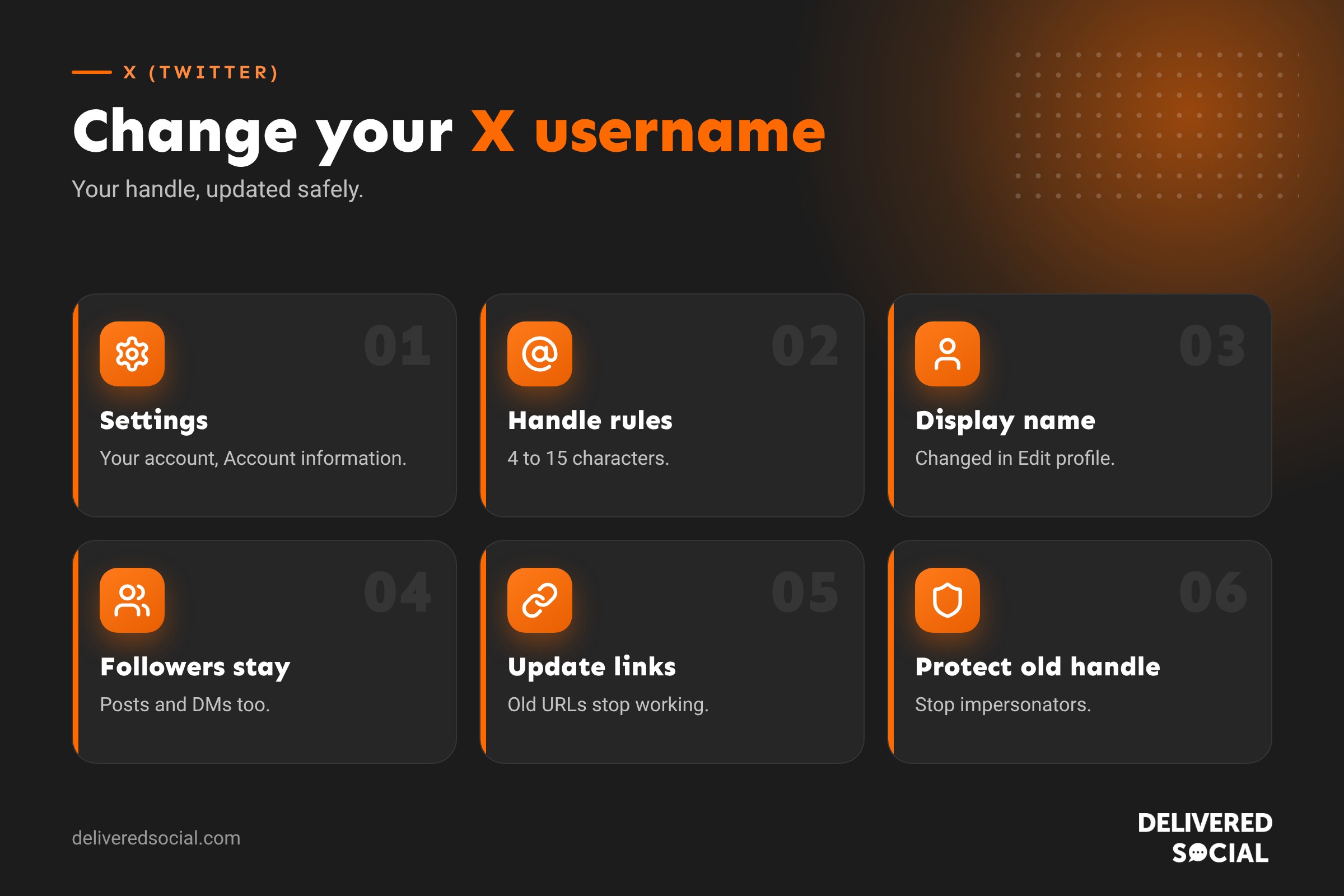
- Between 4 and 15 characters.
- Letters, numbers and underscores only; no spaces or other symbols.
- Cannot contain “Twitter” or “Admin” in most cases.
- Must not already be in use.
- Must follow X’s rules on impersonation and misleading names.
What happens when you change your handle?
- Followers stay: you keep all your followers, posts and messages.
- Your profile link changes: links to x.com/oldname will stop working, so update them everywhere.
- Old mentions: past posts that mentioned your old handle will not automatically point to your new one.
- Old handle becomes available: someone else could claim it, so consider whether that could cause confusion.
- Verification: if your account has a checkmark, changing your handle or display name may trigger a review or temporary removal, depending on X’s current policies.
Why a username might not be available
Handles are first come, first served. If the name you want is taken, try adding your location, “uk”, “hq” or a short word such as “team”, for example @brandnameuk. Avoid numbers that look random, as they make your account look less trustworthy.
Business tips before changing your handle
Match your other platforms
Use the same handle on X, Instagram, TikTok and other channels where possible. It makes you easier to find and tag.
Keep it short and clear
Short handles are easier to remember, type and fit in posts. Avoid underscores and numbers if you can.
Plan the switch
Let followers know before and after the change. Pin a post explaining the new handle.
Update everywhere
Update links on your website, email signatures, Google Business Profile, other social profiles, printed materials and adverts.
Protect your old handle
Consider creating a second account with your old handle that points people to the new one, so nobody else can use it to impersonate you.
How to create an X account for your business
If you are starting fresh rather than renaming, sign up at x.com with a business email address, choose a handle that matches your brand, upload your logo and a header image, and write a bio explaining what you do with a link to your website. Turn on two factor authentication and consider setting up a professional account for extra business tools. Our guide to what X (Twitter) is explains how the platform works.
Profile image sizes for X
- Profile photo: 400 by 400 pixels, displayed as a circle.
- Header image: 1500 by 500 pixels.
- In post images: 1600 by 900 pixels (16:9) works well for landscape images.
Is X still worth it for businesses?
X remains useful for news, B2B conversations, customer service, events and sectors such as tech, media and politics. For many local consumer businesses, Instagram, Facebook and TikTok drive more results. Decide based on where your customers spend time. Our article on Bluesky vs X looks at alternatives.
Troubleshooting
- “Username has already been taken”: choose a variation.
- Cannot save the change: check the rules, confirm your password and try again on another device.
- Old links broken: update links manually; X does not redirect old handles.
- Verification removed: check X’s current verification rules and resubmit if needed.
How often can you change your handle?
X does not publish a strict limit on handle changes, but changing frequently confuses followers, breaks links and can look suspicious. Treat your handle as part of your brand and change it only for good reason, such as a rebrand or merger.
Rebranding on social media
If you are changing your handle as part of a wider rebrand, change all your social media handles on the same day if possible, update profile photos and headers together and post an announcement explaining the change. A coordinated switch avoids confusion and gives you a reason to re engage followers. Our guide to brand perception explains why consistency matters.
Choosing a good X handle for your business
A strong handle is short, easy to say out loud and easy to spell when someone hears it on the radio or at a networking event. Start with your exact business name. If it is taken, try adding a short descriptor that also helps search, such as your town, “uk”, “hq” or what you do, for example @smithsplumbingpompey or @rosiecakesuk. Avoid hyphen style separators and numbers where you can, and steer clear of anything that could be confused with another brand. Say the handle aloud to a colleague and ask them to type it without seeing it written down. If they get it right first time, it is a good choice.
Checklist before you switch
- Check the new handle is free on X and, ideally, on Instagram, TikTok and Facebook too.
- Make a list of everywhere your old profile link appears: website footer, email signatures, Google Business Profile, Linktree, adverts, brochures and vehicle signage.
- Tell your team and any agencies so they update templates and scheduled posts.
- Write a short announcement post to pin after the change.
- Decide whether to register a placeholder account on your old handle to stop impersonators.
- Note any partners or press who regularly tag you and send them the new handle.
Keeping your account secure
Changing account details is a good moment to review security. Turn on two factor authentication using an authenticator app rather than text messages, make sure the email address on the account is one your business controls (not a former employee’s personal email) and remove any old apps that have access to your account. If several people manage your X account, use a password manager rather than sharing passwords in messages.
Key takeaways
- Change your handle in Settings and privacy, Your account, Account information, Username.
- Your display name is changed separately in Edit profile.
- Handles must be 4 to 15 characters using letters, numbers and underscores.
- You keep your followers, but your profile link changes, so update it everywhere.
- Match handles across platforms and protect your old handle from impersonators.
Frequently asked questions
How do I change my Twitter handle?
Go to Settings and privacy, Your account, Account information, Username, then enter a new handle and save.
Will I lose followers if I change my X username?
No. You keep your followers, posts and messages.
Can I change my display name without changing my handle?
Yes. Edit your name in Edit profile.
How long can an X username be?
Between 4 and 15 characters.
Will old links to my profile still work?
No. Update links that use your old handle.
Can someone take my old handle?
Yes, once you change it, the old handle can become available to others.
Is my X username the same as my Twitter handle?
Yes. Twitter became X, and your handle is now called your username.
Can I use my old username again later?
Only if nobody else has claimed it in the meantime.
Does changing my username affect my search visibility?
Briefly, as links and mentions update. Match your other platforms to help people find you.
Can I change my username on the X app and website?
Yes, the setting is available on both.
Want help with your social media?
We manage social media for businesses across Surrey, Hampshire and the UK. Find out more about our social media management services. Call us on 01483 608 303.
































