



Keep reading
Rather we just did it for you?
Let's get your business seen.
Social media, websites, SEO and ads from a team you can actually meet.
Facebook Stories sit right at the top of the app, above the feed, and hundreds of millions of people tap through them every day. For businesses they’re a quick, low-pressure way to stay in front of customers without crafting a perfect post. This guide explains what Facebook Stories are, how to post one from a page or profile, the right size, who can see them, how to view Stories anonymously (and whether you can), and ideas businesses can use straight away.
What is a Facebook Story?
A Facebook Story is a full-screen photo, video or text post that disappears after 24 hours. Stories appear in a row at the top of the Facebook app and website. People tap through them one after another, and can react, reply by message or share them.
Because they vanish, Stories feel more casual than feed posts. That makes them ideal for behind-the-scenes moments, quick updates and offers.
Facebook Story size and limits
| What | Detail |
|---|---|
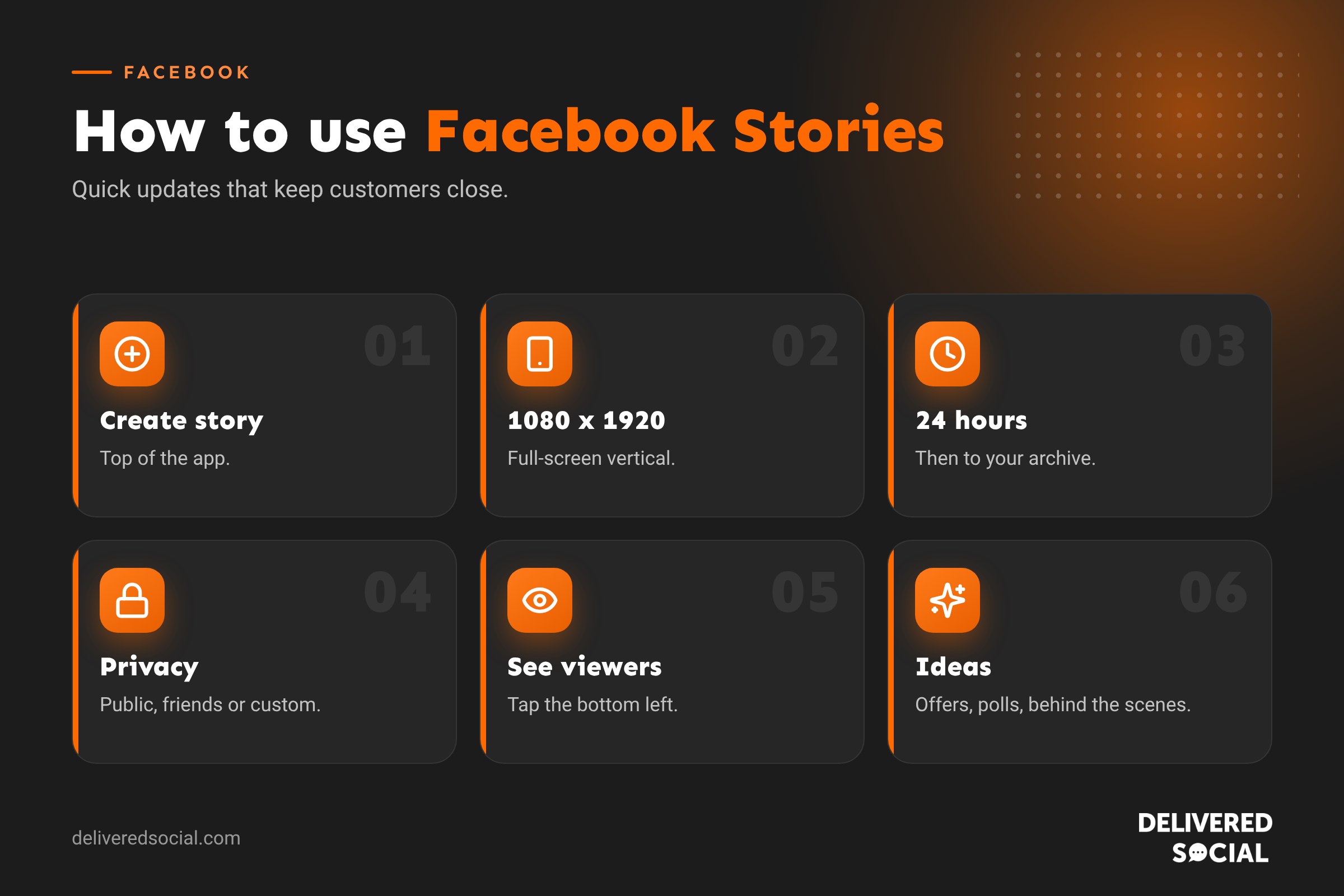
| Recommended size | 1080 x 1920 pixels (9:16) |
| Photo display time | About 5 seconds per photo by default |
| Video length | Up to about 60 seconds per Story card; longer videos are split or trimmed |
| How long it stays up | 24 hours, then it moves to your archive |
| Safe area | Keep text away from the top and bottom 14% or so |
How to post a Facebook Story from your profile
- Open the Facebook app.
- Tap Create story at the top of your feed.
- Choose a photo or video from your camera roll, or pick Text, Music, Boomerang or another option.
- Add text, stickers, music or effects.
- Tap Privacy to choose who can see it.
- Tap Share.
How to post a Facebook Story from a business page
- Switch to your page in the Facebook app (tap your profile picture, then choose the page).
- Tap Create story.
- Add your photo or video and any text or stickers.
- Tap Share.
You can also create and schedule Stories for Facebook and Instagram together in Meta Business Suite. Our guide to Facebook Business Manager explains how to set it up.
Sharing Instagram Stories to Facebook
If you’ve linked your Instagram and Facebook accounts in Accounts Centre, you can choose to share your Instagram Stories to Facebook automatically. It saves time, but check that text and stickers look right on both, as some Instagram stickers don’t carry over.
Who can see your Facebook Story?
- Public: anyone on Facebook or Messenger, including people you’re not friends with.
- Friends and connections: your friends and people you’re connected with on Messenger.
- Friends: only your Facebook friends.
- Custom: choose specific people, or hide your Story from certain people.
Business page Stories are public. To change who sees personal Stories, tap Privacy when creating a Story, or go to your Story settings.
How to see who viewed your Facebook Story
- Open your Story.
- Tap the viewers icon in the bottom left (often shown as an eye or a list of profile pictures).
- See who viewed it and any reactions.
For pages, you’ll see view counts and insights rather than a full list of names in all cases.
Can you view Facebook Stories anonymously?
Not officially. If you watch someone’s Story while logged in, your name appears in their viewer list. Third-party “anonymous viewer” websites claim to get around this, but they often break Facebook’s terms, can be unsafe and may try to collect your login details. We don’t recommend using them.
How to delete, archive and highlight Stories
- Delete: open your Story, tap the three dots and choose Delete photo or Delete video.
- Archive: Facebook saves expired Stories to your Story archive if it’s switched on. Only you can see it.
- Highlights: on profiles, you can add Stories to Featured collections so they stay on your profile.
- Save: tap the three dots and choose Save to download a Story to your phone.
How to mute or hide someone’s Stories
If you don’t want to see someone’s Stories, tap and hold their Story or open it, tap the three dots and choose Mute. They won’t be told, and you can unmute them later from your Story settings.
Facebook Story ideas for businesses
- Behind the scenes: setting up for the day, packing orders or a project in progress.
- Daily specials or stock updates: perfect for cafés, bakeries and shops.
- Polls and questions: ask what customers would like to see.
- Before and afters: two Story cards, one before and one after.
- Customer reviews: a screenshot of a review with a thank you.
- Countdowns: build excitement for a launch, sale or event.
- Team introductions: a quick hello from a staff member.
- Reminders: “Last few spaces for Saturday” or “Order by Thursday for Christmas”.
- Repost your feed posts and Reels to give them a second chance to be seen.
Tips for better Facebook Stories
- Post regularly, a few Stories a week or more.
- Keep it short. Three to five cards is usually enough.
- Use text overlays, as many people watch without sound.
- Make text large and keep it away from the edges.
- Show faces. Stories with people tend to feel more personal.
- Add a clear next step, such as “Message us” or a link sticker where available.
- Check insights to see which Stories get the most views and replies.
Facebook Stories vs feed posts vs Reels
| Stories | Feed posts | Reels | |
|---|---|---|---|
| Lasts | 24 hours | Permanent | Permanent |
| Feel | Casual and quick | Considered | Entertaining and shareable |
| Best for | Updates and existing followers | Important information | Reaching new people |
A good plan uses all three: Reels to reach new people, feed posts for important updates, and Stories to keep followers engaged in between.
Facebook Story ads
You can also run ads in Facebook Stories through Ads Manager. Use vertical 9:16 video or images, put your message in the first few seconds, and include captions. Story ads appear between people’s Stories and can be very effective for offers and events.
Facebook Stories for local businesses
Stories are especially useful for local businesses because they reach people who already follow you and are likely to visit again. A café can share today’s cakes at 8am, a florist can show the bouquets ready for collection, and a garage can post a quick “two MOT slots left this week” update. These small, timely nudges turn followers into repeat customers without the effort of a full post. Keep the tone friendly and personal, use your own photos rather than stock images, and add a clear way to book, call or message on the last card.
Key takeaways
- Facebook Stories are full-screen posts that disappear after 24 hours.
- Use 1080 x 1920 pixels, keeping text away from the edges.
- Page Stories are public; profile Stories can be restricted.
- There’s no official way to view Stories anonymously.
- Stories are great for quick updates, offers and behind-the-scenes moments.
A week of Facebook Stories for a small business
| Day | Story idea |
|---|---|
| Monday | “Here’s what’s coming up this week” with three photos |
| Tuesday | A quick tip or how-to related to your products or services |
| Wednesday | A poll asking customers to choose between two options |
| Thursday | Behind the scenes of a job, order or delivery |
| Friday | A customer review with a thank you |
| Saturday | A reminder about weekend opening times or a special offer |
| Sunday | Reshare your best feed post or Reel of the week |
It doesn’t need to be polished. Most Stories take less than a minute to create on your phone.
Measuring Facebook Stories
Insights for page Stories show reach, replies, link clicks, sticker taps and how many people tapped forward or exited. If lots of people exit on your second card, your opening isn’t holding attention, so lead with the most interesting part. Compare Stories week by week rather than judging any single one.
Common problems
- Story won’t upload: check your connection, update the app and make sure the video isn’t too long or large.
- Text cut off: move it into the centre of the screen.
- Story not showing to some people: check your privacy settings and whether you’ve hidden it from anyone.
- Can’t add music: some music isn’t available to business pages for licensing reasons.
Quick glossary
- Story archive: a private store of your expired Stories.
- Featured collection: Stories saved to your profile.
- Sticker: interactive elements such as polls, questions and links.
- Accounts Centre: where you link Facebook and Instagram accounts.
Frequently asked questions
How long do Facebook Stories last?
24 hours, then they move to your Story archive if it’s turned on.
Can I see who viewed my Facebook Story?
Yes. Open your Story and tap the viewers icon in the bottom left.
What size is a Facebook Story?
1080 x 1920 pixels, a 9:16 ratio.
Can a business page post Stories?
Yes, from the Facebook app or Meta Business Suite.
Can I share Instagram Stories to Facebook?
Yes, once your accounts are linked in Accounts Centre.
Want Stories that keep customers coming back?
We create Stories, Reels and posts for businesses across Surrey, Hampshire and the UK. Read our guide to Facebook image sizes, see our social media management services or call us on 01483 608 303.
































