



Keep reading
Rather we just did it for you?
Let's get your business seen.
Social media, websites, SEO and ads from a team you can actually meet.
“How much does Google Ads cost?” is one of the first questions small business owners ask, and the honest answer is “it depends”. You decide your budget, but what you get for it depends on your industry, location, competition and how well your campaigns are set up. This guide explains how much Google Ads costs for a small business in the UK: how pricing works, typical cost per click ranges, how to set a realistic budget, management fees, and practical ways to get more from every pound.
How Google Ads pricing works
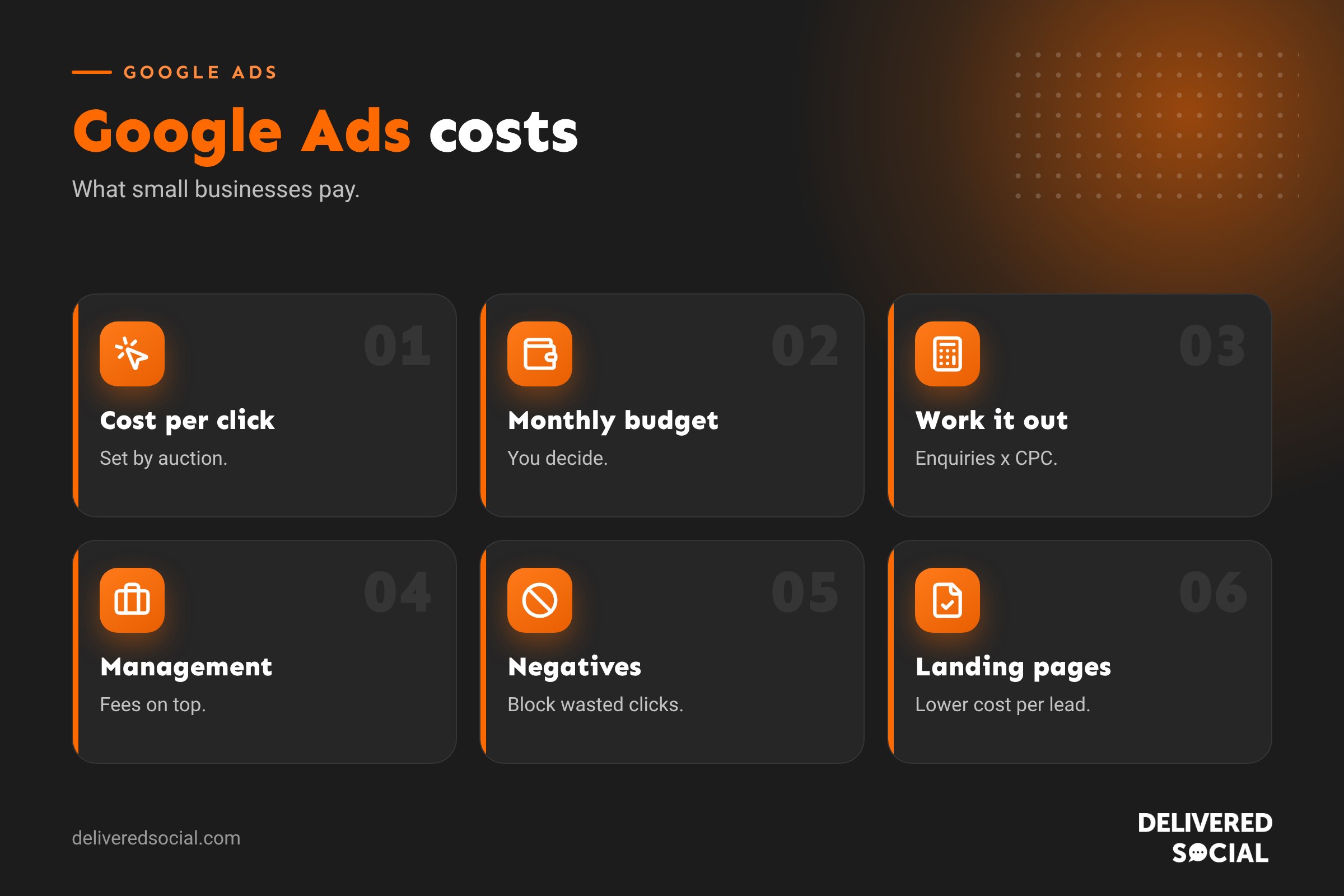
Google Ads mainly works on a pay-per-click (PPC) basis: you pay when someone clicks your ad, not when it’s shown. The price of each click is set by an auction every time someone searches. Your cost depends on:
- Competition: how many advertisers bid for the same searches.
- Your bid and bidding strategy: the maximum you’re willing to pay, or the goals you give Google’s automated bidding.
- Quality Score: how relevant and useful Google thinks your ads and landing pages are.
- Ad rank factors: expected click-through rate, ad relevance and landing page experience.
Better quality can mean paying less per click than competitors with bigger bids.
Typical cost per click in the UK
Cost per click varies hugely. As a rough guide:
| Type of business | Typical cost per click |
|---|---|
| Local retail and hospitality | Often under £1 to around £2 |
| Trades and home services | Around £1 to £5+ |
| Health, beauty and wellness | Around £1 to £4 |
| Professional services (accountants, consultants) | Around £2 to £8+ |
| Legal, finance and insurance | Often £5 to £20 or much more |
These are broad ranges and change constantly. Use Google Keyword Planner to see estimates for your keywords and location.
How much should a small business spend?
There’s no minimum spend, but too small a budget won’t gather enough data to learn what works. Many UK small businesses start somewhere between £300 and £1,500 a month in ad spend, depending on competition and goals. A simple way to estimate:
- Estimate your cost per click for your main keywords.
- Estimate your website conversion rate (the share of clicks that become enquiries), often a few per cent for service businesses.
- Decide how many enquiries you want each month.
- Work backwards: enquiries needed divided by conversion rate, multiplied by cost per click.
Example: you want 20 enquiries, expect a 5% conversion rate and a £3 cost per click. You need around 400 clicks, so roughly £1,200 a month.
Work out what a customer is worth
The right budget depends on the value of a customer. If a new client is worth £2,000 over a year, paying £60 for each new enquiry might be excellent value. If a sale is worth £30, you need a much lower cost per conversion. Know your average order value, profit margin and customer lifetime value before setting targets.
Management costs
| Option | Typical cost | Pros and cons |
|---|---|---|
| Do it yourself | Your time | Cheapest, but easy to waste budget without experience |
| Freelancer | Monthly fee or hourly rate | Lower cost, varying experience |
| Agency | Monthly fee, sometimes a percentage of ad spend | Expertise and reporting, higher cost |
Management fees are paid on top of ad spend. Check what’s included: set-up, keyword research, ad writing, landing page advice, conversion tracking, negative keywords and monthly reporting.
Other costs to consider
- Landing pages: a dedicated, fast, relevant page often improves results dramatically.
- Conversion tracking set-up so you know which ads bring enquiries.
- Call tracking if phone calls are important.
- Creative: images and video for Performance Max or display campaigns.
Campaign types and their costs
- Search campaigns: text ads on Google search; usually the best starting point for small businesses.
- Local and call-focused campaigns: drive calls and visits.
- Performance Max: Google’s automated campaign across search, display, YouTube and Maps; needs good conversion data.
- Display: image ads across websites; cheaper clicks but lower intent.
- Shopping: product ads for online shops. See Google Shopping ads.
- YouTube: video ads, often charged per view.
Ways to lower your Google Ads costs
- Target high-intent keywords such as “emergency electrician Guildford” rather than broad terms like “electrician”.
- Use negative keywords to block irrelevant searches like “jobs”, “course” or “free”.
- Set location targeting to where you actually work.
- Schedule ads for when you can answer calls.
- Write relevant ads that match each group of keywords.
- Send clicks to matching landing pages that load fast and make enquiring easy.
- Track conversions so you can cut what doesn’t work.
- Review search terms weekly at first.
- Use ad assets like call buttons, sitelinks and location.
- Improve your website conversion rate, which lowers cost per enquiry without changing click prices.
Is Google Ads worth it for small businesses?
Often, yes, especially for local services where people search with urgent intent. It can bring enquiries from day one, and you can scale spend up or down. It’s less effective when budgets are too small to compete, tracking isn’t set up, or landing pages are weak. Combine it with SEO for long-term results; see SEO vs SEM.
Free Google Ads for charities
Eligible charities can apply for Google Ad Grants, which provides free search advertising up to a monthly limit, with specific rules. See our guide to Google Ad Grant management for charities.
Google Ads promotional credit
Google sometimes offers new advertisers promotional credit after spending a set amount. Offers vary by country and time, so check current terms in your account. Don’t choose your budget based on credit alone.
How quickly will I see results?
Ads can bring clicks the same day. But campaigns improve over the first few weeks as you gather data, add negative keywords, refine ads and let automated bidding learn. Judge performance after at least a month, ideally longer.
Example: a local plumber’s first three months
A plumber sets a £600 monthly budget targeting emergency and boiler repair searches within 10 miles. Month one brings 180 clicks at around £3.30 each and 11 calls, but some clicks come from people looking for plumbing jobs. After adding negative keywords and a faster landing page, month two brings 16 calls for the same spend. By month three, focusing budget on the best-performing keywords and hours, the cost per enquiry has nearly halved. Each new customer is worth several hundred pounds, so the campaign is profitable.
Signs your budget is wasted
- Clicks but no calls or form enquiries.
- Search terms report full of irrelevant searches.
- Most spend going on one broad keyword.
- Ads showing outside your service area.
- No conversion tracking set up.
- High bounce rates from slow or unrelated landing pages.
If you see these, pause and fix the basics before spending more. Often, small changes to targeting and landing pages cut costs significantly.
Reporting: what to ask for
Whether you manage ads yourself or use an agency, monthly reports should show spend, clicks, conversions, cost per conversion and which keywords and ads performed best, plus what will change next month. Vanity numbers like impressions alone don’t tell you if your money is working.
Quick glossary
- CPC: cost per click.
- Quality Score: Google’s rating of ad and landing page relevance.
- Conversion: a valuable action, such as a call or form enquiry.
- Cost per conversion: what you pay on average for each conversion.
- Negative keyword: a search term you exclude.
Key takeaways
- You set your budget; click prices depend on competition and quality.
- Many small businesses start with a few hundred to around £1,500 a month in ad spend.
- Work out your budget from enquiries needed, conversion rate and cost per click.
- Management fees are separate from ad spend.
- Targeting, negative keywords and good landing pages lower costs.
Frequently asked questions
How much does Google Ads cost per month?
Whatever budget you set; many small businesses start with a few hundred pounds to around £1,500.
What is a good cost per click?
It depends on your industry and what a customer is worth to you.
Is there a minimum spend?
No, but very small budgets limit learning and results.
Do I pay if nobody clicks?
For most search campaigns, no; you pay per click.
How can I reduce my Google Ads costs?
Use specific keywords, negative keywords, location targeting and strong landing pages.
Should I hire an agency?
If you lack time or experience, a good agency often saves more than it costs.
Are Google Ads worth it?
For many local and service businesses, yes, when properly set up and tracked.
Can charities get free Google Ads?
Eligible charities can apply for Google Ad Grants.
Is Google Ads or Facebook Ads cheaper?
Facebook clicks are often cheaper, but Google captures people actively searching, so cost per enquiry can be better.
How do I know if my budget is enough?
If ads regularly stop early in the day because the budget runs out, and they’re converting, consider increasing it.
Can I pause Google Ads any time?
Yes, campaigns can be paused or adjusted whenever you like.
Want Google Ads that pay for themselves?
We set up and manage Google Ads for small businesses across Surrey, Hampshire and the UK. Call us on 01483 608 303.































