



Keep reading
Rather we just did it for you?
Let's get your business seen.
Social media, websites, SEO and ads from a team you can actually meet.
Filters and effects are one of the easiest ways to make an Instagram Story or Reel stand out. But Instagram has changed a lot here. Thousands of filters made by other users disappeared in January 2025, and the menus have been reshuffled since. This guide explains how to search filters on Instagram in 2026, how to browse and save effects for Stories and Reels, how to use the classic photo filters on posts, and how businesses can use filters without overdoing it.
Filters vs effects: what’s the difference?
On Instagram, people use “filters” to mean two different things:
- Photo filters: colour presets such as Clarendon, Juno or Lark that change the look of a photo or video. You apply them when posting.
- Effects (also called AR filters or face filters): interactive effects in the camera, such as face makeup, backgrounds, colour grades, games and animated frames. You use them when filming a Story or Reel.
Instagram’s camera now groups most of these together under Effects, and in 2026 it merged its Effects and Restyle tools into one place.
What happened to Instagram filters?
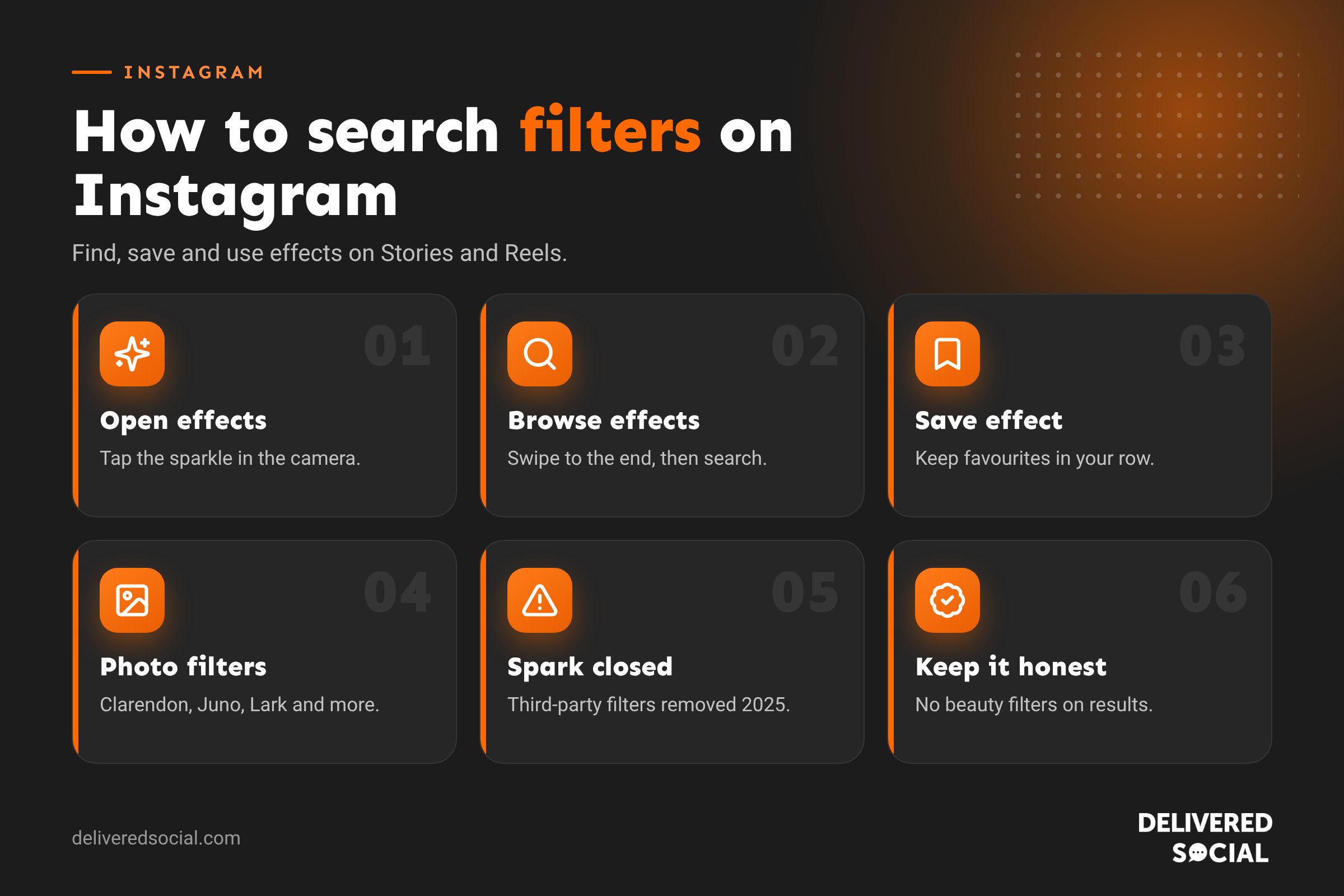
Until January 2025, anyone could build an effect with Meta Spark Studio and publish it on Instagram. On 14 January 2025, Meta shut down Meta Spark, and effects made by third-party creators and brands were removed from Instagram. Only effects made by Meta remain.
That’s why many filters you used to love have vanished, and why searching for a specific creator’s filter often brings up nothing. Instagram has since added new Meta-made effects and AI tools, including an AI effect builder in its Edits app.
How to search filters on an Instagram Story
- Open Instagram and swipe right from the home feed, or tap the + and choose Story.
- In the camera, tap the effects icon (a sparkle or smiley face) on the side of the screen. Swipe along the bottom to see effects you’ve used recently and Instagram’s suggestions.
- Swipe all the way to the end of the effects row and tap Browse effects (the magnifying glass).
- Tap the search bar and type what you’re looking for, such as “sparkle”, “vintage”, “beauty” or “Christmas”.
- Tap an effect to preview it, then tap Try it to use it.
The exact icons move around between app updates, but the effects menu and a search option are always in the Story camera.
How to find filters for Instagram Reels
- Tap + and choose Reel.
- Tap the effects icon on the left side of the camera.
- Browse the categories at the top, such as Trending, Appearance, Colour or Fun, or tap the search icon.
- Choose an effect and record your clip.
Some effects can also be added after recording when you edit your Reel. Look for the effects option in the editing tools.
How to save Instagram filters so you can find them again
- When previewing an effect, tap the effect’s name at the bottom of the screen.
- Tap Save effect (a bookmark icon).
- Saved effects appear in your effects row in the camera, so you don’t need to search again.
You can also save an effect you spot in someone else’s Story or Reel. Tap the effect name under their username at the top of the Story, then tap Save effect or Try it.
How to use photo filters on Instagram posts
- Tap + and choose Post.
- Select your photo or photos and tap Next.
- Swipe through the filters along the bottom of the screen.
- Tap a filter once to apply it, and tap it again to adjust its strength with the slider.
- Tap Edit to fine-tune brightness, contrast, warmth, saturation and more.
For carousels, you can apply one filter to every image or tap each photo to edit it separately.
How to reorder or hide photo filters
Scroll to the end of the filter row and tap Manage. You can drag filters into a different order and untick ones you never use, so your favourites are always at the front.
Popular Instagram photo filters and when to use them
| Filter | Look | Good for |
|---|---|---|
| Clarendon | Brighter, with richer colours | Food, products and outdoor shots |
| Juno | Warm tones and stronger reds and yellows | Lifestyle and interiors |
| Lark | Brightens, softens reds | Landscapes and greenery |
| Ludwig | Soft, slightly muted | Portraits and team photos |
| Gingham | Faded, vintage feel | Relaxed, nostalgic content |
| Moon | Black and white | Dramatic portraits and architecture |
Instagram video filters
You can use the same photo filters on videos when posting, and colour-grade effects in the camera for Reels and Stories. For more control, Instagram’s free Edits app lets you colour-grade clips, add effects and build your own simple effects with AI before posting to Instagram.
Why can’t I find a filter on Instagram?
- It was made by a third party: most creator and brand-made filters were removed in January 2025.
- Your app is out of date: update Instagram from the App Store or Google Play.
- It isn’t available in your country: some effects are limited by region.
- Your phone doesn’t support it: some effects need a newer camera or processor.
- It’s seasonal: holiday effects may only appear at certain times of year.
If an effect you liked has gone, search for similar terms, such as “freckles” or “film”, and save the closest match.
How businesses can use Instagram filters well
Filters and effects can make content more fun and eye-catching, but they can also make products look different from real life. Here’s how to get the balance right.
Do
- Pick one or two filters and stick to them so your feed has a consistent look.
- Use light colour filters to fix dull lighting, rather than changing colours completely.
- Use fun effects for engagement, such as polls, games or seasonal frames in Stories.
- Use background effects to hide a messy space when filming a quick talking-head video.
Don’t
- Don’t use beauty filters on product results. If you sell skincare, hair, beauty treatments or cosmetic work, beauty filters can mislead customers. UK advertising rules say filters shouldn’t exaggerate the effect of a product in adverts and influencer posts.
- Don’t change product colours. Customers will expect the item they receive to match the photo.
- Don’t overdo it. Heavy effects can distract from your message.
Filter ideas for different businesses
- Cafés and restaurants: a warm filter such as Juno for food, and seasonal frames on Story offers.
- Shops: Clarendon to brighten products, with no beauty effects on try-on clips.
- Trades: no filter on before and afters, so the results look genuine.
- Events and venues: fun effects and frames for guests to use in their own Stories.
- Professional services: subtle colour grading for a clean, consistent look.
Editing apps that give you more control
| App | Good for |
|---|---|
| Edits (by Instagram) | Reels editing, effects and colour grading |
| Lightroom Mobile | Consistent photo presets across your feed |
| VSCO | Film-style photo filters |
| Snapseed | Free, detailed photo editing |
| CapCut | Video effects and templates |
| Canva | Branded graphics and text overlays |
Using a saved preset in an editing app is one of the easiest ways to keep every post looking consistent, which matters more for your brand than any single filter.
A quick routine for consistent filters
- Choose one photo filter or preset for your feed and set its strength to around 30 to 60 percent.
- Save two or three Story effects you’ll use regularly.
- Write the settings down so anyone on your team can match them.
- Review your grid each month to check everything still looks consistent.
Using effects to boost Story engagement
Some of Instagram’s own effects are interactive, such as quizzes, randomisers and “which one are you?” games. These work well for businesses because they invite people to play along and share. A florist might use a randomiser to pick “your flower of the week”, or a gym might use one to choose today’s challenge. Pair the effect with a question sticker or poll and you give followers two reasons to interact. Interactive Stories tend to get more replies and taps, which tells Instagram your followers enjoy your content and helps your future Stories reach more of them.
Keep a note of which effects get the best response in your Story insights. Look at replies, sticker taps and how many people moved forward or exited, then reuse the winners in future weeks.
Frequently asked questions
How do I search filters on Instagram Stories?
Open the Story camera, tap the effects icon, swipe to the end of the row, tap Browse effects and use the search bar.
Why did Instagram remove filters?
Meta closed its Meta Spark platform in January 2025, which removed effects made by third-party creators and brands. Meta’s own effects remain.
Can I still make my own Instagram filter?
Not with Meta Spark, which has closed. Instagram’s Edits app has started offering AI tools to build simple effects for Stories.
How do I save a filter I saw on someone’s Story?
Tap the effect name at the top of their Story, then tap Save effect.
Should businesses use beauty filters?
Avoid them on any content showing the results of a product or treatment, as they can mislead customers and break advertising rules.
Want help creating Instagram content?
We create eye-catching Stories, Reels and posts for businesses across Surrey, Hampshire and the UK. Read our guide to doing a Boomerang on Instagram, see our social media management services or call us on 01483 608 303.































