



Keep reading
Rather we just did it for you?
Let's get your business seen.
Social media, websites, SEO and ads from a team you can actually meet.
Instagram Instants are quick, disappearing photos you share with a small group of friends. There are no filters, no captions and no stickers: just a snap of what you’re doing right now. If you’ve noticed a little stack of photos in your Instagram messages and wondered what it is, this guide explains what Instagram Instants are, how they work, how to take and share one, who can see them, how to turn them off and whether businesses should use them.
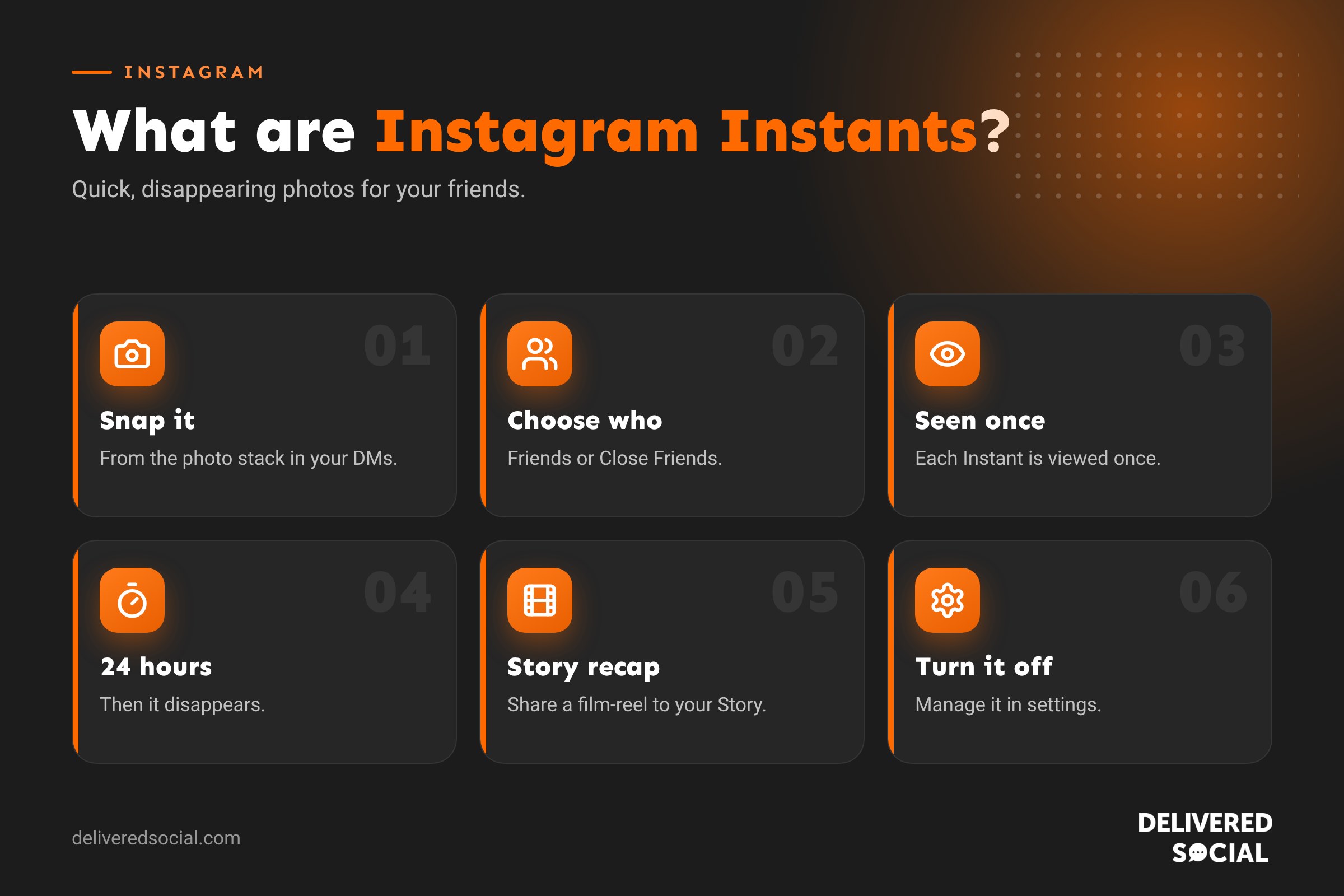
What are Instagram Instants?
Instants are Instagram’s answer to Snapchat-style photo sharing. You take a photo in the moment, send it to your mutual followers or your Close Friends, and they can view it once. After it’s been viewed, or after 24 hours, it’s gone.
Instagram first tested the idea under the name “Shots”, then renamed it Instants in February 2026. It rolled out worldwide in May 2026, at the same time as a standalone Instants app. In July, Instagram added the option to record short videos as well as photos, and in September it added custom lists so you can choose exactly who receives your Instants.
The idea is simple: less pressure, more real moments. Unlike a feed post or a polished Story, an Instant isn’t meant to look perfect.
How Instants differ from Stories and posts
| Instants | Stories | Feed posts | |
|---|---|---|---|
| Who sees it | Mutual followers or Close Friends | All followers, or Close Friends | Followers and people who find it |
| How long it lasts | Viewed once, gone after 24 hours | 24 hours, or forever in Highlights | Permanent |
| Editing | None: no filters, text or stickers | Text, stickers, music and effects | Captions, filters, music and more |
| Where you find it | Inside Direct Messages, or the Instants app | Story bar at the top of the feed | Feed and profile grid |
| Feel | Casual and spontaneous | Everyday updates | Your best content |
How to take and share an Instant on Instagram
- Open the Instagram app and tap the messages icon to open your Direct Messages.
- Look for the small stack of photos in the bottom corner of your inbox and tap it.
- Choose who you’re sharing with: Friends (people you follow who follow you back) or Close Friends. If you’ve set up custom lists, you can choose one of those.
- Take your photo, or hold to record a short video.
- It’s shared straight away with the people you chose.
If you change your mind, tap Undo straight after taking it. To delete one later, open your Instants collection and press and hold the photo.
Using the Instants app
You can also download the standalone Instants app from the App Store or Google Play. It connects to your Instagram account, so your friends and Close Friends list carry across. It opens straight to the camera, which makes it quicker if you send Instants often. You don’t need the app: everything also works inside Instagram.
How to see Instants from your friends
When friends share Instants with you, they appear in the same stack of photos in your messages. Tap the stack to view them. Each Instant can be viewed once, so take your time. Once you’ve moved past it, you can’t go back.
You can reply to an Instant, which starts a normal message conversation with that person.
Sharing your Instants to your Story
Instagram lets you turn a group of your Instants into a short, film-reel style video and share it to your Story. This is the only way your Instants reach all your followers. It’s a nice way to round up a day out, an event or a busy week in a casual, real way.
Who can see your Instagram Instants?
- Friends: people you follow who also follow you.
- Close Friends: the list you’ve chosen yourself.
- Custom lists: any extra lists you’ve created.
Instants don’t go to followers you don’t follow back, and they don’t appear in Explore, on your profile or in hashtags. Instagram describes Instants as opt-in, so you choose whether to use the feature at all.
How long do Instagram Instants last?
Each Instant can be viewed once by each person. If someone doesn’t open it, it disappears after 24 hours. You can see how many people viewed your Instants, but they aren’t saved to your profile.
Remember that “disappearing” doesn’t mean private. Someone could photograph their screen with another phone. Only share things you’d be comfortable with your friends keeping.
How to turn off Instagram Instants
If you don’t want to use Instants, or you don’t want to receive them, you have a few options:
- Just don’t use it. Nothing is shared unless you take an Instant yourself.
- Check your settings. Open your profile menu, go to Settings and look for Instants or Messages settings to manage who can share Instants with you. The exact menu names may change as Instagram updates the feature.
- Mute or restrict people. If someone sends Instants you don’t want, you can mute, restrict or block them as you would for messages.
- Review your Close Friends. Tidy your Close Friends list so only the people you want see private content.
- Delete the Instants app if you installed it and no longer want it.
Instants and privacy: what to know
When Instants launched, some users worried about accidentally sharing photos. A few simple habits help:
- Check the audience before you take the photo.
- Use Undo straight away if you snap by mistake.
- Keep your Close Friends list up to date.
- Avoid showing addresses, number plates, documents or children’s faces.
- For teens, Instagram’s Teen Account settings and parental supervision tools apply.
Should businesses use Instagram Instants?
Instants are designed for friends, not brands, and they only reach people you follow back. That limits how useful they are for most business accounts. But there are some good uses.
When Instants work for businesses
- VIP customers: if you’ve built a Close Friends list of loyal customers, an Instant of a new delivery or a first look at a product feels personal and exclusive.
- Team and community: share behind-the-scenes moments with staff, suppliers and partners.
- Personal brands: if you are the face of your business, Instants from your personal account can build real relationships with clients you follow.
- Story round-ups: collect Instants through an event and share the film-reel to your Story for all followers.
When to skip them
- If you mainly want to reach new customers, Reels, carousels and Stories will do far more.
- If you can’t keep a Close Friends list tidy, you risk sharing with the wrong people.
- If your brand relies on polished visuals, Instants may not fit.
Ideas for Instants that feel natural
- “Just landed” photo of new stock, before it goes on the shelves.
- The view from your stand at a local market or event.
- A quick snap of a finished job before you tidy up.
- First coffee of the morning before you open.
- A peek at something you’re working on that isn’t ready to launch.
The trick is to keep it real. Instants are meant to feel like a message from a friend, not an advert.
Instants vs Snapchat
Instants are clearly inspired by Snapchat, and they work in a similar way: quick photos, viewed once, gone soon after. The main difference is that Instants sit inside an app most people already use every day, and they’re shared with your existing Instagram friends rather than a separate contact list. Snapchat still offers far more creative tools, such as lenses and filters, while Instants are deliberately plain.
Common problems with Instagram Instants
- I can’t see Instants: update the Instagram app. The feature may also not be available for some account types yet.
- My friend didn’t get my Instant: check that you follow each other, or that they’re on your Close Friends or custom list.
- I can’t add text or filters: that’s by design. Use Stories for edited content.
- I can’t view an Instant again: each one can only be viewed once.
Frequently asked questions
What is an Instagram Instant?
A quick photo or short video shared with your mutual followers or Close Friends that can be viewed once and disappears within 24 hours.
How do Instagram Instants work?
You take them from the photo stack in your Direct Messages or the Instants app, choose an audience, and they’re shared instantly. Friends view them once from their own messages.
Are Instagram Instants the same as Snaps?
They’re very similar. People sometimes search for “Instagram snaps” when they mean Instants. Instagram’s version was first called “Shots”.
Can I see who viewed my Instant?
You can see views on your Instants, but they aren’t kept on your profile.
Can I turn Instants off?
You can simply not use the feature, manage it in your settings, and mute or restrict people who send Instants you don’t want.
Do I need the Instants app?
No. Instants work inside Instagram. The app is an optional shortcut.
Want help with Instagram for your business?
New features like Instants come and go, but a clear content plan keeps working. We help businesses across Surrey, Hampshire and the UK make the most of Instagram. Read our round-up of the latest Instagram updates, see our social media management services or call us on 01483 608 303.































