



Keep reading
Rather we just did it for you?
Let's get your business seen.
Social media, websites, SEO and ads from a team you can actually meet.
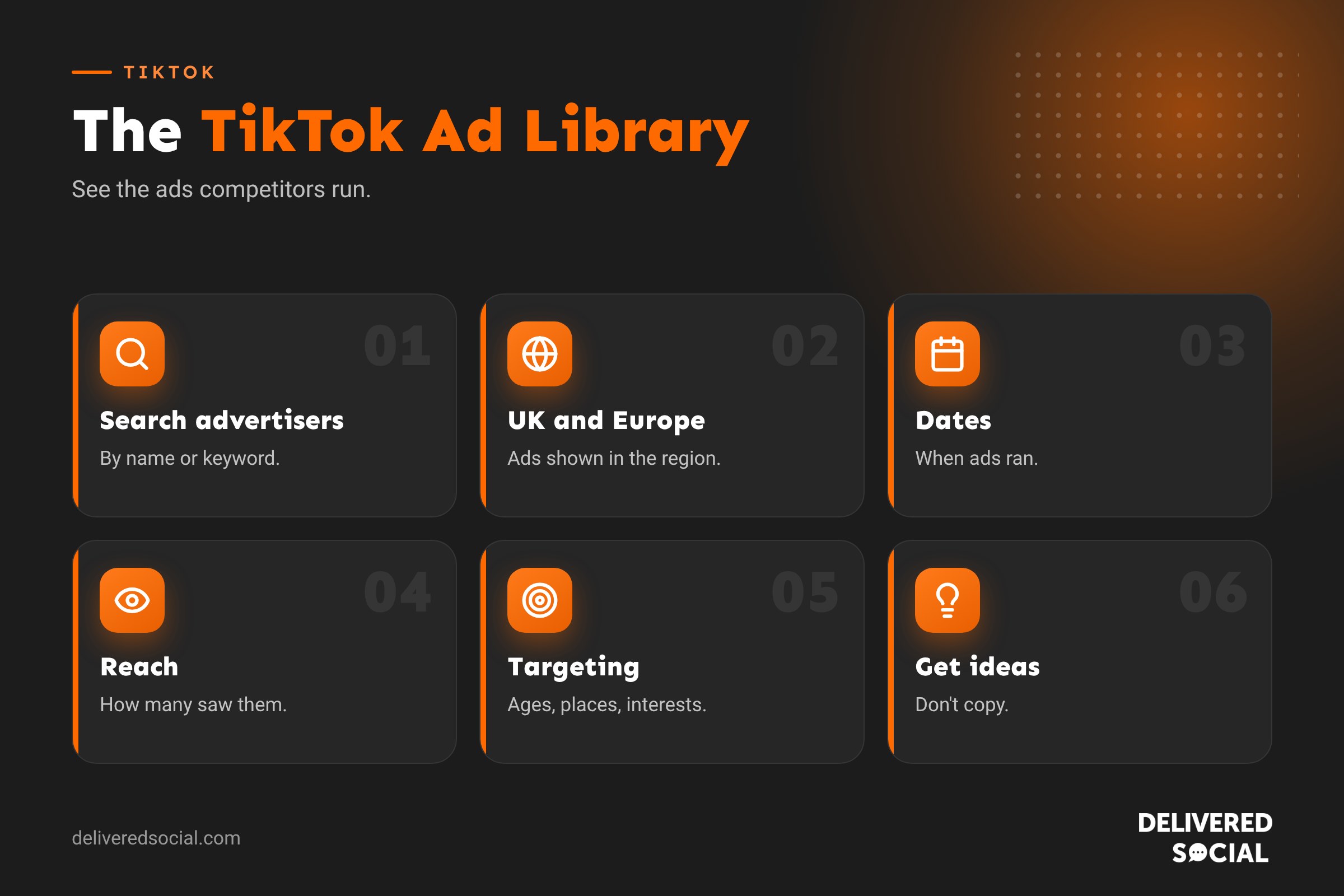
Ever wondered what ads your competitors are running on TikTok? The TikTok Ad Library lets you look. It’s a free, public database of ads shown on TikTok in Europe, including the UK, created so that anyone can see who is advertising, what they’re saying and who they’re targeting. This guide explains what the TikTok Ad Library is, how to search it step by step, what information it shows, and how businesses can use it for competitor research and better ads.
What is the TikTok Ad Library?
The TikTok Ad Library is a searchable archive of paid adverts that have run on TikTok in the European Economic Area, Switzerland and the UK. TikTok created it to meet transparency rules, particularly the EU’s Digital Services Act, which requires large platforms to show who is behind the ads people see.
It’s free and you don’t need a TikTok account to use it. Anyone, from customers to journalists to rival businesses, can look up ads.
What does the TikTok Ad Library show?
| Information | What you can see |
|---|---|
| The ad | The video and caption as people saw it |
| Advertiser | The business or person who ran the ad |
| Who paid | The name of whoever paid for the ad, if different |
| Dates | When the ad first and last showed |
| Reach | Roughly how many unique users saw it, often by country |
| Targeting | Targeting used, such as age, gender, location and interests |
It doesn’t show how much an advertiser spent, how well the ad performed in sales or clicks, or ads shown only outside Europe and the UK.
How to search the TikTok Ad Library
- Search for “TikTok Ad Library” to find the library on TikTok’s website.
- Choose the country or region, such as the United Kingdom.
- Set a date range, for example the last 30 days.
- Type an advertiser name or a keyword into the search bar.
- Click Search and browse the results.
- Click an ad to see its details, including reach and targeting.
Try different spellings of a brand’s name, as advertisers sometimes use a parent company or trading name.
TikTok Ad Library vs TikTok Creative Center
| Ad Library | Creative Center Top Ads | |
|---|---|---|
| Purpose | Transparency: who is advertising and to whom | Inspiration: high-performing ads |
| Coverage | Ads shown in Europe and the UK | Selected top ads in many countries |
| Search by advertiser | Yes | Limited |
| Performance data | Reach only | Engagement indicators and attention data |
| Best for | Checking specific competitors | Learning what works in your industry |
Our guide to the TikTok Creative Center explains the Top Ads section in more detail.
How businesses can use the TikTok Ad Library
1. Check what competitors are advertising
Search for competitors by name. Are they running ads? What products or offers are they pushing? How long have their ads been running? An ad that runs for months is usually one that works.
2. Learn their messaging
Note the hooks, offers and calls to action. Are they leading with price, quality, speed or reviews? Look for the gaps: what aren’t they saying that you could?
3. See who they’re targeting
Targeting details show which ages, locations and interests competitors are focusing on. That can reveal new audiences you hadn’t considered, or markets they’re ignoring.
4. Spot seasonal patterns
Use the date filters to see when competitors ramp up advertising, for example before Christmas, summer or back to school.
5. Get creative inspiration
Watch a range of ads in your industry. Note formats that keep appearing, such as talking to camera, product demos, user-generated content or before and afters.
6. Check your own ads
Search for your own business to see how your ads appear publicly and check the details are correct.
A simple competitor research routine
- List five competitors.
- Search each one in the TikTok Ad Library for the last 90 days.
- Record the number of ads, their main messages, offers and targeting in a spreadsheet.
- Note which ads have run longest.
- Pick two or three ideas to test in your own ads, with your own twist.
- Repeat every quarter.
Ad libraries on other platforms
- Meta Ad Library: shows active ads on Facebook and Instagram worldwide, plus more detail for ads in Europe and for political ads.
- Google Ads Transparency Center: shows ads from verified advertisers on Google Search, YouTube and more.
- LinkedIn Ad Library: shows ads run on LinkedIn.
Checking all of them gives you a full picture of where competitors are spending.
Limitations of the TikTok Ad Library
- No spend data for commercial ads, so you can’t see budgets.
- No conversion data, so you can’t be sure an ad worked, only that it ran.
- Organic posts aren’t included, only paid ads.
- Spark Ads (boosted organic posts) may appear under a creator’s name rather than the brand.
- Search can be fiddly, so try different names and keywords.
What the Ad Library means for your own ads
Because anyone can see your ads, assume competitors and customers will. Make sure your ads are accurate, honest and in line with UK advertising rules from the Advertising Standards Authority. Avoid claims you can’t back up, and keep offers clear and up to date.
Tips for better TikTok ads
- Hook viewers in the first two seconds.
- Make ads look like TikTok content, not TV adverts.
- Show real people and real products.
- Add captions, as many people watch with the sound off.
- Use a clear call to action.
- Test several versions and keep the winners.
- Refresh creative regularly, as TikTok ads tire quickly.
Who else uses the TikTok Ad Library?
The library isn’t only for marketers. Journalists use it to investigate who is behind campaigns, researchers use it to study advertising trends, and regulators use it to check that ads follow the rules. Customers can also use it to check whether a brand they’ve seen advertising is genuine. That’s another reason to keep your own ads honest, clearly branded and consistent with your website, so anyone looking you up sees a trustworthy business.
How often should you check it?
For most small businesses, a quarterly check is enough to keep up with competitors. If you’re in a fast-moving market, such as ecommerce or fitness in January, a monthly look is worthwhile. Set a calendar reminder so it becomes part of your routine rather than something you only do once.
Key takeaways
- The TikTok Ad Library is a free archive of ads shown in Europe and the UK.
- It shows the ad, advertiser, dates, reach and targeting, but not spend or results.
- Use it to research competitors, messaging and targeting.
- Combine it with the Creative Center for inspiration and the Meta Ad Library for a wider view.
- Keep your own ads accurate, because anyone can see them.
Example: researching a local competitor
Imagine you run a gym in Portsmouth. You search the Ad Library for the three other gyms in town. One has run a “first month free” video ad for four months, targeting people aged 25 to 44 within a few miles. Another hasn’t advertised at all. The third ran a single ad in January.
That tells you a lot. The long-running free month offer is probably working, so you might test a different offer, such as a free personal training session, to stand out. The quiet competitors suggest there’s space to own TikTok advertising locally. And January is clearly a key month, so you plan your strongest campaign for it.
What to record in your research spreadsheet
- Competitor name and date checked.
- Number of active ads.
- Main offer or message.
- Hook used in the first seconds.
- Format, such as talking head, demo or user-generated content.
- Call to action.
- Targeting details.
- How long the ad has been running.
Using research responsibly
Competitor research is normal and useful, but don’t copy other businesses’ videos, scripts or branding. Use what you learn to understand the market, then create ads that show what makes your business different.
Quick glossary
- Digital Services Act: EU rules requiring platforms to be transparent about ads.
- Reach: the number of unique people who saw an ad.
- Spark Ads: boosted organic posts, from your own or a creator’s account.
- Targeting: the audience settings an advertiser chose.
TikTok updates its tools and transparency features regularly, so the layout of the Ad Library may change. The core search by advertiser, country and date has stayed the same.
Frequently asked questions
Is the TikTok Ad Library free?
Yes, and you don’t need a TikTok account to search it.
Can I see how much a competitor spent?
No. The library shows reach and targeting but not spend for commercial ads.
Does it include UK ads?
Yes. It covers ads shown in the UK, the European Economic Area and Switzerland.
Can I see organic TikTok posts?
No, only paid adverts.
How is it different from the Creative Center?
The Ad Library is for transparency and searching specific advertisers; the Creative Center highlights top-performing ads and trends.
Want TikTok ads that stand out?
We plan and run TikTok advertising for businesses across Surrey, Hampshire and the UK. Read our TikTok statistics guide, see our social media and advertising services or call us on 01483 608 303.
































