



Keep reading
Rather we just did it for you?
Let's get your business seen.
Social media, websites, SEO and ads from a team you can actually meet.
If you are thinking about selling online, Shopify is probably one of the first names you have heard. It powers millions of online shops worldwide, from one person side hustles to household brands. But what exactly is it, how does it work and is it the right choice for your business? This plain English guide explains what Shopify is, how a Shopify website works, what you can sell, how much it costs, how it compares with WordPress and WooCommerce, and how to market a Shopify store once it is live.
What is Shopify?
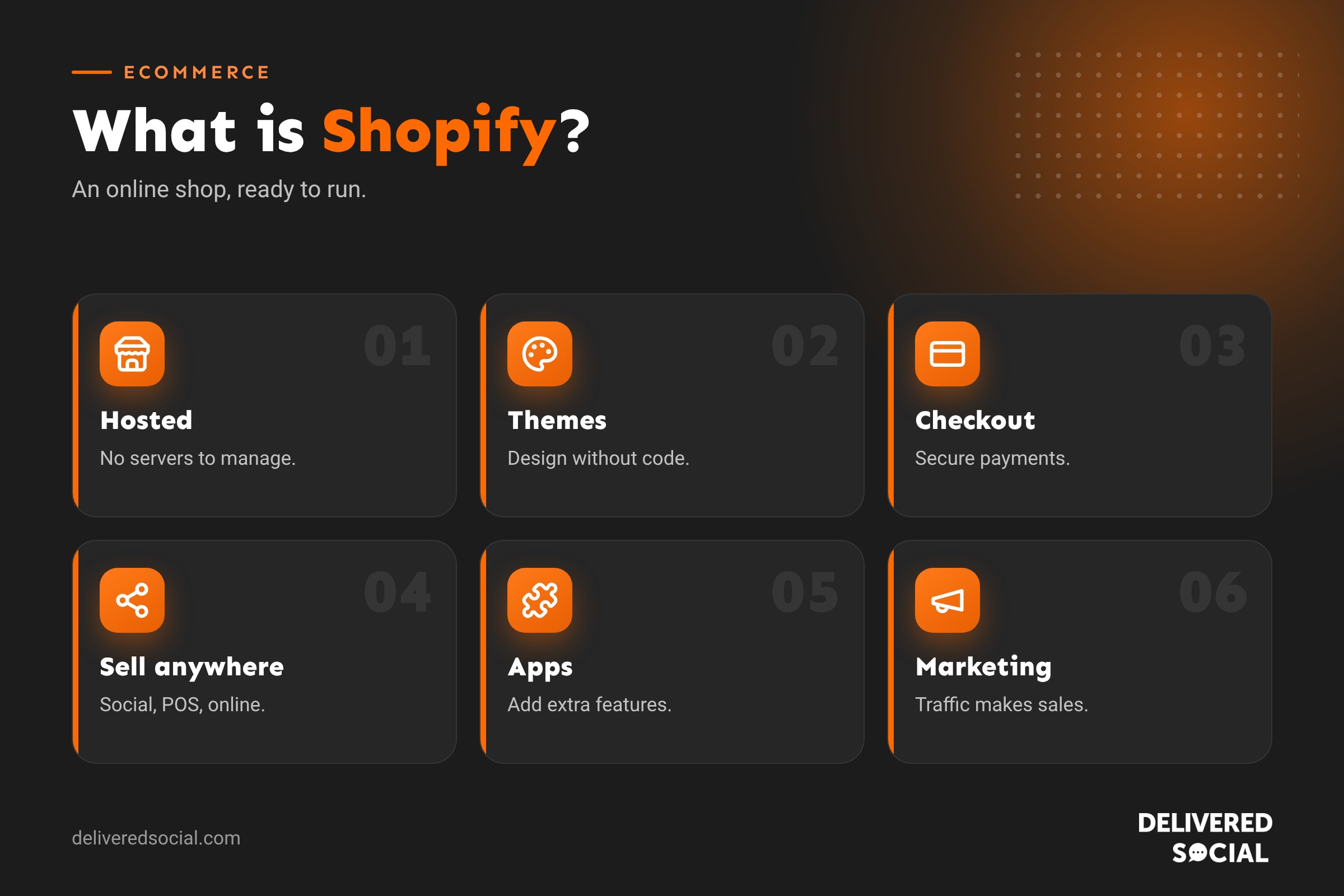
Shopify is an ecommerce platform that lets you build and run an online shop without needing to code or manage your own hosting. You pay a monthly subscription, choose a design theme, add your products and start taking payments. Shopify looks after the technical side, including hosting, security, updates and the checkout, so you can focus on selling.
It is a hosted, all in one system. That makes it quick to launch, but it also means you work within Shopify’s rules and pay ongoing fees for the platform and many add-ons.
How does Shopify work?
- Sign up and choose a plan. Shopify usually offers a free trial before you pay.
- Pick a theme. Themes control the look of your shop. There are free and paid options, and you can customise colours, fonts and layouts.
- Add products. Upload photos, descriptions, prices, variants such as sizes and colours, and stock levels.
- Set up payments. Shopify Payments lets customers pay by card, Apple Pay and Google Pay, and you can add PayPal and other methods.
- Set up shipping and tax. Choose delivery rates and zones and configure VAT.
- Connect a domain. Use your own web address, such as yourshop.co.uk.
- Launch and market. Open your store and start bringing in visitors.
What can you sell on Shopify?
Almost anything legal: physical products, digital downloads, services, subscriptions, gift cards and even tickets with the right apps. Shopify has rules on restricted products, so check its acceptable use policy if you sell anything in a regulated category.
Key Shopify features
- Online store builder with drag and drop sections.
- Secure checkout trusted by shoppers.
- Inventory and order management.
- Discount codes, gift cards and abandoned basket emails.
- Multichannel selling through Instagram, Facebook, TikTok, Google and marketplaces.
- Point of sale (POS) for selling in person at shops, markets and events.
- Reports and analytics.
- App Store with thousands of apps for reviews, email, subscriptions, upsells and more.
How much does Shopify cost?
Shopify charges a monthly plan fee, card fees on each sale and, often, monthly app subscriptions. At the time of writing the Basic UK plan is £25 a month on monthly billing, with cheaper rates if you pay yearly. Our full guide to Shopify pricing in the UK breaks down every plan and the hidden costs.
Shopify pros
- Quick to launch. You can have a basic shop live in days.
- No hosting or security worries. Shopify handles it.
- Reliable checkout that shoppers recognise.
- Scales well from a few orders to thousands.
- Lots of integrations with apps and sales channels.
- 24/7 support from Shopify.
Shopify cons
- Ongoing costs. Monthly fees, card fees and app subscriptions add up.
- Less flexibility than open source platforms for unusual features.
- Some SEO limits, such as fixed URL structures for products and collections.
- Content and blogging are more basic than WordPress.
- You are tied to the platform. Moving away later takes work.
Our article on the cons of Shopify for UK businesses goes into more detail.
Shopify vs WordPress and WooCommerce
WooCommerce is a free ecommerce plugin for WordPress. It gives you full ownership and flexibility, and WordPress is excellent for content and SEO. The trade off is that you manage hosting, updates and security, or pay someone to. Shopify is simpler to run but less flexible and has ongoing platform costs. For businesses that already have a WordPress site, want lots of content, or need custom features, WooCommerce is often a better fit. For product focused shops that want simplicity, Shopify is a strong choice. Our WordPress vs Shopify guide compares them side by side.
Who is Shopify best for?
- Product based businesses that want to launch quickly.
- Owners without technical skills or a developer.
- Brands selling across online, social and in person channels.
- Growing shops that need a reliable, scalable checkout.
How to market a Shopify store
Building the shop is only step one. Without visitors, nothing sells. The main ways to grow a Shopify store are:
- SEO: optimise product and collection pages, write buying guides and fix technical issues. Our Shopify SEO guide explains how.
- Google Shopping ads: show your products with images and prices in Google search.
- Social media: Instagram, TikTok and Pinterest are powerful for product discovery.
- Email marketing: welcome emails, abandoned basket emails and newsletters drive repeat sales.
- Reviews: collect reviews to build trust and improve conversion.
- Influencers and partnerships: reach new audiences through people they already trust.
Our ecommerce marketing strategy guide shows how to bring these together.
Is Shopify good for SEO?
Shopify covers the SEO basics: editable titles and descriptions, automatic sitemaps, mobile friendly themes and fast hosting. Its limits include fixed URL formats, some duplicate content from collection paths and a basic blogging tool. With good product content, structured data and regular buying guides, Shopify stores rank well. Choose a fast theme and keep apps under control, as heavy apps can slow pages down.
Common Shopify mistakes
- Installing too many apps, which slows the shop and adds cost.
- Using manufacturer product descriptions copied by everyone else.
- Poor product photos.
- Hidden shipping costs that appear only at checkout.
- Launching without a plan to bring in traffic.
Getting started checklist
If you have decided Shopify is right for you, this simple checklist will help you launch properly rather than in a rush:
- Choose a clear, memorable domain name and connect it.
- Pick a fast, mobile friendly theme and add your logo and brand colours.
- Write unique product descriptions and take good photos.
- Set up Shopify Payments, shipping rates and VAT correctly.
- Create about, contact, delivery, returns and privacy pages.
- Install only the apps you truly need, such as reviews and email.
- Connect Google Analytics, Search Console and your social channels.
- Place a test order before you launch.
- Plan your first month of marketing so people actually find the shop.
How long does it take to launch a Shopify store?
A simple shop with a handful of products and a free theme can be ready in a few days if you have your photos and descriptions prepared. A professionally designed store with custom sections, many products, integrations and careful testing usually takes several weeks. The biggest delays are usually content rather than technology: product photography, writing descriptions and deciding on delivery and returns policies. Gather these before you start building and your launch will be far smoother.
Key takeaways
- Shopify is a hosted ecommerce platform for building and running an online shop.
- It is quick to launch and handles hosting, security and checkout for you.
- Costs include a monthly plan, card fees and often app subscriptions.
- WooCommerce offers more flexibility; Shopify offers more simplicity.
- Marketing is what turns a Shopify store into a business.
Frequently asked questions
Is Shopify a website builder?
Yes. Shopify is a website builder focused on ecommerce, with hosting and checkout included.
Do I need to know how to code to use Shopify?
No. You can build a shop using themes and drag and drop sections. Code is only needed for advanced customisation.
Can I use my own domain with Shopify?
Yes. You can buy a domain through Shopify or connect one you already own.
Is Shopify good for small businesses?
Yes, especially product based businesses that want to launch quickly without technical help.
Can I sell in person with Shopify?
Yes. Shopify POS lets you sell at shops, markets and events with stock synced to your online store.
Is Shopify better than WooCommerce?
It depends on your needs. Shopify is simpler; WooCommerce is more flexible and fully owned.
Can I move my existing website to Shopify?
Yes. Products, customers and content can be migrated, but plan redirects carefully so you keep your Google rankings.
Does Shopify include hosting?
Yes. Hosting, security and updates are included in every plan.
Can I write a blog on Shopify?
Yes. Shopify has a built in blog. It is simpler than WordPress but fine for buying guides and news.
Does Shopify work for UK VAT?
Yes. You can set up VAT rates and show prices including or excluding VAT. Check your settings with your accountant.
Is Shopify safe for customers?
Yes. Shopify provides secure, encrypted checkout and handles payment security, which reassures shoppers buying from a new brand.
Can Shopify handle lots of products?
Yes. Shopify supports large catalogues, with bulk import tools to add and edit many products at once.
Thinking about an online shop?
We design, build and market online shops for businesses across Surrey, Hampshire and the UK. Call us on 01483 608 303.
































