



Keep reading
Rather we just did it for you?
Let's get your business seen.
Social media, websites, SEO and ads from a team you can actually meet.
Threads is Meta’s text-based social app, built by the Instagram team as a rival to X (formerly Twitter). It launched in July 2023, picked up tens of millions of sign-ups in its first days and has kept growing ever since. But what is Threads exactly, how does it work, and should your business be on it? This guide explains what Threads is, how it connects to Instagram, its main features, how it compares with X, and how businesses can use it well.
What is Threads?
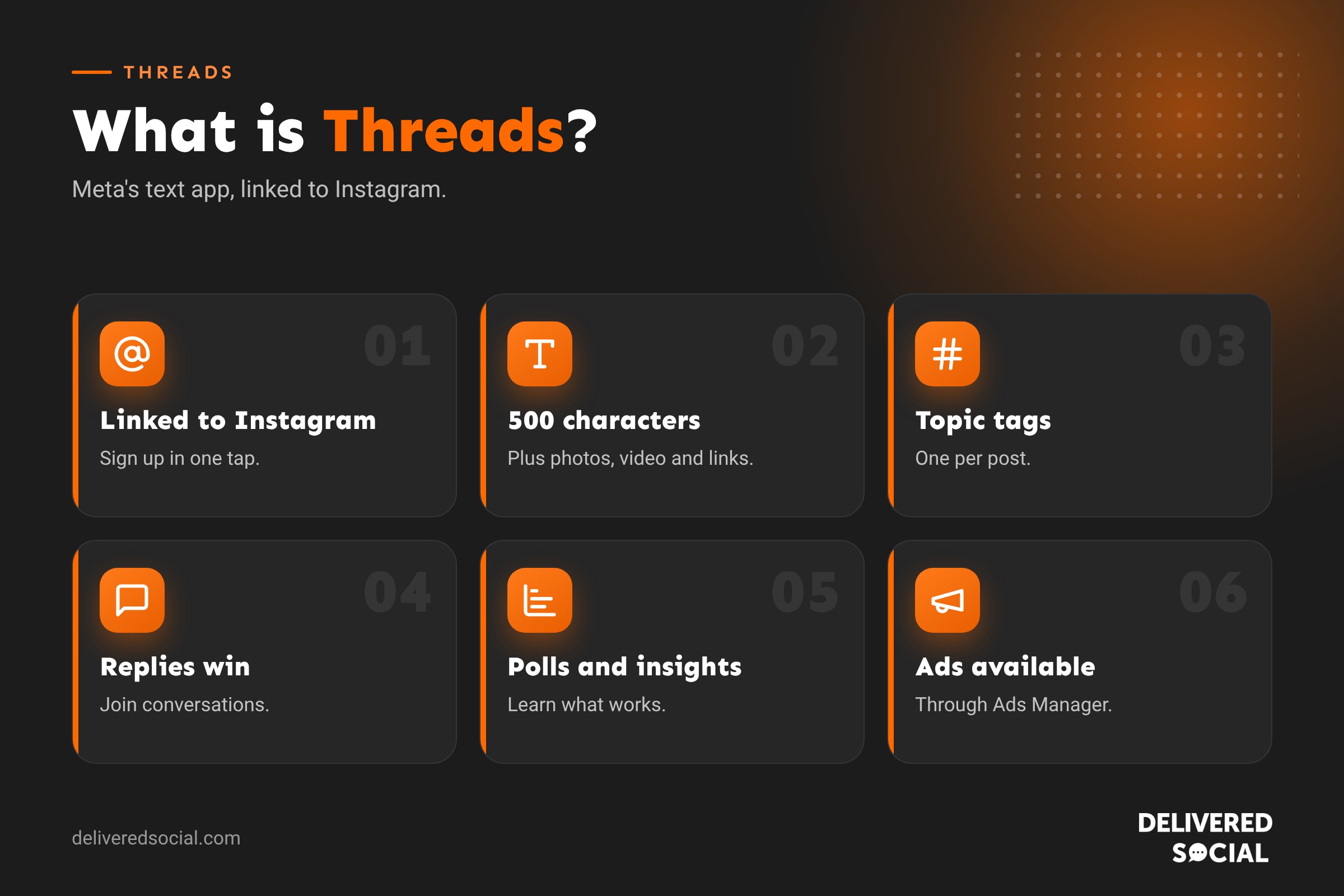
Threads is a free app for sharing short text updates, links, photos and videos, and joining public conversations. Posts can be up to 500 characters, with longer text possible through attachments. It’s owned by Meta, the company behind Facebook, Instagram and WhatsApp, and you sign up using your Instagram account.
If you’ve used X or Twitter, Threads will feel familiar: you follow people, scroll a feed, reply, repost and quote posts. The difference is the look and feel, which is closer to Instagram, and the community, which tends to be more relaxed.
What are Threads? A quick definition
People also say “threads” to mean a chain of connected posts. On the Threads app, a thread is a post plus its replies, and you can create your own multi-part thread by adding posts to it. So “Threads” is the app, and “a thread” is a conversation.
How Threads connects to Instagram
- You sign up with Instagram. Your username and verification carry over.
- You can follow the same people you follow on Instagram in one tap.
- You can share Threads posts to Instagram Stories and feed.
- Your Threads profile appears as a badge on your Instagram profile if you choose.
- Meta has made it possible to have a Threads profile without an Instagram account in some regions, but most people still sign up through Instagram.
Main Threads features
| Feature | What it does |
|---|---|
| Posts | Up to 500 characters, plus photos, videos, GIFs and links |
| Replies, reposts and quotes | Join and share conversations |
| For You and Following feeds | Recommended posts or only people you follow |
| Topic tags | One tag per post to join topic conversations (Threads’ version of hashtags) |
| Search | Search for people, keywords and topics |
| Polls | Ask your followers a quick question |
| Scheduling and drafts | Plan posts in advance |
| Communities and custom feeds | Follow conversations around particular interests |
| Direct messages | Private messages, added after launch |
| Insights | Views, interactions and follower data for your profile |
| Fediverse sharing | Optionally share posts with other compatible networks, such as Mastodon |
Meta has also introduced adverts on Threads, so businesses can now run paid campaigns there through Ads Manager.
How to get started on Threads
- Download the Threads app from the App Store or Google Play, or go to threads.com on a computer.
- Log in with your Instagram account.
- Import your Instagram bio and link, or write new ones.
- Choose a public or private profile. Businesses should be public.
- Follow accounts you already follow on Instagram, or pick new ones.
- Write your first post. An introduction is a good start.
Threads vs X (Twitter)
| Threads | X | |
|---|---|---|
| Owner | Meta | X Corp |
| Post length | 500 characters | 280 characters for free users, longer for paid subscribers |
| Sign-up | Usually through Instagram | Standalone account |
| Tone | Generally friendlier and more casual | Faster-moving, news and debate heavy |
| Hashtags | One topic tag per post | Multiple hashtags |
| Advertising | Available through Meta Ads Manager | Through X Ads |
Should your business be on Threads?
Threads is worth trying if:
- You’re already active on Instagram, because you can reach existing followers quickly.
- Your audience likes conversation, opinions and behind-the-scenes updates.
- You or your team enjoy writing short posts.
- You’ve left X but still want a place for quick updates and industry chat.
It’s probably less of a priority if your audience isn’t on Instagram, or you’re struggling to keep up with the platforms you already use. One platform done well beats four done badly.
What to post on Threads
- Quick tips from your expertise.
- Opinions on news in your industry.
- Questions to start conversations, such as “What’s the one thing you wish your accountant told you?”
- Behind-the-scenes updates from your day.
- Polls to get feedback.
- Short threads breaking down a topic in several posts.
- Replies to people in your industry or local area. Replying is one of the best ways to grow.
Tips for growing on Threads
- Post regularly, ideally a few times a week or more.
- Be conversational. Write like you talk.
- Reply to others and join conversations rather than only posting your own updates.
- Use one relevant topic tag per post.
- Share posts to Instagram Stories to bring followers across.
- Avoid hard selling. Threads users respond to personality and helpful content.
- Check insights to see which posts get the most views and replies.
Threads for local businesses
Local businesses can use Threads to join conversations happening in their town, share quick updates such as opening times or specials, and show the people behind the business. Searching your town name, for example “Guildford” or “Southsea”, shows what local people are talking about and gives you chances to reply and get noticed.
Common questions about Threads safety and privacy
- Can I delete Threads without deleting Instagram? Yes. Meta changed this after launch, so you can now delete your Threads profile separately.
- Can I hide my Threads badge on Instagram? Yes, in your Instagram profile settings.
- Can I control who replies? Yes. You can limit replies to people you follow or people you mention, and hide or filter words.
Threads and your wider social strategy
Treat Threads as part of your Instagram presence rather than a separate project. Your followers overlap, your profile is linked and you can share posts between the two. A simple approach is to use Instagram for visual content and Threads for the conversation around it: post a Reel on Instagram, then share the story behind it, or ask a related question, on Threads. That way you get more from each idea without doubling your workload. If you already post on LinkedIn or X, you can adapt short text posts for Threads too, adjusting the tone to suit its friendlier, more casual style.
Key takeaways
- Threads is Meta’s text-based app for short posts and conversations, linked to Instagram.
- Posts can be up to 500 characters, with photos, videos, links and polls.
- It works best for businesses already active on Instagram.
- Conversation and replies matter more than polished marketing.
- Ads are available through Meta Ads Manager.
A simple Threads plan for your first month
- Week 1: set up your profile, post an introduction and follow 50 relevant accounts, including local businesses and people in your industry.
- Week 2: post three times, mixing a tip, a question and a behind-the-scenes update. Reply to ten other posts.
- Week 3: try a short multi-part thread on a topic you know well, and a poll.
- Week 4: check insights. Which posts got the most views and replies? Do more of those.
Spend as much time replying as posting. On Threads, conversations are what get you noticed.
Threads post ideas you can borrow
- “Unpopular opinion: [something about your industry]. Agree?”
- “The question customers ask us most is…”
- “Three things I wish I’d known before starting my business.”
- “What’s the best [coffee shop, dog walk, lunch spot] in [your town]?”
- “Today’s job: [photo]. Guess what it looked like before?”
- “Quick tip: [one practical piece of advice].”
Measuring Threads
Threads insights show views, interactions, follower growth and where your followers are. Check them monthly alongside your Instagram insights. If Threads brings you conversations, enquiries or extra visibility for your Instagram, it’s earning its place. If it doesn’t after a few months of consistent effort, put that time back into the platforms that work.
Quick glossary
- Thread: a post and its replies, or a chain of connected posts.
- Repost: sharing someone’s post to your followers.
- Quote: sharing a post with your own comment added.
- Topic tag: Threads’ version of a hashtag, one per post.
- Fediverse: a network of connected social platforms, such as Mastodon, that Threads can optionally share with.
Meta adds new Threads features often, so expect the app to keep changing. Check the app’s settings and Meta’s announcements every few months to see what is new and useful for your business.
Frequently asked questions
What is Threads used for?
Sharing short text updates, joining conversations and following people and topics, similar to X.
Is Threads free?
Yes. Threads is free to use.
Do I need Instagram to use Threads?
Most people sign up with Instagram, though Meta has added ways to use Threads without one in some regions.
Can businesses advertise on Threads?
Yes, through Meta Ads Manager, alongside Facebook and Instagram ads.
Is Threads the same as Twitter?
No. It works in a similar way but is a separate app owned by Meta.
Want help with your social media?
We help businesses across Surrey, Hampshire and the UK decide which platforms to use and create content that gets results. Read our guide to engagement rate, see our social media management services or call us on 01483 608 303.
































