



Keep reading
Rather we just did it for you?
Let's get your business seen.
Social media, websites, SEO and ads from a team you can actually meet.
If you are planning a new website, there is a good chance two names have come up: WordPress, the open source platform behind a huge share of the web, and HubSpot, the marketing and sales platform that also offers its own website builder, called Content Hub (previously CMS Hub). Both can run a professional business website, but they take very different approaches to cost, control and marketing. This WordPress vs HubSpot guide compares them on features, ease of use, marketing tools, SEO, pricing and flexibility to help you decide.
What are WordPress and HubSpot?
WordPress is a free, open source content management system. You host it yourself (or with a managed host), choose a theme, add plugins for extra features and connect it to whichever marketing tools you prefer. You own everything and can change anything. This guide refers to self hosted WordPress.org.
HubSpot is a customer platform made up of hubs for marketing, sales, service, content and operations, all sharing one CRM (customer relationship management) database. Its content hub lets you build and host a website inside HubSpot, so your pages, forms, emails, contacts and analytics live in one place. It is a paid, hosted service.
Ease of use
HubSpot is designed for marketers rather than developers. Its drag and drop editor, templates and built in tools mean a marketing team can create landing pages, blog posts and forms without technical help. Everything is in one interface, and HubSpot handles hosting, security and updates.
WordPress is also easy to use once set up, especially with the block editor or a page builder, but the initial setup involves more decisions: hosting, theme, plugins, security, backups and integrations. Many businesses have a web agency build the site and then edit content themselves day to day.
Marketing and CRM tools
This is HubSpot’s biggest strength. Because the website sits on the same platform as the CRM, you can:
- See exactly which pages each contact has viewed.
- Show different content to different visitors with smart content.
- Trigger automated emails when someone fills in a form or visits a key page.
- Score leads and pass them to sales automatically.
- Report on which pages and campaigns generate customers, not just traffic.
WordPress can do much of this through integrations. You can connect it to HubSpot’s free CRM using the official HubSpot plugin, or to other CRMs and email tools such as Mailchimp, ActiveCampaign or Zoho. This gives you more choice and often lower costs, but the tools are connected rather than truly built together, so some reporting and personalisation is less seamless.
Flexibility and features
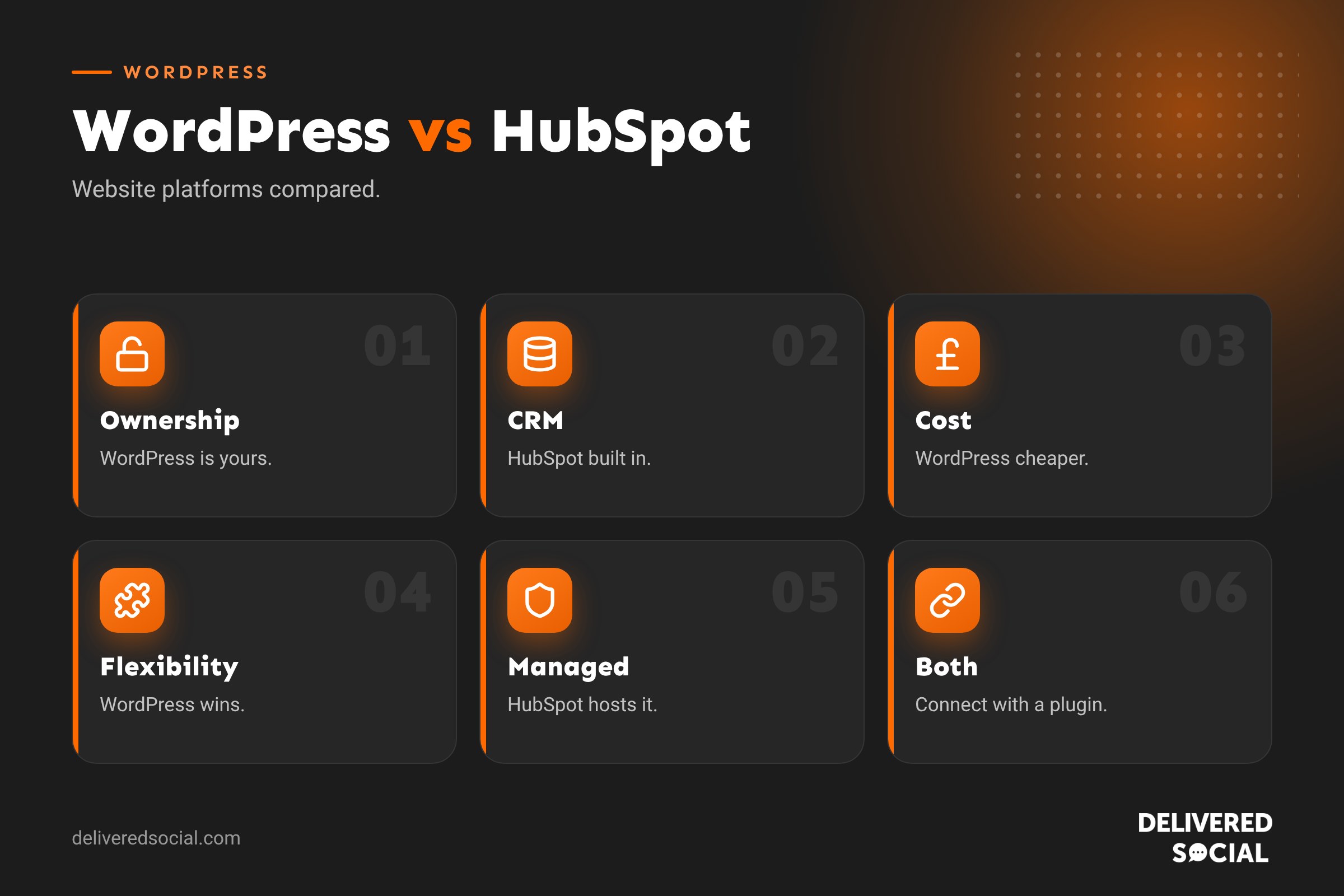
WordPress wins clearly on flexibility. With tens of thousands of plugins and a huge developer community, it can add almost any feature: online shops with WooCommerce, bookings, memberships, courses, directories, multilingual content, custom post types and complex integrations. You can also change hosting provider, developer or design at any time.
HubSpot covers the core needs of a marketing website very well, including pages, blogs, landing pages, forms, chat, memberships on higher plans and multi-language content, and has a marketplace of apps and themes. But you are working within HubSpot’s system. Complex ecommerce, unusual functionality or deep customisation can be harder, and you cannot simply move your site to another host.
SEO
Both platforms can rank well in Google. HubSpot includes SEO recommendations, topic clusters, automatic sitemaps, SSL, a global CDN and good page speed as standard. It is hard to make a slow HubSpot site.
WordPress, with a good SEO plugin, offers very detailed control over titles, descriptions, schema, redirects, canonical tags and internal linking. Its speed depends on hosting, theme and plugins, so it needs more care, but a well built WordPress site is fast and highly optimised. Our SEO services cover WordPress sites of all sizes.
Security and maintenance
HubSpot is fully managed. Security, hosting, updates and uptime are HubSpot’s responsibility, which is a real advantage for teams without technical support.
WordPress needs ongoing maintenance: core, theme and plugin updates, backups, security monitoring and performance checks. Done well, WordPress is secure and reliable, and many businesses use a WordPress maintenance plan so this is handled for them. Our WordPress security checklist explains the essentials.
Costs
The cost difference can be significant, so it is worth looking closely.
- WordPress: the software is free. You pay for hosting (from a few pounds to £30 or more a month for good managed hosting), a domain, any premium themes or plugins, a maintenance plan if you want one, and the design and build. Marketing tools are separate and can range from free to expensive depending on your choices.
- HubSpot: website hosting is part of a paid HubSpot subscription. HubSpot has free and starter tiers, but the more advanced website, marketing automation and reporting features sit on Professional and Enterprise plans, which can cost hundreds or thousands of pounds a month, often with onboarding fees and pricing linked to the number of contacts and seats. Check HubSpot’s current pricing for the features you need.
For a small business, WordPress plus a few well chosen tools is usually much cheaper. For a larger business already paying for HubSpot’s marketing and sales tools, adding the website to the same platform can make financial and practical sense.
Ownership and lock in
With WordPress you own your site files and database outright. You can move to a new host or agency whenever you like. With HubSpot, your website lives on HubSpot’s platform. You can export content, but moving away means rebuilding templates and functionality elsewhere. This is not necessarily a problem, but it is worth considering for the long term.
Which is better for your business?
Choose WordPress if:
- You want maximum flexibility and ownership.
- You need ecommerce, bookings, memberships or custom features.
- You want to keep monthly software costs low.
- You prefer to choose your own marketing and CRM tools.
- You work with a web agency or developer for builds and updates.
Choose HubSpot if:
- You already use HubSpot’s CRM and marketing tools heavily.
- Your marketing team wants to build pages without developer help.
- Lead tracking, personalisation and closed loop reporting are top priorities.
- You want hosting, security and updates fully managed.
- The subscription cost fits comfortably within your marketing budget.
The middle ground: WordPress with HubSpot
Many businesses run their website on WordPress and connect it to HubSpot’s CRM and marketing tools using the official HubSpot plugin. This gives you HubSpot forms, live chat, contact tracking and email marketing, while keeping the flexibility, ownership and lower hosting costs of WordPress. For many small and medium businesses, this combination offers the best of both worlds. You can start with HubSpot’s free CRM and upgrade only the hubs you need.
Questions to ask before you decide
- Who will edit the website day to day, and how confident are they?
- Which features do you need now, and which might you need in two years?
- Do you already pay for a CRM or marketing automation tool?
- What is your realistic monthly budget for software, not just the build?
- How important is it to be able to move your site to another provider?
- Do you need an online shop or other specialist functionality?
Answering these honestly usually makes the choice clear. If your answers point towards flexibility, ownership and lower running costs, WordPress is likely the better fit. If they point towards an all in one marketing system with a team ready to use it fully, HubSpot is worth serious consideration.
Moving from HubSpot to WordPress, or the other way
Switching platforms is very possible, but plan it carefully. Map every existing URL to its new address and set up redirects, move blog posts, images and forms, recreate key templates and test tracking. If you are leaving HubSpot’s CMS but keeping its CRM, make sure your WordPress forms feed contacts back into HubSpot. A well planned migration protects your rankings and your leads.
Key takeaways
- WordPress is free, flexible and fully owned; HubSpot is an all in one paid marketing platform with a built in website builder.
- HubSpot’s strength is the tight link between website, CRM and marketing automation.
- WordPress offers more features, more control and usually much lower costs.
- HubSpot is fully managed; WordPress needs maintenance but can be handled by a plan.
- Connecting WordPress to HubSpot’s CRM is a popular middle ground.
Frequently asked questions
Is HubSpot better than WordPress?
Neither is better for everyone. HubSpot suits teams wanting an all in one marketing platform. WordPress suits businesses wanting flexibility, ownership and lower costs.
Can I use HubSpot with WordPress?
Yes. The official HubSpot plugin connects WordPress to HubSpot’s CRM, forms, live chat and email tools.
Is HubSpot CMS expensive?
The advanced website features are on paid plans that can be costly for small businesses, especially at Professional level and above. Check HubSpot’s current pricing.
Is WordPress or HubSpot better for SEO?
Both can rank well. HubSpot handles speed and security for you, while WordPress gives more detailed SEO control.
Can HubSpot run an online shop?
HubSpot supports payments and integrations, but for a full online shop, WordPress with WooCommerce or a dedicated ecommerce platform is usually better.
Do I own my website on HubSpot?
You own your content, but the site runs on HubSpot’s platform. Moving away means rebuilding templates elsewhere.
Need help with your website?
We design, build and look after WordPress websites for businesses across Surrey, Hampshire and the UK, and can connect them to the marketing tools you already use. Call us on 01483 608 303.
































