



Keep reading
Rather we just did it for you?
Let's get your business seen.
Social media, websites, SEO and ads from a team you can actually meet.
Have your posts on X (formerly Twitter) suddenly stopped getting views, likes and replies? You might be shadowbanned. This guide explains what a Twitter shadowban is, the different types, how to check whether you’ve been shadowbanned, what causes it, and the steps to fix it and stop it happening again.
What is a shadowban on X?
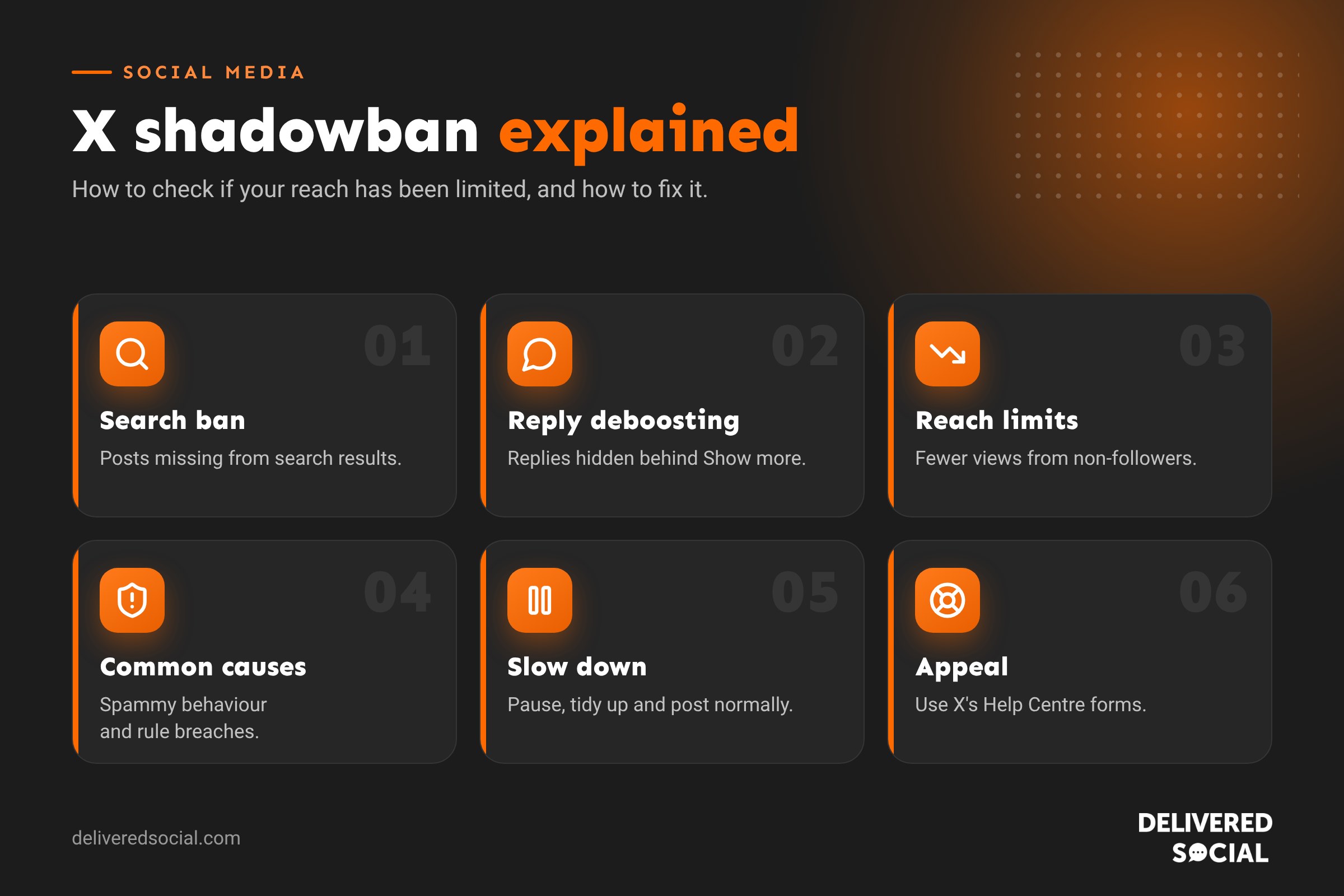
A shadowban is when a platform quietly limits who can see your posts without telling you. Your account still works normally from your side: you can post, reply and like. But your posts reach far fewer people, may not appear in search, and your replies may be hidden behind other people’s.
X doesn’t use the word “shadowban”. Its official term is visibility filtering or reduced visibility. Under its “freedom of speech, not freedom of reach” approach, posts that break or come close to breaking its rules can be left up but shown to fewer people. In some cases X adds a label to a post to say its visibility has been limited.
Types of shadowban on X
| Type | What happens | How you might notice |
|---|---|---|
| Search ban | Your posts don’t appear in search results | Searching for your own post from another account finds nothing |
| Search suggestion ban | Your account doesn’t appear when people start typing your name | Friends can’t find you by searching your username |
| Reply deboosting | Your replies are hidden behind “Show more replies” or “Show probable spam” | Replies get no likes or responses |
| Thread ban | Your replies are removed from conversation threads | Other people can’t see your replies at all |
| Reach limitation | Posts are shown to fewer people in the For You feed and to non-followers | Views drop sharply on every post |
| Labelled posts | Individual posts carry a notice that visibility is limited | A label appears under the post |
Signs you might be shadowbanned
- Views, likes and replies fall suddenly and stay low for several days.
- Your posts don’t show up in search, even when you search the exact words.
- Friends say they can’t see your replies, or have to tap “Show more replies” to find them.
- Your account doesn’t appear when people type your name into search.
- Your follower growth stops completely.
Before you assume the worst, remember that reach goes up and down naturally. A quiet week, a change to the algorithm or a topic people aren’t interested in can all cause a dip. A shadowban is more likely when the drop is sudden, severe and affects everything you post.
How to check if you’re shadowbanned on X
- Log out or use a different account, or a private browser window, so you see X as other people do.
- Search for your username in the search bar. If your account doesn’t appear in suggestions, you may have a search suggestion ban.
- Search for one of your recent posts using
from:yourusernameand a few words from the post. If nothing comes up, you may have a search ban. - Look at one of your replies in a conversation from the other account. If it’s missing or hidden under “Show more replies”, your replies may be deboosted.
- Check your posts for labels that say visibility has been limited.
- Check your notifications and email for any message from X about a rule breach or locked features.
Third-party “shadowban checker” websites exist, but they come and go and X’s changes to its API mean many no longer work reliably. Never give your X password to a checker site. The manual checks above are free and safe.
What causes a shadowban?
X’s systems look for behaviour that looks like spam, manipulation or abuse. Common triggers include:
- Posting too much, too fast: lots of posts, replies or follows in a short burst can look automated.
- Repeating the same message or link many times, especially as replies to other people.
- Mass following and unfollowing to grow your account.
- Too many hashtags or mentions in a single post.
- Posting links that have been reported or flagged as spammy.
- Reports and blocks from other users, particularly if many people block or mute you after you reply to them.
- Breaking X’s rules on hateful conduct, abuse, misleading media or sensitive content.
- Using third-party tools that automate likes, follows or replies against X’s rules.
- A new or incomplete account with no profile photo, bio or verified email or phone number, which can look like a spam account.
How to fix a shadowban on X
- Pause and slow down. Take a break from posting heavily for a few days. Stop mass following, liking and replying.
- Remove anything that might have triggered it. Delete repeated posts, spammy replies or posts that could break the rules.
- Disconnect suspicious apps. In Settings, go to Security and account access, then Apps and sessions, and revoke access for anything you don’t recognise or that automates activity.
- Complete your profile: profile photo, header, bio, and a confirmed email address and phone number.
- Check for locked features. If X has limited your account, follow the steps it gives, such as confirming your phone number or deleting a post.
- Appeal if you think it’s a mistake. Use X’s Help Centre forms to appeal a suspension, locked account or a label on a post.
- Come back gradually with normal, original posts and genuine conversations.
Most temporary reach limits lift within a few days to two weeks if the behaviour that caused them stops.
How to avoid being shadowbanned
- Post original content rather than the same message over and over.
- Keep hashtags to one or two per post.
- Reply because you’ve got something to add, not to promote your link in every conversation.
- Grow your following naturally rather than with follow-for-follow schemes.
- Use reputable scheduling tools that work with X’s official API.
- Read X’s rules and media policy, especially if you post about sensitive topics.
- Keep your account secure with a strong password and two-factor authentication, so nobody else can post spam from it.
Shadowbans and businesses
For businesses, a shadowban can mean an important announcement, offer or customer service reply never reaches the people it was meant for. That’s a good reason not to rely on one platform. Share news on your website, email list, Google Business Profile and other social channels as well as X, so a sudden drop in reach on one platform never cuts you off from your customers.
If you post the same content across several networks with a scheduling tool, tailor it slightly for each one. Identical posts with lots of links and hashtags are more likely to look automated.
New to the platform? Our guide to what X is and how it works covers the basics.
Shadowbans on other platforms
X isn’t the only platform that limits reach quietly. Instagram, TikTok and Facebook all reduce the visibility of content that breaks or comes close to breaking their guidelines. Instagram’s Account Status page and TikTok’s account status tools now show whether your content is eligible to be recommended, which makes problems easier to spot. The fixes are much the same everywhere: post original content, avoid spammy behaviour, follow the rules and give it time.
Shadowban, suspension or locked account: what’s the difference?
| Shadowban (reduced visibility) | Locked account | Suspension | |
|---|---|---|---|
| Can you post? | Yes | Limited until you complete steps | No |
| Are you told? | Not always | Yes, with steps to unlock | Yes |
| Who can see your posts? | Fewer people | Followers, with some features limited | Nobody, profile shows as suspended |
| How to fix | Slow down, remove problem posts, wait | Follow the on-screen steps | Appeal through the Help Centre |
Is it a shadowban or just the algorithm?
X’s For You feed is driven by an algorithm that decides which posts to show each person. Your reach can fall for reasons that have nothing to do with a penalty: posting at times your followers aren’t online, posts with links (which some users find get less reach), topics that interest fewer people, or changes to how the algorithm ranks content. If your posts still appear in search and your replies are visible from another account, you’re probably not shadowbanned. Try changing your posting times, formats and topics before assuming the worst.
Tips to grow reach on X the right way
- Post when your audience is active, which for many UK businesses is mornings and lunchtimes on weekdays.
- Use images and short videos, which tend to stand out in the feed.
- Join conversations in your industry with thoughtful replies.
- Start threads that share useful tips or behind-the-scenes stories.
- Reply to people who comment on your posts, as conversations help your posts travel further.
Frequently asked questions
How long does a shadowban on X last?
Usually from a few days to around two weeks, if you stop the behaviour that caused it. Repeated or serious breaches can lead to longer limits or a suspension.
Does X tell you if you’re shadowbanned?
Not always. X may add a label to a limited post or show a notice if features are locked, but many reach limits happen without a message.
Does paying for X Premium stop shadowbans?
No. Premium can give replies a boost in ranking, but posts that break the rules can still be limited.
Will deleting my posts fix a shadowban?
Removing posts that broke the rules can help, but deleting everything isn’t necessary. Slowing down and posting normally matters more.
Want social media that reaches the right people?
We help small businesses across Surrey, Hampshire and the UK plan and manage social media that grows steadily and safely. See our social media services or call us on 01483 608 303.
































