



Keep reading
Rather we just did it for you?
Let's get your business seen.
Social media, websites, SEO and ads from a team you can actually meet.
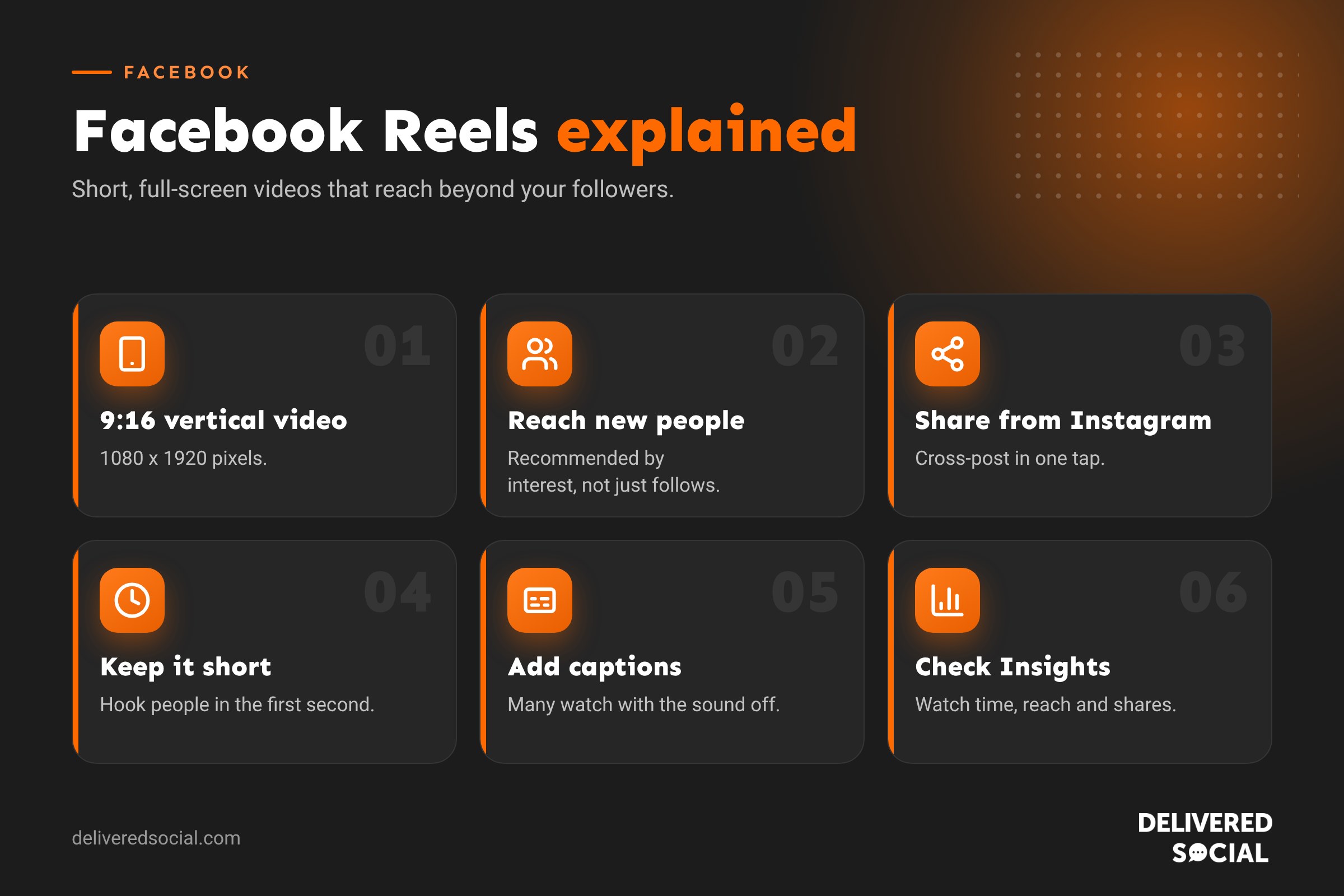
Facebook Reels are short, full-screen videos that can reach far beyond your followers. Since Facebook started treating almost all videos as Reels, they’ve become the main way video works on the platform. This guide explains what Facebook Reels are, how to make and share them, the best sizes and lengths, how they’re recommended, and how small businesses can use them to win customers.
What are Facebook Reels?
Reels are vertical videos that play full screen on mobile, with music, text, effects and captions. You’ll find them in the Reels tab, in people’s main feeds, in Stories, in Watch (now called Video) and in groups. Like TikTok and Instagram Reels, they’re shown to people based on their interests, not only to the people who already follow you or like your Page.
In June 2025, Meta announced that all videos uploaded to Facebook would be shared as Reels, and it removed the old length limits. Instead of choosing between a “video” and a “reel”, you now just upload a video and Facebook handles the format. That makes Reels the single most important video format on Facebook.
Why Facebook Reels matter for businesses
- Reach beyond your followers. Reels are recommended to people who have never heard of you, so they’re one of the few ways to grow organically on Facebook.
- Facebook’s audience is broad. It skews older than TikTok, which suits many local services, trades, hospitality and professional firms.
- Cross-post from Instagram. You can share an Instagram Reel to Facebook in one tap, doubling the reach of each video.
- Video builds trust. People get to see your face, your premises and your work before they get in touch.
- Reels can become adverts. A Reel that performs well organically can be boosted or used in Meta adverts.
How to make a Reel on Facebook
- Open the Facebook app and tap Reel (or the + button, then Reel). To post as your business, switch to your Page profile first.
- Record in the app, or tap the camera roll to upload a video you’ve already filmed.
- Add music, text, stickers and effects. Turn on auto captions so people can follow without sound.
- Trim clips and set the cover image.
- Write a short description with a couple of relevant hashtags and, if it suits, tag people or a location.
- Choose your audience and tap Share. You can also schedule Reels from Meta Business Suite.
How to share an Instagram Reel to Facebook
If your Instagram account is connected to your Facebook Page in Accounts Centre, you can turn on Share to Facebook on the screen before you post a Reel on Instagram. To do this every time, go to Accounts Centre, then Sharing across profiles, and switch on automatic sharing for Reels. It’s the easiest way to keep both platforms active without extra work.
Facebook Reels size and specs
| Setting | Recommendation |
|---|---|
| Aspect ratio | 9:16 (vertical) |
| Resolution | 1080 x 1920 pixels |
| Format | MP4 or MOV |
| Frame rate | At least 30 frames per second |
| Length | No strict limit since 2025, but shorter is usually better for reach |
| Safe zone | Keep text away from the top and bottom 14% and the right edge, where buttons appear |
How long should a Facebook Reel be?
Facebook no longer limits Reels to 60 or 90 seconds, but that doesn’t mean longer is better. Short Reels are easier to watch to the end, and completion rate is one of the things that helps a video get shown to more people. As a guide:
- 7 to 15 seconds: quick tips, reveals, before and afters and humour.
- 15 to 60 seconds: how-tos, behind the scenes and short stories.
- 1 to 3 minutes: explainers, tours and customer stories, when the content earns the time.
Cut anything that doesn’t add value. If you can say it in 20 seconds, don’t take 45.
How Facebook decides who sees your Reels
Facebook’s recommendation system looks at how people react to each Reel and shows it to more people who are likely to enjoy it. Signals that help include:
- Watch time and whether people watch to the end or rewatch.
- Shares, especially to Messenger, WhatsApp and Stories.
- Comments and reactions.
- Follows after watching.
- Originality: Meta favours original content and reduces the reach of reposted videos and those with other apps’ watermarks.
Facebook Reels ideas for small businesses
- Before and after: a room, a garden, a car, a haircut or a website.
- Day in the life: follow a team member from first coffee to last job.
- Quick tips: “Three things to check before you book a plumber”.
- Answer a question: film a reply to something customers ask every week.
- Customer stories: a happy customer talking for 20 seconds, with their permission.
- New stock or menu: a fast reveal set to music.
- Meet the team: short, friendly introductions.
- Local spotlights: partner businesses, events and places near you.
Tips for better Facebook Reels
- Hook in the first second. Start with movement, a bold line of text or the most interesting moment.
- Film vertically in good light, ideally near a window or outdoors.
- Use clear audio. A cheap clip-on microphone makes talking-head videos far better.
- Add captions, as lots of people watch with the sound off.
- Keep text inside the safe zone so buttons don’t cover it.
- Post regularly. Two or three Reels a week beats one a month.
- Reply to comments quickly, which helps the conversation and the reach.
- Remove watermarks from other apps before posting.
Facebook Reels and music: what businesses can use
Facebook’s music library for Pages and business use is more limited than for personal profiles, because businesses need commercial licences. Use the music offered in the Reels editor when posting from your Page, or royalty-free tracks you’ve licensed. Adding popular chart songs in another app and uploading them can get your Reel muted or removed. Original audio, such as your own voice or real sounds from your business, is always safe.
How to see how your Reels are performing
Open a Reel and tap Insights or See insights, or go to the Insights section in Meta Business Suite or Professional dashboard. Useful measures include:
| Measure | What it tells you |
|---|---|
| Views | How many times the Reel was played |
| Average watch time | How engaging the video is |
| Reach | How many different people saw it |
| Reactions, comments and shares | How much people interacted |
| Follows | Whether it won you new followers |
Compare your Reels each month. Look for patterns in the topics, hooks and lengths that perform best, then make more of those.
Boosting Reels and using them in adverts
When a Reel performs well organically, it’s often a good candidate for paid promotion. You can tap Boost on the Reel for a quick promotion, or use it in Meta Ads Manager for more control over audience, budget and goals. Reels placements in Ads Manager show your advert between organic Reels on both Facebook and Instagram. Our guide to Meta ads explains how to set up a campaign.
Can you make money from Facebook Reels?
Meta has run several monetisation programmes for creators, including in-stream ads on Reels and a combined Facebook Content Monetization programme for eligible creators in some countries. Eligibility rules, invitation requirements and availability change over time, so check the Monetisation section of your Professional dashboard. For most small businesses, the real value of Reels is in winning customers rather than being paid for views.
Common Facebook Reels mistakes
- Posting horizontal videos with black bars.
- Long, slow introductions before anything happens.
- Reposting TikToks with the watermark still on.
- No captions or on-screen text.
- Posting once, getting few views and giving up.
- Only posting sales messages with no useful or entertaining content.
Facebook Reels vs Instagram Reels vs TikTok
| Facebook Reels | Instagram Reels | TikTok | |
|---|---|---|---|
| Typical audience | Broad, skews older | Younger adults, lifestyle-focused | Youngest, trend-led |
| Best for | Local services, community, families | Visual brands, hospitality, retail | Personality-led and trend content |
| Sharing | Messenger, WhatsApp, groups | DMs and Stories | DMs, reposts and Stitches |
| Cross-posting | From Instagram in one tap | To Facebook in one tap | Upload separately |
Most businesses don’t need to choose. Film once in 9:16, post on Instagram with Facebook sharing switched on, and upload a clean version to TikTok.
Frequently asked questions
Are all Facebook videos Reels now?
Yes. Since 2025, videos uploaded to Facebook are shared as Reels, and the old length limits for Reels were removed.
Can I post Reels from my Facebook Page?
Yes. Switch to your Page profile in the app, or create and schedule Reels in Meta Business Suite.
Why are my Facebook Reels getting no views?
Common reasons are weak hooks, no captions, reposted content with watermarks, posting too rarely, or a topic that doesn’t interest your audience. Test different hooks and topics for a month.
Can I edit a Facebook Reel after posting?
You can edit the description and some settings, but not the video itself. To change the video, delete it and upload a new version.
Want Reels that bring in customers?
We help small businesses across Surrey, Hampshire and the UK plan, film and manage short-form video for Facebook, Instagram and TikTok. See our social media services or call us on 01483 608 303 for a friendly chat.































