



Keep reading
Rather we just did it for you?
Let's get your business seen.
Social media, websites, SEO and ads from a team you can actually meet.
WordPress runs a huge share of the world’s websites, from local cafés to major news sites. Because it’s so popular, it’s also a common target for hackers, which leads many business owners to ask: is WordPress safe? The short answer is yes, when it’s set up and looked after properly. Most WordPress hacks come from outdated plugins, weak passwords and cheap hosting rather than WordPress itself. This guide explains the real risks, the warning signs of a hacked site, and a practical security checklist to keep your business website safe.
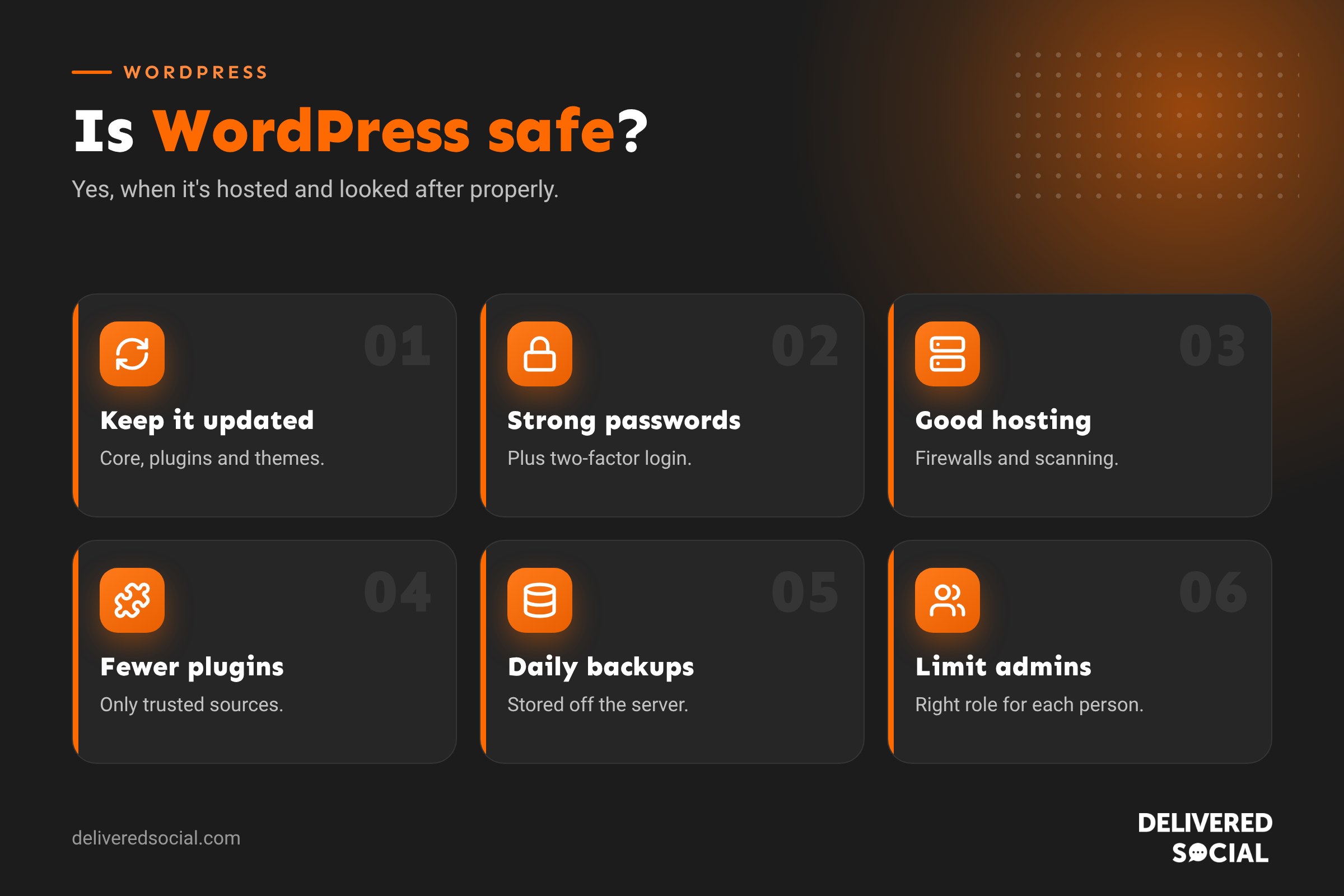
Is WordPress secure?
WordPress core, the main software, is developed by a large community with a dedicated security team. Security fixes are released quickly, and small security updates install automatically by default. Large organisations trust WordPress with high-traffic websites every day.
The weak points are usually around the edges:
- Plugins and themes that aren’t updated or come from poor sources.
- Weak or reused passwords.
- Cheap or badly configured hosting.
- Too many people with administrator access.
- No backups when something goes wrong.
In other words, WordPress is as safe as the way it’s managed.
Why are WordPress sites targeted?
Hackers rarely target a small business website personally. Instead, automated bots scan millions of sites looking for known weaknesses, such as an old plugin with a published vulnerability. Because WordPress is so widely used, one weakness can affect thousands of sites, which makes it an attractive target. The good news is that keeping software updated closes most of these doors.
Common WordPress security risks
| Risk | What happens | How to prevent it |
|---|---|---|
| Outdated plugins and themes | Known vulnerabilities let attackers in | Update regularly and remove unused plugins |
| Brute force login attacks | Bots guess usernames and passwords | Strong passwords, two-factor login, login limits |
| Nulled themes and plugins | Pirated software often contains malware | Only use official, licensed sources |
| Poor hosting | Weak server security, shared infections | Choose reputable, WordPress-focused hosting |
| Spam and malicious form submissions | Junk data, phishing links, form abuse | Spam protection and form validation |
| Too many admin users | More accounts that can be compromised | Give people the lowest role they need |
Signs your WordPress site may be hacked
- Strange redirects to other websites, especially on mobile.
- Pages, posts or users you didn’t create.
- Google showing “This site may be hacked” in search results.
- Browser warnings about unsafe content.
- Your host suspending the site or warning about malware.
- A sudden drop in traffic or odd spam keywords in Google results.
- Unusually slow performance or high server usage.
- You can’t log in, or your password has changed.
If you notice any of these, act quickly: contact your host or web agency, change passwords and restore a clean backup if needed.
WordPress security checklist
- Keep everything updated. WordPress core, plugins and themes. Test bigger updates on a staging site first.
- Remove what you don’t use. Delete inactive plugins and themes rather than just deactivating them.
- Use strong, unique passwords stored in a password manager.
- Turn on two-factor authentication for every admin account.
- Limit login attempts to block brute force attacks.
- Choose good hosting with firewalls, malware scanning and server-level protection.
- Use HTTPS with an SSL certificate across the whole site.
- Install a reputable security plugin for firewall rules, scanning and alerts.
- Take automatic daily backups stored off the server, and test restoring them.
- Review user accounts regularly and remove old ones.
- Use official sources for themes and plugins, never pirated copies.
- Protect forms with spam filtering.
How hosting affects WordPress security
Your hosting is the foundation of your site’s security. Cheap shared hosting can put hundreds of sites on one server, where one infected neighbour can cause problems for others. Good WordPress hosting includes isolated accounts, firewalls, malware scanning, automatic backups, up-to-date PHP versions and expert support. It’s worth paying a little more. Our guide to the best WordPress hosting in the UK explains what to look for.
Are plugins safe?
Most plugins are safe, but quality varies. Before installing one, check:
- When it was last updated.
- How many active installs it has.
- Its reviews and support forum activity.
- Whether it’s compatible with your WordPress version.
- Whether you really need it, or another plugin already does the job.
Fewer, well-maintained plugins are safer and faster than dozens of small ones. See our pick of the best WordPress plugins.
User roles and access
WordPress has different user roles: Administrator, Editor, Author, Contributor and Subscriber. Only give administrator access to people who genuinely need it. A blog writer only needs Author access; someone updating content might need Editor. When staff or freelancers leave, remove or downgrade their accounts straight away.
Backups: your safety net
Even the best-protected sites can have problems, from hacks to failed updates or accidental deletions. Regular backups mean you can restore your site quickly. A good backup setup is:
- Automatic, ideally daily for busy sites.
- Stored somewhere other than your web server.
- Kept for several weeks, so you can go back before a problem started.
- Tested, so you know restoring actually works.
Is WordPress.com safer than WordPress.org?
WordPress.com is a hosted service where hosting and security are managed for you, with limits on what you can install on cheaper plans. WordPress.org is the self-hosted software, giving full control but putting security in your hands or your host’s. Both can be safe. Most businesses use self-hosted WordPress with good hosting and a maintenance plan for the best balance of control and security.
Is WordPress safe for ecommerce?
Yes. WooCommerce shops handle huge numbers of transactions safely. Card payments are usually processed by providers like Stripe or PayPal, so card details don’t touch your server. You still need strong hosting, updates, SSL and security monitoring, because shops are attractive targets.
Website security and the law
If your website collects personal data, such as contact forms, bookings or customer accounts, UK data protection law requires you to keep that data secure. A hacked site can mean a data breach you may need to report. Good security isn’t just about protecting your reputation; it’s part of your legal responsibilities.
Should you handle security yourself?
Confident owners can manage basic security with the checklist above. But updates can occasionally break things, and spotting or cleaning up malware takes experience. Many businesses choose a website maintenance plan so updates, backups, monitoring and fixes are handled by professionals.
What to do if your site is hacked
- Don’t panic, and don’t delete everything.
- Contact your host and web agency straight away.
- Change all passwords: WordPress, hosting, database, FTP and email.
- Scan the site for malware and find the entry point.
- Restore a clean backup or have the site professionally cleaned.
- Update everything and close the gap that let attackers in.
- Request a review in Google Search Console if Google flagged the site.
How Delivered Social keeps WordPress sites safe
For the sites we look after, we use quality hosting, keep plugins lean, apply updates on a schedule after checking them, run daily off-site backups, monitor uptime and use security tools to block suspicious logins. The aim is simple: catch problems before they affect our clients’ customers. Whoever manages your site, ask them what their routine looks like.
A five-minute security check you can do today
- Log in and check for pending updates.
- Look at Users and remove anyone who no longer needs access.
- Check your site shows a padlock in the browser.
- Confirm when your last backup ran.
If any of these checks raise questions, speak to your host or web agency straight away.
Quick glossary
- Vulnerability: a weakness in software that attackers can exploit.
- Brute force attack: repeatedly guessing passwords until one works.
- Malware: malicious code hidden on a website.
- Two-factor authentication: a second login step, usually a code on your phone.
- Staging site: a private copy of your site for testing changes.
Key takeaways
- WordPress is safe when it’s properly hosted, updated and managed.
- Most hacks come from outdated plugins, weak passwords and poor hosting.
- Updates, two-factor login, good hosting and backups prevent most problems.
- Only install trusted plugins and remove what you don’t use.
- A maintenance plan takes the worry off your plate.
Frequently asked questions
Is WordPress safe to use for a business website?
Yes. With good hosting, regular updates and sensible security, WordPress is safe for businesses of all sizes.
Why do WordPress sites get hacked?
Mostly because of outdated plugins and themes, weak passwords or poor hosting, not WordPress itself.
Do I need a security plugin?
It’s a sensible extra layer, adding firewall rules, scanning and alerts on top of good hosting.
How often should I update WordPress?
Check for updates at least weekly, and install security updates as soon as possible.
Is WordPress safer than Wix or Squarespace?
Hosted builders handle security for you, while WordPress gives more control. A well-maintained WordPress site is just as safe.
Does WordPress update itself?
Minor security updates install automatically by default; larger updates and plugins may need approving.
Want a WordPress site that’s looked after properly?
We build, host and maintain secure WordPress websites for businesses across Surrey, Hampshire and the UK. Call us on 01483 608 303 or explore our digital marketing services.































