



Keep reading
Rather we just did it for you?
Let's get your business seen.
Social media, websites, SEO and ads from a team you can actually meet.
Social media can feel overwhelming when you’re starting out: so many platforms, constantly changing features, and advice that contradicts itself. But you don’t need to be everywhere or go viral to get real results. For most small businesses, a clear plan, a couple of well-chosen platforms and consistent, helpful content is enough to build an audience and win customers. This guide covers social media for beginners: choosing platforms, setting up profiles, what to post, how often, using video, engaging with people, measuring results and a simple first-month plan.
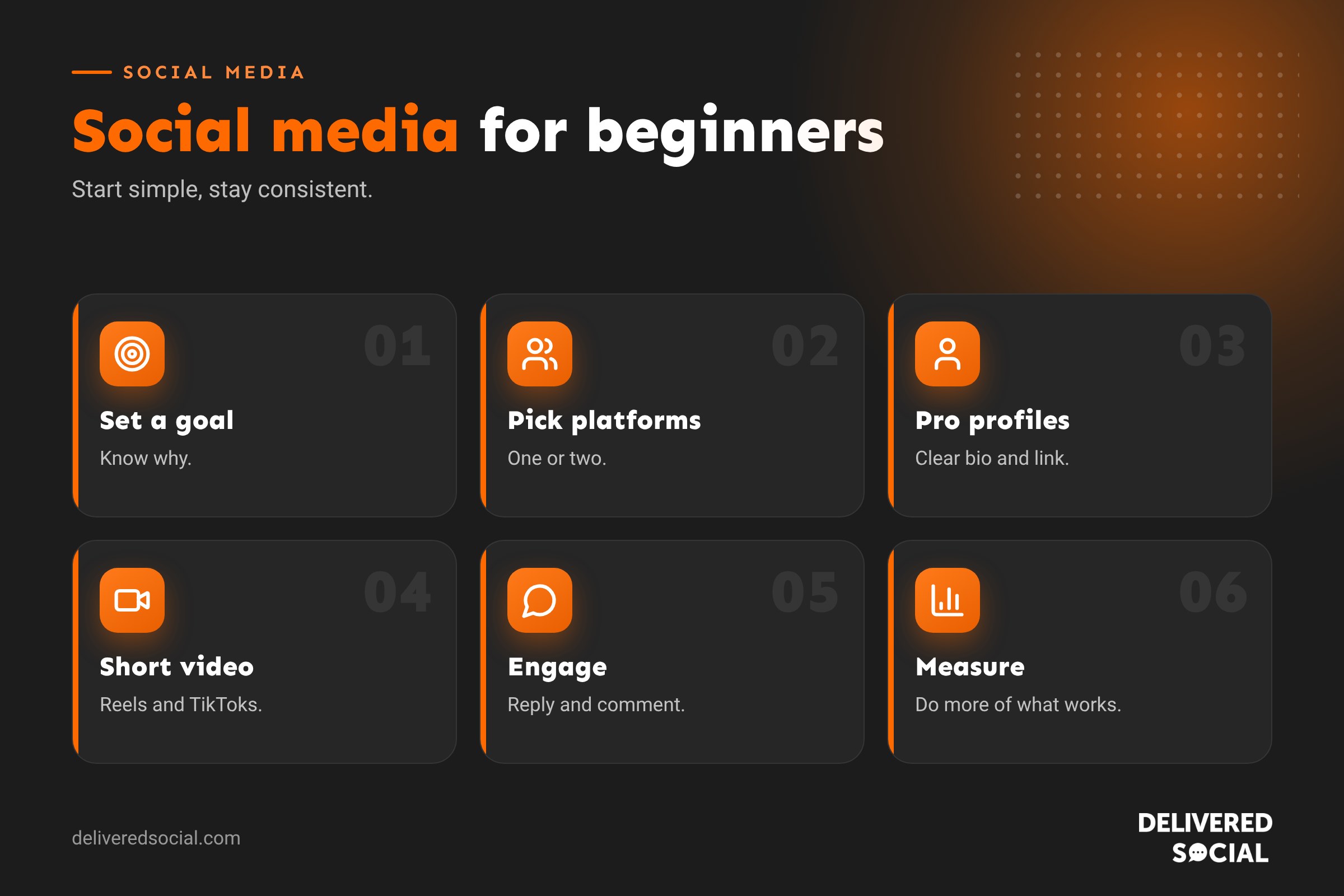
Step 1: Know why you’re on social media
Start with a goal. Common goals for businesses include:
- Building awareness in your local area or niche.
- Bringing visitors to your website.
- Generating enquiries and bookings.
- Selling products.
- Building trust and community.
- Recruiting staff or volunteers.
Your goal shapes which platforms you use and what you post.
Step 2: Know your audience
Write a short description of your ideal customer: age, location, job, interests, problems and where they spend time online. A plumber’s customers and a fashion brand’s customers use social media very differently.
Step 3: Choose one or two platforms
| Platform | Best for | Content style |
|---|---|---|
| Local businesses, community, older audiences | Updates, photos, events, groups | |
| Visual businesses, lifestyle, food, beauty, retail | Photos, Reels, Stories | |
| B2B, professional services, recruitment | Insights, expertise, company news | |
| TikTok | Reaching younger audiences, personality-led brands | Short, entertaining or educational video |
| YouTube | Tutorials, reviews and longer content | How-to videos, Shorts |
| Home, fashion, weddings, crafts | Inspiration images linking to your site |
Start with where your customers are and where you can show up consistently. Our guide to social media apps for business covers more options.
Step 4: Set up professional profiles
- Use a business account so you get insights and features.
- Use your logo or a friendly headshot as the profile picture.
- Write a clear bio: what you do, for whom, where, and a call to action.
- Add your website link, contact details and opening hours.
- Use a consistent name and handle across platforms.
Need inspiration? See our Instagram bio ideas.
Step 5: Decide what to post
A simple mix keeps your feed interesting:
- Educate: tips, how-tos and answers to common questions.
- Show: behind the scenes, your team, your process.
- Prove: reviews, case studies, before-and-afters.
- Engage: questions, polls, local news and fun moments.
- Promote: offers, new products, events and services.
Keep promotional posts to a minority. People follow accounts that help or entertain them.
Content ideas for beginners
- Introduce yourself and why you started the business.
- Answer a question customers ask every week.
- Show a day in the life.
- Share a customer review with a photo.
- Post a before-and-after.
- Show how a product is made or a service is delivered.
- Share a local event or community story.
- Celebrate a team member.
- Bust a common myth in your industry.
- Share a quick tip in a short video.
Step 6: Embrace short video
Short vertical video (Reels, TikToks, Shorts) currently reaches the most people on most platforms. You don’t need fancy equipment: a phone, natural light and clear sound are enough. Keep videos short, grab attention in the first two seconds, add captions and show real people. Our guide to posting video on Instagram helps.
Step 7: Post consistently
Consistency beats frequency. For most small businesses, three to five posts a week on a main platform is a good start. Plan content a week or a month ahead and use scheduling tools to save time. Our guide to social media content calendars shows how.
Step 8: Engage, don’t just broadcast
- Reply to comments and messages promptly.
- Comment on posts from customers, partners and local businesses.
- Thank people for tags and shares.
- Share user content (with permission).
- Join relevant groups and conversations.
Social media is social. Engagement builds relationships, and platforms reward active accounts.
Step 9: Use hashtags and keywords sensibly
Hashtags help some platforms understand your content, but a few relevant ones work better than dozens. Many platforms now behave like search engines, so use clear keywords in captions and profiles too. See our hashtag generator guide.
Step 10: Measure what matters
| Metric | What it tells you |
|---|---|
| Reach | How many people saw your content |
| Engagement | Likes, comments, shares and saves |
| Followers | Audience growth over time |
| Link clicks | Traffic to your website |
| Enquiries and sales | Real business results |
Check insights monthly, notice which posts perform best, and do more of what works.
Paid social: when to start
Once you know which posts perform well organically, a small budget can boost them to reach more of the right people. Start with clear goals, tight targeting and modest spend, and measure results.
Common beginner mistakes
- Trying to be on every platform.
- Posting only sales messages.
- Inconsistent posting, then giving up.
- Ignoring comments and messages.
- Chasing followers rather than customers.
- Buying followers or engagement.
- Not linking social media back to your website.
Safety and good practice
- Use strong passwords and two-factor authentication.
- Give team members their own access rather than sharing passwords.
- Get permission before posting photos of customers or staff.
- Have a plan for handling negative comments calmly and professionally.
- Follow advertising rules, such as labelling paid partnerships.
Your first-month plan
- Week 1: set your goal, choose one or two platforms, set up profiles.
- Week 2: plan 12 posts using the content mix above.
- Week 3: post three times, try your first short video, reply to every comment.
- Week 4: post three more times, engage with ten local or industry accounts daily, review insights.
When to get help
If you don’t have time, or results aren’t coming, a social media manager or agency can plan, create and post content, manage engagement and report on results, leaving you to run the business. See our social media management services.
Example: a café’s first three months
A new café chooses Instagram and Facebook. In month one it sets up profiles, posts photos of its menu, introduces the owners and shares a short video of the morning bake. In month two it posts three Reels a week, shares customer photos and runs a simple “guess the cake” poll. In month three it partners with a local florist for a giveaway and starts replying to every comment within the hour. Followers grow steadily, but more importantly, customers start mentioning Instagram when they visit, and weekend footfall rises.
Tools that make life easier
- Scheduling tools to plan posts in advance.
- Design tools with templates for graphics.
- Phone video editors for trimming clips and adding captions.
- Native insights on each platform for measuring results.
- A simple content calendar to keep ideas organised.
How much time does it take?
Expect around two to four hours a week to plan, create, post and engage on one main platform. Batching content, such as filming several short videos in one session, saves a lot of time.
Handling negative comments
Reply calmly and publicly, acknowledge the issue, and offer to continue the conversation privately. Never argue. A thoughtful response often impresses other customers more than the original complaint worries them.
Quick glossary
- Reach: the number of people who saw your content.
- Engagement: interactions such as likes, comments and shares.
- Reels: short vertical videos on Instagram and Facebook.
- Algorithm: the system deciding what each user sees.
- Content calendar: a plan of what to post and when.
Key takeaways
- Start with a clear goal and audience.
- Choose one or two platforms you can manage well.
- Mix educational, behind-the-scenes, proof and promotional posts.
- Use short video and post consistently.
- Engage, measure and improve every month.
Frequently asked questions
Which social media platform should a beginner start with?
The one your customers use most, often Facebook or Instagram for local businesses and LinkedIn for B2B.
How often should I post?
Three to five times a week on your main platform is a good start.
Do I need to use video?
It helps a lot. Short, simple phone videos are enough.
How long until social media works?
Expect steady growth over months, not days.
Should I buy followers?
No. Fake followers harm engagement and credibility.
How many hashtags should I use?
A few relevant ones are better than many.
Can social media bring customers?
Yes, especially when you post consistently and link to your website or booking page.
Should I pay for ads?
Once you know what works organically, small paid budgets can boost results.
What should I post on my first day?
An introduction: who you are, what you do and why you started.
Is it OK to post the same thing on every platform?
You can share similar content, but adapt the format and caption for each.
What is the best time to post?
Check your insights to see when your audience is online, then test.
Do I need a separate business account?
Yes, business accounts give access to insights, ads and contact buttons.
Should I use the same handle everywhere?
Yes, a consistent name makes you easier to find and recognise.
Want social media handled for you?
We manage social media for businesses across Surrey, Hampshire and the UK. Call us on 01483 608 303.































