



Keep reading
Rather we just did it for you?
Let's get your business seen.
Social media, websites, SEO and ads from a team you can actually meet.
Hashtag generators promise the perfect set of hashtags in seconds: type a word, copy the list, paste it under your post. They can be genuinely useful, but used carelessly they fill your captions with generic tags that do nothing for your reach. This guide explains how hashtag generators work, the best free options, how to copy and paste hashtags properly, how many to use on each platform in 2026, and how to build your own hashtag sets that actually help the right people find your business.
What is a hashtag generator?
A hashtag generator is a tool that suggests hashtags based on a keyword, a caption or an image. You enter something like “wedding cake” or upload a photo, and the tool returns a list of related hashtags you can copy and paste into your post.
Most generators work by looking at which hashtags are commonly used together, how popular they are and how closely they relate to your topic. Some use AI to read your caption or picture and suggest tags to match.
Do hashtags still matter in 2026?
Hashtags matter less than they used to, but they still help. Platforms now rely mainly on your content, captions, on-screen text and audio to understand what a post is about. Hashtags act as extra labels that confirm your topic and can help your post appear in hashtag searches and topic pages.
The key change is that a few relevant hashtags beat a long list of popular ones. Thirty generic tags won’t rescue a weak post, and a strong post with three accurate tags can still do brilliantly.
How many hashtags should you use?
| Platform | Suggested number | Notes |
|---|---|---|
| 3 to 5 | Instagram limits posts to a small number of hashtags and recommends relevant ones over many | |
| TikTok | 3 to 5 | Mix one broad tag with niche tags; keywords in the caption matter more |
| 1 to 3 | Keep them professional and specific to your industry | |
| 0 to 2 | Hashtags have little effect; use only for campaigns or events | |
| X | 1 to 2 | More can look spammy and reduce engagement |
| YouTube | 2 to 3 | The first few show above the video title |
| 0 to 3 | Keyword-rich titles and descriptions matter far more |
Platforms change their limits from time to time, so check the app if a post won’t publish.
Popular hashtag generator tools
- Built-in suggestions: Instagram, TikTok and LinkedIn all suggest hashtags as you type a # in the caption box. These are free and based on real usage.
- Scheduling tools: many social media schedulers, such as Metricool, Later and Hootsuite, include hashtag suggestions or saved hashtag lists.
- Standalone generators: free websites and apps that create lists from a keyword or photo.
- AI assistants: chat-based AI tools can suggest tags if you describe your post, audience and location.
- Platform search: searching a hashtag in the app shows how it’s used and related tags.
Whichever you use, treat suggestions as a starting point and check each tag before posting.
How to use a hashtag generator properly
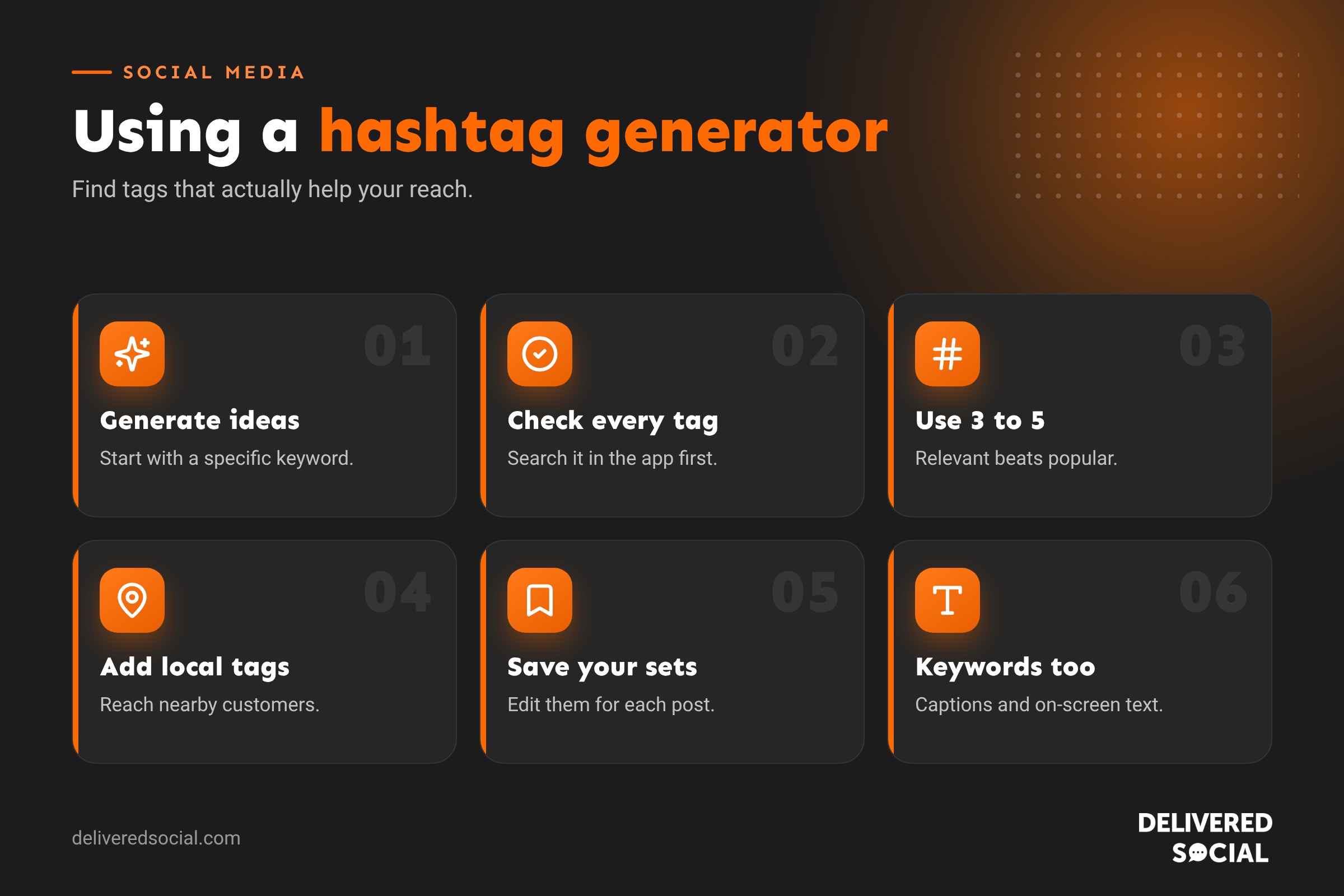
- Start with a specific keyword. “Sourdough bakery Portsmouth” gives better results than “food”.
- Remove irrelevant tags. Delete anything that doesn’t match your post or audience.
- Check each hashtag in the app. Search it and look at the top posts. Are they the kind of content and people you want to be seen alongside?
- Avoid banned or spammy tags. Some hashtags are restricted or attract spam. If a tag shows few or no recent posts, skip it.
- Mix sizes. Combine one broader tag with niche and local tags.
- Add your branded hashtag if you have one.
- Save your best sets so you can reuse and tweak them.
Copy and paste hashtags: do’s and don’ts
Ready-made “copy and paste” hashtag lists are popular, but they’re often the same generic tags thousands of accounts use every day.
| Do | Don’t |
|---|---|
| Keep a few saved sets for each content theme | Paste the same block on every single post |
| Edit the set to match each post | Use tags that have nothing to do with your content |
| Include local and niche tags | Rely only on huge tags like #love or #instagood |
| Check tags regularly for spam or restrictions | Copy lists from random websites without checking them |
| Store sets in your phone’s notes or scheduler | Use engagement-bait tags like #followforfollow |
Build your own hashtag sets
The most effective approach is to build a small library of tested hashtag sets for your business:
- Industry tags: what you do, such as #weddingphotographer or #smallbusinessaccountant.
- Local tags: where you work, such as #guildfordbusiness, #portsmouthfood or #surreywedding.
- Topic tags: what this post is about, such as #bridalhair or #taxtips.
- Audience tags: who it’s for, such as #newmums or #firsttimebuyers.
- Branded tags: your own, such as #HappyPawsGrooming.
Create three or four sets for your main content themes, then choose three to five tags from the right set for each post. Our guide to hashtags for small businesses has more examples.
Example hashtag sets
| Business | Example set |
|---|---|
| Café in Farnham | #farnhamcafe #surreyfoodie #brunchtime #localcoffee |
| Dog groomer in Woking | #dogsofwoking #doggrooming #surreydogs #groomingday |
| Builder in Hampshire | #hampshirebuilder #houseextension #renovationproject #homeimprovement |
| Accountant | #smallbusinesstips #selfassessment #ukaccountant #taxreturn |
| Florist | #weddingflowers #seasonalflowers #surreyflorist #flowerdelivery |
Where to put hashtags
- Instagram: at the end of your caption. Hashtags in comments are less effective now.
- TikTok: at the end of the caption, after a clear keyword-rich description.
- LinkedIn: at the end of the post, or woven naturally into a sentence.
- Stories: one hashtag sticker can help discovery, but keep it relevant.
- Reels and videos: say and show your keywords too, because platforms read on-screen text and audio.
Hashtags vs keywords
Social search now works much like Google. People type phrases like “best brunch in Guildford” into Instagram and TikTok. Writing keyword-rich captions, profile names and on-screen text often helps discovery more than hashtags. Think of hashtags as a final label and keywords as the main signal. Our guide on Instagram hashtags explains how both work together.
How to test which hashtags work
- Use a consistent set for a few weeks.
- Check post insights for reach from hashtags, Explore or search.
- Swap one or two tags and compare results.
- Keep tags that bring reach from the right audience; drop the rest.
Look at the quality of new followers and enquiries, not just numbers. Reaching 500 local customers is worth more than 5,000 random accounts.
Common hashtag mistakes
- Using 30 tags because a generator suggested them.
- Choosing only huge tags where your post disappears in seconds.
- Using irrelevant trending tags to grab attention.
- Repeating exactly the same block on every post.
- Making branded hashtags that are long, confusing or easy to misspell.
- Forgetting capital letters in multi-word tags, which help screen readers, such as #SmallBusinessTips.
Creating a branded hashtag
A branded hashtag is unique to your business or campaign, such as #BloomAndBranch or #CuppaWithJess. Keep it short, easy to spell and clearly yours. Search it before you start to make sure nobody else is using it. Put it in your bio, on packaging, in store and on receipts, and encourage customers to use it when they share photos. Over time, it becomes a gallery of real customer content you can reshare with permission.
Hashtags for local reach
Local hashtags are often the most valuable for small businesses, because they connect you with people who can actually visit or hire you. Use the town, county and nearby areas your customers live in, plus local community tags that residents follow.
Quick glossary
- Hashtag: a word or phrase after the # symbol that labels a post’s topic.
- Branded hashtag: a tag unique to your business or campaign.
- Niche hashtag: a specific tag with a smaller, focused audience.
- Banned hashtag: a tag a platform restricts because of misuse.
- Social search: people searching within social apps instead of Google.
Key takeaways
- Hashtag generators are useful for ideas, but always check and edit their suggestions.
- Use three to five relevant hashtags on Instagram and TikTok, fewer elsewhere.
- Mix industry, local and topic tags rather than only popular ones.
- Build saved sets for your main content themes and tweak them per post.
- Keyword-rich captions and on-screen text matter as much as hashtags now.
Frequently asked questions
Are hashtag generators worth using?
Yes, for ideas. Always remove irrelevant tags and check each one in the app before posting.
Is it OK to copy and paste hashtags?
Yes, as long as you use saved sets that you edit for each post, rather than the same generic block every time.
How many hashtags should I use on Instagram?
Three to five relevant hashtags is the best approach in 2026.
Do hashtags still work on TikTok?
They help a little, but keywords in your caption, on screen and spoken in the video matter more.
Should I put hashtags in the caption or comments?
In the caption, at the end, is best on most platforms now.
Want hashtags and captions that bring in customers?
We plan, write and post social media content for businesses across Surrey, Hampshire and the UK. See our social media management services or call us on 01483 608 303.































