



Keep reading
Rather we just did it for you?
Let's get your business seen.
Social media, websites, SEO and ads from a team you can actually meet.
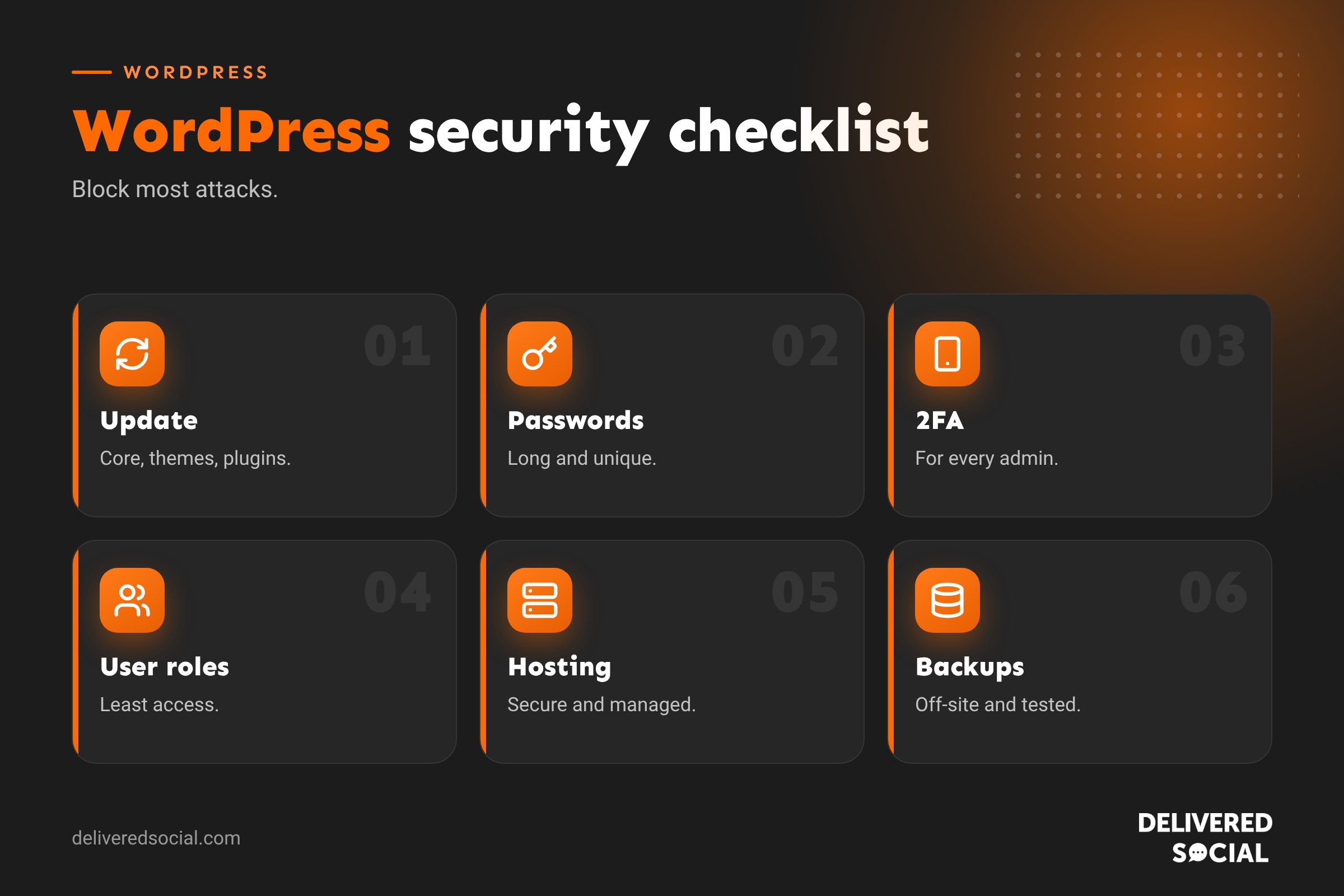
WordPress itself is secure, but because it powers so many websites, it’s a constant target for automated attacks. Most hacked WordPress sites aren’t breached through clever, targeted attacks; they’re caught out by outdated plugins, weak passwords, cheap hosting or forgotten admin accounts. The good news is that a handful of sensible habits block the vast majority of threats. This WordPress security checklist walks through everything a small business or charity should have in place, in plain English, with what to do and why it matters.
Why WordPress sites get hacked
- Outdated plugins and themes with known vulnerabilities.
- Weak or reused passwords, cracked by automated bots.
- Nulled (pirated) themes and plugins containing hidden malware.
- Cheap or poorly configured hosting.
- Too many user accounts with admin access.
- Abandoned plugins no longer maintained by their developers.
Hackers usually want to send spam, redirect visitors, steal data or use your server to attack others. Small sites are targeted just as often as big ones because the attacks are automated. See is WordPress safe? for the bigger picture.
The WordPress security checklist
1. Keep everything updated
- Update WordPress core promptly, especially security releases.
- Update themes and plugins regularly; most vulnerabilities are fixed in updates.
- Back up before updating and, ideally, test on a staging site.
- Keep your PHP version current; your host can help.
2. Remove what you don’t use
- Delete inactive plugins and themes, not just deactivate them.
- Replace plugins that haven’t been updated in a year or more.
- Keep one default theme as a fallback, and remove the rest.
3. Use strong, unique passwords
- Every user should have a long, unique password stored in a password manager.
- Never reuse your WordPress password anywhere else.
- Change passwords when staff or suppliers leave.
4. Turn on two-factor authentication
Two-factor authentication (2FA) asks for a code from an app on your phone as well as your password. It stops most login attacks even if a password is stolen. Turn it on for every administrator and editor.
5. Limit login attempts
Bots try thousands of password guesses. A security plugin or your host’s firewall can block repeated failed logins and suspicious IP addresses.
6. Review user accounts and roles
- Give people the lowest role they need: Editor, Author or Contributor rather than Administrator.
- Remove accounts for former staff, freelancers and agencies.
- Avoid using “admin” as a username.
- Check for unknown accounts; they can be a sign of a hack.
7. Choose secure hosting
Good WordPress hosting includes server-level firewalls, malware scanning, isolated accounts, automatic backups and up-to-date server software. Cheap shared hosting often cuts corners here. See managed WordPress hosting in the UK.
8. Use SSL everywhere
Your site should load on https:// with a valid certificate, and all pages should redirect to the secure version. This protects logins and form data and avoids browser warnings. If your browser shows “not secure”, see why WordPress says not secure.
9. Add a web application firewall
A firewall filters malicious traffic before it reaches your site. It can be provided by your host, a service such as Cloudflare, or a security plugin. It blocks common attacks, bad bots and known malicious IP addresses.
10. Run automatic, off-site backups
Backups won’t stop a hack, but they let you recover quickly. Store them away from your web server and test restores. See how to back up a WordPress site.
11. Scan for malware
Regular scans spot infected files, suspicious code and blacklisting early. Many hosts include scanning; security plugins add another layer.
12. Monitor uptime and changes
Uptime monitoring alerts you if your site goes down. Activity logs show who changed what, which helps spot problems and investigate incidents.
13. Only use trusted plugins and themes
- Download from the official WordPress directory or reputable developers.
- Check ratings, active installations and when they were last updated.
- Never use nulled or pirated premium plugins.
14. Protect key files and settings
- Disable the built-in theme and plugin file editor in the dashboard.
- Make sure file permissions are set correctly.
- Keep
wp-config.phpprotected; your host or developer can help.
15. Secure your forms
Use spam protection such as CAPTCHA or honeypots, and don’t collect sensitive data through basic forms unless it’s properly protected. Check where form entries are stored and who can see them.
16. Secure your email and domain
Your domain registrar and hosting accounts are just as important as WordPress. Use strong passwords and 2FA there too, and keep your contact details up to date so renewals aren’t missed.
Printable summary
| Check | How often |
|---|---|
| Update core, themes and plugins | Weekly or fortnightly |
| Backups running and stored off-site | Check weekly |
| Test a restore | Quarterly |
| Review user accounts | Quarterly and when staff change |
| Remove unused plugins and themes | Quarterly |
| Malware scan | Daily or weekly (automated) |
| Check SSL and PHP version | Every few months |
| Review hosting and domain logins | Yearly |
Signs your site may be hacked
- Visitors are redirected to spam or scam websites.
- Google shows a warning or strange pages in search results.
- New admin users you didn’t create.
- Your site is suddenly very slow or offline.
- Your host warns you about malware or suspended your account.
- Emails from your domain are being marked as spam.
What to do if you’re hacked
- Don’t panic, and don’t delete everything.
- Contact your host and your website agency.
- Change all passwords: WordPress, hosting, database, SFTP and email.
- Scan and clean the site, or restore a clean backup from before the hack.
- Find and fix how the attacker got in, usually an outdated plugin or weak password.
- Update everything and turn on 2FA.
- Request a review in Google Search Console if warnings appeared.
- Consider whether any personal data was affected and whether you need to report it under UK GDPR.
Security plugins: do you need one?
Security plugins such as Wordfence, Solid Security and Sucuri can add firewalls, login protection, scanning and alerts. They’re useful, but they’re not a substitute for updates, good passwords and good hosting. Some features overlap with what your host provides, so avoid running several security plugins that do the same job.
Security and your customers
A secure site protects your reputation as well as your data. Customers expect their details to be safe, and a hacked site can damage trust, search rankings and email deliverability for weeks. Treat security as part of running your business, like locking the office at night.
Security for small teams
If you don’t have an IT department, keep things simple. Choose one person responsible for website security, use a password manager across the business and put a recurring reminder in the calendar for monthly checks. Write down where your hosting, domain and WordPress logins are kept, so you’re not locked out if someone leaves. Or hand the job to your web agency through a maintenance plan, so updates, backups and monitoring happen automatically and someone is on call if anything goes wrong.
Make security a habit
Security isn’t a one-off job. Book a short monthly check into your calendar to review updates, backups and users, and a longer quarterly review of plugins, hosting and passwords. Small, regular habits keep your site safe far better than a big clean-up after something goes wrong.
Quick glossary
- 2FA: two-factor authentication, a second login step using a code.
- Firewall: filters malicious traffic before it reaches your site.
- Malware: malicious code hidden in your site.
- Nulled plugin: an illegally copied premium plugin, often infected.
- SSL: encryption that puts the padlock in the browser bar.
Key takeaways
- Most hacks come from outdated plugins and weak passwords.
- Update regularly and delete what you don’t use.
- Use 2FA and the lowest user roles possible.
- Choose secure hosting and keep off-site backups.
- Have a plan for what to do if something goes wrong.
Frequently asked questions
Is WordPress secure?
Yes, when it’s kept updated, well hosted and protected with strong logins.
Why do WordPress sites get hacked?
Mostly outdated plugins, weak passwords and poor hosting.
Do I need a security plugin?
It helps, but updates, 2FA and good hosting matter more.
How often should I update WordPress?
Check for updates at least every week or two.
Should I hide my WordPress login page?
It can reduce bot traffic, but 2FA and login limits are more important.
Is free SSL good enough?
Yes, free certificates provide the same encryption for most websites.
How do I know if my site is hacked?
Look for redirects, unknown users, Google warnings or host alerts.
Can a hacked site be fixed?
Usually, by cleaning it or restoring a clean backup and fixing the cause.
Are premium plugins safer?
Not automatically; what matters is that they’re well maintained and genuine.
Who is responsible for my website’s security?
You are, unless it’s covered by your hosting or maintenance agreement.
Should I change the admin login URL?
It can cut bot traffic, but it is not a replacement for 2FA and strong passwords.
How do I check which plugins have vulnerabilities?
Security plugins and many hosts alert you; keep everything updated.
Is shared hosting unsafe?
Not always, but good WordPress hosting isolates sites and adds extra protection.
Want your WordPress site kept secure?
Our maintenance plans cover updates, backups, security monitoring and fixes for businesses and charities across Surrey, Hampshire and the UK. Call us on 01483 608 303.
































