




Keep reading
Rather we just did it for you?
Let's get your business seen.
Social media, websites, SEO and ads from a team you can actually meet.
Posting on TikTok looks simple, but there is a lot packed into the upload screen: recording, uploading, editing, sounds, captions, covers, privacy settings and scheduling. Getting each step right makes a real difference to how many people see your video. This guide explains how to post on TikTok step by step on your phone and computer, the settings that matter, and tips that help business videos perform.
Before you post: set up your account
If you are posting for a business, set up a business account for analytics and business tools, and complete your profile with a clear photo, name, bio and website link. Our guide to TikTok personal vs business accounts explains the differences.
How to post a TikTok on your phone
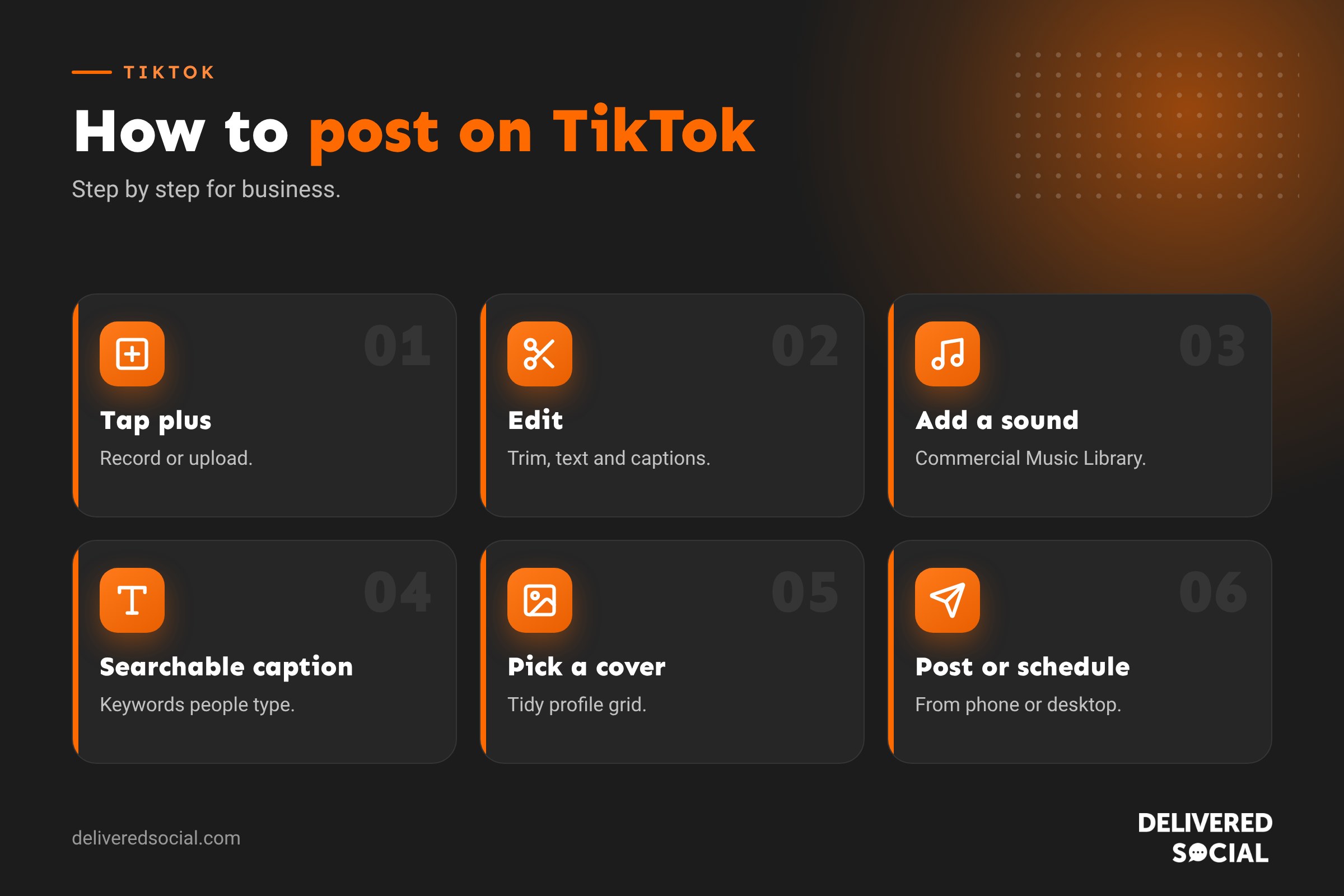
1. Open the camera
Tap the plus button at the bottom of the screen.
2. Record or upload
Hold the record button to film, or tap Upload to choose videos or photos from your camera roll. You can choose the recording length before you start, and record several clips in a row.
3. Edit your video
Tap the tick to move to editing. Here you can trim clips, add text, stickers, effects, filters, voiceovers and captions. The Edit option opens a fuller editor for cutting and arranging clips.
4. Add a sound
Tap Add sound to choose music or a trending sound. Business accounts use the Commercial Music Library, which contains tracks cleared for business use. Our list of trending TikTok songs can help you choose.
5. Add text and captions
Add on screen text to hook viewers in the first second and auto captions so people can follow with the sound off.
6. Tap Next and write your description
Write a short caption with a hook and keywords people might search for. Add a few relevant hashtags and mention accounts if needed.
7. Choose a cover
Tap Edit cover to pick a frame and add a title. A clear cover makes your profile grid look tidy and helps people choose what to watch.
8. Check your settings
Choose who can watch, whether comments, Duets and Stitches are allowed, and whether to add location or link products. Turn on the branded content toggle if the post is a paid partnership.
9. Post or save
Tap Post to publish now, or Drafts to save for later.
How to post on TikTok from a computer
Go to tiktok.com, log in and click Upload. Select your video, add a caption and cover, choose privacy settings and post or schedule. This is ideal for videos edited in desktop software. Our guide to TikTok on desktop explains more.
How to schedule TikTok posts
Business accounts can schedule posts in advance from the TikTok website and, increasingly, in the app. Scheduling tools such as Metricool can also plan TikToks. See our guide to scheduling TikTok posts.
How to post photos on TikTok
Photo mode lets you post a swipeable carousel of images with music. Tap Upload, choose several photos and select Photo. Carousels are great for tips, product ranges and step by step guides.
Video specs
- Format: vertical 9:16.
- Resolution: 1080 by 1920 pixels.
- File types: MP4 or MOV.
- Length: TikTok supports long videos, but shorter videos often hold attention better.
Our TikTok video size guide has full details.
Tips for posting TikToks that perform
- Hook in the first second: start with movement, a bold statement or a question.
- Keep it tight: cut pauses and get to the point.
- Use text and captions: many people watch on mute.
- Use trending sounds carefully: only those that fit your brand and are allowed for business use.
- Write searchable captions: TikTok is a search engine for many people.
- Post consistently: regular posting builds momentum.
- Reply to comments: early engagement helps, and reply videos make great content.
- Post at good times: see the best time to post on TikTok in the UK.
What should businesses post on TikTok?
- Behind the scenes of making or delivering your product or service.
- Quick tips and how tos from your expertise.
- Before and after transformations.
- Answers to common customer questions.
- Team personalities and day in the life clips.
- Customer reactions and reviews.
- Trends adapted to your business.
Our TikTok marketing strategy guide helps you plan a content mix.
How to edit or delete a TikTok after posting
You can change some settings and the caption of a published TikTok in many cases, but not the video itself. To fix a video, save it, delete the original, edit and repost. Tap the three dots on the video to find privacy settings, delete and save options.
Why is my TikTok not getting views?
- A weak hook, so people scroll away quickly.
- Poor lighting or sound.
- Videos that are too long for the content.
- Posting rarely or inconsistently.
- Content that breaks guidelines or uses restricted music.
Check your analytics for watch time and where viewers drop off. Our guide to TikTok analytics explains how.
Common mistakes
- Posting landscape videos with black bars.
- Covering key text with the caption or buttons.
- Using copyrighted music on a business account.
- Forgetting to label paid partnerships.
- Posting and never replying to comments.
A simple weekly TikTok routine
Pick a day to plan three or four video ideas based on questions customers ask and trends you have spotted. Film them in one session, using natural light and a phone stand. Edit and schedule them across the week, then spend a few minutes each day replying to comments. After a month, look at which videos held attention longest and plan more like them. This routine keeps TikTok manageable while building the consistency the platform rewards.
Writing TikTok captions that get found
TikTok search has become a real alternative to Google for many people, especially younger audiences looking for recipes, places to visit, product reviews and how to guides. Your caption, on screen text and spoken words all help TikTok understand what your video is about. Include the words people would type to find it, such as “best brunch in Portsmouth” or “how to fix a dripping tap”. Keep captions natural and short, lead with the main point and add three to five relevant hashtags rather than a long list. Saying the key phrase out loud in the first few seconds also helps, as TikTok can read auto captions.
Equipment you actually need
You do not need expensive kit to post good TikToks. A recent smartphone, natural light from a window, a cheap phone stand or tripod and a small clip on microphone will cover most business videos. Clean your lens before filming, film in 4K or 1080p at 30 frames per second and keep backgrounds tidy. Our guide to video equipment for social media has recommendations for every budget.
Using drafts to stay organised
Drafts are your friend. Film several videos in one session, edit them and save them as drafts with captions ready. Then post one each day at your chosen time. Drafts are stored on your device, so do not delete the app or clear storage without posting or saving them first.
Checking your video before it goes live
Before tapping Post, watch the whole video once more with the sound off. Check the captions are accurate, text is not hidden behind buttons, the cover looks clear on your profile grid and the caption includes your key search phrase. Thirty seconds of checking avoids reposting later.
Key takeaways
- Tap the plus button, record or upload, edit, add sound and text, then post.
- Write a searchable caption, pick a clear cover and check your settings.
- Use 1080 by 1920 vertical video and add captions.
- Post from a computer or schedule ahead with a business account.
- Hook viewers fast, post consistently and reply to comments.
Frequently asked questions
How do I post on TikTok?
Tap the plus button, record or upload, edit, add a caption and tap Post.
Can I post on TikTok from my computer?
Yes. Log in at tiktok.com and click Upload.
Can I schedule TikTok posts?
Yes, with a business account on the TikTok website or a scheduling tool.
How do I post photos on TikTok?
Upload several photos and choose Photo mode to create a carousel.
Can I edit a TikTok after posting?
You can change some settings and the caption, but not the video itself.
What is the best size for a TikTok video?
1080 by 1920 pixels in a vertical 9:16 format.
Can businesses use any music on TikTok?
No. Business accounts should use the Commercial Music Library.
How often should a business post on TikTok?
Three to five times a week is a good target for most businesses.
Do hashtags still matter on TikTok?
A few relevant hashtags help, but captions and spoken keywords matter more.
Can I post a TikTok to Instagram too?
Yes, save a version without the watermark and post it as a Reel.
Why did my video upload fail?
Check your connection, file format and storage, then try again.
Want TikTok handled for you?
We plan, film and post TikToks for businesses across Surrey, Hampshire and the UK. Find out more about our TikTok marketing services. Call us on 01483 608 303.
































