



Keep reading
Rather we just did it for you?
Let's get your business seen.
Social media, websites, SEO and ads from a team you can actually meet.
Images and video stand out in a fast moving X timeline, but only if they are the right size. Get the dimensions wrong and your logo is cut in half, your header text disappears behind your profile photo, or your post image is cropped in an awkward place. This guide covers every X (Twitter) image size you need in 2026, from profile photos and headers to in feed images, cards, video and ads, plus file formats, safe zones and design tips for businesses.
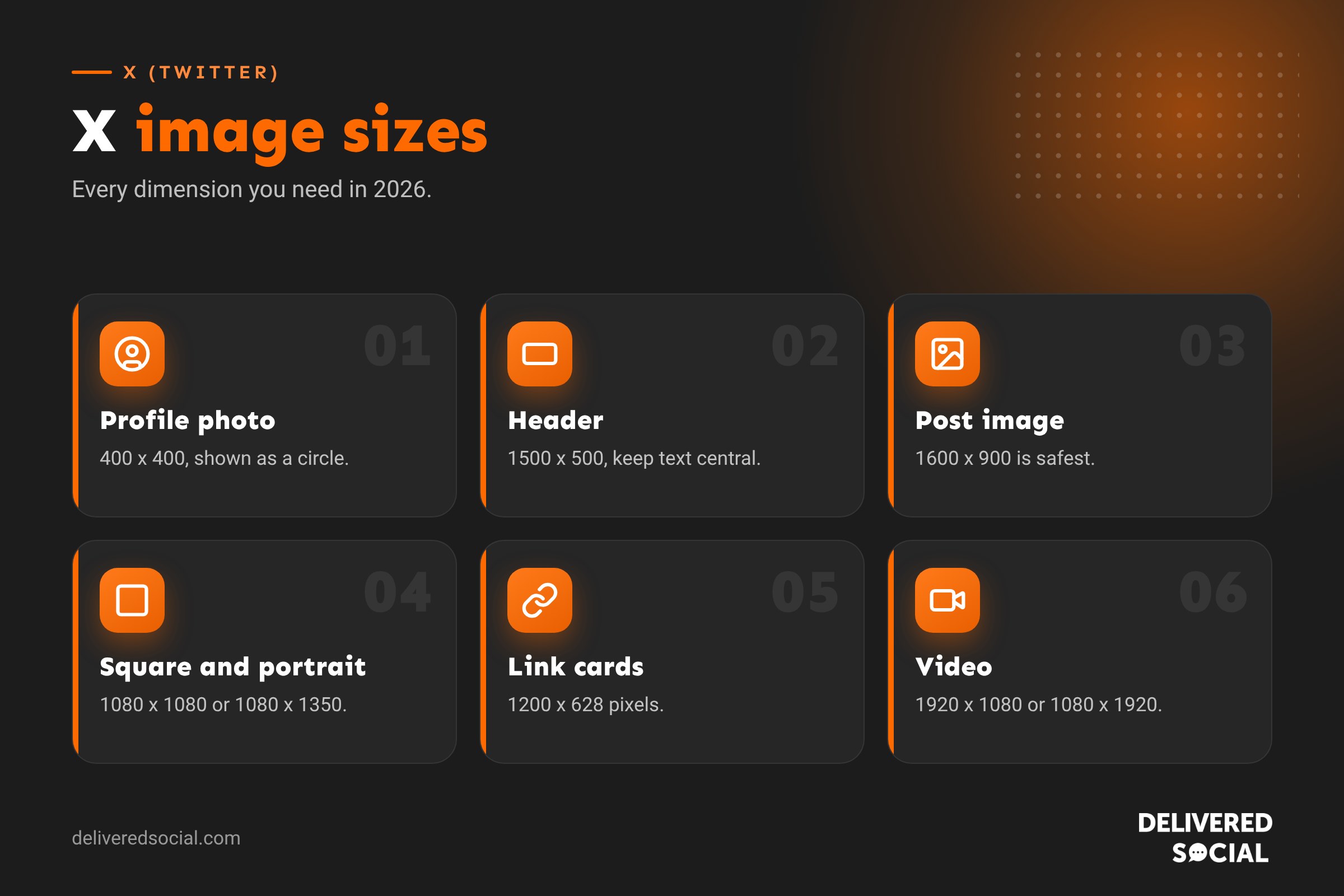
X image sizes at a glance
- Profile photo: 400 by 400 pixels (1:1), shown as a circle.
- Header image: 1500 by 500 pixels (3:1).
- Single image post, landscape: 1600 by 900 pixels (16:9).
- Single image post, square: 1080 by 1080 pixels (1:1).
- Single image post, portrait: 1080 by 1350 pixels (4:5).
- Link card image: 1200 by 628 pixels (about 1.91:1).
- Video: 1920 by 1080 (landscape), 1080 by 1080 (square) or 1080 by 1920 (vertical).
X changes how images display from time to time, so preview posts before publishing important content.
X profile photo size
Upload a square image of at least 400 by 400 pixels. X displays it as a circle, so anything in the corners will be cut off. The maximum file size is 2MB, and JPG, PNG and GIF files are accepted (animated GIFs are not supported for profile photos).
- Centre your logo with plenty of space around it.
- Use a simple version of your logo; detailed logos become unreadable when small.
- For personal brands, use a well lit headshot with your face filling most of the frame.
- Use the same profile photo across platforms so people recognise you.
X header image size
The header, or banner, is 1500 by 500 pixels, with a maximum file size of 5MB. It is shown across the top of your profile, but the visible area varies by device. On most screens your profile photo overlaps the bottom left, and the top and bottom of the image can be cropped on mobile.
Header safe zone
Keep text, logos and faces within the central part of the image, roughly the middle 1500 by 360 pixels, and away from the bottom left corner where the profile photo sits. Use the edges for background colour or imagery that does not matter if cropped.
Header ideas for businesses
- A team photo or picture of your premises.
- Your products laid out neatly.
- A short tagline and your website address.
- A current campaign, event or offer, updated regularly.
X post image sizes
X shows images in the timeline in their original ratio more often than it used to, but it still crops some images in previews, especially when posting several at once. These sizes give the best results:
- Landscape 16:9: 1600 by 900 pixels. The safest choice for most posts, as it displays fully on desktop and mobile.
- Square 1:1: 1080 by 1080 pixels. Good for graphics shared across platforms.
- Portrait 4:5: 1080 by 1350 pixels. Takes up more space in the mobile timeline, but may be cropped in some views.
Maximum file size is 5MB for images on mobile and 15MB on the web. Supported formats are JPG, PNG, GIF and WEBP.
Posting multiple images
You can add up to four images to a post. X arranges them in a grid, and each image is cropped to fit:
- Two images: shown side by side, each cropped to a portrait shape.
- Three images: one large on the left and two smaller on the right.
- Four images: a two by two grid of landscape crops.
Keep the subject of each image in the centre, so it survives the crop. People can tap an image to see it in full.
Link card image size
When you share a link, X shows a card using the page’s preview image, set by Open Graph or Twitter Card tags on the website. Use 1200 by 628 pixels for a large summary card. Keep key text in the centre, as some views crop the edges. If your link shows the wrong image or none at all, check your website’s SEO plugin settings for the social preview image. On WordPress, most SEO plugins let you set this image for each page.
X video sizes and specs
- Landscape: 1920 by 1080 or 1280 by 720 pixels (16:9).
- Square: 1080 by 1080 pixels (1:1).
- Vertical: 1080 by 1920 pixels (9:16).
- Formats: MP4 and MOV.
- Length: up to 2 minutes 20 seconds for free accounts; paid subscribers can upload much longer videos.
- File size: up to 512MB for standard uploads.
Vertical video is increasingly common on X, especially in the dedicated video feed, so a 9:16 video made for Reels or TikTok can often be reused. Add captions, as many people watch without sound.
GIF sizes
Animated GIFs can be up to 5MB on mobile and 15MB on the web. Keep them short and simple, and use the built in GIF search for reaction GIFs.
X ad image sizes
- Image ads: 1200 by 1200 pixels (1:1) or 1200 by 628 pixels (1.91:1).
- Video ads: 1:1 or 16:9 recommended, with vertical options for some placements.
- Carousel ads: two to six images or videos, all in the same ratio, either 1:1 or 1.91:1.
Ad specs change more often than organic sizes, so check X’s current advertiser guidelines before building a campaign.
File formats and quality tips
- Use PNG for graphics with text and logos, as it keeps edges sharp.
- Use JPG for photos, at high quality, to keep file sizes manageable.
- Upload at the recommended size or larger; X compresses images, so tiny files look blurry.
- Use the sRGB colour profile so colours look the same on every screen.
- Avoid very small text, as most people view on phones.
Alt text
X lets you add alt text, a short description of the image, for people using screen readers. Tap Add description, or the ALT button, when attaching an image. Describe what matters in the image in a sentence or two. It improves accessibility and shows your brand cares about all its followers.
Design tips for X images
- Make it readable at a glance: one clear message, bold text, strong contrast.
- Keep branding consistent: use your colours, fonts and a small logo.
- Centre the subject: to survive crops in previews and multi image posts.
- Use real photos: your team, work and products usually beat stock images.
- Test on mobile: preview the post on your phone before publishing.
Create templates to save time
Set up templates in Canva or your design tool for each size you use regularly: a 1600 by 900 post image, a 1080 by 1080 square, a 1500 by 500 header and a 1200 by 628 link image. Add your logo, colours and fonts, and mark the safe zones on the header template. Then every new graphic takes minutes. Our social media image sizes guide covers every platform if you want templates for all your channels.
Common X image problems
- Header text hidden: move it away from the bottom left and towards the centre.
- Blurry images: upload larger files and avoid screenshots of screenshots.
- Faces cut off in multi image posts: centre subjects or post one image at a time.
- Wrong link preview: update your page’s social image and clear any caching. It can take time for X to fetch the new image.
- Upload fails: check file size and format, and try again on a stronger connection.
Updating your header for campaigns
Your header is prime space that most businesses set once and forget. Treat it like a shop window and change it for seasons, launches and events. A Christmas opening hours header, a new product launch or a “Join us at the show” banner gives regular visitors something new and tells first time visitors what is happening now. Set a reminder to review it each quarter, and keep previous versions so you can reuse them next year.
Make sure your header and profile photo work together, using complementary colours rather than two competing designs.
Key takeaways
- Profile photo: 400 by 400 pixels, shown as a circle.
- Header: 1500 by 500 pixels, with key details in the centre.
- Post images: 1600 by 900 is the safest; 1080 by 1080 and 1080 by 1350 also work.
- Link cards: 1200 by 628 pixels, set on your website.
- Use templates, alt text and mobile previews for consistent results.
Frequently asked questions
What size is an X profile picture?
400 by 400 pixels, up to 2MB.
What size is the X header?
1500 by 500 pixels, up to 5MB.
What is the best image size for X posts?
1600 by 900 pixels in a 16:9 ratio.
How many images can I post on X?
Up to four images in one post.
Why is my X image cropped?
Some ratios and multi image posts are cropped in previews. Centre the subject or use 16:9.
What video size is best for X?
1920 by 1080 for landscape, or 1080 by 1920 for vertical.
Can I add alt text on X?
Yes, when attaching an image, tap Add description.
Want graphics that look right everywhere?
We design and manage social media content for businesses across Surrey, Hampshire and the UK. Find out more about our social media management services. Call us on 01483 608 303.
































