



Keep reading
Rather we just did it for you?
Let's get your business seen.
Social media, websites, SEO and ads from a team you can actually meet.
If you have watched a Facebook live stream or Reel and seen people sending little animated stars, you have seen Facebook Stars in action. Stars are a virtual tipping system that lets fans support creators directly, and they are one of the simplest ways to earn money on Facebook. This guide explains what Facebook Stars are, how much they are worth, how to send them, how creators and Pages can receive them, and whether Stars are worth it for businesses.
What are Facebook Stars?
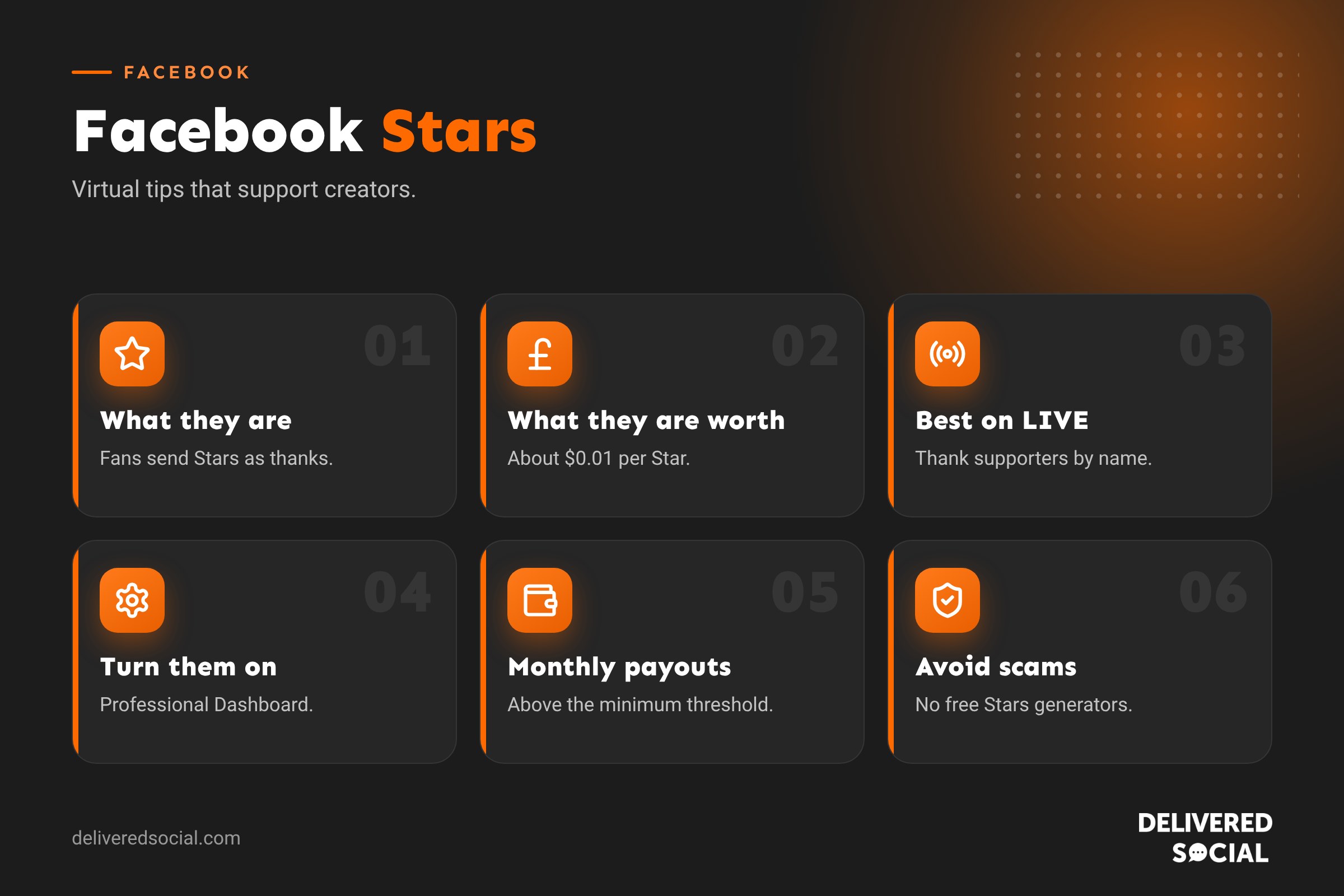
Facebook Stars are a digital currency that viewers buy and send to creators as a way of showing appreciation. When someone sends Stars, an animation appears and their name may be highlighted, so the creator can thank them. Creators can then earn money from the Stars they receive. Stars can be sent on live videos, Reels, standard videos and some photo and text posts, depending on what the creator has turned on.
How much are Facebook Stars worth?
Meta pays creators a fixed amount per Star received, which has long been US $0.01 per Star. That means 100 Stars earn the creator about $1, and 1,000 Stars about $10. Payouts are made in US dollars and converted into your local currency by your payment provider.
Viewers pay more than the creator receives when buying Stars, because the price includes app store fees and Meta’s costs. Bundle prices vary by country, device and how they are bought. Buying on a computer is often slightly cheaper than buying in a mobile app, because app stores add their own fees. Prices can change, so check the current amounts in the Facebook app before buying.
How to send Facebook Stars
- Find a live video, Reel or post from a creator who has Stars switched on.
- Tap the Stars icon (a heart shaped star) below the video or in the comments area.
- Choose how many Stars to send. If you do not have any, you will be asked to buy a bundle.
- Add a message if you like, then send.
On live videos, your Stars and message may be shown on screen, and creators often thank supporters by name.
How to buy Facebook Stars
- Tap the Stars icon on any eligible content and choose Get Stars, or buy from the Stars section of your Meta Pay or settings.
- Pick a bundle.
- Pay with your saved payment method, app store account or card.
Once bought, Stars sit in your balance until you send them. They cannot usually be refunded or exchanged for cash by viewers.
How creators can receive Facebook Stars
To receive Stars, creators and Pages generally need to:
- Use a professional mode profile or a Facebook Page.
- Be in a country where Stars are available, which includes the UK.
- Meet Meta’s Partner Monetisation Policies and Content Monetisation Policies.
- Meet any follower or eligibility thresholds Meta sets at the time, which have changed over the years.
- Be at least 18 years old.
- Set up a payout account in the Professional Dashboard or Meta Business Suite.
Check the Monetisation section of your Professional Dashboard to see which tools you are eligible for. Eligibility rules are updated from time to time, so the dashboard is the best place to check.
How to turn on Facebook Stars
- Open your Professional Dashboard or Meta Business Suite.
- Go to Monetisation.
- Select Stars and follow the on screen steps to accept the terms.
- Add your payout details, including tax information.
- Choose whether to show Stars on your live videos, Reels and other content.
How Stars are paid out
Earnings from Stars build up in your balance and are paid out once you reach Meta’s minimum payout threshold, typically monthly. You can track Stars received and earnings in the Monetisation insights of your Professional Dashboard. Remember that income from Stars is taxable, so keep records for your accounts.
Facebook Stars vs other ways to earn on Facebook
- Content monetisation: Meta’s programme that pays eligible creators based on the performance of their Reels, videos, photos and text posts, including ad revenue.
- Subscriptions: fans pay a monthly fee for exclusive content and perks.
- Brand partnerships: paid collaborations with businesses.
- Stars: one off tips from fans, especially during live videos.
Most successful creators combine several of these. Our guide to how to monetise a Facebook Page covers the full picture.
How to get more Facebook Stars
- Go live regularly: Stars are most popular during live streams, where fans can see their support acknowledged.
- Thank supporters by name: people love being recognised, and it encourages others.
- Set goals: a visible Stars goal for a stream, such as raising money for new equipment, gives viewers a reason to join in.
- Tell people Stars exist: many viewers do not know they can send them.
- Make content worth supporting: entertaining, helpful or inspiring content earns appreciation.
- Build community: reply to comments and remember regular viewers.
Are Facebook Stars useful for businesses?
For most businesses, Stars are not a meaningful income source. They suit creators, entertainers, musicians, gamers, coaches and personalities who build loyal audiences around live content. However, some businesses with strong personal brands, such as a baker who live streams decorating sessions or a trainer who runs live workouts, could earn a little extra while building loyalty. For charities, Facebook’s fundraising tools are usually a better fit than Stars.
The bigger value for most businesses is what live video does for engagement and trust. If you go live regularly and fans want to support you, switching Stars on costs nothing.
Are Facebook Stars safe?
Buying Stars through the official Facebook app or website is safe. Be wary of anyone offering cheap Stars, free Stars generators or ways to convert Stars into cash outside Facebook. These are scams that can steal your login or payment details. Never share your password or verification codes.
Common questions from viewers
Can I get a refund on Stars?
Purchased Stars are generally non refundable once sent.
Can I send Stars privately?
Stars are usually visible to the creator, and on live videos they may be shown publicly. Some options let you choose how your name appears.
Tips for live streams that earn Stars
Plan your live stream with a clear topic and start time, and promote it in advance so fans can join. Open with a warm welcome, explain what is coming up and mention that Stars help support the content. Keep energy high, read comments aloud and answer questions. End with a thank you to everyone who sent Stars, and save the video so people who missed it can still watch and support you later.
Facebook Stars for local businesses and charities
Although Stars are mainly a creator tool, some local organisations use live video in creative ways. A garden centre might stream weekly planting tips, a bakery could show live cake decorating and a community group might broadcast events. If viewers enjoy these streams, turning on Stars gives them a simple way to show support. Charities should usually use Facebook’s dedicated fundraising tools instead, as donations go to the cause more directly, but Stars can still add a little extra during live events.
Tracking your Stars earnings
In the Professional Dashboard, the Monetisation insights section shows how many Stars you have received, from which videos and when. Use this data to see which live streams and Reels earn the most support, then plan more content like them. Keep a monthly record of earnings for your accounts.
Key takeaways
- Facebook Stars are virtual tips fans send to creators.
- Creators earn about US $0.01 per Star received.
- Stars work on live videos, Reels and other eligible content.
- Turn on Stars in the Monetisation section of your Professional Dashboard.
- Stars suit creators and live content more than most businesses.
Frequently asked questions
How much is 100 Stars on Facebook?
Creators receive about $1 for 100 Stars; viewers pay a little more to buy them.
Can anyone receive Facebook Stars?
Only eligible creators and Pages that meet Meta’s monetisation policies and requirements.
Are Facebook Stars available in the UK?
Yes.
How do I send Stars on Facebook?
Tap the Stars icon on eligible content, choose an amount and send.
When do creators get paid for Stars?
Once earnings pass the minimum payout threshold, usually monthly.
Are free Stars generators real?
No, they are scams.
Can I send Stars to any Facebook Page?
Only to creators and Pages that have turned Stars on.
Do Stars expire?
Purchased Stars usually stay in your balance until you send them.
Can businesses use Stars as payment for products?
No. Stars are for showing support, not buying goods or services.
Do Facebook Stars work on Reels?
Yes. Eligible creators can receive Stars on Reels as well as live videos and some other posts.
Want to grow on Facebook?
We create Facebook content, Reels and live video strategies for businesses across Surrey, Hampshire and the UK. Find out more about our social media management services. Call us on 01483 608 303.
































