



Keep reading
Rather we just did it for you?
Let's get your business seen.
Social media, websites, SEO and ads from a team you can actually meet.
Facebook is still one of the biggest platforms in the world, and it pays creators and Pages that build engaged audiences. Whether you are a creator, a business with a strong following or someone wondering if your Page could earn money, understanding the monetisation options is the first step. This guide explains how to monetise a Facebook Page or profile: the main programmes, eligibility, how to check your status, how payouts work and how to grow the kind of audience that earns.
Can you make money on Facebook?
Yes. Meta offers several ways for creators and Pages to earn: payments based on how content performs, fan support through Stars and subscriptions, and tools for brand partnerships. Most of these require a professional presence, either a Facebook Page or a personal profile with professional mode turned on, plus an audience that engages regularly.
The main ways to monetise Facebook
Facebook content monetisation
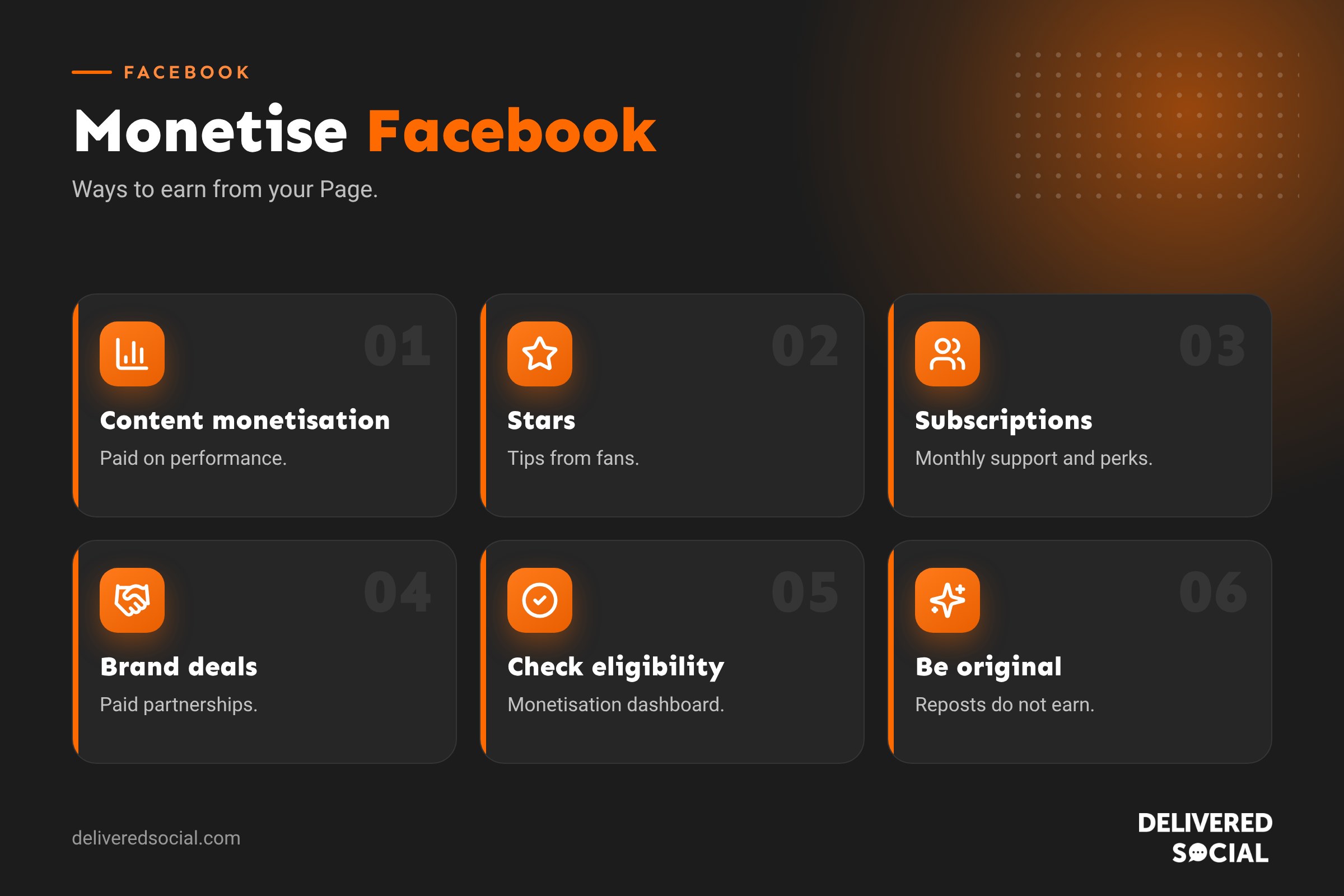
Meta has combined its main earnings tools into a single content monetisation programme. Eligible creators can earn from Reels, longer videos, photos and text posts based on how they perform, including views and engagement, with ad revenue on eligible videos. Meta has also introduced schemes such as Creator Fast Track to help established creators from other platforms start earning on Facebook quickly. Access is typically by eligibility and invitation, and the details change over time, so check your Professional Dashboard for what is available to you.
In stream ads
Ads that play before, during or after eligible videos. Over time, Meta has folded in stream ads into its wider content monetisation programme in many regions.
Facebook Stars
Fans buy virtual Stars and send them to creators, especially during live videos. Creators earn a fixed amount per Star. Our guide to Facebook Stars explains how they work.
Subscriptions
Fans pay a monthly fee for exclusive content, badges and perks. This suits creators with loyal communities.
Brand partnerships
Businesses pay creators to feature products or services. Meta’s tools let creators tag partnerships and allow brands to boost creator content as partnership ads.
Selling your own products and services
For businesses, the biggest way to earn from Facebook is still selling what you already offer: products through Facebook and Instagram Shops, bookings through your Page, leads through Messenger and sales through your website.
Facebook monetisation requirements
Exact requirements vary by tool and country and are updated regularly, but generally you need to:
- Have a Facebook Page or a profile in professional mode.
- Be at least 18 years old.
- Live in a country where the tool is available, which includes the UK for most features.
- Follow Meta’s Partner Monetisation Policies and Content Monetisation Policies.
- Follow Community Standards and have no recent serious violations.
- Meet any audience thresholds, such as followers or engagement, set for a particular tool.
- Have an authentic, established presence, usually with an active posting history.
- Set up a valid payout account and tax information.
How to check if your Page is eligible
- Open your Page or professional profile.
- Go to the Professional Dashboard.
- Select Monetisation.
- See which tools you are eligible for, which you are close to, and any issues affecting eligibility.
Meta Business Suite also shows monetisation status for Pages. If you are not eligible, the dashboard usually explains why, such as not enough followers, policy issues or content that does not meet originality guidelines.
Content monetisation policies to know
- Original content: Meta rewards original content and may stop paying accounts that mostly repost others’ videos, even with small edits.
- No engagement bait: posts that ask people to like, share or comment artificially can be penalised.
- No misleading content: clickbait and false information are not eligible.
- Brand safety: some topics, such as tragedy, explicit content and controversial subjects, may earn limited or no ad revenue.
- Music rights: using copyrighted music without permission can affect monetisation.
How payouts work
Earnings build up in your monetisation balance. Once you pass Meta’s minimum payout threshold, Meta pays out on a regular schedule, typically monthly, to your bank account or PayPal, depending on the options available in your country. You need to complete tax information, and income from Facebook is taxable in the UK, so keep records and speak to an accountant if earnings become significant.
How much can you earn on Facebook?
Earnings vary enormously. They depend on your audience size, engagement, where viewers are, the topics you cover and how many people watch long enough for ads to show. Some creators earn a little pocket money; others earn a full time income. Treat monetisation as a bonus that grows with your audience, not a guaranteed income.
How to grow a Page that earns
Post consistently
Regular posting builds habits with your audience and gives Facebook more content to recommend.
Focus on Reels and video
Short and longer videos are central to Facebook’s recommendations and monetisation. Our guide to Facebook Reels explains how to make them.
Pick a clear niche
Pages focused on one topic, such as cooking, DIY, local news or fitness, build loyal audiences more easily than general ones.
Make original content
Film your own videos, share your own photos and write your own posts. Originality is rewarded.
Engage with your audience
Reply to comments, ask questions and go live. Engagement signals help your content reach more people.
Learn from insights
Use Page insights and the Professional Dashboard to see what works, then do more of it. Our guide to analysing Facebook Page insights shows how.
Monetisation for businesses
Most businesses should think of Facebook monetisation differently. Rather than earning a few pounds from ad revenue, use Facebook to win customers: build an audience, share useful content, run targeted adverts, use Messenger for enquiries and set up a Shop if you sell products. A business Page with a few thousand engaged local followers can bring far more value through sales than through Meta payouts. That said, businesses with a strong personality and entertaining content, such as a farm, bakery or workshop with a following, can earn from both.
Why was my Facebook monetisation removed?
- Policy violations or Community Standards strikes.
- Too much unoriginal or reposted content.
- Engagement bait or misleading posts.
- Falling below audience requirements.
- Intellectual property issues, such as using music or clips without permission.
Check your Professional Dashboard for details. You can often request a review once issues are fixed.
Avoid monetisation scams
Be wary of messages claiming your Page will be monetised if you pay a fee, or that your account will be disabled unless you click a link. Meta does not charge to join monetisation programmes, and official messages appear in your Professional Dashboard and Support Inbox. Never share your password or login codes.
A simple 90 day plan to work towards monetisation
In the first month, choose your niche, tidy your Page and post three Reels and two other posts a week. In the second month, keep that pace, go live once a week and reply to every comment. In the third month, review insights, drop formats that do not work and double down on those that do. Check your Monetisation dashboard each month to see how close you are to each tool.
Content ideas that tend to earn on Facebook
- How to videos and tutorials in your area of expertise.
- Local news, events and community stories.
- Behind the scenes of a farm, workshop, kitchen or salon.
- Entertaining series with a recurring format viewers look forward to.
- Live Q and A sessions where you answer audience questions.
Key takeaways
- Facebook pays eligible creators through content monetisation, Stars, subscriptions and partnerships.
- You need a Page or professional mode, policy compliance and an engaged audience.
- Check eligibility in the Monetisation section of your Professional Dashboard.
- Original video content is key to earning.
- For most businesses, sales from Facebook are worth more than Meta payouts.
Frequently asked questions
How do I monetise my Facebook Page?
Check the Monetisation section of your Professional Dashboard and set up the tools you are eligible for.
How many followers do you need to monetise Facebook?
It depends on the tool and changes over time; your dashboard shows current requirements.
Can personal profiles earn money?
Yes, with professional mode turned on.
Is Facebook monetisation available in the UK?
Yes, most tools are available in the UK.
How does Facebook pay creators?
Monthly, once you pass the minimum payout threshold.
Why am I not eligible for monetisation?
Common reasons include policy issues, unoriginal content or not meeting audience requirements.
Can I monetise Facebook Reels?
Yes, eligible creators can earn from Reels through content monetisation.
Does Facebook pay for views?
Content monetisation pays based on performance, including views and engagement on eligible content.
Do I need a business to monetise Facebook?
No. Individual creators can monetise through professional mode.
Want a Facebook Page that grows?
We create Facebook content and campaigns for businesses across Surrey, Hampshire and the UK. Find out more about our social media management services. Call us on 01483 608 303.
































