



Keep reading
Rather we just did it for you?
Let's get your business seen.
Social media, websites, SEO and ads from a team you can actually meet.
You have set up your Google Business Profile, filled in every field, and yet when you search for your business, nothing appears. Or it shows for you but not for customers. Or the changes you made last week still are not live. A Google Business Profile not showing is one of the most common and most frustrating problems we help local businesses with. The good news is that the cause is usually one of a handful of things, and most of them can be fixed without paying anyone. This guide walks you through each reason, how to check it, and what to do next.
First, check what “not showing” actually means
Before you start changing things, work out exactly what is happening. Different symptoms point to different causes:
- Nobody can see the profile at all, even when they search your exact business name. This usually means it is unverified, suspended or still being reviewed.
- The profile shows for your business name but not for services, such as “plumber in Fareham”. The profile is live, but it is not ranking. That is a visibility problem, not a technical one.
- It shows on your phone but not for other people. Google personalises results, so you may be seeing a version others do not. You may also be seeing the owner view, which is only visible to you.
- Your updates are not showing. Edits to your name, hours, address or description are being reviewed or have been rejected.
Search for your business in a private or incognito browser window, on a different device, and in Google Maps as well as Google Search. That gives you a more honest picture of what customers see.
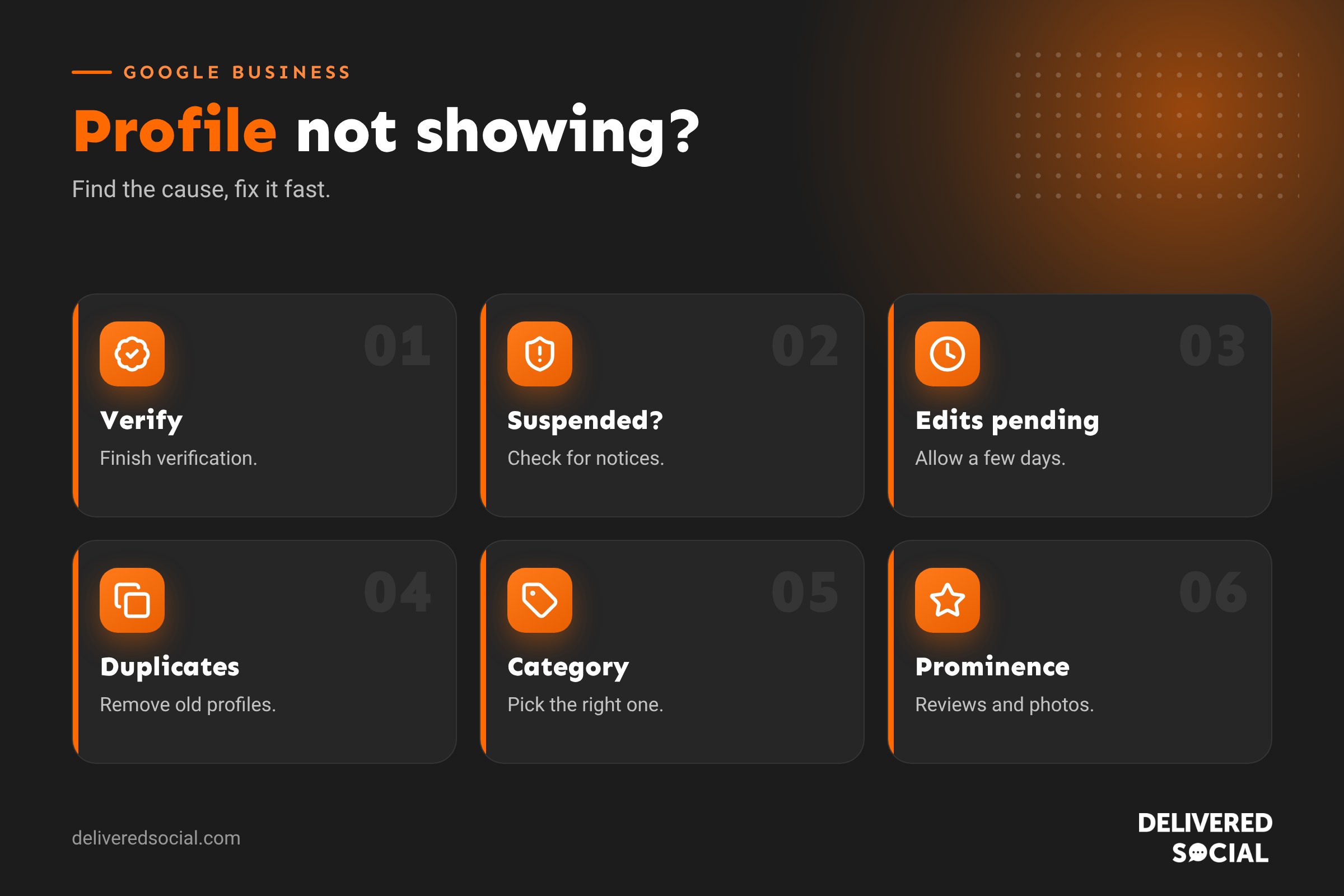
Reason 1: your profile is not verified
An unverified profile may only be visible to you, or not appear in search at all. This is the cause behind most “Google Business Profile only visible to me” searches. Sign in to your Business Profile and look for a message asking you to verify. If you see one, complete verification first; nothing else will help until you do. Our guide on how to verify your Google Business Profile explains each method.
Reason 2: the profile has been suspended or restricted
Google suspends profiles it thinks break its guidelines. Common triggers include:
- Adding keywords or locations to the business name, such as “Smith Plumbing Portsmouth Emergency Plumber”.
- Using a virtual office, PO box or co-working address you do not staff.
- Showing an address when you are a service area business that visits customers.
- Creating more than one profile for the same business at the same location.
- Large numbers of edits in a short space of time.
If your profile is suspended, you will usually see a notice when you sign in. Fix whatever broke the guidelines, then submit an appeal with evidence such as a utility bill, business licence, photos of your signage or a shopfront, and proof that customers can visit or that you serve the area you claim.
Reason 3: your edits are still being reviewed
If the profile is live but your latest changes are missing, they may be pending. Google reviews edits to key details such as the business name, category, address and phone number. Most are approved within a few days, but some take longer, and some are rejected without much explanation. You can check the status of edits in your profile. If an edit keeps being rejected, make sure it matches what is on your website, your signage and other listings exactly.
Reason 4: the profile is new
New profiles can take a little while to start showing for anything beyond the business name. Google needs time to trust the information. Keep the details complete, add photos, ask your first customers for reviews and post an update or two. Visibility usually improves over the first few weeks.
Reason 5: you are a service area business
If you hid your address because you travel to customers, Google shows your profile based on your service areas rather than a pin on the map. That is correct, but it means you will not appear for searches made far outside those areas, and you are competing with businesses that have a physical address nearer the searcher. Make sure your service areas list the towns you really cover, not the whole country.
Reason 6: a duplicate profile is getting in the way
Old profiles created by a previous owner, an employee or even Google itself can compete with yours, split your reviews and confuse customers. Search Google Maps for your business name, old names and your phone number. If you find a duplicate you own, you can request to remove it. If someone else owns it, you can request access or suggest an edit marking it as a duplicate.
Reason 7: you are visible, just not ranking
If your profile appears when someone types your business name, it is working. If it does not appear for searches like “accountant near me”, that is about ranking. Google uses three main factors for local results:
| Factor | What it means | What you can do |
|---|---|---|
| Relevance | How well your profile matches the search | Choose the most accurate primary category, add secondary categories, list services and write a clear description |
| Distance | How far you are from the searcher or the area they searched | Make sure your address or service areas are correct |
| Prominence | How well known and trusted your business is | Collect reviews, earn local links and mentions, keep your website strong |
Our Google Business Profile optimisation guide goes through each factor in more detail.
Reason 8: the wrong primary category
Your primary category is one of the strongest signals Google uses. If you are a “Bathroom remodeler” but chose “Plumber”, or a “Wedding photographer” listed as “Photographer”, you may miss the searches that matter most. Pick the most specific category that genuinely describes your main business, then add secondary categories for other services.
Reason 9: your details do not match elsewhere
If your website says one phone number, your profile shows another and directories show a third, Google is less confident about which is right. Check your name, address and phone number are identical on your website, social profiles, Companies House record and the main directories.
Step by step: what to do when your profile is not showing
- Search for your exact business name in an incognito window on Google Search and Google Maps.
- Sign in to your profile and check for verification or suspension notices.
- Check whether any edits are pending or rejected.
- Search for duplicates using your name, old names and phone number.
- Review your primary category and services.
- Make sure your address or service areas follow Google’s guidelines.
- Match your details across your website and listings.
- Keep adding photos, posts and reviews to build prominence.
How long until it shows?
| Situation | Typical timescale |
|---|---|
| Edits under review | A few days, sometimes longer |
| Newly verified profile | Often visible quickly, ranking builds over weeks |
| Reinstatement after suspension | Days to several weeks after an appeal |
| Ranking improvements | Weeks to months, depending on competition |
Mistakes that make things worse
- Creating a new profile because the old one is not showing. This usually creates a duplicate and can trigger a suspension.
- Stuffing keywords into your business name. It might work briefly, then lead to a suspension.
- Making lots of edits at once. Change one thing, wait, then check.
- Buying reviews. Fake reviews break Google’s policies and can get reviews removed or the profile restricted.
A real world example
A mobile dog groomer in Hampshire could not find her profile anywhere except when she searched on her own phone. She had set it up with her home address showing, then later hidden it, and never finished verification. Once she completed video verification, set her service areas to the towns she really visits and changed her primary category from “Pet store” to “Pet groomer”, her profile started appearing for her business name within days and for “dog groomer” searches in her area over the following weeks as reviews built up.
Key takeaways
- Work out whether your profile is missing completely or just not ranking.
- Verification and suspensions are the most common reasons for an invisible profile.
- Edits can take days to appear while Google reviews them.
- Never create a second profile to get round a problem.
- Ranking depends on relevance, distance and prominence.
Frequently asked questions
Why is my Google Business Profile only visible to me?
Usually because it is not verified yet, or because you are seeing the owner view while signed in. Check in an incognito window.
Why are my Google Business Profile updates not showing?
Edits to key details are reviewed first. Check the edit status in your profile and wait a few days.
Why does my profile show for my name but not my services?
It is live but not ranking. Improve your category, services, reviews and website.
Can I contact Google about a missing profile?
Yes. You can reach Business Profile support through the help options in your profile.
Will a suspended profile lose its reviews?
Reviews are usually restored when a profile is reinstated.
Should I delete and start again?
No. That often makes things worse. Fix the existing profile instead.
Does posting help my profile show?
Regular posts and photos show the business is active, which supports visibility.
Is a hidden address a problem?
No, if you are a genuine service area business. Just make sure your service areas are accurate.
Need help getting your profile found?
We help businesses across Surrey, Hampshire and West Sussex fix and grow their Google Business Profiles. Call us on 01483 608 303.
































