



Keep reading
Rather we just did it for you?
Let's get your business seen.
Social media, websites, SEO and ads from a team you can actually meet.
Until your Google Business Profile is verified, it may not appear in Google Search or Maps, you cannot use all its features, and anyone could suggest changes to your listing. Verification proves to Google that you are the genuine owner or manager of the business. The process has changed a lot in recent years, with postcards largely replaced by video and other methods. This guide explains how to verify your Google Business Profile, which methods are available, how long it takes, and what to do if verification fails.
Why verification matters
- Visibility. Unverified profiles may not show to customers, or only appear when you are signed in.
- Control. Verified owners can edit details, respond to reviews and manage who has access.
- Features. Posts, messaging, insights and other tools need a verified profile.
- Trust. Customers see accurate, up to date information you manage.
Before you start
Verification goes much more smoothly if your details are right first. Check:
- Your business name matches your real world name, signage and website, with no extra keywords.
- Your address is accurate and is a place where you meet customers, or you have hidden it and set service areas if you visit customers.
- Your phone number and website are correct.
- Your primary category accurately describes your business.
Changing these details during or straight after verification can trigger another review, so get them right first.
Verification methods
Google decides which methods you can use based on your business type, location and history. You may be offered one or several of these:
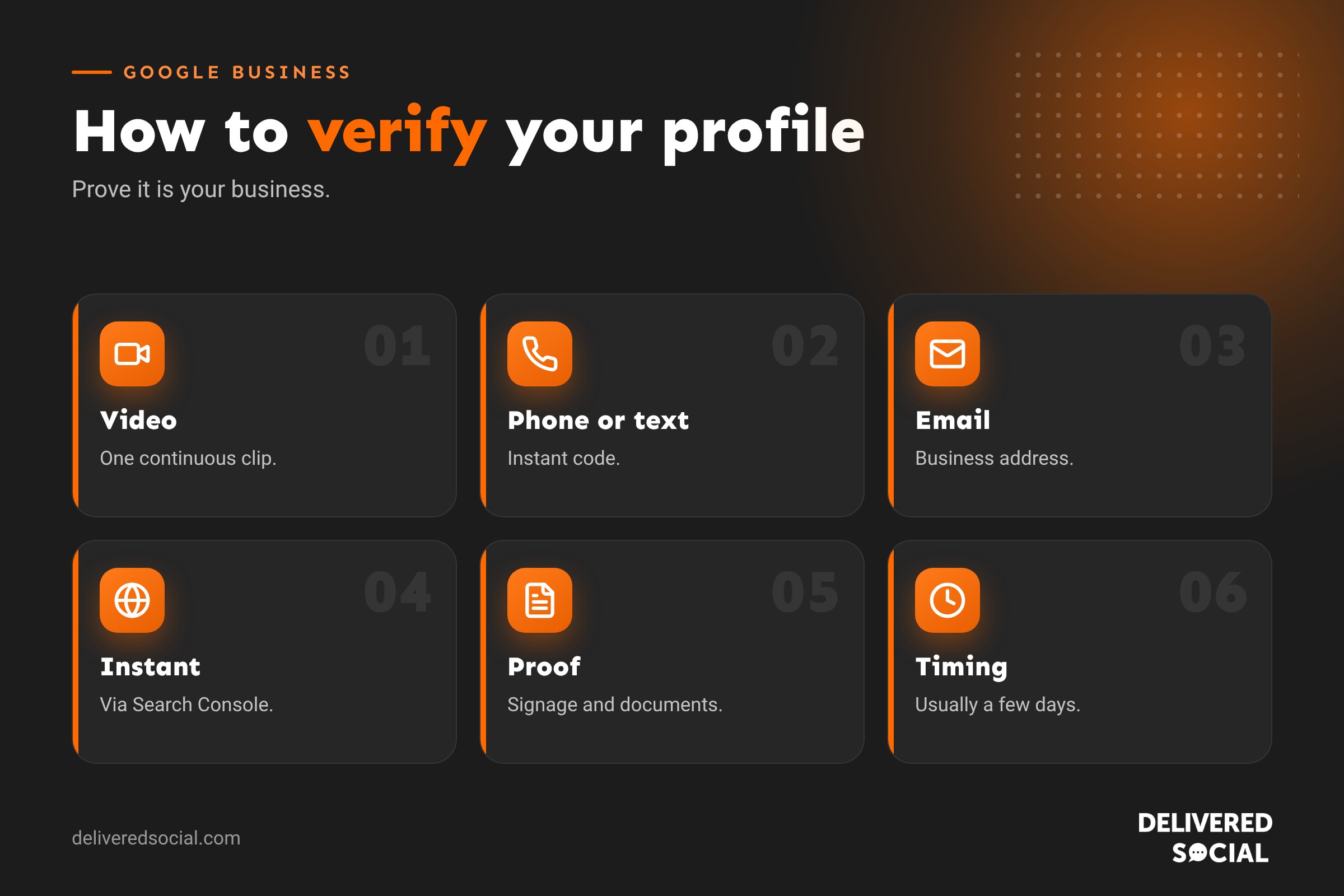
| Method | How it works | Typical timescale |
|---|---|---|
| Video recording | Record a short continuous video showing your location, signage, equipment or tools and proof of management | Review usually takes a few working days |
| Live video call | Show the same evidence to a Google support agent in real time | Done on the call, subject to approval |
| Phone or text | Receive a code by call or SMS to your business number | Instant |
| Receive a code at a business email address | Instant | |
| Postcard | A code posted to your business address | Usually around two weeks |
| Instant verification | If your website is already verified in Google Search Console with the same account, Google may verify automatically | Instant |
| Bulk verification | For brands with ten or more locations | Varies |
How to verify step by step
- Sign in to the Google account you want to manage the profile with. Use a business account you will always have access to, not a personal account of a staff member who might leave.
- Search for your business name on Google or go to the Business Profile Manager.
- Click Get verified or Verify now.
- Choose from the methods offered.
- Follow the instructions for that method and submit.
- Wait for confirmation. You will usually get an email when your profile is verified.
How to pass video verification
Video is now the most common method, and the one that trips people up most. The aim is to prove that your business exists at the location you have given and that you manage it. Record one continuous clip, without cuts or editing, and include:
- Your location. Start outside, showing the street, nearby businesses or street signs, so Google can match it to your address on the map.
- Your business. Show permanent signage with your business name, or your branded vehicle, uniforms or equipment if you are a service area business.
- Proof of management. Show something only the owner or manager could access: unlocking the front door, the till or card machine, a staff only area or business paperwork such as a utility bill or business document with the name and address visible.
Keep the video steady and clear, film in daylight if you can, and make sure the business name is readable. Service area businesses without premises should show branded vehicles, tools and business documents, and explain what they do as they film.
How long does verification take?
Phone, text, email and instant verification are immediate. Video recordings are usually reviewed within a few working days, although it can take longer at busy times or if Google needs extra checks. Postcards, where still used, usually arrive within about two weeks. If you have heard nothing after a week for a video, check your profile for status updates or messages.
What to do if verification fails
Failed verification is common, especially with video. Do not create a new profile; that usually makes things worse. Instead:
- Read any message from Google explaining why it failed.
- Check your details are accurate and follow the guidelines.
- Try again with a clearer video that shows the location, business and proof of management more obviously.
- If you are still stuck, contact Business Profile support through the help options in your account and explain your situation.
Verifying when someone else already owns the profile
If a profile already exists for your business, perhaps created by a former employee, a previous owner or an old agency, you can request ownership. Google will email the current owner, who has a few days to respond. If they do not, you may be able to claim it. Keep your request details and check your email.
Common verification problems
- Using a virtual office or PO box. These are not eligible addresses.
- A business name that does not match your signage. Adding keywords such as “Best Plumber Guildford” can stop verification.
- No permanent signage. Temporary banners or A-boards may not be enough.
- Home based businesses showing an address. If customers do not visit you, hide the address and set service areas.
- Edited or stitched videos. The video must be one continuous recording.
Verification for agencies and multi location businesses
If an agency manages your profile, make sure you, the business owner, remain the primary owner, and give the agency manager access rather than handing over ownership. Businesses with ten or more locations, such as chains or franchises, can apply for bulk verification through the Business Profile Manager.
After you are verified
Verification is the start, not the finish. Once you are live:
- Complete every section of your profile, including services, hours and attributes.
- Add good quality photos. Our Google Business Profile image sizes guide shows the best dimensions.
- Write a strong description using our description examples.
- Start asking customers for reviews.
- Post updates regularly.
Keeping your verified profile secure
Once verified, protect the profile so you never have to go through the process again. Make sure at least two trusted people have owner or manager access, so you are not locked out if someone leaves or loses access to their account. Turn on two step verification for every Google account with access. Remove old staff and former agencies when they no longer need to manage the profile. And be wary of emails or calls claiming to be from Google that ask for access or payment: genuine Google staff will not ask for your password.
Major changes, such as moving premises or changing your business name, may require re-verification. Plan these changes carefully, make them in one go, and have your evidence ready in case Google asks for it.
A quick verification checklist
- Signed in with a business Google account you will keep long term.
- Business name exactly as it appears on your signage and website.
- Address is staffed and eligible, or hidden with service areas set.
- Primary category is accurate and specific.
- Permanent signage, branded vehicle or uniforms ready to film.
- A business document showing your name and address to hand.
- Good daylight and a charged phone for one continuous video.
Ticking off this list before you start saves days of waiting for a second attempt.
Key takeaways
- Verification proves you manage the business and unlocks visibility and features.
- Google chooses which methods you can use; video is now the most common.
- Get your name, address, category and phone right before verifying.
- For video, show the location, your business and proof of management in one continuous clip.
- If it fails, fix the issue and try again rather than creating a new profile.
Frequently asked questions
Can I verify my Google Business Profile without a postcard?
Yes. Most businesses now verify by video, phone, text, email or instant verification.
Why can I only choose video verification?
Google picks the available methods based on your business and its risk checks. You cannot choose a different one.
How long does video verification take?
Usually a few working days, sometimes longer.
Do I need a shop or office to verify?
No. Service area businesses can verify by showing branded vehicles, tools and business documents.
Will verification cost anything?
No. Verification and the profile itself are free.
Can my agency verify for me?
They can help, but you should remain the primary owner.
Do I need to verify again if I change my opening hours?
No. Small changes such as hours, photos or services do not normally need re-verification.
What if my verification keeps failing?
Check your details meet the guidelines, film a clearer video and contact Business Profile support if needed.
Need help with verification?
We set up, verify and manage Google Business Profiles for businesses across Surrey, Hampshire and beyond. Call us on 01483 608 303.
































