



Keep reading
Rather we just did it for you?
Let's get your business seen.
Social media, websites, SEO and ads from a team you can actually meet.
Pinterest is often treated as a place for recipes and wedding ideas, but it is really a visual search engine. People use it to plan purchases, projects and events, often weeks or months ahead, and a single good pin can send visitors to your website for years. For many businesses, especially in home, food, fashion, beauty, crafts, travel and events, it is one of the most underused marketing channels. This Pinterest tutorial explains how to create an account, set up a business profile, make boards, post pins, and use Pinterest to grow traffic and sales.
How Pinterest works
Pinterest is built around pins and boards. A pin is an image or video with a title, description and usually a link to a website. A board is a collection of pins on a theme, like a digital mood board. People search Pinterest for ideas, save pins to their own boards and click through to the websites behind them. Unlike most social media, Pinterest is less about following friends and more about discovering ideas, so new accounts can be found quickly if their pins match what people search for.
How to create a Pinterest account
- Go to pinterest.co.uk or download the Pinterest app.
- Tap Sign up and enter your email, a password and your date of birth, or continue with Google or Apple.
- Choose a few topics you are interested in, so your home feed shows relevant ideas.
Create a business account instead
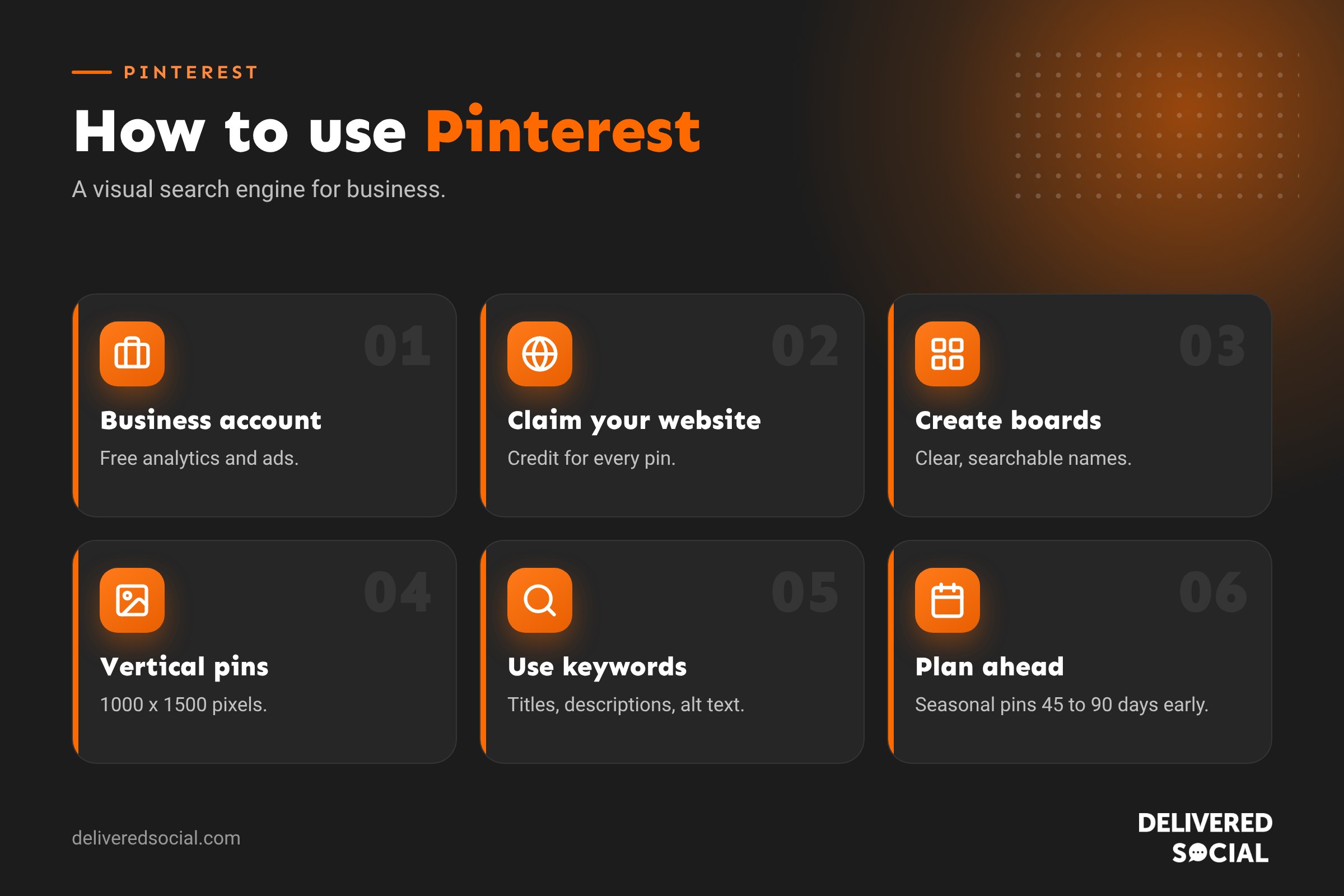
If you are using Pinterest for marketing, set up a free business account. It gives you analytics, ads, the ability to claim your website and extra profile features.
- On the sign up page, choose Create a business account, or go to business.pinterest.com.
- Enter your business email, password and age.
- Add your business name, website, country and language.
- Describe your business type and goals.
Already have a personal account? Go to Settings, then Account management, and convert it to a business account, or add a separate business profile linked to it.
Set up your profile
- Profile picture: your logo or a clear headshot.
- Display name: your business name, optionally with a keyword, such as “Smiths Bakery | Cakes and Bread”.
- Username: short and matching your other social media handles.
- About: up to 500 characters describing what you do, who for and where. Include keywords people search.
- Website: add your website and claim it.
Claim your website
Claiming your website proves you own it. It adds your profile picture to pins from your site, gives you analytics on pins people save from your website and adds a globe icon to your profile. In your business settings, go to Claimed accounts, choose Websites and follow the instructions. You add a small meta tag or HTML file to your site, or use a plugin such as Yoast SEO on WordPress. Shopify and other platforms have simple integrations.
How to create boards
- Go to your profile and tap the plus icon.
- Choose Board.
- Give it a clear, searchable name, such as “Small garden ideas” rather than “Stuff I like”.
- Add a description with relevant keywords.
- Choose whether to keep it secret while you build it, then make it public when it has some pins.
Start with five to ten boards covering the main topics your customers care about. A kitchen fitter might have boards for “Modern kitchen ideas”, “Kitchen islands”, “Small kitchen storage” and “Kitchen colour schemes”. Mix your own pins with useful pins from others, so boards are genuinely helpful. Our guide to Pinterest boards covers sections and group boards.
How to post on Pinterest
On a computer
- Click Create, then Create Pin.
- Upload an image or video, or drag it into the window.
- Write a title of up to 100 characters. The first 40 or so show most often, so put the main keyword first.
- Write a description of up to 800 characters, explaining what the pin is about and why someone should click.
- Add the destination link, the specific page on your website the pin relates to.
- Choose a board and add alt text describing the image.
- Publish now or schedule for later.
On a phone
Tap the plus icon, choose Pin, select your image or video and fill in the same details before publishing.
Saving from your website
You can also save images directly from web pages using the Pinterest browser button, or add a Save button to images on your own site so visitors can pin them for you.
What makes a good pin?
- Vertical format: 1000 by 1500 pixels, a 2:3 ratio, is the recommended size. Overly tall pins may be cut off.
- Clear imagery: bright, high quality photos that show the idea or product clearly.
- Text overlay: a short headline on the image, such as “10 small garden ideas”, helps people know what they will get.
- Branding: a small logo or website address at the bottom.
- Useful link: send people to a page that delivers what the pin promised.
- Fresh pins: Pinterest favours new images, so create several pins for each important page rather than repinning the same image.
Video pins and multi image pins work well too. Use 9:16 vertical video and make sure it makes sense without sound.
Pinterest SEO
Because Pinterest is a search engine, keywords decide whether people find you.
- Type your topic in the Pinterest search bar and note the suggested phrases.
- Use Pinterest Trends to see what people search for and when.
- Put keywords in your profile, board names, board descriptions, pin titles, pin descriptions and alt text.
- Write naturally; stuffing keywords looks spammy.
Our guide to Pinterest trends explains how to plan around seasonal searches.
Plan ahead
Pinterest users plan early. People search for Christmas ideas from late summer, summer holidays in winter and wedding ideas a year ahead. Publish seasonal pins 45 to 90 days before the event, so they have time to gain traction before searches peak.
How often should you pin?
Consistency matters more than volume. A few fresh pins a week, every week, is better than fifty in one day and then nothing for a month. Many businesses aim for one to five new pins a day spread out with scheduling. You can schedule pins in Pinterest itself or with a tool such as Metricool.
Pinterest analytics
Business accounts get analytics showing impressions, saves, outbound clicks and audience details. Outbound clicks matter most for traffic. Check which pins and boards drive clicks, which topics your audience engages with and how performance changes through the year. Then make more of what works.
Shopping on Pinterest
Online shops can upload a product catalogue, often through Shopify, WooCommerce or a product feed, to turn products into shoppable pins with prices and stock information. These can appear in shopping results and on your profile’s shop tab. Our guide to making money on Pinterest covers more ways to earn.
Pinterest ads
Pinterest ads, called promoted pins, appear in home feeds and search results and look like normal pins. You can target by keyword, interest, audience and demographics, which makes them good for reaching people at the planning stage. Start with your best performing organic pins. Our guide to Pinterest ads explains how.
Which businesses suit Pinterest?
- Home, interiors, garden and DIY.
- Food, drink and recipes.
- Fashion, beauty and hair.
- Weddings, events and parties.
- Travel and hospitality.
- Crafts, hobbies and education.
- Health, fitness and wellbeing.
B2B companies can succeed too, with infographics, guides and templates, though the audience is mainly consumers.
Common mistakes
- Using square or landscape images that look small in the feed.
- Vague board names and no descriptions.
- Linking every pin to your homepage instead of the relevant page.
- Posting in bursts, then stopping.
- Expecting instant results; Pinterest builds slowly but lasts.
A simple weekly Pinterest routine
Pinterest is easy to keep going once you have a routine. Each week, pick two or three pages on your website, such as a blog post, a product and a service page. Create two or three different pin designs for each, using new images or layouts each time, and schedule them across the week. Save a handful of useful pins from other accounts to your boards. Once a month, check analytics, note which pins earned the most outbound clicks and make more in that style. A simple template in Canva keeps your pins consistent and quick to make.
Turn your existing content into pins too. Every blog post, recipe, project photo and product can become several pins, so you rarely need to create content just for Pinterest.
Key takeaways
- Pinterest is a visual search engine where people plan purchases and projects.
- Set up a free business account and claim your website.
- Create clear, keyword rich boards and vertical 1000 by 1500 pixel pins.
- Link each pin to the most relevant page and pin consistently.
- Plan seasonal content 45 to 90 days early.
Frequently asked questions
Is Pinterest free?
Yes, personal and business accounts are free. Ads are paid.
How do I post on Pinterest?
Click Create, then Create Pin, upload your image, add a title, description, link and board, then publish.
What size should pins be?
1000 by 1500 pixels, a 2:3 vertical ratio.
Do I need a business account?
For marketing, yes. It adds analytics, ads and website claiming.
How long does Pinterest take to work?
Often a few months of consistent pinning, but results can last years.
Can I schedule pins?
Yes, in Pinterest or with tools such as Metricool.
Does Pinterest help SEO?
It can bring extra traffic to your website and pins can appear in Google image results.
Want Pinterest bringing you traffic?
We plan and manage social media, including Pinterest, for businesses across Surrey, Hampshire and the UK. Find out more about our social media management services. Call us on 01483 608 303.
































