



Keep reading
Rather we just did it for you?
Let's get your business seen.
Social media, websites, SEO and ads from a team you can actually meet.
Losing access to your TikTok account is stressful, especially if it’s part of your business. Whether you deleted it and changed your mind, forgot your login, were hacked, or TikTok banned or suspended it, there are steps you can take. This guide explains how to get your TikTok account back in each situation, how long you have, what to do if TikTok deleted your account, and how to protect it in future.
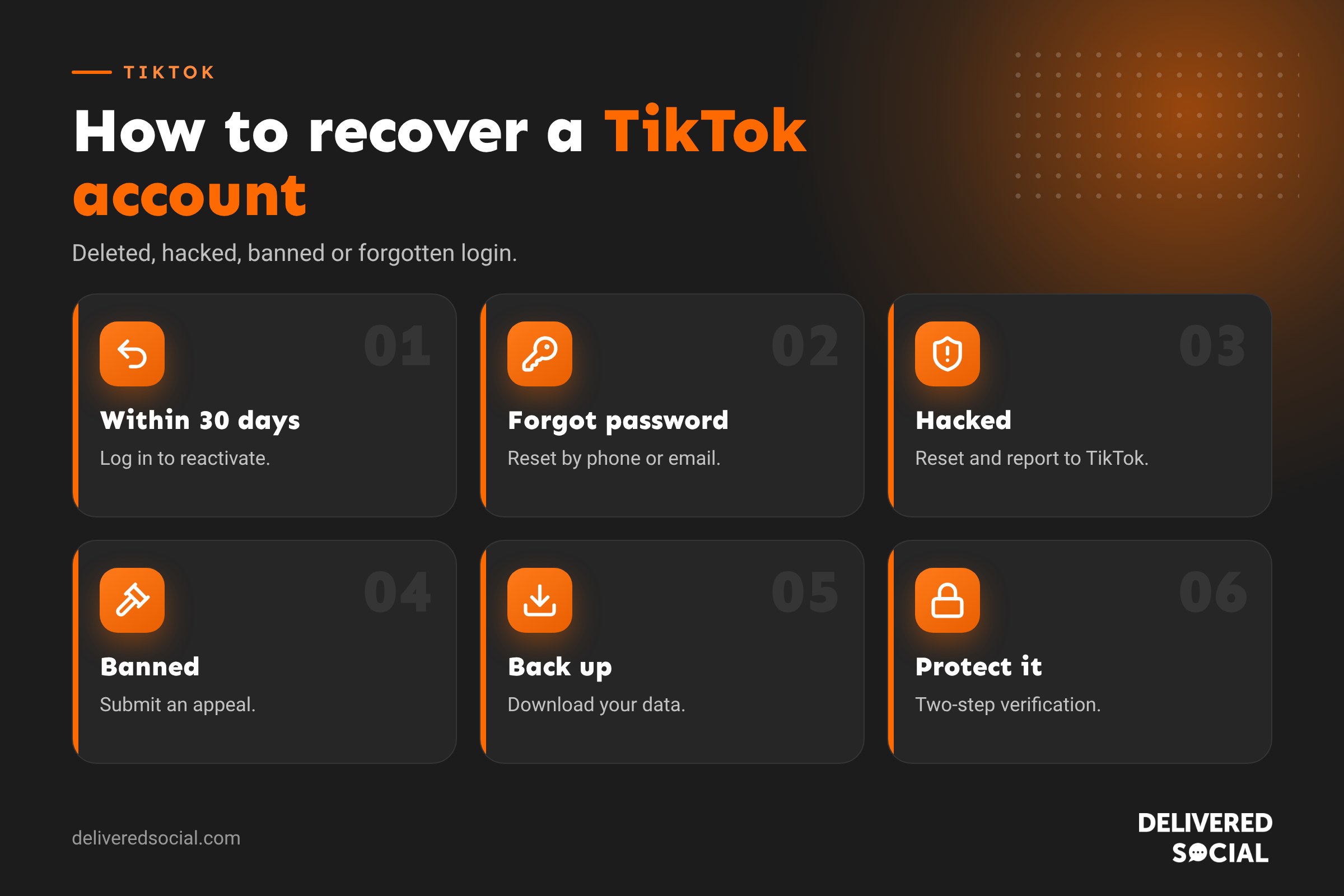
Which situation are you in?
| Situation | Can you get it back? | What to do |
|---|---|---|
| You deleted it less than 30 days ago | Yes | Log in and reactivate |
| You deleted it more than 30 days ago | No | Create a new account |
| Forgotten password or login | Usually | Reset via phone or email |
| Hacked | Often | Reset password and contact TikTok |
| Banned or suspended by TikTok | Possibly | Appeal the decision |
How to recover a deleted TikTok account (within 30 days)
When you delete your TikTok account, it’s deactivated for 30 days before being permanently deleted. During that time, you can bring it back:
- Open TikTok and tap Log in.
- Log in using the same method you used before (phone, email, username, Google, Apple or Facebook).
- You’ll see a message that your account is deactivated.
- Tap Reactivate.
Your videos, followers and settings are restored. After 30 days, the account and its content are permanently deleted and can’t be recovered.
How to recover a TikTok account if you forgot your password
- Tap Log in, then choose Use phone / email / username.
- Tap Forgot password?
- Choose to reset by phone or email.
- Enter the code TikTok sends you.
- Create a new, strong password.
If you don’t know which login you used
Try each option: phone number, email addresses you own, and social logins such as Google, Apple or Facebook. Many people sign up with one and forget. Search your email for messages from TikTok to find the address linked to your account.
How to recover a hacked TikTok account
Signs your account has been hacked include unfamiliar videos or messages, changed profile details, or being logged out with your password not working.
- Try resetting your password using Forgot password.
- If the hacker changed your phone and email, contact TikTok: on the login screen, tap Forgot password, then look for help options, or use the in-app Report a problem feature from another account.
- Explain clearly that your account was hacked and provide your username, original email or phone, and any proof of ownership, such as the device you usually use.
- Once back in, change your password, turn on two-step verification, check your linked email and phone, and remove unknown devices under Security.
- Delete any content the hacker posted and warn followers if they sent messages.
What to do if TikTok banned or deleted your account
If TikTok suspends or permanently bans your account for breaking its Community Guidelines, you’ll usually see a notice when you open the app.
How to appeal
- Open TikTok and read the notification about your account.
- Tap Appeal or Submit an appeal.
- Explain politely why you believe the decision is wrong.
- Submit and wait for TikTok’s review.
You can also check your Account status page in Settings to see any violations and appeal individual decisions. Appeals can take days or weeks. Don’t create a new account to get around a ban while appealing, as this can break the rules too.
Common reasons for bans
- Repeated Community Guidelines violations.
- Spam or fake engagement.
- Impersonation.
- Copyright infringement.
- Being under the minimum age.
Our guide to why TikTok accounts get banned covers this in more detail.
How to deactivate rather than delete
If you only want a break, you may be able to temporarily deactivate instead of deleting. Go to Settings and privacy, then Account, then Deactivate or delete account, and choose Deactivate. Your profile is hidden until you log back in. For a business, deactivating is far safer than deleting.
Download your TikTok data first
Before deleting your account, or regularly as a backup, download your data: go to Settings and privacy, then Account, then Download your data. You’ll get a file including your videos, comments and profile information. Also keep original copies of your videos on your phone or in cloud storage.
Protecting your TikTok account
- Turn on two-step verification in Security settings.
- Use a strong, unique password.
- Keep your email and phone number up to date.
- Check your login activity and remove unfamiliar devices.
- Don’t share your login. For teams, use TikTok’s business tools rather than shared passwords.
- Beware of phishing: TikTok won’t ask for your password by message or email.
- Avoid third-party apps that promise followers or likes.
Beware of recovery scams
People who lose accounts are often targeted by scammers offering to recover them for a fee. TikTok doesn’t use third parties for recovery. Never pay anyone or share your login details. Only use the TikTok app and its official help pages.
Starting again if you can’t recover your account
If your account is permanently gone, starting again isn’t the end of the world:
- Create a new account with a secure login and two-step verification from day one.
- Use a similar username if available, so people can find you.
- Repost your best-performing videos (from your saved originals).
- Tell customers on your other platforms, website and email list.
- Post consistently. Because TikTok shows content to non-followers, new accounts can grow quickly.
Recovering a TikTok business account
If your business relies on TikTok, losing access can affect sales. A few extra steps help:
- Keep proof of ownership: the email and phone number used, original video files, and any invoices for TikTok ads.
- Use TikTok for Business support if you run ads, as advertisers can often reach support more easily.
- Tell your customers on your other channels where to find you while you sort it out.
- Review who had access, including ex-staff and agencies, once you’re back in.
What happens to your content when an account is deleted?
During the 30-day deactivation period, your profile, videos and comments are hidden from others. After 30 days, they’re permanently removed, though some information, such as messages you sent to others, may still be visible to them. Videos you posted won’t come back, which is why keeping your own copies of everything you upload is so important.
Contacting TikTok support
TikTok doesn’t offer phone support, but there are several ways to reach it:
- In the app: go to Settings and privacy, then Report a problem, and choose the issue that best fits.
- From the login screen: if you can’t log in, look for the help or feedback option.
- The TikTok Help Centre online, which has forms for account issues.
- TikTok for Business support if you advertise on TikTok.
Be clear and concise, include your username and the email or phone linked to the account, and describe exactly what happened and when. Keep a note of any reference numbers you receive.
Preventing accidental deletion
If several people manage your business account, agree who is allowed to change settings. Accidental deletions and deactivations happen more often than you’d think when logins are shared. Using business tools that give team members limited access, rather than sharing the main password, reduces the risk.
Key takeaways
- Deleted TikTok accounts can be reactivated within 30 days by logging back in.
- Forgotten passwords can be reset by phone or email.
- Hacked accounts need a password reset, a report to TikTok and two-step verification.
- Banned accounts can be appealed through the app.
- Always keep your own copies of your videos.
Quick glossary
- Deactivated: hidden for 30 days before deletion.
- Two-step verification: an extra code needed to log in.
- Account status: the settings page showing any violations.
- Appeal: a request for TikTok to review a decision.
Finally, write down your login method, recovery email and phone number somewhere safe, such as a password manager. When something goes wrong, having these details to hand makes recovery much faster and far less stressful for you and your team.
Frequently asked questions
How do I get my TikTok account back after deleting it?
Log in within 30 days and tap Reactivate. After 30 days it’s permanently deleted.
TikTok deleted my account. Can I get it back?
If TikTok banned it, submit an appeal through the app. If the appeal fails, the account can’t be restored.
How long does TikTok keep a deleted account?
Thirty days, after which it’s permanently deleted.
How do I recover my TikTok without a phone number or email?
Try any social logins you might have used, then contact TikTok through the help options with proof of ownership.
Can I recover deleted TikTok videos?
Recently deleted videos may be recoverable for a short time in some versions of the app. Otherwise, use your saved originals.
Need help rebuilding your social media?
We help businesses across Surrey, Hampshire and the UK set up, secure and grow their social media accounts. See our social media management services or call us on 01483 608 303.































