



Keep reading
Rather we just did it for you?
Let's get your business seen.
Social media, websites, SEO and ads from a team you can actually meet.
TikTok’s repost button lets you share someone else’s video with your followers in a single tap, without downloading it or posting it again. This guide explains how to repost on TikTok, why the repost button might be missing, how to undo a repost by accident, the other ways to share videos, and how businesses can use reposts well.
What is a repost on TikTok?
A repost shares another person’s video with your followers. It doesn’t appear on your main profile grid as your own video. Instead, it’s shown to your followers in their feeds (often with a note saying you reposted it) and it’s added to the Reposts tab on your profile. The video stays credited to the original creator, and any likes, comments and views go to them.
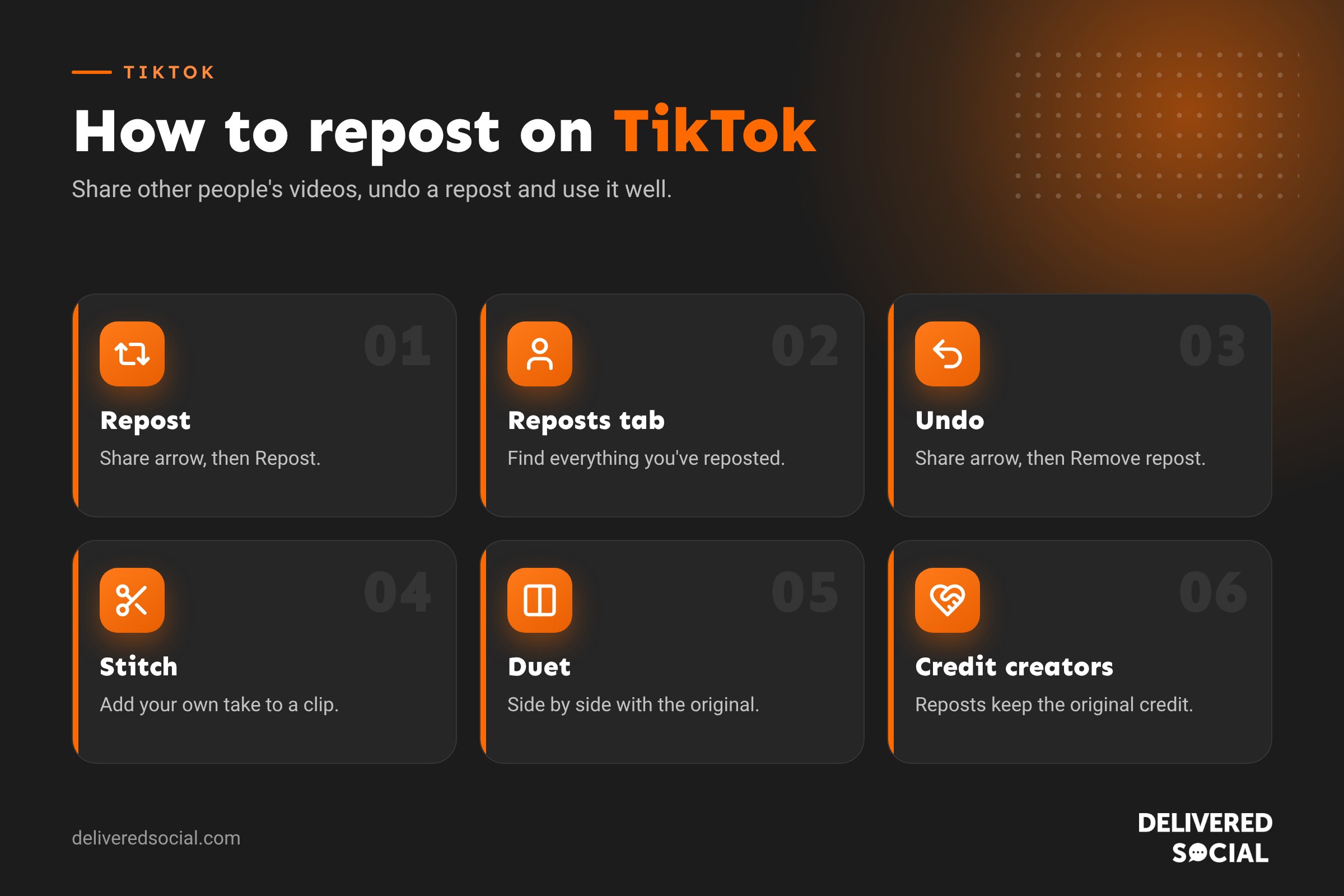
How to repost a TikTok video
- Find the video you want to share in your For You or Following feed.
- Tap the Share arrow on the right of the screen.
- Tap Repost at the top of the share menu (it has a yellow icon with two arrows).
- Add a comment if you’d like, then confirm. You’ll see a message saying you’ve reposted it.
On some versions of the app, you can also press and hold the video or tap the Repost button directly on the right-hand side. If a creator has turned off reposts for their video, the option won’t appear.
How to find videos you’ve reposted
- Go to your profile.
- Tap the Reposts tab, shown with the two-arrows icon next to your videos and liked videos.
- Scroll through everything you’ve reposted.
You can choose who can see your reposts in your privacy settings.
How to undo a repost on TikTok
Reposted something by mistake? It’s easy to remove:
- Open the video again, either from your Reposts tab or your feed.
- Tap the Share arrow.
- Tap Remove repost.
The video is removed from your Reposts tab and won’t be shown to your followers as a repost from you. The creator isn’t sent a notification that you removed it.
Why can’t I see the repost button?
- Update the app. The feature is only in recent versions.
- The creator has turned reposts off for that video, or their account is private.
- It’s your own video. You can’t repost your own content, but you can pin it or share it to your Story.
- Your account type or region may not have the feature yet.
- You’ve opened the video outside the main feed, for example from a link. Try finding it in the app instead.
Other ways to share TikTok videos
| Option | What it does | Best for |
|---|---|---|
| Repost | Shares the original video with your followers | Quick recommendations |
| Stitch | Adds a clip of someone’s video to the start of your own | Responding to a question or adding your view |
| Duet | Shows your video side by side with the original | Reactions, playing along, demonstrations |
| Share to Story | Adds the video to your 24-hour TikTok Story | Short-term shout-outs |
| Send by message | Shares privately with friends | One-to-one recommendations |
| Copy link | Copies a link to share anywhere | WhatsApp, email and other apps |
Stitch and Duet create new videos on your profile, so they can win you views and followers of your own, as long as you add something worthwhile.
How to stop people reposting your videos
If you’d rather people didn’t repost your content, you can change it in your settings. Go to your profile, tap the three lines, then Settings and privacy, then Privacy, and look for options covering reposts, Stitch, Duet and downloads. You can also change these for individual videos before you post them, under More options. For most businesses, though, leaving reposts on is a good idea: every repost is free promotion.
Should businesses repost on TikTok?
Yes, in moderation. Reposting can help you:
- Share customer videos that mention or tag your business.
- Support local partners and neighbouring businesses.
- Highlight press coverage or creators who have reviewed you.
- Join industry conversations by sharing useful videos from experts.
- Keep your followers engaged between your own posts.
But reposts shouldn’t replace your own content. They don’t add videos to your grid or bring views to your account. Aim for mostly original videos, with reposts as an occasional extra.
Reposting vs downloading and reuploading
Some people download a TikTok and post it again as their own. Avoid this. It takes views away from the original creator, usually carries a watermark that TikTok can detect, and TikTok’s recommendation system favours original content, so reuploaded videos often reach fewer people. It can also break copyright rules. If you want to use a customer’s video in your own content, ask permission and credit them, or use Stitch or Duet.
Ideas for using reposts well
- Repost a customer’s review video, then thank them in the comments.
- Repost a local event’s video the week before, to show you’re part of the community.
- Repost a staff member’s behind-the-scenes video from their own account (with their agreement).
- Repost trending videos that relate to your industry, then follow up with your own take as a Stitch.
- Repost creators who have visited your business, which encourages others to do the same.
Reposting on TikTok vs Instagram
Both apps now have a repost button that works in a similar way: it shares the original post with your followers and adds it to a Reposts tab on your profile. Instagram also lets you share posts to your Story and create collab posts. Our guide to reposting on Instagram covers the details.
Who can see your TikTok reposts?
By default, reposts are shown to your followers, and especially to friends (people who follow you and whom you follow back). They don’t appear on your main video grid, but anyone who can see your profile may be able to view your Reposts tab, depending on your privacy settings. If you’d rather keep them private, go to Settings and privacy, then Privacy, and look for the setting that controls who can see your reposts. Private accounts limit reposts to approved followers.
How reposts affect the algorithm
When you repost a video, you’re telling TikTok you found it worth sharing. That can help the video reach more people, which is great for the creator. For you, reposting also helps TikTok understand your interests, which can shape your For You feed. What reposts don’t do is add views or followers to your own account, because the video isn’t yours. To grow, you still need to post your own content regularly.
How to get more people to repost your TikToks
- Make videos people want to share: useful tips, funny moments, relatable situations and local recommendations.
- Ask for it: a simple “Repost this for a friend who needs it” can work well.
- Keep reposts switched on in your settings.
- Tag and mention partners and customers who appear in your videos, so they can share them easily.
- Reply to comments with videos, which keeps conversations going and gives people more to share.
Reposting customer videos: get permission first
Using the repost button to share a customer’s public video is fine, because it keeps their name and video intact. If you want to go further, such as downloading their video to use in your own post, on your website or in an advert, ask them first and keep a record of their reply. A quick, friendly DM is all it takes, and most happy customers are delighted to be featured.
Track what your reposts lead to
If you repost regularly, keep an eye on whether it makes a difference. Check your profile views, follower growth and messages in TikTok Analytics in the days after reposting customer or partner videos. If reposts of happy customers lead to more enquiries, do more of them.
A quick repost checklist
- Is the video relevant to your followers?
- Is it from an account you’re happy to be associated with?
- Does it fit your brand’s tone and values?
- Would a Stitch or Duet with your own comment add more value?
- Have you reposted too much this week compared with your own videos?
Frequently asked questions
Does TikTok tell people when you repost their video?
The creator can see their video’s share and repost activity, and some people may get a notification. Your followers may see that you reposted it.
Can I see who reposted my TikTok?
You can see how many times your video has been shared in its analytics, and sometimes who reposted it in your notifications.
Do reposts help the original creator?
Yes. Reposts show their video to new people, and the views, likes and comments count towards their video.
Can I repost on TikTok from a computer?
The repost button is mainly on the mobile app. On a computer, you can copy the video link and share it elsewhere.
Want TikTok content that works for your business?
We help small businesses across Surrey, Hampshire and the UK plan and manage TikTok and Reels content that reaches local customers. Read our guide to what TikTok is, see our social media services or call us on 01483 608 303.































