



Keep reading
Rather we just did it for you?
Let's get your business seen.
Social media, websites, SEO and ads from a team you can actually meet.
Found a photo on Instagram you want to keep? There are several ways to save it, from Instagram’s own Saved collections to downloading your own posts to your phone. This guide explains how to save photos on Instagram, how to organise them, how to download your own posts, Stories and Reels, and what the rules are about saving other people’s content.
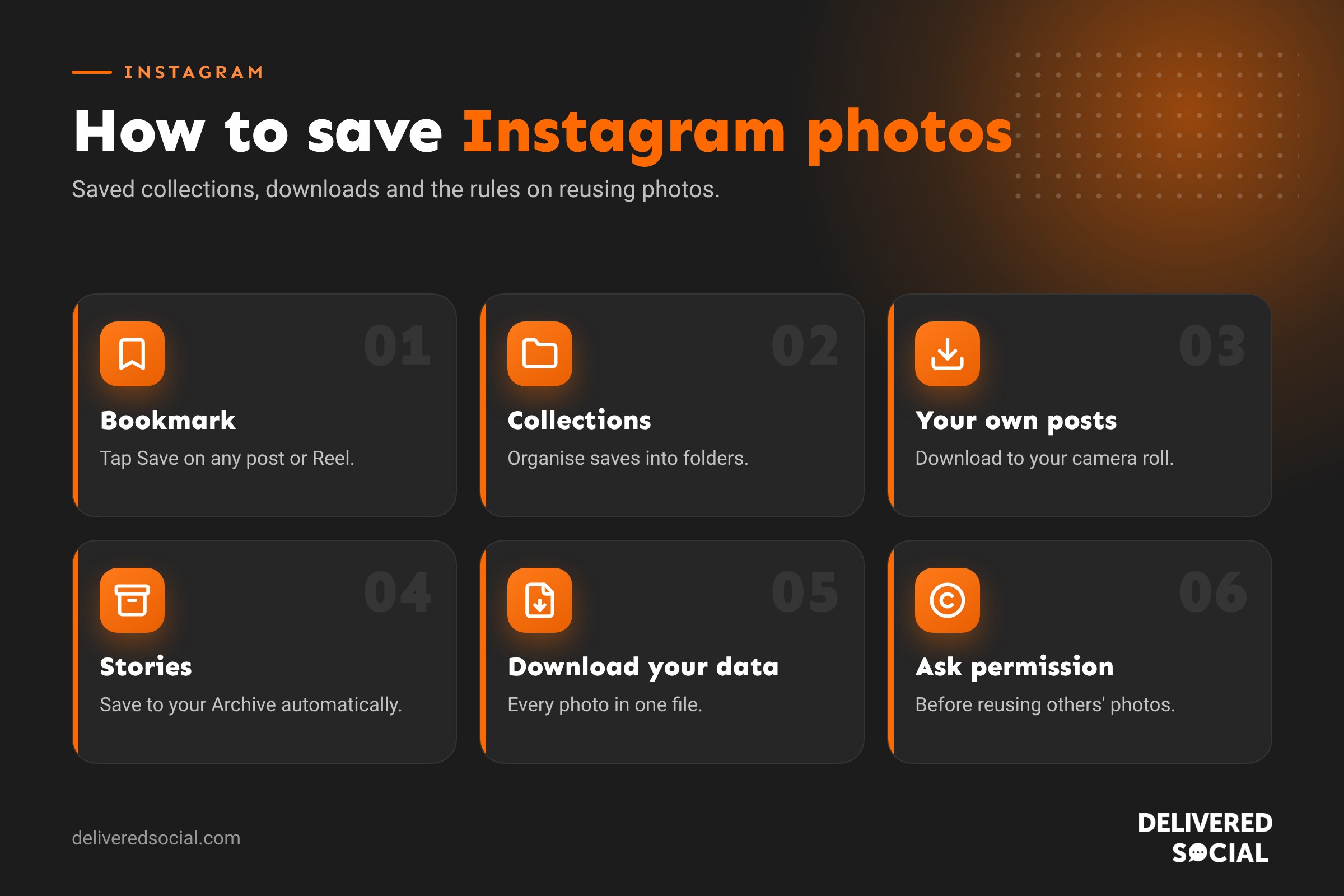
Ways to save photos on Instagram
| Method | Works for | Saves to |
|---|---|---|
| Bookmark (Save) icon | Any post or Reel | Your private Saved folder in Instagram |
| Collections | Any post or Reel | Named folders in Saved |
| Download from your profile | Your own posts and Reels | Your phone’s camera roll |
| Save Story or Highlights | Your own Stories | Camera roll or your Archive |
| Download your information | Everything you’ve posted | A file sent to your device |
| Screenshot | Anything on screen | Camera roll (lower quality) |
How to save a photo on Instagram
- Find the post you want to keep.
- Tap the bookmark icon at the bottom right of the post.
- The post is added to your Saved folder.
Only you can see what you’ve saved. The person who posted it won’t be told who saved it, though business and creator accounts can see how many people saved each post in their Insights.
How to find your saved posts
- Go to your profile.
- Tap the three lines at the top right.
- Tap Saved.
On a computer, click More at the bottom left of instagram.com, then Saved. If the person who posted it deletes the post or makes their account private, it will disappear from your Saved folder.
How to organise saved photos into collections
- Press and hold the bookmark icon on a post, or tap it and then tap Save to collection.
- Choose an existing collection or tap + to create a new one, such as “Kitchen ideas” or “Content inspiration”.
- To manage collections, go to Saved, tap a collection, then the three dots to rename, edit or delete it.
You can also create a collaborative collection and share it with friends in a group chat, so everyone can add ideas. It’s handy for planning a wedding, a holiday or a home project together.
How to download your own Instagram photos
Instagram usually saves a copy of photos you post to your camera roll, if you’ve turned on the setting. To check:
- Go to your profile, tap the three lines and open Archiving and downloading.
- Turn on Save original photos (iPhone) or the equivalent setting on Android, so new posts are saved to your phone.
To download a single post you’ve already shared, open it, tap the three dots and look for Download (available for many posts and Reels on your own account). For carousels, the option may download the slides individually.
How to save your Instagram Stories
- While it’s live: open your Story, tap the three dots (More) and tap Save to download it.
- Automatically: in Archiving and downloading, turn on Save story to archive. Every Story you post is kept in your private Archive after 24 hours.
- To your profile: add Stories to a Highlight so they stay visible on your profile.
How to save Reels
Tap the bookmark icon (or the three dots, then Save) on any Reel to add it to your Saved folder. For your own Reels, open the Reel, tap the three dots and choose Download or Save to camera roll. Downloading other people’s Reels may be possible on public accounts where the creator allows it, and the video will usually include an Instagram watermark with their username.
How to download all your Instagram photos at once
- Go to Accounts Centre, then Your information and permissions.
- Tap Download your information.
- Choose your Instagram account and select Media (or everything).
- Choose the date range, format and where to send it.
- When it’s ready, download and unzip the file to see your photos and videos.
This is a good backup to do once a year, and essential before deleting or handing over an account.
Can you save other people’s photos?
Saving a post to your private Saved folder is fine: that’s what the feature is for. Downloading someone else’s photo to your phone is different. In the UK, the person who took the photo owns the copyright, and Instagram’s terms don’t give you permission to download it and use it elsewhere.
- For your own reference (such as a haircut you want to show your hairdresser), a screenshot is generally fine for private use.
- For your business (your website, adverts, flyers or your own feed), you need the owner’s permission, ideally in writing.
- To share on Instagram, use Instagram’s own tools: share to your Story, repost or send by DM. These credit the original creator. Our guide to reposting on Instagram explains how.
Be careful with third-party “Instagram downloader” websites and apps. Many are full of adverts, some ask for your login details, and using them to take other people’s content doesn’t make it legal to reuse.
How businesses can use saves
Saves are one of the strongest signals that people value your content, and Instagram takes them into account when deciding what to show more widely. Posts people save tend to be:
- Useful guides, tips and checklists.
- Carousels that teach something step by step.
- Recipes, outfits, room ideas and before and after photos.
- Local recommendations people want to come back to.
Encourage saves with a simple call to action such as “Save this for later” on posts that are worth coming back to, and check which posts get the most saves in your Insights.
How to save Instagram photos on a computer
On instagram.com, you can bookmark any post by clicking the bookmark icon below it, just as you would on your phone. Your Saved folder is under More, then Saved. To save your own photos to your computer, the most reliable way is to download your information from Accounts Centre, which includes full-quality copies of everything you’ve posted. If you schedule posts with a tool such as Metricool or Meta Business Suite, your original images are usually kept there too.
How to save photos sent in DMs
When someone sends you a photo in a direct message, press and hold it (or open it and tap the three dots) and choose Save to add it to your camera roll. This doesn’t work for disappearing photos and videos sent in vanish mode or with “view once”, which can only be seen once or for a short time. Instagram may notify the sender if you screenshot a disappearing photo.
Photo quality: why saved images can look worse
Instagram compresses images when they’re uploaded, to keep the app fast. That means a photo saved or downloaded from Instagram is rarely as sharp as the original. A screenshot is lower quality still, because it only captures what’s on your screen. If you need a high-quality version of a photo for printing or your website, ask the person who took it for the original file. For your own posts, keep originals backed up in Google Photos, iCloud or a shared drive.
Using saved posts for content inspiration
Saved collections are a brilliant tool for planning your own content. Create collections such as “Reel ideas”, “Carousel layouts”, “Caption styles” and “Competitors”, and save posts whenever something catches your eye. When it’s time to plan next month’s content, open your collections and look for patterns: the hooks, formats and topics that keep grabbing your attention will probably grab your customers’ too. Just remember to make your own version rather than copying.
How to remove saved posts
To unsave a post, open it and tap the bookmark icon again. To remove a post from a collection but keep it in Saved, open the collection, tap the three dots, choose Select, pick the posts and remove them. Deleting a whole collection doesn’t delete the posts from your main Saved folder.
Saving photos for your business: a simple routine
Once a month, download any new posts you’ve made, save your best-performing images into a shared folder, and add customer photos you have permission to reuse. Label everything clearly by date and topic. It takes ten minutes and gives you a ready library for your website, adverts and future posts.
Frequently asked questions
Can people see what I’ve saved on Instagram?
No. Your Saved folder is private. People can only see collections you’ve chosen to share.
Why has a saved post disappeared?
The account may have deleted it, archived it, made their account private or blocked you.
Can I save photos from a private account?
You can bookmark posts from private accounts you follow, but downloading them isn’t possible through Instagram, and you’d need permission to reuse them.
Does Instagram notify people when you screenshot a post?
No. Instagram doesn’t notify people about screenshots of posts or Stories, but it can for disappearing photos and videos sent in DMs.
Want Instagram content people save and share?
We help small businesses across Surrey, Hampshire and the UK create Instagram posts, carousels and Reels that people keep coming back to. See our social media services or call us on 01483 608 303.































