




Keep reading
Rather we just did it for you?
Let's get your business seen.
Social media, websites, SEO and ads from a team you can actually meet.
Your TikTok profile picture is tiny, but it does a big job. It appears next to every video, comment and LIVE, and it’s often the first thing people judge before they decide to follow you. This guide covers the right TikTok profile picture size, how to change it on the app and on desktop, how to add a profile video, why your photo might not be updating, and ideas for businesses and creators that make a small circle work hard.
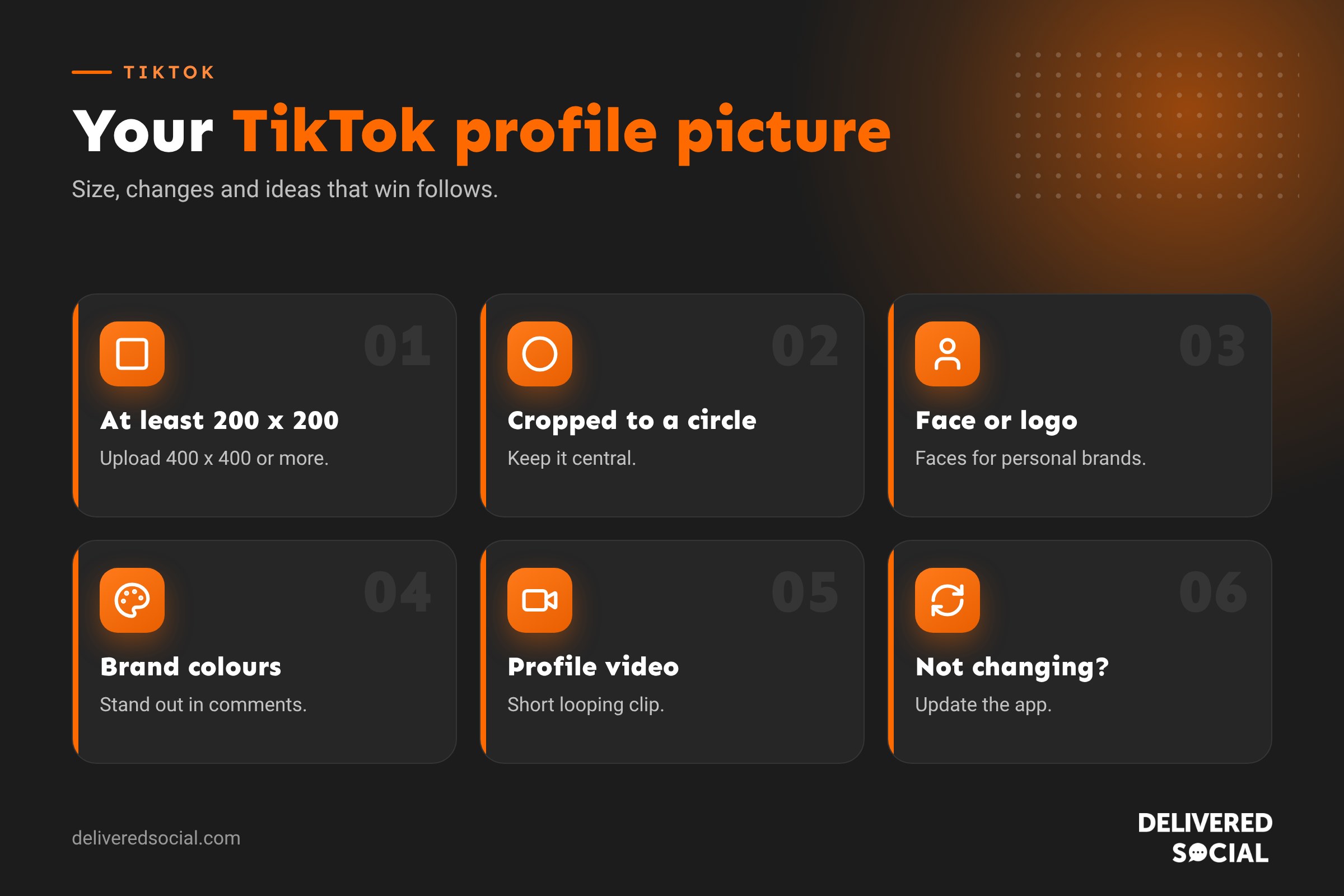
TikTok profile picture size
| What | Recommendation |
|---|---|
| Recommended size | At least 200 x 200 pixels; upload larger, such as 400 x 400 or 1080 x 1080, for sharper results |
| Shape | Square upload, displayed as a circle |
| File types | JPG or PNG |
| Profile video | A short clip that plays in the circle, around 6 seconds |
Because TikTok crops your picture into a circle, keep the important part in the middle and leave space around the edges. Anything in the corners will be cut off.
How to change your TikTok profile picture on the app
- Open TikTok and tap Profile in the bottom right.
- Tap Edit profile.
- Tap Change photo (or tap your current picture).
- Choose Take photo or Select from gallery.
- Move and zoom the image to fit the circle.
- Tap Save. You may be asked whether to share the change as a post to your followers; you can turn this off.
How to change your TikTok profile picture on desktop
- Go to tiktok.com and log in.
- Click your profile icon, then View profile.
- Click Edit profile.
- Click the pencil icon on your profile photo.
- Upload a new image, adjust it and click Apply, then Save.
How to add a TikTok profile video
A profile video is a short looping clip that plays in your profile circle when people visit your page. It’s a nice way to show personality or a product in action. Availability has varied over time and by account, so if you see the option:
- Go to Profile, then Edit profile.
- Tap Change video or the video option next to your photo.
- Choose a clip and trim it to the allowed length.
- Tap Save.
If you don’t see a profile video option, update the app. If it’s still missing, it may not be available for your account type or region.
What makes a good TikTok profile picture?
For people and creators
- A clear, close-up photo of your face, looking at the camera.
- Good lighting, ideally daylight facing a window.
- A simple background that doesn’t compete with your face.
- A bold colour behind you, so you stand out in comments and the feed.
- The same photo across platforms, so people recognise you.
For businesses
- Your logo, simplified to fit a circle. Use the icon version rather than a long logo with small text.
- A founder’s face if you’re a personal brand or service business. People connect with people.
- High contrast so it’s readable at a tiny size.
- Brand colours that match your other social profiles and website.
Logo or face: which is better?
| Choose a face if… | Choose a logo if… |
|---|---|
| You’re the face of the business | Several people appear in your videos |
| You sell a service built on trust, such as coaching or trades | You sell products or have a well-known brand |
| You talk to camera in most videos | Your content is mostly products or demonstrations |
Some businesses use a photo of the founder with a small branded background. That gives you the best of both.
How to make a TikTok profile picture in Canva
- Create a 1080 x 1080 pixel design.
- Add a solid brand colour or simple background.
- Upload your photo and use background remover if you have Canva Pro.
- Place your face or logo in the centre, leaving a margin around the edge.
- Preview it in a circle frame to check nothing important is cut off.
- Download as PNG or JPG and upload to TikTok.
Why won’t my TikTok profile picture change?
- You’ve changed it recently. TikTok sometimes limits how often you can change profile details.
- The image breaks guidelines. TikTok reviews profile pictures and may reject anything inappropriate, copyrighted or misleading.
- The app needs updating. Update TikTok and try again.
- It’s a connection problem. Switch between Wi-Fi and mobile data.
- Cache issues. Clear TikTok’s cache in Settings, then Free up space.
- It has changed but others can’t see it yet. It can take a little while to update everywhere.
How to view someone’s TikTok profile picture in full
Tap their profile picture on their profile page to see a larger version. TikTok doesn’t offer a download button for other people’s profile photos, and you shouldn’t reuse them without permission.
TikTok profile picture ideas for businesses
- Café or bakery: your logo on a warm brand colour, or your best-selling bake.
- Hair or beauty salon: the owner’s face with a clean, bright background.
- Trades: a friendly headshot in branded workwear.
- Shop: a simplified logo icon in high contrast.
- Charity: your logo mark, with seasonal versions for big campaigns.
- Agency or consultant: a professional but relaxed headshot.
Complete your TikTok profile
Your picture works alongside the rest of your profile. Make sure you also have:
- A clear name and username that match your other platforms.
- A short bio saying what you do, who for and where.
- A website link (available to business accounts and some creators).
- Pinned videos that show your best or most useful content.
Our guide to Instagram bio ideas has bio formulas that work just as well on TikTok.
Keeping your profile picture consistent
Use the same picture, or a very similar one, on TikTok, Instagram, Facebook, LinkedIn and YouTube. Consistency helps people recognise you when they see you on another platform, and it makes your business look more established. If you rebrand, update every platform on the same day.
Do profile pictures affect followers?
Yes, more than you might think. When someone sees your video on the For You feed, they often glance at your profile picture and name before deciding to follow. A clear, friendly picture makes you look established and approachable, while a blurry or confusing one can put people off. It’s a small change that takes five minutes and helps every video you post.
Key takeaways
- Upload a square image of at least 200 x 200 pixels; larger is sharper.
- Keep the important part central, as TikTok crops to a circle.
- Change it in Profile, then Edit profile, then Change photo.
- Faces work for personal brands; simple logos work for product brands.
- Keep your picture consistent across all your social profiles.
Profile picture checklist
- Square image, at least 400 x 400 pixels.
- Face or logo centred, with space around the edges.
- Clean background in a brand colour.
- High contrast, readable at thumbnail size.
- No small text or busy details.
- The same picture as your other social profiles.
- Previewed as a circle before uploading.
When to update your profile picture
Most businesses only need to change their picture when they rebrand or when the photo starts to look dated. Some brands add a seasonal touch, such as a festive background at Christmas or a pink version for a charity awareness week, then switch back. Avoid changing it too often, because people use it to recognise you as they scroll through comments and the For You feed.
Profile picture tips for creators
Creators often get the most from a simple, expressive headshot: a genuine smile, eye contact with the camera and a colourful background that matches the feel of their videos. Shoot it on your phone in portrait mode in natural light, crop tightly around your head and shoulders, and test a couple of versions with friends to see which they notice first in a crowded comments section.
Quick glossary
- Profile video: a short clip that plays in your profile circle.
- Username: your @handle, used in your profile link.
- Name: the display name shown above your bio.
- Pinned videos: up to three videos fixed to the top of your profile.
Frequently asked questions
What size is a TikTok profile picture?
At least 200 x 200 pixels. Uploading 400 x 400 or larger gives a sharper result.
How do I change my profile picture on TikTok?
Go to Profile, tap Edit profile, then Change photo, choose an image and save.
Can I have a video as my TikTok profile picture?
Some accounts can add a short profile video in Edit profile. If you don’t see it, update the app.
Why is my TikTok profile picture not changing?
You may have changed it recently, the image may break guidelines, or the app may need updating.
Does TikTok tell people when I change my profile picture?
TikTok may offer to share the change with followers, but you can switch this off before saving.
Want a TikTok profile that wins followers?
We set up and manage TikTok for businesses across Surrey, Hampshire and the UK. Read our TikTok statistics guide, see our social media management services or call us on 01483 608 303.
































