




Keep reading
Rather we just did it for you?
Let's get your business seen.
Social media, websites, SEO and ads from a team you can actually meet.
More and more people use TikTok like a search engine: to find restaurants, recipes, product reviews, how-to guides and local recommendations. For businesses, that means appearing in TikTok search can bring in customers long after a video is posted. This guide explains how TikTok search works, how to search on TikTok, how to get your videos found, and how to use search to plan content that people are actively looking for.
Why people search on TikTok
Younger people in particular often turn to TikTok before Google when they want a recommendation or a quick answer. They like seeing real people try things, so searches such as “best brunch in Brighton”, “how to clean grout” or “honest review of” are common. TikTok search results show short, visual answers from creators and businesses, often with comments that add extra tips.
For a business, this is a big opportunity. A helpful video that ranks for a popular search can keep getting views for months, unlike a feed post that fades after a day or two.
How to search on TikTok
- Tap the magnifying glass at the top right of the For You feed.
- Type what you’re looking for. TikTok suggests popular searches as you type.
- Browse the results, which are split into tabs such as Top, Videos, Users, Sounds, Shop, LIVE, Places and Hashtags, depending on your region.
- Use filters to sort by relevance, most liked or date posted.
You’ll also see search suggestions in comments and above video captions, labelled with a magnifying glass, such as “Others searched for…”. TikTok adds these to encourage people to explore related topics.
How TikTok decides what to show in search
TikTok hasn’t published the full details, but its search results are influenced by:
- Relevance: words in the caption, on-screen text, spoken audio (through automatic captions), hashtags and the sound name.
- Engagement: how much people watch, like, comment, share and save.
- Freshness: recent videos are often favoured for timely topics.
- Location: local results for searches with local intent, such as places to eat.
- Your own behaviour: what you’ve watched and searched before.
- Language and region: results matched to your settings.
How to get your TikToks found in search
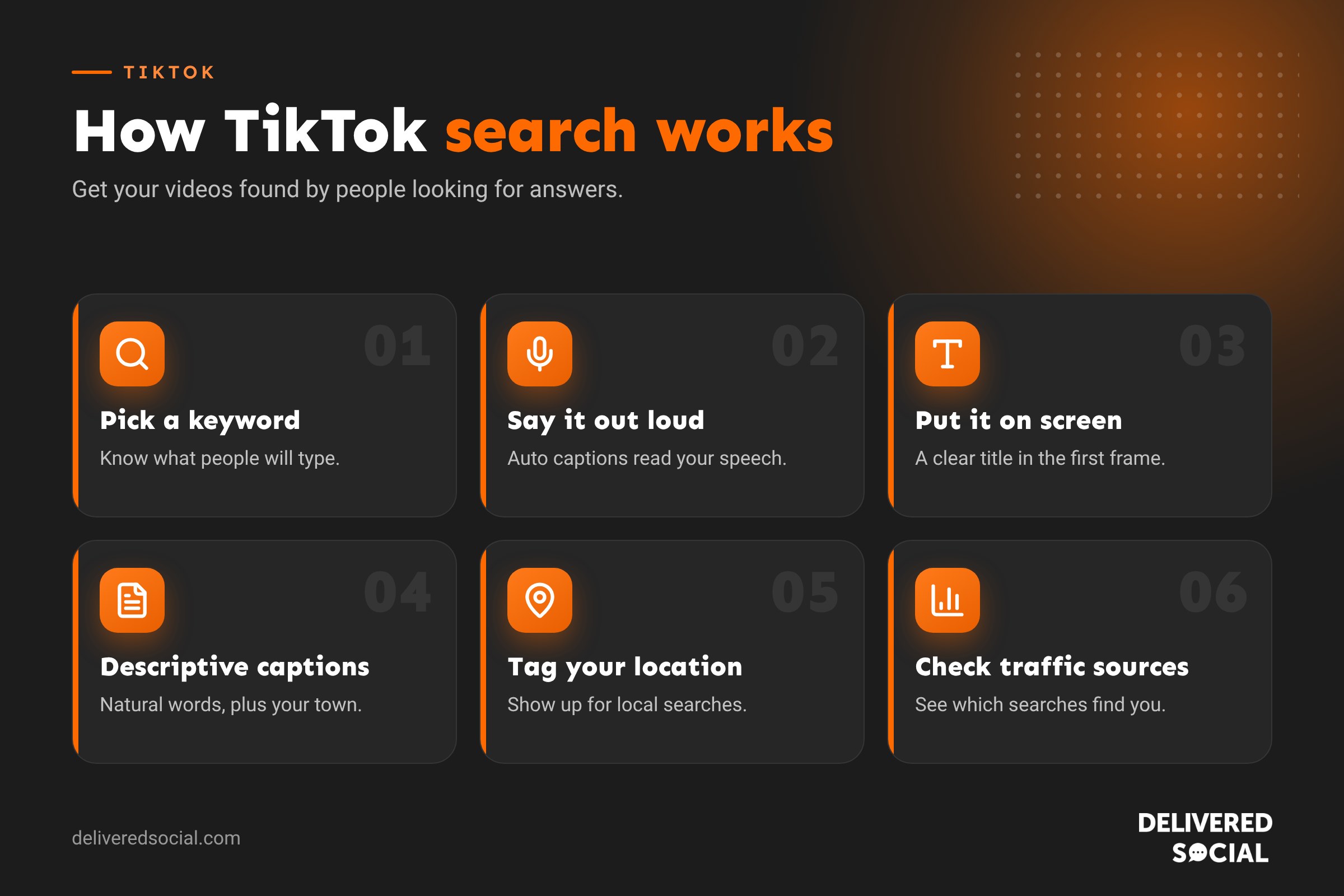
- Start with a keyword in mind. Decide what someone would type to find your video before you film it.
- Say the keyword out loud in the first few seconds. TikTok’s automatic captions turn speech into text it can read.
- Put the keyword on screen as a title, such as “How to make a flat white at home”.
- Write a descriptive caption. TikTok captions can be long, so explain what the video covers in natural language, including your town if it’s local.
- Use a few relevant hashtags, not dozens. Pick specific ones alongside broad ones.
- Add a location tag for local businesses, so you can appear in Places results.
- Turn on captions for accessibility and so viewers can follow without sound.
- Make it genuinely helpful. Videos that answer the search well get watched, saved and shared, which helps them rank.
How to find what people are searching for
| Method | What to do |
|---|---|
| Search suggestions | Start typing a topic in TikTok search and note the autocomplete suggestions |
| “Others searched for” | Look at the suggested searches under popular videos in your niche |
| Comments | Read questions people ask under competitors’ videos |
| TikTok Creative Center | See trending hashtags, songs and topics by country |
| Check “People also ask” and related searches, which often overlap | |
| Your customers | Write down the questions you’re asked on the phone and in person |
Keep a running list of search ideas and turn the best ones into videos each week.
TikTok search ideas for local businesses
- Cafés and restaurants: “best breakfast in [town]”, “dog friendly cafés [town]”, “what to order at [your café]”.
- Trades: “how to bleed a radiator”, “signs your roof needs repairing”, “how much does a new boiler cost UK”.
- Salons: “best haircut for thin hair”, “how long does balayage last”.
- Retail: “gift ideas for dad”, “ review”, “how to style “.
- Professional services: “how to do a self assessment tax return”, “what does a solicitor do when buying a house”.
- Things to do: “rainy day activities [town]”, “things to do in [town] this weekend”.
TikTok search vs Google search
| TikTok search | Google search | |
|---|---|---|
| Results | Short videos from people and businesses | Websites, maps, videos, AI summaries |
| Best for | Inspiration, reviews, quick how-tos, local finds | Detailed information, prices, booking, comparisons |
| What helps you rank | Spoken and written keywords, engagement, freshness | Helpful content, links, technical SEO, reviews |
| Typical audience | Younger, mobile-first | Everyone |
The two work well together. A TikTok video can introduce people to your business, and a strong website and Google Business Profile help them take the next step.
TikTok search ads
TikTok also offers search adverts that appear in search results for chosen keywords, labelled as sponsored. They can be useful for businesses that already run TikTok adverts and want to reach people actively looking for a product or service. As with Google Ads, choose specific keywords, add negative keywords where available, and measure results by sales and enquiries.
Common mistakes
- Using vague captions such as “Monday vibes” with no keywords.
- Relying only on hashtags instead of spoken and on-screen words.
- Stuffing captions with dozens of hashtags.
- Making videos that don’t answer the search in the title.
- Forgetting the location for local businesses.
How to measure search traffic on TikTok
In TikTok Analytics, open a video and look at traffic sources. You’ll see what share of views came from Search, the For You feed, your profile and other places. Many videos also show the search terms people used to find them. If a video gets lots of search traffic, make more videos on related searches, and pin your best performer to your profile.
Writing TikTok captions for search
TikTok captions can be several thousand characters long, which gives you room to describe your video properly. A good search-friendly caption:
- Starts with the main keyword, written naturally: “How to get rid of black mould in your bathroom”.
- Adds a sentence or two explaining what the video shows.
- Includes related words people might search, such as “condensation” or “damp”.
- Mentions your town or area if the video is local.
- Ends with three to five relevant hashtags and a question to encourage comments.
Avoid stuffing captions with keywords. Write for people first, and the right words will usually appear naturally.
Video formats that do well in search
| Format | Example |
|---|---|
| How-to | “How to fold a fitted sheet” |
| Review | “Honest review of after a month” |
| Comparison | “Gas vs heat pump: which is cheaper to run?” |
| List | “5 best walks near Petersfield” |
| Explainer | “What does a mortgage broker actually do?” |
| Myth-buster | “Do you really need to warm up your car in winter?” |
These formats match the way people phrase searches, and they give viewers a clear reason to watch to the end.
Building a search content plan
- List 20 questions your customers ask.
- Check each one in TikTok search and note which have few good answers.
- Group them into themes, such as costs, how-tos and comparisons.
- Film one or two a week, each answering a single question clearly.
- Check Analytics after a month to see which ones are being found through search.
- Make follow-up videos on the searches that work.
Optimising your TikTok profile
Your profile can appear in the Users tab of search results, so make it easy to find. Include your main service and location in your name field, such as “Sarah | Wedding Florist Surrey”. Write a clear bio, add your website link and contact details if available to your account, and pin your three most useful videos so new visitors see your best work first.
Keep old videos working for you
Search is what gives TikTok videos a long life. A helpful video posted months ago can keep appearing for the right search. Check which older videos still get search traffic, pin the best to your profile, reply to new comments on them, and make updated versions when information changes. Answering questions in the comments with video replies is another easy way to create new content that matches what people are searching for.
Frequently asked questions
Is TikTok a search engine?
Not in the traditional sense, but many people use it like one, especially for recommendations, reviews and quick how-tos.
Can I see my TikTok search history?
Yes. Tap the search bar to see recent searches, and clear them individually or all at once.
Do hashtags still matter on TikTok?
They help a little, but spoken words, on-screen text and captions matter more for search.
How long does it take for a TikTok to appear in search?
It can be within hours, but videos often gain search traffic gradually over weeks as they collect engagement.
Want TikTok content people search for?
We help small businesses across Surrey, Hampshire and the UK plan TikTok content around what customers are looking for. Read our guide to what TikTok is, see our social media services or call us on 01483 608 303.































